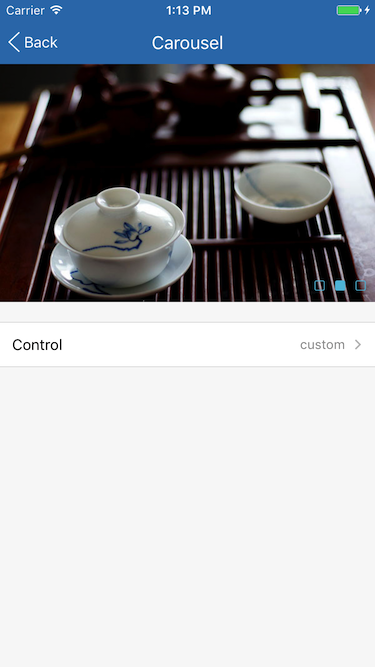
# `` 走马灯
Carousel 组件定义一个跑马灯组件, 一般用于图片、信息页面轮播, 也可用于内容分页显示。
## Props
| Prop | Type | Default | Note |
|---|---|---|---|
| [ScrollView props...](https://facebook.github.io/react-native/docs/scrollview.html) | | | Carousel 组件继承 ScrollView 组件的全部属性。
| carousel | bool | true | 是否开启轮播, 为 false 时停止轮播, 可以调用 scrollToPage 或 scrollToNextPage 方法滚动到页面。
| interval | number | 3000 | 每页停留时间, 单位为毫秒, carousel = true 时有效。
| direction | string | 'forward' | 轮播方向, carousel = true 时有效。
- forward: 正向轮播,页面从右往左滚动
- backward: 反向轮播, 页面从左往右滚动
| startIndex | number | 0 | 开始页面序号。
| cycle | bool | true | 是否循环, carousel = true 时有效。
| control | bool
element | false | 页面控制器, 为 true 时显示默认页面控制器, 也可以传入自定义的页面控制器, 建议使用 Carousel.Control 组件。
| horizontal | bool | true | 继承自 ScrollView 并修改默认值, 默认横向滚动, 为 false 时则纵向滚动。
| pagingEnabled | bool | true | 继承自 ScrollView 并修改默认值。
| showsHorizontalScrollIndicator | bool | false | 继承自 ScrollView 并修改默认值。
| showsVerticalScrollIndicator | bool | false | 继承自 ScrollView 并修改默认值。
| alwaysBounceHorizontal | bool | false | 继承自 ScrollView 并修改默认值。
| alwaysBounceVertical | bool | false | 继承自 ScrollView 并修改默认值。
| bounces | bool | false | 继承自 ScrollView 并修改默认值。
| automaticallyAdjustContentInsets | bool | false | 继承自 ScrollView 并修改默认值。
| scrollEventThrottle | bool | 200 | 继承自 ScrollView 并修改默认值。
## Events
| Event Name | Returns | Notes |
|---|---|---|
| [ScrollView events...](https://facebook.github.io/react-native/docs/scrollview.html) | | Carousel 组件继承 ScrollView 组件的全部事件。
| onChange | index, total | 改变当前页面时调用, index 为当前页面, total 为页面总数量。
## Methods
| Method | Params | Note |
|---|---|---|
| scrollToPage | index, animated | 滚动到指定页面, index 为页面编号, animated 为是否有动画效果, 默认为 true。
| scrollToNextPage | animated | 滚动到下一页面, animated 为是否有动画效果, 默认为 true。
## Static Props
| Prop | Type | Default | Note |
|---|---|---|---|
| [Control](#carouselcontrol--props) | class | | 页面控制器组件。
## `` Props
| Prop | Type | Default | Note |
|---|---|---|---|
| [View props...](https://facebook.github.io/react-native/docs/view.html) | | | Carousel.Control 组件继承 View 组件的全部属性。
| dot | element | | 页面控制器按钮, React Native 组件。
| activeDot | element | | 页面控制器当前页按钮, React Native 组件。
## Example
简单用法
```
```
显示页面控制器
```
...
```
自定义页面控制器
```
□}
activeDot={■}
/>
}
>
...
```
## Screenshots