# `` 分段工具条
SegmentedBar 组件定义一个分段工具条组件, 与 [``](./Carousel.md) 或 [``](./Projector.md) 搭配使用可实现同一页面中多项内容分段显示。
## Props
| Prop | Type | Default | Note |
|---|---|---|---|
| [View props...](https://facebook.github.io/react-native/docs/view.html) | | | SegmentedBar 组件继承 View 组件的全部属性。
| justifyItem | string | 'fixed' | Item 排列模式。
- fixed: 固定位置等宽排列
- scrollable: 可滚动,Item 数量较多一屏显示不下时使用这种模式
| indicatorType | string | 'itemWidth' | 激活指示器类型。
- none: 无
- boxWidth: 等分区间宽度
- itemWidth: Item 内容宽度
| indicatorPosition | string | 'bottom' | 激活指示器位置。
- top: 上方
- bottom: 下方
| indicatorLineColor | string | | 激活指示器颜色,默认值在 Theme 中设置。
| indicatorLineWidth | number | | 激活指示器线宽度,默认值在 Theme 中设置。
| indicatorPositionPadding | number | | 激活指示器与上边界或下边界的距离,默认值在 Theme 中设置。
| animated | bool | true | 改变激活 Item 时是否有动画效果。
| autoScroll | bool | true | 是否自动滚动激活 Item 到容器中间,仅 justifyItem 为 'scrollable' 时有效。
| activeIndex | number | | 激活 Item 序号。
## Events
| Event Name | Returns | Notes |
|---|---|---|
| [View events...](https://facebook.github.io/react-native/docs/view.html) | | SegmentedBar 组件继承 View 组件的全部事件。
| onChange | index | 改变激活 Item 时调用, index 为当前 Item 序号。
## Static Props
| Prop | Type | Default | Note |
|---|---|---|---|
| [Item](#segmentedbaritem--props) | class | | 分段工具条组件 Item 组件。
## `` Props
| Prop | Type | Default | Note |
|---|---|---|---|
| [View props...](https://facebook.github.io/react-native/docs/view.html) | | | SegmentedBar.Item 组件继承 View 组件的全部属性。
| title | string
number
element | | 标题, 可以是字符串、数字或 React Native 组件。
| titleStyle | 同Text.style | | 标题样式, 当 title 类型为 element 时无效。
| activeTitleStyle | 同Text.style | | 激活状态标题样式, 当 title 类型为 element 时无效。
| badge | string
number
element | | 徽章, 可以是字符串、数字或 React Native 组件, 为字符串、数字时使用 [``](./Badge.md) 组件渲染。
| active | bool | false | 是否激活。
## Example
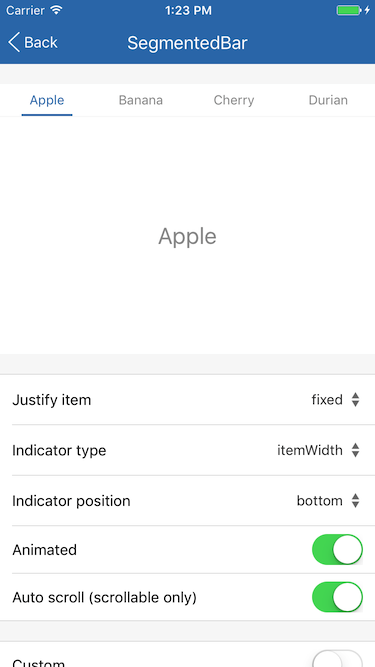
简单用法
```
```
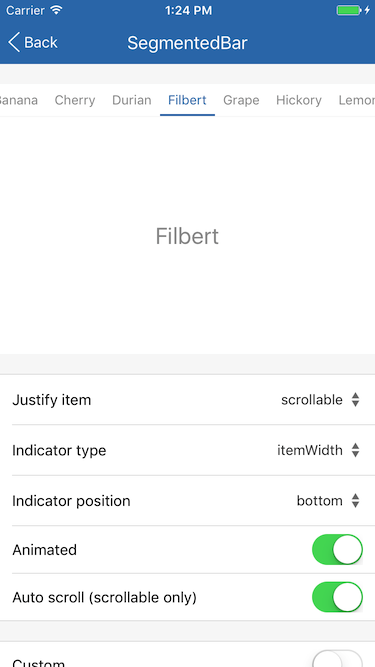
可滚动 Item 列表
```
```
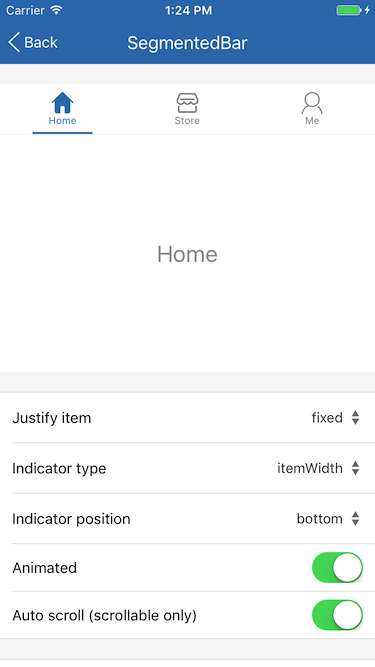
自定义 Item
```
```
## Screenshots