# React-Native Pdf Renderer
[](https://github.com/douglasjunior/react-native-pdf-renderer/blob/main/LICENSE)
[](https://www.npmjs.com/package/react-native-pdf-renderer?activeTab=versions)
[](https://www.npmjs.com/package/react-native-pdf-renderer)
⚛ A zoomable, blazing fast, zero dependencies, pure native, typed PDF Renderer for Android and iOS.
It uses [PdfRenderer](https://developer.android.com/reference/android/graphics/pdf/PdfRenderer) for Android and [PdfKit](https://developer.apple.com/documentation/pdfkit) for iOS.
|Android|iOS|
|-|-|
| |
| ## Why another PDF renderer?
The main reason why I create this library is to avoid using third-party native dependencies, like `com.github.TalbotGooday:AndroidPdfViewer`, `com.github.mhiew:android-pdf-viewer`, `react-native-blob-util` or even `react-native-webview`.
But why?
Every React Native developer knows (or will discover soon) [the pain of updating the React Native ecosystem](https://x.com/flexbox_/status/1806786055057674337) when a new version of Android or iOS comes out, so here we want to avoid this pain as much as possible.
## Requirements
- React Native >= 0.60.0
- iOS >= 11.0
- Android >= API 19
## Install
Install dependency package
```bash
yarn add react-native-pdf-renderer
```
Or
```bash
npm i -S react-native-pdf-renderer
```
Go to the folder **your-project/ios** and run `pod install`, and you're done.
### Android specific (optional)
Customize the [`androidx.recyclerview:recyclerview`](https://developer.android.com/jetpack/androidx/releases/recyclerview) version by setting `ext` in your `android/build.gradle` file.
Example:
```gradle
buildscript {
ext {
recyclerviewVersion = "1.2.1"
}
...
}
```
## Basic usage
There is only one component that you need to use to render the PDF file.
```jsx
import PdfRendererView from 'react-native-pdf-renderer';
const App = () => {
return (
{
console.log(current, total);
}}
/>
);
}
export default App;
```
The `source` prop must point to a file stored inside the device memory.
If the file is online, you can use some third-party library like `expo-file-system`, `rn-fetch-blob`, or `react-native-blob-util` to download and save it locally.
For more details, see the [Sample Project](https://github.com/douglasjunior/react-native-pdf-renderer/blob/main/Sample/App.tsx).
## PdfRendererView props
|Name|Type|Default|Description|
|-|-|-|-|
|source|`string`||Path to a file stored on the device.|
|distanceBetweenPages|`number`|`16`|Distance in `DPI` between pages.|
|maxZoom|`number`|`5`|Max zoom scale.|
|maxPageResolution|`number`|`2048`|(Android only) Max page resolution (width/height) in pixels when zooming. Defined to prevent Android crash when zooming too much: https://github.com/douglasjunior/react-native-pdf-renderer/issues/26 . |
|singlePage|`boolean`|`false`|(Experimental) Renders only the first page without scroll. (useful for display thumbnail)|
|onPageChange|`(current: number, total: number) => void`||Invoked on pages scroll.|
|style|`StyleProp`||Styles to be applied to the native [view](https://reactnative.dev/docs/view-style-props).|
## Limitations
### Page interactions
Because Android renders the PDF page as a full image, it does not support text selection, accessibility, or handling links.
If any of these features are important for your product, we recommend adding a button to open the PDF in an external PDF viewer.
### Size measuring
The `PdfRendererView` is `flex: 1` by default, so you need to make sure that your parents `View`s are `flex: 1` or have a fixed `width/height`.
### Border radius
The `borderRadius` style is ignored by React Native custom view in Android and crashes on iOS. (read more [#1](https://github.com/douglasjunior/react-native-pdf-renderer/issues/1#issuecomment-1483395465))
If you need `borderRadius`, the best option is to wrap the `PdfRendererView` in another `View`.
```jsx
```
### Android crash when zooming too much
To prevent Android from crashing when zooming too much, we have a `maxPageResolution` prop that limits the page resolution when zooming. (read more [#26](https://github.com/douglasjunior/react-native-pdf-renderer/issues/26))
If you are receiving the error `java.lang.RuntimeException: Canvas: trying to draw too large(134806560bytes) bitmap`, try to reduce the `maxPageResolution` prop.
## Mock with jest
```js
jest.mock('react-native-pdf-renderer', () => require('react-native-pdf-renderer/dist/mock'));
```
## Contribute
New features, bug fixes, and improvements are welcome! For questions and suggestions use the [issues](https://github.com/douglasjunior/react-native-pdf-renderer/issues).
## Why another PDF renderer?
The main reason why I create this library is to avoid using third-party native dependencies, like `com.github.TalbotGooday:AndroidPdfViewer`, `com.github.mhiew:android-pdf-viewer`, `react-native-blob-util` or even `react-native-webview`.
But why?
Every React Native developer knows (or will discover soon) [the pain of updating the React Native ecosystem](https://x.com/flexbox_/status/1806786055057674337) when a new version of Android or iOS comes out, so here we want to avoid this pain as much as possible.
## Requirements
- React Native >= 0.60.0
- iOS >= 11.0
- Android >= API 19
## Install
Install dependency package
```bash
yarn add react-native-pdf-renderer
```
Or
```bash
npm i -S react-native-pdf-renderer
```
Go to the folder **your-project/ios** and run `pod install`, and you're done.
### Android specific (optional)
Customize the [`androidx.recyclerview:recyclerview`](https://developer.android.com/jetpack/androidx/releases/recyclerview) version by setting `ext` in your `android/build.gradle` file.
Example:
```gradle
buildscript {
ext {
recyclerviewVersion = "1.2.1"
}
...
}
```
## Basic usage
There is only one component that you need to use to render the PDF file.
```jsx
import PdfRendererView from 'react-native-pdf-renderer';
const App = () => {
return (
{
console.log(current, total);
}}
/>
);
}
export default App;
```
The `source` prop must point to a file stored inside the device memory.
If the file is online, you can use some third-party library like `expo-file-system`, `rn-fetch-blob`, or `react-native-blob-util` to download and save it locally.
For more details, see the [Sample Project](https://github.com/douglasjunior/react-native-pdf-renderer/blob/main/Sample/App.tsx).
## PdfRendererView props
|Name|Type|Default|Description|
|-|-|-|-|
|source|`string`||Path to a file stored on the device.|
|distanceBetweenPages|`number`|`16`|Distance in `DPI` between pages.|
|maxZoom|`number`|`5`|Max zoom scale.|
|maxPageResolution|`number`|`2048`|(Android only) Max page resolution (width/height) in pixels when zooming. Defined to prevent Android crash when zooming too much: https://github.com/douglasjunior/react-native-pdf-renderer/issues/26 . |
|singlePage|`boolean`|`false`|(Experimental) Renders only the first page without scroll. (useful for display thumbnail)|
|onPageChange|`(current: number, total: number) => void`||Invoked on pages scroll.|
|style|`StyleProp`||Styles to be applied to the native [view](https://reactnative.dev/docs/view-style-props).|
## Limitations
### Page interactions
Because Android renders the PDF page as a full image, it does not support text selection, accessibility, or handling links.
If any of these features are important for your product, we recommend adding a button to open the PDF in an external PDF viewer.
### Size measuring
The `PdfRendererView` is `flex: 1` by default, so you need to make sure that your parents `View`s are `flex: 1` or have a fixed `width/height`.
### Border radius
The `borderRadius` style is ignored by React Native custom view in Android and crashes on iOS. (read more [#1](https://github.com/douglasjunior/react-native-pdf-renderer/issues/1#issuecomment-1483395465))
If you need `borderRadius`, the best option is to wrap the `PdfRendererView` in another `View`.
```jsx
```
### Android crash when zooming too much
To prevent Android from crashing when zooming too much, we have a `maxPageResolution` prop that limits the page resolution when zooming. (read more [#26](https://github.com/douglasjunior/react-native-pdf-renderer/issues/26))
If you are receiving the error `java.lang.RuntimeException: Canvas: trying to draw too large(134806560bytes) bitmap`, try to reduce the `maxPageResolution` prop.
## Mock with jest
```js
jest.mock('react-native-pdf-renderer', () => require('react-native-pdf-renderer/dist/mock'));
```
## Contribute
New features, bug fixes, and improvements are welcome! For questions and suggestions use the [issues](https://github.com/douglasjunior/react-native-pdf-renderer/issues).
 [](https://paypal.me/douglasnassif)
## Thanks to
This lib is only possible thanks to the community help:
- RecyclerView `notifyDataSetChanged()` not working on React Native: https://stackoverflow.com/a/49381907/2826279
- Add pinch to zoom on RecyclerView: https://stackoverflow.com/a/37895783/2826279
- Using `Matrix` to handle zoom in a View: https://stackoverflow.com/a/55299327/2826279
- [Daniel Felipe Sartório](https://github.com/danielfelipesartorio) for the help with Android native code
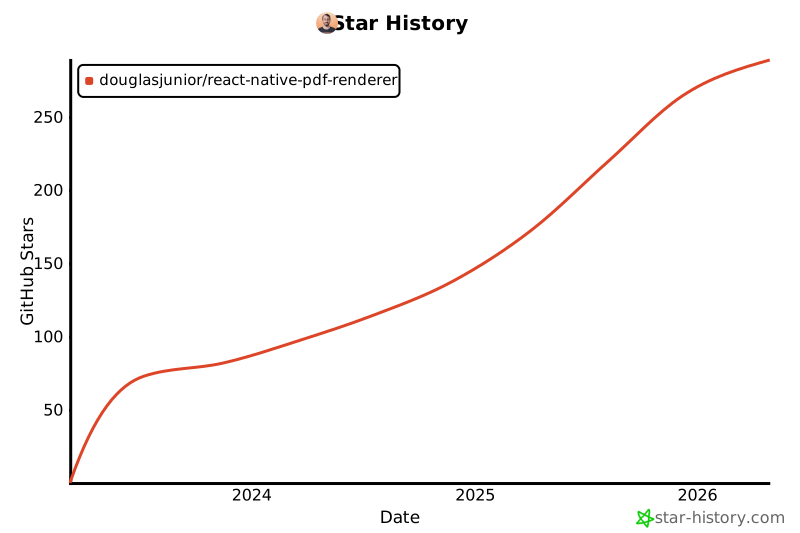
## Star History
[](https://star-history.com/#douglasjunior/react-native-pdf-renderer)
## License
```
The MIT License (MIT)
Copyright (c) 2023 Douglas Nassif Roma Junior
```
See the full [license file](https://github.com/douglasjunior/react-native-pdf-renderer/blob/main/LICENSE).
[](https://paypal.me/douglasnassif)
## Thanks to
This lib is only possible thanks to the community help:
- RecyclerView `notifyDataSetChanged()` not working on React Native: https://stackoverflow.com/a/49381907/2826279
- Add pinch to zoom on RecyclerView: https://stackoverflow.com/a/37895783/2826279
- Using `Matrix` to handle zoom in a View: https://stackoverflow.com/a/55299327/2826279
- [Daniel Felipe Sartório](https://github.com/danielfelipesartorio) for the help with Android native code
## Star History
[](https://star-history.com/#douglasjunior/react-native-pdf-renderer)
## License
```
The MIT License (MIT)
Copyright (c) 2023 Douglas Nassif Roma Junior
```
See the full [license file](https://github.com/douglasjunior/react-native-pdf-renderer/blob/main/LICENSE).