# react-native-runescape-text
[](https://npmjs.org/package/react-native-runescape-text "View this project on npm")
[](https://npmjs.org/package/react-native-runescape-text "View this project on npm")
[](https://npmjs.org/package/react-native-runescape-text "View this project on npm")
[](https://npmjs.org/package/react-native-runescape-text "View this project on npm")
[](https://discord.gg/WjEFnzC) [](https://twitter.com/peterthehan)
Convert text to a text GIF image with [RuneScape](https://www.runescape.com/) chat effects.
More examples
Refer to this wikiHow guide on [How to Write Text Effects on RuneScape](https://www.wikihow.com/Write-Text-Effects-on-Runescape).
## Getting started
```
npm install react-native-runescape-text
```
## Examples
```js
import React, {Component} from 'react';
import {Platform, StyleSheet, Text, TouchableOpacity, View} from 'react-native';
import {GCanvasView} from '@flyskywhy/react-native-gcanvas';
import getRuneScapeText from 'react-native-runescape-text';
export default class WebglCubeMaps extends Component {
constructor(props) {
super(props);
this.canvas = null;
this.state = {
debugInfo: 'hello world',
hasOc1: false,
};
}
takePicture = () => {
const options = {
scale: 1,
fps: 10,
motion: 'scroll',
};
const {width, height, extension, buffer} = getRuneScapeText(this.state.debugInfo, options);
console.warn(width, height, extension);
console.warn(buffer);
};
render() {
return (
{Platform.OS !== 'web' && (
this.setState({hasOc1: true})}
devicePixelRatio={1} // should not 1 < devicePixelRatio < 2 as float to avoid pixel offset flaw when GetImageData with PixelsSampler in @flyskywhy/react-native-gcanvas/core/src/support/GLUtil.cpp
isGestureResponsible={false}
/>
)}
{Platform.OS === 'web' || this.state.hasOc1 && (
Click me console.warn()
)}
);
}
}
const styles = StyleSheet.create({
container: {
flex: 1,
justifyContent: 'center',
alignItems: 'center',
backgroundColor: '#F5FCFF',
},
welcome: {
fontSize: 20,
textAlign: 'center',
marginVertical: 20,
},
});
```
## Syntax
```js
getRuneScapeText(string, [options], [wordWrapOptions]);
```
### Parameters
| Parameter | Type | Required | Default | Description |
| ----------------------------------- | -------- | -------- | ------- | ------------------------------------------------------------------------------------- |
| string | `string` | Yes | _none_ | Text to convert, if multiline when motion is `none`, the width, height and verticalText of options will be ignored |
| [options](#options) | `Object` | No | `{}` | Options to configure script behavior |
| [wordWrapOptions](#wordwrapoptions) | `Object` | No | `{}` | Options to configure [word-wrap](https://github.com/jonschlinkert/word-wrap) behavior |
#### Options
| Property | Type | Required | Default | Description |
| ---------------- | --------- | -------- | ---------- | --------------------------------------------------------------------------------------------------------------------------------------------------------- |
| version | `string` | No | `"osrs"` | Game version to use, either: `osrs` or `rs3` |
| color | `string` | No | `"yellow"` | Default color effect of the text, either: `yellow`, `red`, `green`, `cyan`, `purple`, `white`, `glow1`, `glow2`, `glow3`, `flash1`, `flash2`, `flash3`, or any other color format in `tinycolor2` |
| motion | `string` | No | `"none"` | Default motion effect of the text, either: `none`, `wave`, `wave2`, `shake`, `scroll`, or `slide` |
| width | `number` | No | `0` | Image width want to clip on center, 0 means no clip and width of `Return value` depend on string text length |
| height | `number` | No | `0` | Image height want to clip on center, 0 means no clip and height of `Return value` depend on font height |
| verticalText | `boolean` | No | `false` | Determines whether draw vertical text when motion is `none` |
| suffix | `string` | No | `":"` | String that should suffix each color and motion string |
| replacement | `string` | No | `""` | String to replace characters the font does not support when supportNonAscii is false |
| supportNonAscii | `boolean` | No | `true` | Determines whether the text support Non-ASCII characters like Chinese |
| trimStart | `boolean` | No | `false` | Determines whether the text will be trimStart() |
| maxMessageLength | `number` | No | `280` | Max message length allowed after the string has been sanitized |
| scale | `number` | No | `2` | Scale factor of the font (multiples of 16px), prefer integer values greater than or equal to 1, decimal values will render blurry text |
| font | `string` | No | `runescape_uf`| font name |
| fps | `number` | No | `20` | Frames per second to render animations at, prefer integer values less than or equal to 60 |
| cycleDuration | `number` | No | `3000` | Duration in milliseconds of one cycle before the animation loops |
| imageSmoothingEnabled | `boolean` | No | `true` | Determines whether to linear filter the text image |
| imageGradientEnabled | `boolean` | No | `true` | Determines whether to let the color in text image be gradient, if false, it's better also set `imageSmoothingEnabled` be false |
| gradientThreshold | `number` | No | `100` | When `imageGradientEnabled` is false, if pixel's `a` > `gradientThreshold`, `a` will be modified to 255, otherwise `rgba` will be modified to `00000000` |
| showLogs | `boolean` | No | `false` | Determines whether to print runtime logs or not |
| returnBufferType | `string` | No | `Buffer` | Determines return buffer type, either: `Buffer`, `Array` or `ArrayOfImageData` |
#### WordWrapOptions
Property information can be found [here](https://github.com/jonschlinkert/word-wrap#options). The defaults chosen by this module are listed below:
| Property | Default |
| -------- | ------------------------ |
| width | `50` |
| indent | `""` |
| newline | `"\n"` |
| escape | `(str) => str.trimEnd()` |
| trim | `false` |
| cut | `false` |
### Return value
The **return value** is an Object with the following properties:
| Property | Type | Description |
| --------- | ----------------- | ------------------------------------- |
| width | `number` | Image width |
| height | `number` | Image height |
| framesLength | `number` | GIF frames length |
| extension | `string` | File extension `gif` |
| buffer | ``, `` or `ArrayOfImageData` | result in a buffer or array of a GIF image, or an array contains many ImageData |
### Install custom Font
Ref to `custom fonts` in `README.md` of [@flyskywhy/react-native-gcanvas](https://github.com/flyskywhy/react-native-gcanvas) to install custom fonts and registerFont() if on Android, e.g. install from `src/assets/runescape_uf.ttf` and
```
if (Platform.OS === 'android') {
registerFont(`${RNFS.ExternalDirectoryPath}/fonts/runescape_uf.ttf`);
}
```
then `options.font = 'runescape_uf'` before run `getRuneScapeText()`.
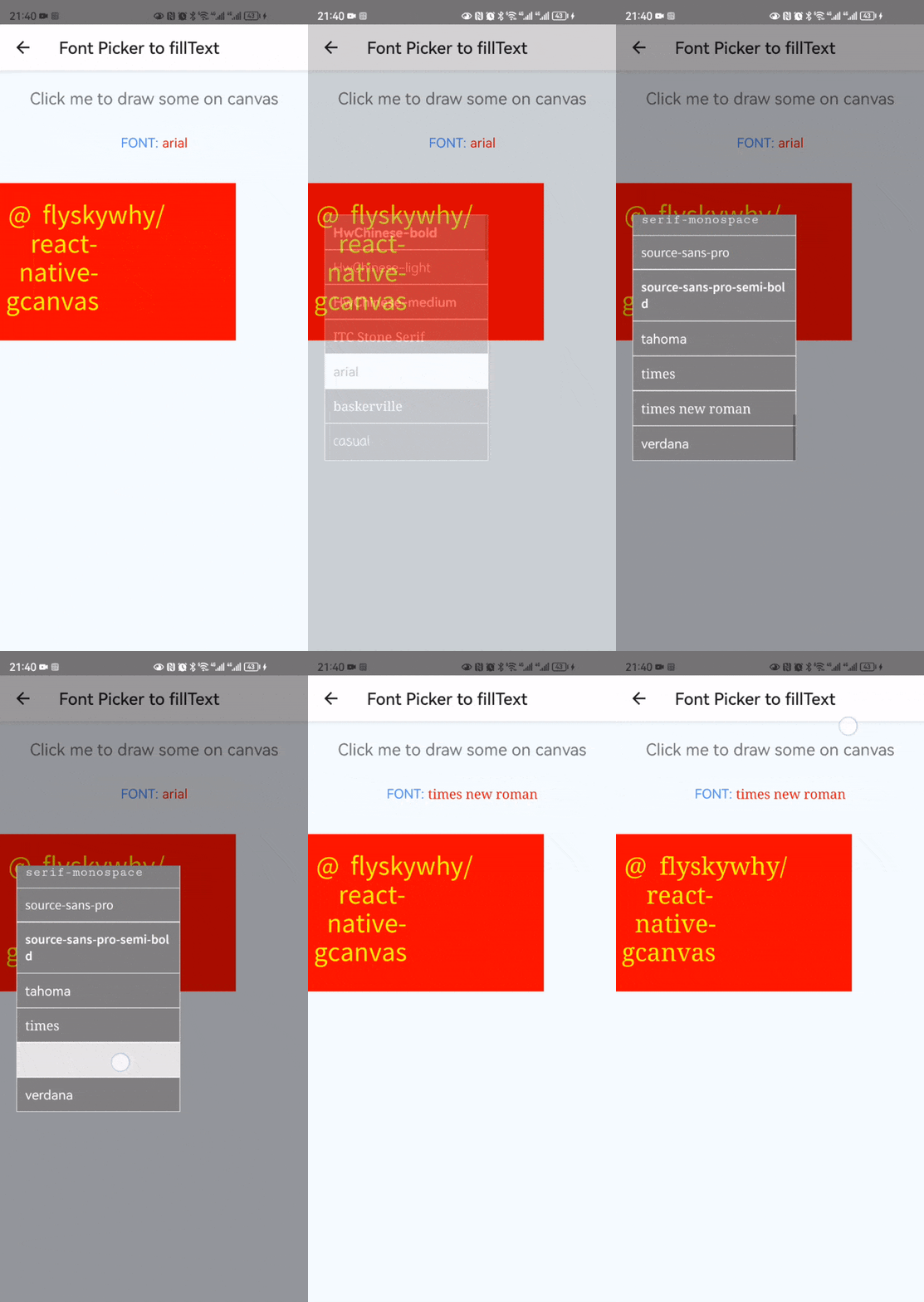
Consider [react-native-font-picker](https://github.com/flyskywhy/react-native-font-picker), and here is the result of [Font Picker to fillText](https://github.com/flyskywhy/GCanvasRNExamples/blob/master/app/components/FontPicker2FillText.js) on [@flyskywhy/react-native-gcanvas](https://github.com/flyskywhy/react-native-gcanvas).
 ### Exceptions
| Error | Description |
| ---------------------- | --------------------------------------------- |
| `InvalidArgumentError` | Thrown if required string argument is missing |
| `TypeError` | Thrown if argument type is unexpected |
| `ValueError` | Thrown if string is empty |
| `ValueError` | Thrown if the parsed message string is empty |
### Exceptions
| Error | Description |
| ---------------------- | --------------------------------------------- |
| `InvalidArgumentError` | Thrown if required string argument is missing |
| `TypeError` | Thrown if argument type is unexpected |
| `ValueError` | Thrown if string is empty |
| `ValueError` | Thrown if the parsed message string is empty |


