[![Platform][platform-badge]][platform-url]
[![License][license-badge]][license-url]
[![NPM][npm-badge]][npm-url]
[![Downloads][downloads-badge]][downloads-url]
[![Codebeat][codebeat-badge]][codebeat-url]
[![Gitter][gitter-badge]][gitter-url]
With the [SMS Retriever API](https://developers.google.com/identity/sms-retriever/overview), you can perform SMS-based user verification in your Android app automatically, without requiring the user to manually type verification codes, and without requiring any extra app permissions.
## Installation
### Automatic linking (>= 0.60)
```bash
npm install --save react-native-sms-retriever
```
### Manual linking (< 0.60)
```bash
npm install --save react-native-sms-retriever
react-native link react-native-sms-retriever
```
> If you don't like to use `react-native link`, check [Manual Installation Wiki Page](https://github.com/Bruno-Furtado/react-native-sms-retriever/wiki/Manual-Installation).
## Basic Usage
```javascript
import SmsRetriever from "react-native-sms-retriever";
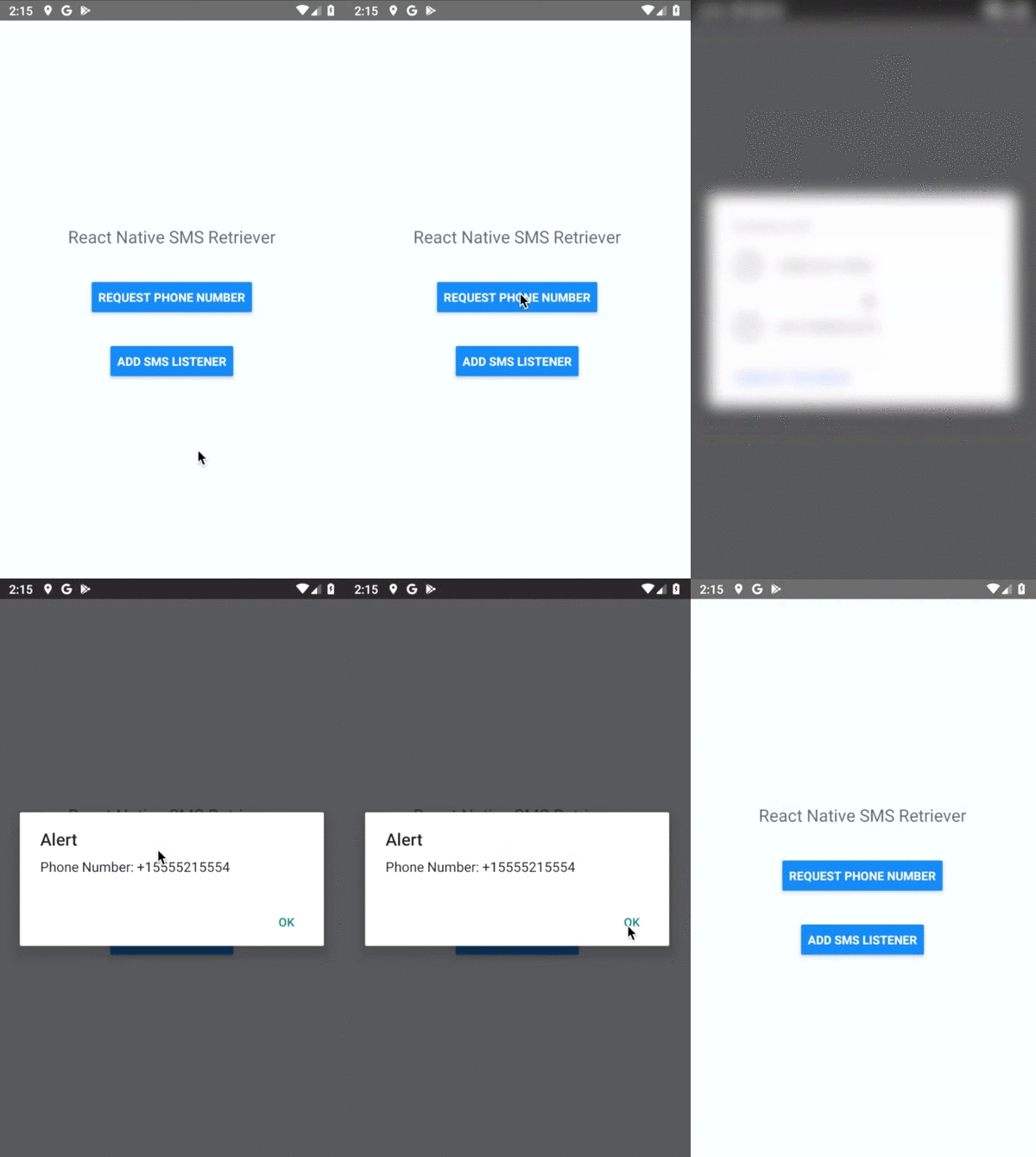
// Get the phone number (first gif)
_onPhoneNumberPressed = async () => {
try {
const phoneNumber = await SmsRetriever.requestPhoneNumber();
} catch (error) {
console.log(JSON.stringify(error));
}
};
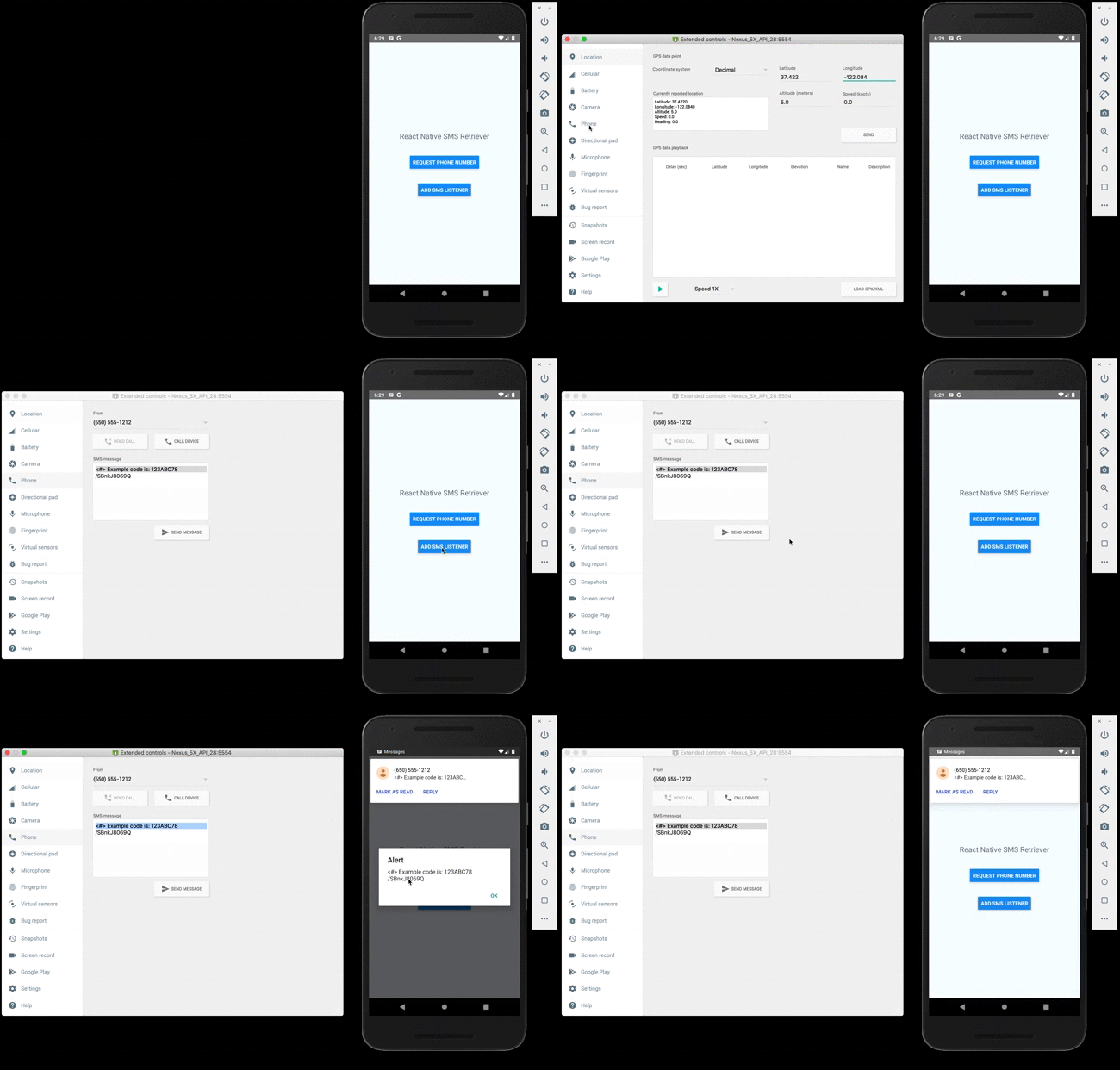
// Get the SMS message (second gif)
_onSmsListenerPressed = async () => {
try {
const registered = await SmsRetriever.startSmsRetriever();
if (registered) {
SmsRetriever.addSmsListener(event => {
console.log(event.message);
SmsRetriever.removeSmsListener();
});
}
} catch (error) {
console.log(JSON.stringify(error));
}
};
// Get App signature, (You can send this to a server for OTPs)
const signature = await SmsRetreiver.getAppSignature();
```
> If you have problems to get the SMS content, check the [SMS Rules Wiki Page](https://github.com/Bruno-Furtado/react-native-sms-retriever/wiki/SMS-Rules).
## Methods
| Method | Return | Description |
| :------------------------------ | :----------------- | :------------------------------------------------------ |
| requestPhoneNumber() | `Promise` | Obtain the user's phone number (using the hint picket). |
| startSmsRetriever() | `Promise` | Start to listen for SMS messages. |
| addSmsListener(event: Function) | `Promise` | Get the SMS content with: `event.message`. |
| removeSmsListener() | `Void` | Stop to listen for SMS messages. |
| getAppSignature() | `Promise` | Get the App Signature. |
> Check the erros of each method on [Erros Wiki Page](https://github.com/Bruno-Furtado/react-native-sms-retriever/wiki/Errors).
## Change-log
A brief summary of each [React Native SMS Retriever](https://github.com/Bruno-Furtado/react-native-sms-retriever) release can be found on the [releases](https://github.com/Bruno-Furtado/react-native-sms-retriever/releases).
## License
This code is distributed under the terms and conditions of the [MIT License](https://github.com/Bruno-Furtado/react-native-sms-retriever/blob/master/LICENSE).
[platform-badge]: https://img.shields.io/badge/platform-Android-green.svg?style=flat
[platform-url]: https://developer.android.com/
[license-badge]: https://img.shields.io/badge/license-MIT-blue.svg?style=flat
[license-url]: https://github.com/Bruno-Furtado/react-native-sms-retriever/blob/master/LICENSE
[npm-badge]: https://badge.fury.io/js/react-native-sms-retriever.svg
[npm-url]: https://badge.fury.io/js/react-native-sms-retriever
[downloads-badge]: https://img.shields.io/npm/dw/react-native-sms-retriever.svg
[downloads-url]: https://www.npmjs.com/package/react-native-sms-retriever
[codebeat-badge]: https://codebeat.co/badges/572df1cd-404f-4942-abba-2ccb6e0bf040
[codebeat-url]: https://codebeat.co/projects/github-com-bruno-furtado-react-native-sms-retriever-master
[gitter-badge]: https://badges.gitter.im/react-native-sms-retriever/community.svg
[gitter-url]: https://gitter.im/react-native-sms-retriever/community?utm_source=badge&utm_medium=badge&utm_campaign=pr-badge&utm_content=badge
Made with ❤ in Curitiba 🇧🇷