# [react-native-whc-toast](https://github.com/netyouli/react-native-whc-toast/)
一款简单易用的react-native Toast 组件,支持 Android&iOS。
[ ](https://github.com/netyouli/react-native-whc-toast/releases)
[ ](https://github.com/netyouli/react-native-whc-toast/pulls)
[ ](https://www.npmjs.com/package/react-native-whc-toast)
[](https://raw.githubusercontent.com/netyouli/react-native-whc-toast/master/LICENSE)
[ ](https://github.com/netyouli/react-native-whc-toast/)
## 目录
- [安装](#安装)
- [Demo](#demo)
- [如何使用?](#如何使用?)
- [API](#api)
- [贡献](#contribution)
## 安装
* 1.在终端运行 `npm install react-native-whc-toast --save`
* 2.在要使用`Toast`的js文件中添加`import Toast from 'react-native-whc-toast'`
## Demo
* [Example](https://github.com/netyouli/react-native-whc-toast/tree/master/example)
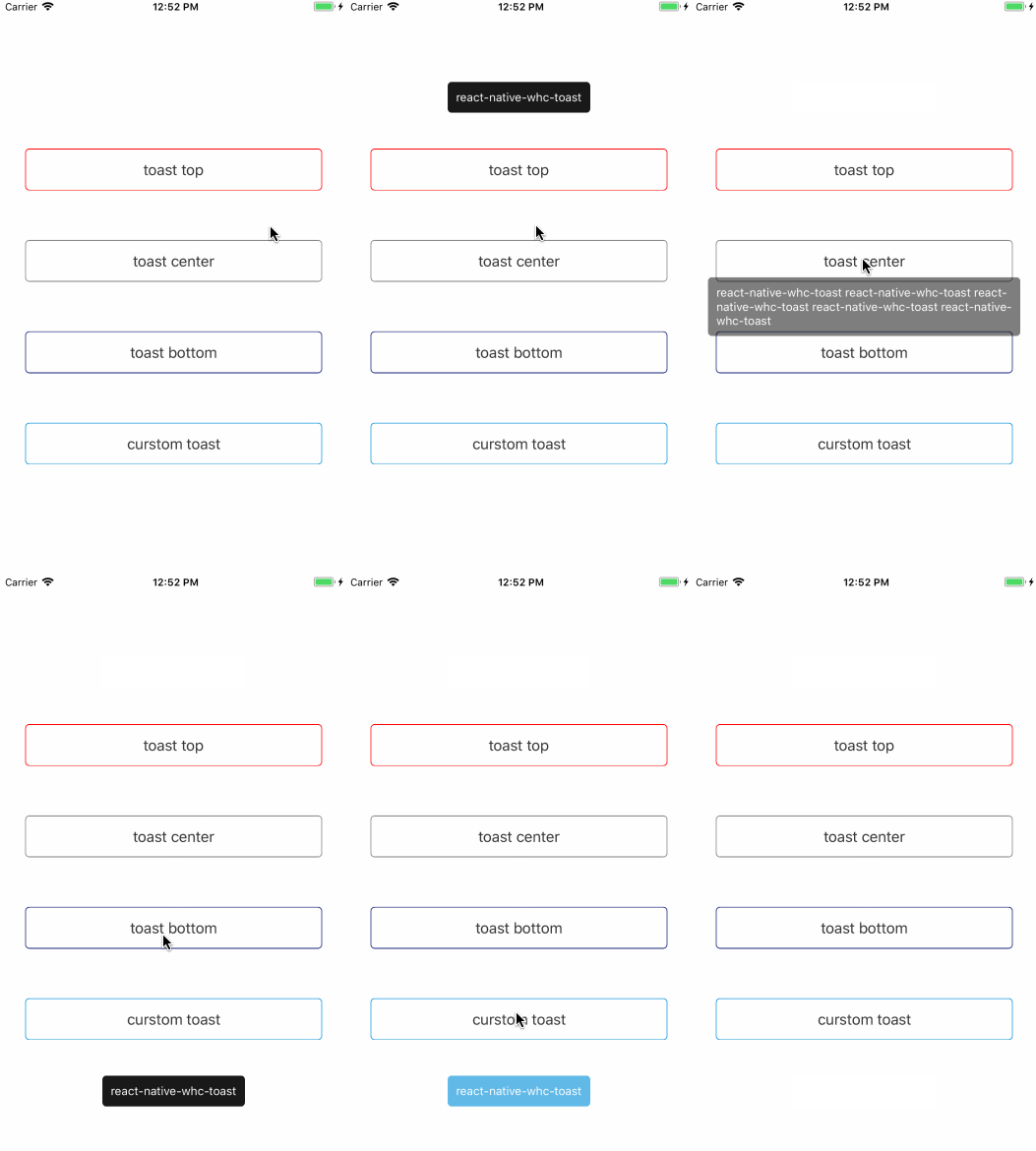
## 如何使用?
>第一步:
在你的js文件中导入 `react-native-whc-toast`:
`import Toast from 'react-native-whc-toast'`
>第二步:
将下面代码插入到`render()`方法中:
```jsx
render() {
return (
...
);
}
```
>注意: 请将`` 放在最外层View的底部.
>第三步:
使用:
>1.默认显示toast在底部:
```jsx
/// 显示toast底部
this.refs.toast.show('hello toast');
/// 或者
this.refs.toast.showBottom('hello toast');
```
>2.显示toast在顶部:
```jsx
/// 显示toast顶部
this.refs.toast.showTop('hello toast');
/// or
this.refs.toast.show('hello toast', Toast.Duration.long, Toast.Position.bottom);
```
>3.显示toast在中间:
```jsx
/// 显示toast中间
this.refs.toast.showCenter('hello toast');
/// or
this.refs.toast.show('hello toast', Toast.Duration.long, Toast.Position.center);
```
### 用例
```jsx
render() {
return (
{
this.refs.toast.show('hello toast');
}}>
Start Toast
);
}
```
### 自定义 Toast
```jsx
render() {
return (
{
this.refs.toast.show('hello toast', Toast.Duration.long, Toast.Position.bottom);
}}>
Start toast
);
}
```
## API
Position | 描述
----------------- | -----------
Position.top | toast 显示在顶部
Position.center | toast 显示在中间
Position.bottom | toast 显示在底部
Duration | 描述
----------------- | -----------
Duration.short | toast 默认显示短周期
Position.long | toast 默认显示长周期
Position.infinite | toast 默认一直显示
属性 | 类型 | 可选 | 默认值 | 描述
----------------- | -------- | -------- | ----------- | -----------
style | ViewPropTypes.style |true | {} | 自定义toast样式
textStyle | Text.propTypes.style | true | {} | 自定义toast文字样式
position | Toast.Position | true | Toast.Position.bottom | 自定义toast显示位置
fadeInDuration | PropTypes.number | true | 300 | 自定义toast显示淡入动画周期
fadeOutDuration | PropTypes.number | true | 300 | 自定义toast隐藏淡出动画周期
duration | Toast.Duration | true | Toast.Duration.long | 自定义toast显示周期
opacity | PropTypes.number | true | 0.9 | 自定义toast显示淡入动画透明度
positionValue | PropTypes.number | true | 100 | 自定义toast显示在顶部或者底部离顶部或者底部间距
方法 | 类型 | 可选 | 描述
----------------- | -------- | -------- | -----------
show(message, duration, position) | function | true | 显示toast在自定义位置
showTop(message, duration) | function | true | 显示toast在顶部
showCenter(message, duration) | function | true | 显示toast在中间
showBottom(message, duration) | function | true | 显示toast在底部
close(isNow) | function | true | 隐藏toast
## 贡献
欢迎大家提Issues。如果能为Issues配一个异常或报错的截图,能帮助我快速的定位问题和解决问题。
另外欢迎大家Pull requests,为项目贡献的智慧。
---
**MIT Licensed**
大家可以自由复制和转载。