# react-phone-number-input
[](https://www.npmjs.com/package/react-phone-number-input)
[](https://www.npmjs.com/package/react-phone-number-input)
International phone number `` for React.
[See Demo](http://catamphetamine.github.io/react-phone-number-input/)
## Screenshots
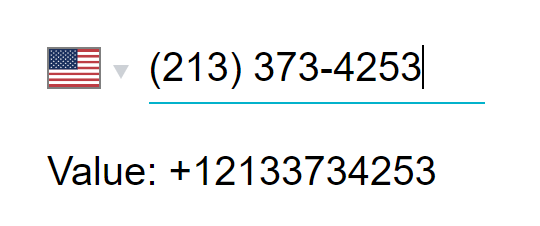
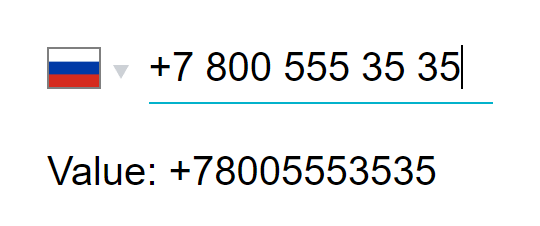
### Phone number input
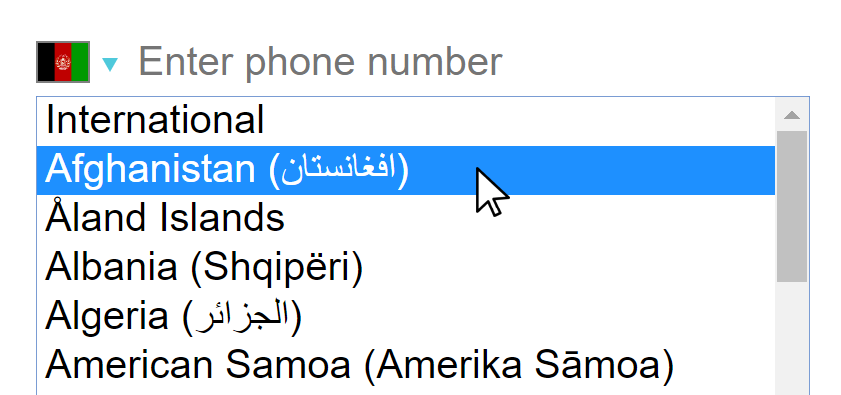
### Country selection on desktop
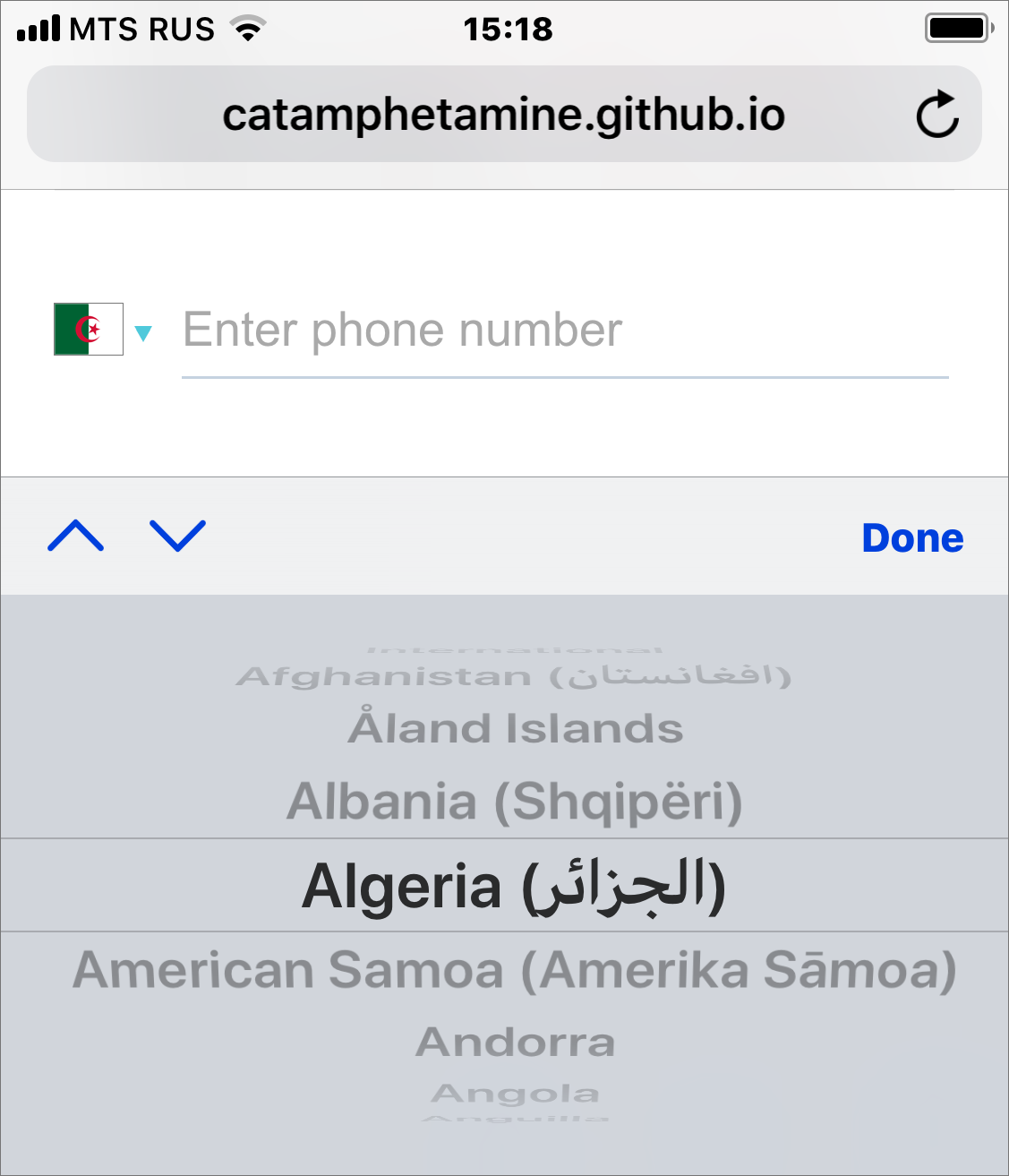
### Country selection on mobile
## Install
```
npm install react-phone-number-input --save
```
If you're not using a bundler then use a [standalone version from a CDN](https://github.com/catamphetamine/react-phone-number-input/#cdn).
## Use
The component requires two properties to be passed: `value` and `onChange(value)`.
```js
import 'react-phone-number-input/style.css'
import PhoneInput from 'react-phone-number-input'
return (
this.setState({ phone }) } />
)
```
`value` will be the parsed phone number, e.g. if a user chooses "United States" and enters `(213) 373-4253` then `value` will be `+12133734253`.
See the [list of all available `props`](http://catamphetamine.github.io/react-phone-number-input/docs/styleguide/index.html#phoneinput) for ``. All other properties are passed through to the phone number `` component.
To format `value` back to a human-readable phone number use `formatPhoneNumber(value)` and `formatPhoneNumberIntl(value)` functions.
```js
import { formatPhoneNumber, formatPhoneNumberIntl } from 'react-phone-number-input'
const value = '+12133734253'
formatPhoneNumber(value) === '(213) 373-4253' // National format
formatPhoneNumberIntl(value) === '+1 213 373 4253' // International format
```
To get `country` from `value` one can use `parsePhoneNumber(value)` function.
```js
import { parsePhoneNumber } from 'react-phone-number-input'
const phoneNumber = parsePhoneNumber('+12133734253')
if (phoneNumber) {
phoneNumber.country === 'US'
}
```
## CSS
#### When using Webpack
```js
import 'react-phone-number-input/style.css'
```
It is also recommended to set up something like a [`postcss-loader`](https://github.com/postcss/postcss-loader) with a [CSS autoprefixer](https://github.com/postcss/autoprefixer) for supporting old web browsers.
#### When not using Webpack
Get the `style.css` file from this package, optionally process it with a [CSS autoprefixer](https://github.com/postcss/autoprefixer) for supporting old web browsers, and then include the CSS file on a page.
```html
```
Or include the `style.css` file directly from a [CDN](#cdn).
## Flags
Including all country flags in the code in SVG format would be the best way to go but turns out they take an extra 550 kB when gzipped. That's the reason why all country flags are included as `` from [`flag-icon-css`](http://flag-icon-css.lip.is/) repo GitHub pages (can be overridden via [`flagsPath`](http://catamphetamine.github.io/react-phone-number-input/docs/styleguide/index.html#phoneinput) property).
To include all country flags in code in SVG format:
```js
import PhoneInput from 'react-phone-number-input'
import flags from 'react-phone-number-input/flags'
```
## Localization
Country names translation can be passed via the `labels` property. E.g. `labels={{ RU: 'Россия', US: 'США', ... }}`. This component comes pre-packaged with several [translations](https://github.com/catamphetamine/react-phone-number-input/tree/master/locale). Submit pull requests for adding new translations.
```js
import ru from 'react-phone-number-input/locale/ru'
```
## Validation
To validate a phone number one can use `isValidPhoneNumber(value)` function:
```js
import { isValidPhoneNumber } from 'react-phone-number-input'
if (value) {
isValidPhoneNumber(value) // Returns `true` or `false`
}
```
By default the component uses [`min`](#min-vs-max-vs-mobile) metadata which results in less strict validation compared to [`max`](#min-vs-max-vs-mobile) or [`mobile`](#min-vs-max-vs-mobile).
I personally [wouldn't use](https://github.com/catamphetamine/libphonenumber-js#using-phone-number-validation-feature) strict phone number validation in my projects because telephone numbering plans constantly evolve and validation rules do change over time which means `isValidPhoneNumber()` function may become outdated if a website isn't re-deployed regularly. Still, some people want this feature, so it's included.
## `min` vs `max` vs `mobile`
This library comes pre-packaged with three flavors of [`libphonenumber-js`](https://github.com/catamphetamine/libphonenumber-js) metadata:
* `max` — The complete metadata set, is about `140 kilobytes` in size (`libphonenumber-js/metadata.full.json`).
* `min` — (default) The smallest metadata set, is about `75 kilobytes` in size (`libphonenumber-js/metadata.min.json`). Doesn't contain regular expressions for advanced phone number validation. Some simple phone number validation still works (basic length check, etc), it's just that it's loose compared to the "advanced" validation (not so strict).
* `mobile` — The complete metadata set for dealing with mobile numbers _only_, is about `105 kilobytes` in size (`libphonenumber-js/metadata.mobile.json`).
To use a particular metadata set import the component from the relevant sub-package: `react-phone-number-input/max`, `react-phone-number-input/min` or `react-phone-number-input/mobile`.
Importing the component directly from `react-phone-number-input` results in using the `min` metadata which means loose (non-strict) phone number validation.
Sometimes (rarely) not all countries are needed and in those cases the developers may want to [generate](https://github.com/catamphetamine/libphonenumber-js#customizing-metadata) their own "custom" metadata set. For those cases there's `react-phone-number-input/core` sub-package which doesn't come pre-wired with any default metadata and instead accepts the metadata as a property.
## Bug reporting
If you think that the phone number parsing/formatting/validation engine malfunctions for a particular phone number then follow the [bug reporting instructions in `libphonenumber-js` repo](https://github.com/catamphetamine/libphonenumber-js#bug-reporting). Otherwise report issues in this repo.
## Autocomplete
Make sure to put a `` into a `` otherwise web-browser's ["autocomplete"](https://www.w3schools.com/tags/att_input_autocomplete.asp) feature may not be working: a user will be selecting his phone number from the list but [nothing will be happening](https://github.com/catamphetamine/react-phone-number-input/issues/101).
## Custom country ``
One can supply their own country `` component in case the native one doesn't fit the app. See [`countrySelectComponent`](https://github.com/catamphetamine/react-phone-number-input#customizing) property.
For example, one may choose [`react-responsive-ui`](https://catamphetamine.github.io/react-responsive-ui/)'s [`` component](https://github.com/catamphetamine/react-phone-number-input/blob/master/source/CountrySelectReactResponsiveUI.js) over the [native country ``](https://github.com/catamphetamine/react-phone-number-input/blob/master/source/CountrySelectNative.js).
```js
import 'react-phone-number-input/style.css'
// Requires "CSS custom properties" support.
// For Internet Explorer use PostCSS with "CSS custom properties" plugin.
import 'react-responsive-ui/style.css'
// A `` with custom `countrySelectComponent`.
import PhoneInput from 'react-phone-number-input/react-responsive-ui'
return (
this.setState({ phone }) } />
)
```
## Without country select
Some people requested an exported minimal phone number input component without country ``.
```js
import PhoneInput from 'react-phone-number-input/basic-input'
class Example extends Component {
state = {
value: ''
}
render() {
// If `country` property is not passed
// then "International" format is used.
return (
this.setState({ value }) } />
)
}
}
```
## Extensions
There's nothing special about a phone number extension input: it doesn't need any formatting, it can just be a simple ``. Still, some users kept asking for a phone number extension input feature. So I added a basic phone number extension input support. It can be activated by passing `ext` property (a `React.Element`, see the demo).
```js
import React, { Component } from 'react'
import { Field, reduxForm } from 'redux-form'
import PhoneInput from 'react-phone-number-input'
class Form extends Component {
render() {
const ext = (
)
return (
);
}
}
```
In a real-world application the `ext` property is most likely gonna be a "form field", e.g. an [`easy-react-form`](https://github.com/catamphetamine/basic-react-form) ``, or a `redux-form` ``, or a `react-final-form` ``.
Phone number extension input will appear to the right of the phone number input. One can always skip using the `ext` property and add a completely separate form field for phone number extension input instead.
`{ number, ext }` object can be converted to an [RFC3966](https://www.ietf.org/rfc/rfc3966.txt) string for storing it in a database.
```js
import { formatRFC3966 } from 'react-phone-number-input'
formatRFC3966({ number: '+12133734253', ext: '123' })
// 'tel:+12133734253;ext=123'
```
Use the accompanying `parseRFC3966()` function to convert an RFC3966 string into an object having shape `{ number, ext }`.
```js
import { parseRFC3966 } from 'react-phone-number-input'
parseRFC3966('tel:+12133734253;ext=123')
// { number: '+12133734253', ext: '123' }
```
## Customizing
The `` component accepts some [customization properties](http://catamphetamine.github.io/react-phone-number-input/docs/styleguide/index.html#phoneinput):
* `metadata` — Custom `libphonenumber-js` metadata.
* `labels` — Custom translation (including country names).
* `internationalIcon` — Custom "International" icon.
* `inputComponent` — Custom phone number `` component.
* `countrySelectComponent` — Custom country `` component.
```js
import PhoneInput from 'react-phone-number-input/core'
import labels from 'react-phone-number-input/locale/ru'
import metadata from 'libphonenumber-js/metadata.min.json'
import InternationalIcon from 'react-phone-number-input/international-icon'
```
All these customization properties have their default values. If some of those default values are not used, and the developer wants to reduce the bundle size a bit, then they can use the `/core` export instead of the default export to import a `` component which doesn't include any of the default customization properties. In this case all customization properties must be passed.
```js
import PhoneInput from 'react-phone-number-input/core'
```
#### `countrySelectComponent`
React component for the country select. See [CountrySelectNative](https://github.com/catamphetamine/react-phone-number-input/blob/master/source/CountrySelectNative.js) and [CountrySelectReactResponsiveUI](https://github.com/catamphetamine/react-phone-number-input/blob/master/source/CountrySelectReactResponsiveUI.js) for an example.
Receives properties:
* `name : string?` — HTML `name` attribute.
* `value : string?` — The currently selected country code.
* `onChange(value : string?)` — Updates the `value`.
* `onFocus()` — Is used to toggle the `--focus` CSS class.
* `onBlur()` — Is used to toggle the `--focus` CSS class.
* `options : object[]` — The list of all selectable countries (including "International") each being an object of shape `{ value : string?, label : string, icon : React.Component }`.
* `disabled : boolean?` — HTML `disabled` attribute.
* `tabIndex : (number|string)?` — HTML `tabIndex` attribute.
* `className : string` — CSS class name.
#### `inputComponent`
React component for the phone number input field. See [InputSmart](https://github.com/catamphetamine/react-phone-number-input/blob/master/source/InputSmart.js) and [InputBasic](https://github.com/catamphetamine/react-phone-number-input/blob/master/source/InputBasic.js) for an example.
Receives properties:
* `value : string` — The parsed phone number. E.g.: `""`, `"+"`, `"+123"`, `"123"`.
* `onChange(value : string)` — Updates the `value`.
* `onFocus()` — Is used to toggle the `--focus` CSS class.
* `onBlur()` — Is used to toggle the `--focus` CSS class.
* `country : string?` — The currently selected country. `undefined` means "International" (no country selected).
* `metadata : object` — `libphonenumber-js` metadata.
* All other properties should be passed through to the underlying ``.
Must also implement `.focus()` method.
## CDN
One can use any npm CDN service, e.g. [unpkg.com](https://unpkg.com) or [jsdelivr.net](https://jsdelivr.net)
```html
```
## Advertisement
[React Responsive UI](https://catamphetamine.github.io/react-responsive-ui/) component library.
## License
[MIT](LICENSE)
 ### Country selection on desktop
 ### Country selection on mobile
 ## Install
```
npm install react-phone-number-input --save
```
If you're not using a bundler then use a [standalone version from a CDN](https://github.com/catamphetamine/react-phone-number-input/#cdn).
## Use
The component requires two properties to be passed: `value` and `onChange(value)`.
```js
import 'react-phone-number-input/style.css'
import PhoneInput from 'react-phone-number-input'
return (
## Install
```
npm install react-phone-number-input --save
```
If you're not using a bundler then use a [standalone version from a CDN](https://github.com/catamphetamine/react-phone-number-input/#cdn).
## Use
The component requires two properties to be passed: `value` and `onChange(value)`.
```js
import 'react-phone-number-input/style.css'
import PhoneInput from 'react-phone-number-input'
return (