# react-radial

By [Mode Lab](https://modelab.is)

## Intro

This is a straightforward, customizable radial menu, built with [React](https://facebook.github.io/react/) and [Resonance](https://www.npmjs.com/package/resonance) (a library that allows React and [D3js](https://d3js.org/) to play along nicely).

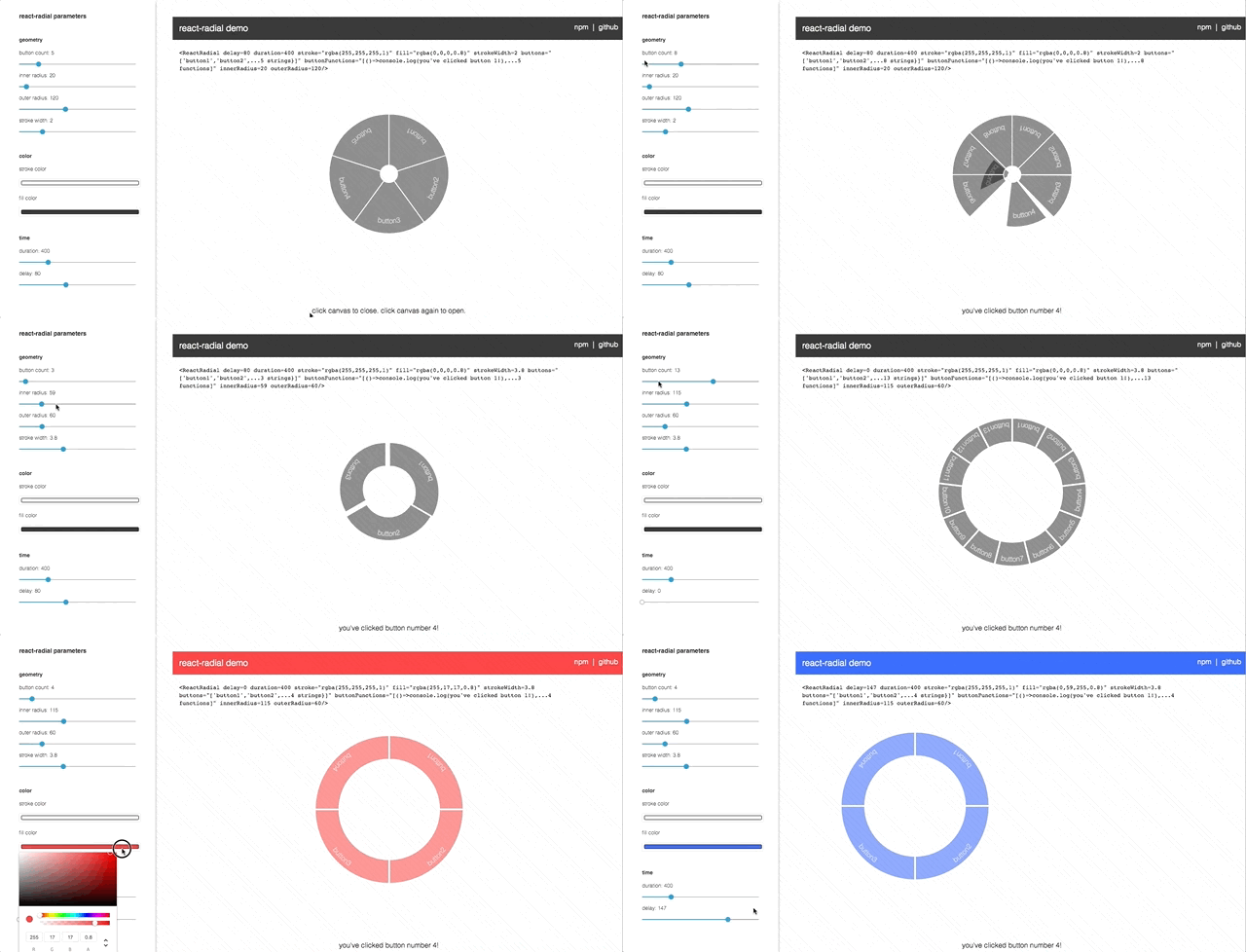
The radial component is built with SVG, and can be ported into a div, canvas, WebGL scene, etc. We use radial menus for 3D interaction often, and decided to build a generic component for future use. The demo file is an interactive environment for defining how you want the radial menu to look. [Check it out here](https://modelab.github.io/react-radial/).

<a href="https://modelab.github.io/react-radial/" target="_blank"/>
	<img width="100%" src="https://github.com/modelab/react-radial/blob/master/demo.gif?raw=true" alt="demo">
</a>

## Getting Started

Install the component into your project
```
npm install --save react-radial
```

Load the component into your app
```
import React from 'react';
import { ReactRadial } from 'react-radial';

class Component extends React.Component {
  render() {
    return <ReactRadial />;
  }
}
```

Remmeber to click on your canvas/div after loading the page (the radial menu does not load automatically). Please post any issues.


<div>
<h2>react-radial attributes</h2>
<table style=width:100%;font-size:10px;>
    <thead>
    <tr>
        <th>Name</th>
        <th>Type</th>
        <th>Default</th>
        <th>Description</th>
    </tr>
    </thead>
    <tbody>
    <tr>
        <td>buttons</td>
        <td>array</td>
        <td>["button1",...(5)]</td>
        <td>an array of strings representing each button's label</td>
    </tr>
    <tr>
        <td>buttonFunctions</td>
        <td>array</td>
        <td>[() => console.log('clicked button 1'),...(5)]</td>
        <td>an array of functions triggered by clicking each button</td>
    </tr>
    <tr>
        <td>duration</td>
        <td>number (ms)</td>
        <td>400</td>
        <td>duration of transition</td>
    </tr>
    <tr>
        <td>delay</td>
        <td>number (ms)</td>
        <td>80</td>
        <td>delay per button in transition</td>
    </tr>
    <tr>
        <td>innerRadius</td>
        <td>number (px)</td>
        <td>20</td>
        <td>donut hole size</td>
    </tr>
    <tr>
        <td>outerRadius</td>
        <td>number (px)</td>
        <td>120</td>
        <td>distance from outside of donut hole to outside of donut</td>
    </tr>
    <tr>
        <td>strokeWidth</td>
        <td>number</td>
        <td>2</td>
        <td>stroke width</td>
    </tr>
    <tr>
        <td>stroke</td>
        <td>color</td>
        <td>'rgba(255,255,255,1)'</td>
        <td>stroke color</td>
    </tr>
    <tr>
        <td>fill</td>
        <td>color</td>
        <td>'rgba(0,0,0,.8)'</td>
        <td>fill color</td>
    </tr>
    </tbody>
</table>
</div>