# react-range-calendar :calendar:

> A responsive and accessible date range picker component with bunch of options built with React :fire:

[![NPM](https://img.shields.io/npm/v/react-range-calendar.svg)](https://www.npmjs.com/package/react-range-calendar) [![JavaScript Style Guide](https://img.shields.io/badge/code_style-standard-brightgreen.svg)](https://standardjs.com)


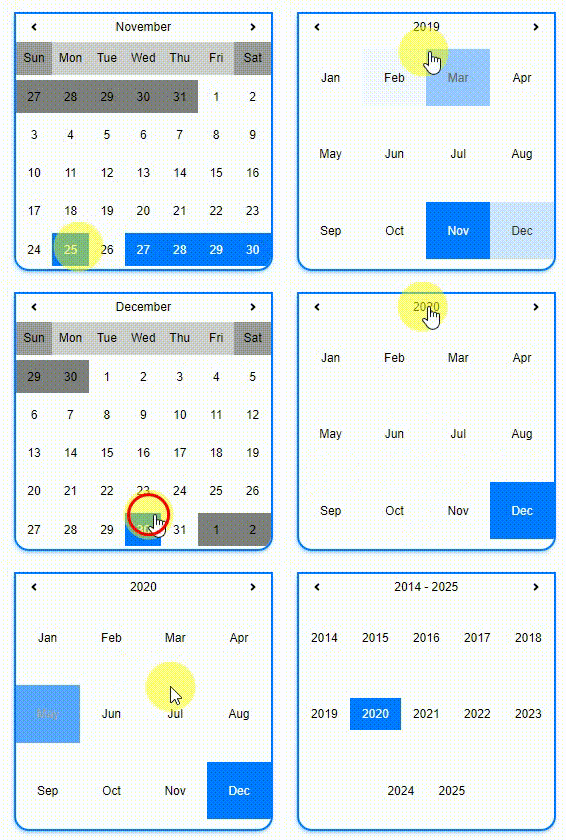
### Demo & Features [(click here)](https://expertizo.github.io/react-range-calendar/)

<p align="center">
  <img src="https://media.giphy.com/media/KZvNr253b3D7F37zOd/giphy.gif">
</p>

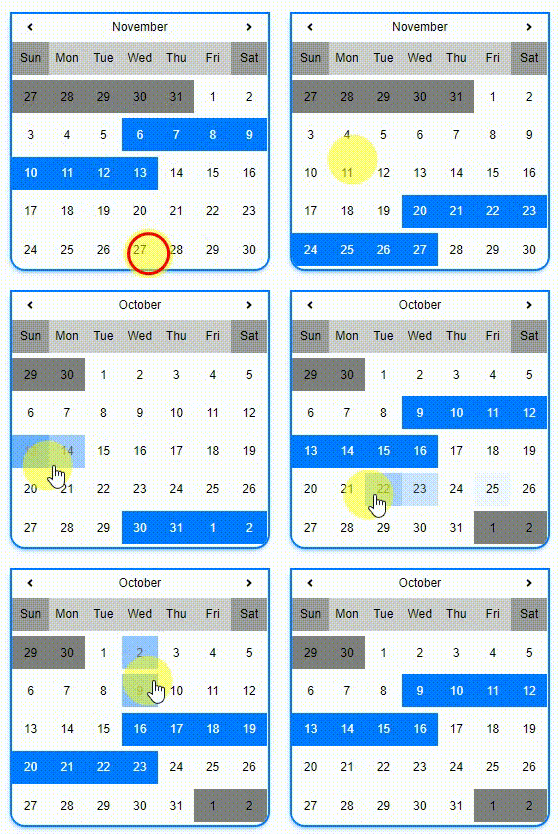
|                              range                              |                           free-range                            |                             single                              |
| :-------------------------------------------------------------: | :-------------------------------------------------------------: | :-------------------------------------------------------------: |
| ![](https://media.giphy.com/media/dWei8AyrWphnKS5RwC/giphy.gif) | ![](https://media.giphy.com/media/IeLEjnwuzVR7yMVNac/giphy.gif) | ![](https://media.giphy.com/media/RfBbDclOhU9FU3uAif/giphy.gif) |

## Install

```bash
npm install --save react-range-calendar
```

OR

```bash
yarn add react-range-calendar
```

## Usage

```jsx
import React, { Component } from "react";
import Calendar from "react-range-calendar";

export default class App extends Component {
  state = {
    visible: true,
    dateRange: [new Date("11/10/2019"), new Date("11/18/2019")]
  };

  render() {
    const { visible, dateRange } = this.state;
    const steps = 7;
    const startWithDay = "Wed";

    return (
      <Calendar
        visible={visible}
        steps={steps}
        startWithDay={startWithDay}
        dateRange={dateRange}
        onDateClick={(minDate, maxDate) => {
          this.setState({ dateRange: [minDate, maxDate] });
        }}
        type="range"
      />
    );
  }
}
```

## Common Props

Asterisk (\*) props are Required.

|      Prop name       |                      Description                      | Default Value |                   Example values                   |
| :------------------: | :---------------------------------------------------: | :-----------: | :------------------------------------------------: |
|        type\*        | Types of calendar `["free-range", "single", "range"]` |   `"range"`   |                   `"free-range"`                   |
|      visible\*       |                Visibility of calendar                 |    `false`    |                       `true`                       |
|     dateRange\*      |          Array of starting and ending dates           |     `[]`      | `[new Date("11/10/2019"), new Date("11/18/2019")]` |
|    onDateClick\*     |                 On clicking any date                  |               |              `(minDate, maxDate)=>{}`              |
|      baseColor       |                      Base color                       |   `#007bff`   |                       `red`                        |  | fontColor | Font Color | `` | `white` |
| hoverBackgroundColor |                Hover background color                 |   `#007bff`   |                       `red`                        |  | hoverFontColor | Hover Font Color | `` | `white` |
|    disabledColor     |                    Disabled color                     |   `#add8e6`   |                     `#b9b9b9`                      |  | weekDaysColor | Week Days Color | `` | `#ff7b7b` |
|  weekendsDaysColor   |                    Weekends color                     |    `grey`     |                     `#ffbaba`                      |

## Types

1.  ### range

    On user date selection, it will find nearest provided day (`startWithDay`) and add provided `steps` from that day

    ### Example

    ```jsx
    <Calendar
      visible={visible}
      steps={steps}
      startWithDay={startWithDay}
      dateRange={dateRange}
      onDateClick={(minDate, maxDate) => {
        this.setState({ dateRange: [minDate, maxDate] });
      }}
      type="range"
    />
    ```

    #### Demo


    ![](https://media.giphy.com/media/dWei8AyrWphnKS5RwC/giphy.gif)

    #### Props

    |   Prop name    |              Description              | Default Value | Example values |
    | :------------: | :-----------------------------------: | :-----------: | :------------: |
    |    steps\*     |         Steps from start date         |      `7`      |      `7`       |
    | startWithDay\* | Starting day of nearest selected date |     `Wed`     |     `Wed`      |

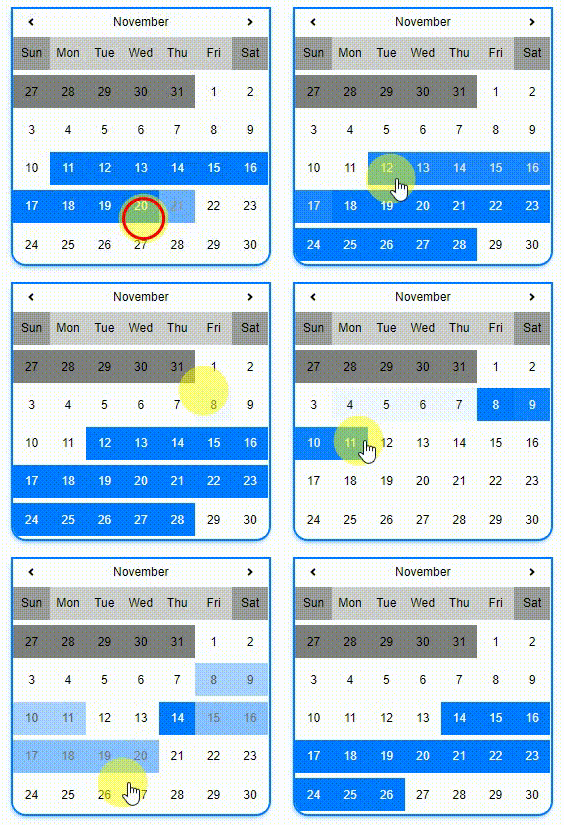
2.  ### free-range

    Users can select date freely

    ### Example

    ```jsx
    <Calendar
      visible={visible}
      dateRange={dateRange}
      onDateClick={(minDate, maxDate) => {
        this.setState({ dateRange: [minDate, maxDate] });
      }}
      type="free-range"
    />
    ```

    #### Demo

    ![](https://media.giphy.com/media/IeLEjnwuzVR7yMVNac/giphy.gif)

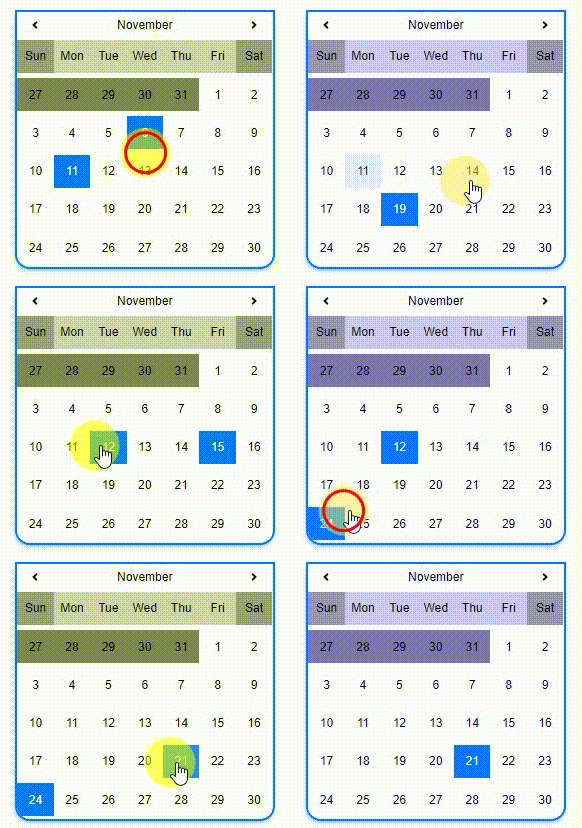
3.  ### single

    For single date select

    #### Example

    ```jsx
    <Calendar
      visible={visible}
      dateRange={dateRange}
      onDateClick={date => {
        this.setState({ dateRange: [date] });
      }}
      type="single"
    />
    ```

    #### Demo

    ![](https://media.giphy.com/media/RfBbDclOhU9FU3uAif/giphy.gif)

## Contributors ✨

Thanks goes to these wonderful people

<!-- ALL-CONTRIBUTORS-LIST:START - Do not remove or modify this section -->
<!-- prettier-ignore -->
<table>
  <tr>
    <td align="center"><a href="https://github.com/hamsahmedansari"><img src="https://avatars1.githubusercontent.com/u/35776235?s=460&v=4" width="100px;" alt="Hams Ahmed Ansari"/><br /><sub><b>Hams Ahmed Ansari (Author)</b></sub></a><br /><a href="#" title="Infrastructure  (Hosting, Build-Tools,Complete Setup, etc)">🚇</a> <a href="#" title="Code">💻</a></td>
    <td align="center"><a href="https://github.com/kashifsulaiman"><img src="https://avatars3.githubusercontent.com/u/11738465?s=460&v=4" width="100px;" alt="Mohammad Kashif Sulaiman"/><br /><sub><b>Mohammad Kashif Sulaiman</b></sub></a><br /> <a href="#" title="Code">💻</a></td>
  </tr>
</table>

## Pull Requests

Feel free to make Pull Request for your feature/fix.

## License

MIT © [Expertizo](https://github.com/Expertizo)

