# recursive-exec
 _Run a command on each file in a folder and its subfolders (CLI tool designed for use in npm package.json scripts)_
[](https://github.com/center-key/recursive-exec/blob/main/LICENSE.txt)
[](https://www.npmjs.com/package/recursive-exec)
[](https://github.com/center-key/recursive-exec/actions/workflows/run-spec-on-push.yaml)
**recursive-exec** is the Unix `find -type f -exec` command for use in your project's **package.json** file.
_Run a command on each file in a folder and its subfolders (CLI tool designed for use in npm package.json scripts)_
[](https://github.com/center-key/recursive-exec/blob/main/LICENSE.txt)
[](https://www.npmjs.com/package/recursive-exec)
[](https://github.com/center-key/recursive-exec/actions/workflows/run-spec-on-push.yaml)
**recursive-exec** is the Unix `find -type f -exec` command for use in your project's **package.json** file.
 ## A) Setup
Install package for node:
```shell
$ npm install --save-dev recursive-exec
```
## B) Usage
### 1. Synopsis
```
recursive-exec [PATH] [COMMAND]
```
Parameters:
* The **first** parameter is the *source* folder.
* The **second** parameter is the *command template* string.
### 2. npm package.json scripts
Run `recursive-exec` from the `"scripts"` section of your **package.json** file.
Example **package.json** scripts:
```json
"scripts": {
"minimize-js": "recursive-exec build/web --ext=.js 'uglifyjs {{file}} --output dist/web/{{basename}}.min.js'"
},
```
The command template supports 6 variables:
| Template Variable | Description | Example (source: `'build/web'`) |
| ------------------- | --------------------------------------------- | -------------------------------- |
| `{{file}}` | Full path including filename. | `'build/web/lib/fetch-json.js'` |
| `{{filename}}` | Relative path including filename. | `'lib/fetch-json.js'` |
| `{{basename}}` | Relative path including filename
## A) Setup
Install package for node:
```shell
$ npm install --save-dev recursive-exec
```
## B) Usage
### 1. Synopsis
```
recursive-exec [PATH] [COMMAND]
```
Parameters:
* The **first** parameter is the *source* folder.
* The **second** parameter is the *command template* string.
### 2. npm package.json scripts
Run `recursive-exec` from the `"scripts"` section of your **package.json** file.
Example **package.json** scripts:
```json
"scripts": {
"minimize-js": "recursive-exec build/web --ext=.js 'uglifyjs {{file}} --output dist/web/{{basename}}.min.js'"
},
```
The command template supports 6 variables:
| Template Variable | Description | Example (source: `'build/web'`) |
| ------------------- | --------------------------------------------- | -------------------------------- |
| `{{file}}` | Full path including filename. | `'build/web/lib/fetch-json.js'` |
| `{{filename}}` | Relative path including filename. | `'lib/fetch-json.js'` |
| `{{basename}}` | Relative path including filename
without file extension. | `'lib/fetch-json'` |
| `{{path}}` | Relative path without filename. | `'lib'` |
| `{{name}}` | Basename of file. | `'fetch-json'` |
| `{{nameCamelCase}}` | Basename of file converted to camel case. | `'fetchJson'` |
### 3. Command macros
For reusability and readability, best practice is to define commands as macros in your project's **package.json** file.
Example **package.json** scripts:
```json
"recursiveExecConfig": {
"commands": {
"make-min-file": "uglifyjs {{file}} --output dist/web/{{basename}}.min.js"
}
},
"scripts": {
"minimize-js": "recursive-exec build/web --ext=.js {{command:make-min-file}}"
},
```
### 4. Command-line npx
Example terminal command to minimize JavaScript files:
```shell
$ npm install --save-dev recursive-exec
$ npx recursive-exec build/web --ext=.js "uglifyjs {{file}} --output dist/web/{{basename}}.min.js"
```
You can also install **recursive-exec** globally (`--global`) and then run it anywhere directly from the terminal.
### 5. CLI flags
Command-line flags:
| Flag | Description | Value |
| ------------ | ---------------------------------------------------------- | ---------- |
| `--echo` | Show dry run preview of each command without executig it. | N/A |
| `--exclude` | Comma separated list of strings to match in paths to skip. | **string** |
| `--ext` | Filter files by file extension, such as `.js`.
Use a comma to specify multiple extensions. | **string** |
| `--note` | Place to add a comment only for humans. | **string** |
| `--quiet` | Suppress informational messages. | N/A |
### 6. Examples
- `recursive-exec src/web --ext=.less 'lessc src/web/{{filename}} build/web/{{basename}}.css'`
Compiles all LESS files in the **src/web** folder into CSS files in the **build/web** folder.
- `recursive-exec src/web --ext=.less {{command:compile-less}}`
Identical to the previous example if a command macro named `compile-less` is defined correctly in your project's **package.json** file.
- `recursive-exec src/web --ext=.less 'lessc {{file}} build/web/{{basename}}.css'`
Identical to the previous example since `{{file}}` includes the **source** folder (`src/web`) in the path.
- `recursive-exec build/web --ext=.css 'csso {{file}} --output dist/web/{{filename}}'`
Optimizes the CSS files in the **build/web** folder and save the new files to the **dist/web** folder.
- `recursive-exec build/web --ext=.js --quiet 'make-dir dist/web/{{path}}'`
Duplicates the folder structure from **build/web** over to **dist/web** (first run `npm install --save-dev make-dir-cli`).
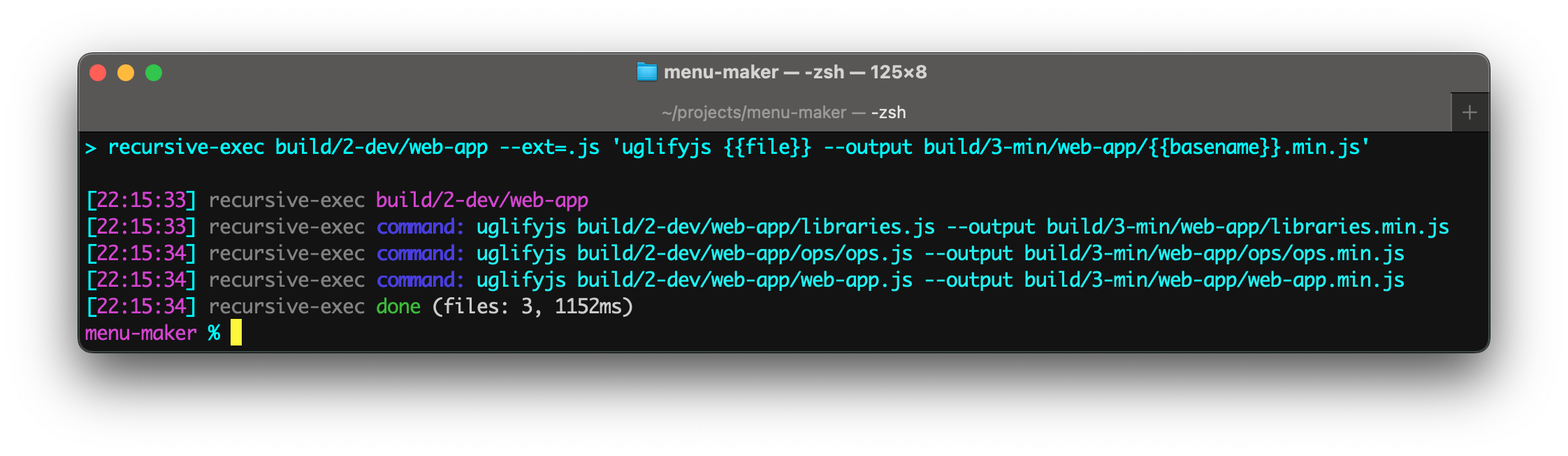
- `recursive-exec build/web --ext=.js 'uglifyjs {{file}} --output dist/web/{{basename}}.min.js'`
Minimizes the JavaScript files in the **build/web** folder and saves the new files to the **dist/web** folder with the **.min.js** file extension.
- `recursive-exec src 'glob {{file}}'`
Lists out all source files.
- `recursive-exec build/web-app --ext=.js --exclude=modules 'rollup {{file}} --file dist/web-app/{{filename}} --name {{nameCamelCase}}'`
Uses **rollup** to bundle the JavaScript for each web page but skip over the **modules** folders.
> [!NOTE]
> _Single quotes in commands are normalized so they work cross-platform and avoid the errors often encountered on Microsoft Windows._
## C) Application Code
Even though **recursive-exec** is primarily intended for build scripts, the package can be used programmatically in ESM and TypeScript projects.
Example:
``` typescript
import { recursiveExec } from 'recursive-exec';
const options = { quiet: true };
const results = recursiveExec.find('src/web', 'ls -o {{file}}', options);
console.info('Number of files:', results.length);
```
See the **TypeScript Declarations** at the top of [recursive-exec.ts](src/recursive-exec.ts) for documentation.
---
[MIT License](LICENSE.txt)
[🛡️ npm Security Aggregator](https://center-key.github.io/npm-security-aggregator/?package=recursive-exec)
See the `runScriptsConfig` section of [`package.json`](package.json) for a clean way to organize build tasks:
- 🎋 [`add-dist-header`](https://github.com/center-key/add-dist-header) — _Prepend a one-line banner comment (with license notice) to distribution files_
- 📄 [`copy-file-util`](https://github.com/center-key/copy-file-util) — _Copy or rename a file with optional package version number_
- 📂 [`copy-folder-util`](https://github.com/center-key/copy-folder-util) — _Recursively copy files from one folder to another folder_
- 🪺 [`recursive-exec`](https://github.com/center-key/recursive-exec) — _Run a command on each file in a folder and its subfolders_
- 🔍 [`replacer-util`](https://github.com/center-key/replacer-util) — _Find and replace strings or template outputs in text files_
- 🔢 [`rev-web-assets`](https://github.com/center-key/rev-web-assets) — _Revision web asset filenames with cache busting content hash fingerprints_
- 🚆 [`run-scripts-util`](https://github.com/center-key/run-scripts-util) — _Organize npm package.json scripts into groups of easy-to-manage commands_
- 🚦 [`w3c-html-validator`](https://github.com/center-key/w3c-html-validator) — _Check the markup validity of HTML files using the W3C validator_