# midjourney-api
Node.js client for the unofficial MidJourney API.


[discord-bot](https://github.com/erictik/midjourney-discord-wrapper/)
[web-ui](https://github.com/erictik/midjourney-ui/)
## Install
```bash
npm i midjourney
# or
yarn add midjourney
```
## Usage
```typescript
import { Midjourney } from "midjourney";
const client = new Midjourney({
ServerId: process.env.SERVER_ID,
ChannelId: process.env.CHANNEL_ID,
SalaiToken: process.env.SALAI_TOKEN,
Debug: true,
Ws:true,
});
await client.init();
const Imagine = await client.Imagine("A little pink elephant", (uri: string, progress:string) => {
onsole.log("Imagine", uri, "progress", progress);
});
console.log({ Imagine });
const Variation = await client.Variation(
Imagine.content,
2,
Imagine.id,
Imagine.hash,
(uri: string, progress:string) => {
onsole.log("Imagine", uri, "progress", progress);
}
);
console.log({ Variation });
const Upscale = await client.Upscale(
Variation.content,
2,
Variation.id,
Variation.hash,
(uri: string, progress: string) => {
console.log("Upscale", uri, "progress", progress);
}
);
console.log({ Upscale });
```
## Example
To run the included example, you must have [Node.js](https://nodejs.org/en/) installed. Then, run the following commands in the root directory of this project:
1. clone the repository
```bash
git clone https://github.com/erictik/midjourney-api.git
cd midjourney-api
```
2. install dependencies
```bash
yarn
# or npm
npm install
```
3. set the environment variables
- [How to get your Discord SALAI_TOKEN:](https://www.androidauthority.com/get-discord-token-3149920/)
- How to get server and channel ids: you have to [create a new personal channel](https://discord.com/blog/starting-your-first-discord-server), when you click on a channel in your server in the browser expect to have the follow URL pattern `https://discord.com/channels/$SERVER_ID/$CHANNEL_ID`
```bash
#example variables, please set up yours
export SERVER_ID="1082500871478329374"
export CHANNEL_ID="1094892992281718894"
export SALAI_TOKEN="your-salai-token"
```
Then, run the example with the following command:
```bash
npx tsx example/imagine-ws.ts
```
## route-map
- [x] `/imagine` `variation` `upscale`
- [x] websocket get message
- [x] call back error
- [x] verify human
- [x] `/info`
- [x] `/fast api` and `/relax api`
- [x] `/describe`
## Star History
[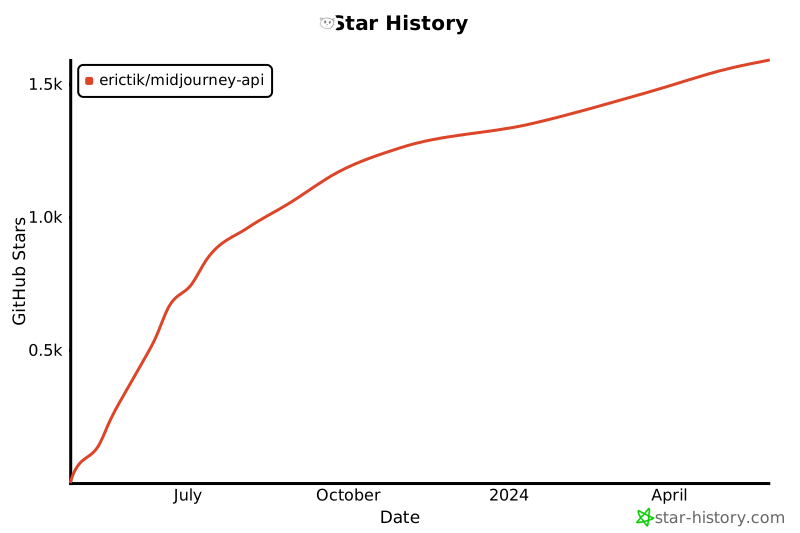](https://star-history.com/#erictik/midjourney-api&Date)