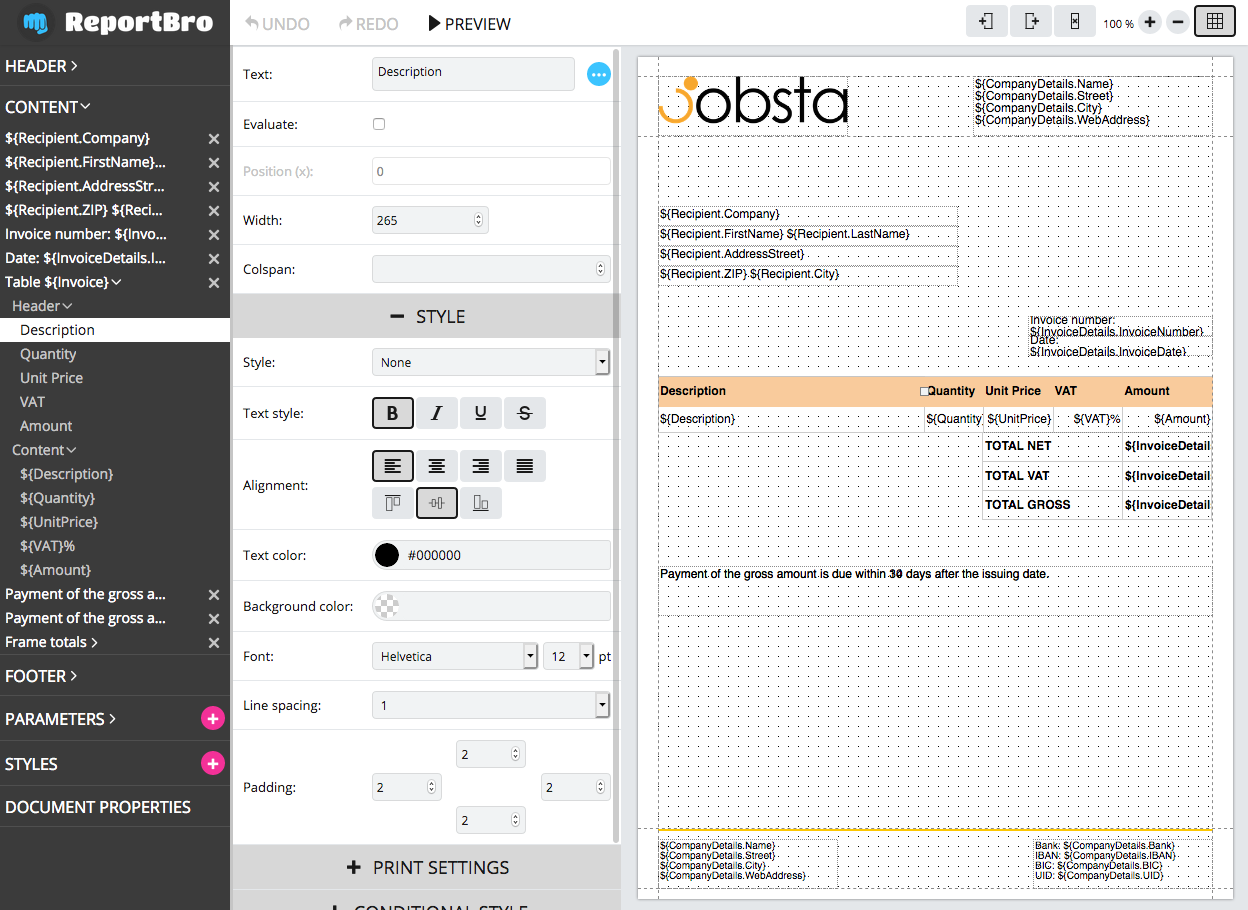
# ReportBro Designer
A javascript plugin to create PDF and XLSX report templates.
ReportBro Designer can be easily integrated into your web application. Everyone can design & edit document templates, and preview them directly in the browser. The reports can be generated with
[ReportBro Lib](https://github.com/jobsta/reportbro-lib) (a Python package) on the server.
See the ReportBro project website on https://www.reportbro.com for full documentation and demos.
## Installation
+ Download ReportBro Designer (`reportbro-designer-.tgz`) from https://github.com/jobsta/reportbro-designer/releases
+ Extract .tgz file and move `dist` folder to your application
+ In your .html document reference reportbro.js and reportbro.css. See basic usage below.
### Install via npm:
`npm install reportbro-designer --save`
## Basic usage
Go to the [docs](https://www.reportbro.com/framework/api) for more information. There are demos for different use cases available at: https://www.reportbro.com/demo/invoice.
Include the ReportBro JavaScript file as well as the ReportBro stylesheet in the `` of your page.
```html
```
Place an empty div within the `` of a web page:
```html
```
Initialize ReportBro:
```html
````
## Build
### prerequisites:
Install Node.js and npm.
Troubleshooting for Ubuntu/Linux: If you get an error like "/usr/bin/env: node: No such file or directory" you can easily fix it with a symbolic link:
`ln -s /usr/bin/nodejs /usr/bin/node`
Go to reportbro-designer root directory and install node modules:
`npm install`
### development:
`npm run build`
This is a fast way to build ReportBro Designer and easily debug the code. You can use the generated reportbro.js file from the dist folder in any modern browser supporting ES6 (ECMAScript 2015).
### production:
`npm run build-prod`
Transpiles javascript code from ES6 to ES5 to support older browsers and minifies the generated js file. Use this build step to generate ReportBro Designer for production environment.
## Notes
### Running demos from local filesystem
You need to run
`npm run build-prod`
at least once before starting any local demos. This build step creates ReportBro Designer in the `dist` directory which is referenced in the demos.
## License
ReportBro is dual licensed. You can coose depending on your use case.
Read more about ReportBro's license options at https://www.reportbro.com/pricing/index#framework-license.
### Commercial license
If you want to use ReportBro to develop commercial applications and projects, the Commercial license
is the appropriate license. See https://www.reportbro.com/framework/license_agreement for the full
license text.
With this license, your source code is kept proprietary. Purchase a ReportBro Commercial license at https://www.reportbro.com/pricing/index#framework-license.
This license includes ReportBro PLUS with additional features.
### Open-source license
If you are creating an open-source application under a license compatible with the [GNU AGPL license v3](https://www.gnu.org/licenses/agpl-3.0.html), you may use ReportBro under the terms of the AGPLv3.
## Contributing
We are always happy about new contributions. See CONTRIBUTING.md for details.