# 
[](https://bundlephobia.com/result?p=ripplet.js)  
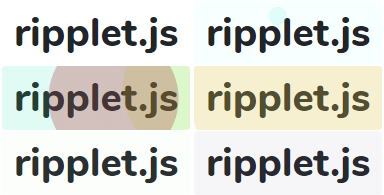
Fully controllable vanilla-js material design ripple effect generator.
This can be used with any JavaScript framework and/or any CSS framework.
[Demo](https://luncheon.github.io/ripplet.js/demo/)
## Installation
### [npm](https://www.npmjs.com/package/ripplet.js)
```bash
$ npm i ripplet.js
```
```javascript
import ripplet from 'ripplet.js';
element.addEventListener('pointerdown', ripplet);
```
### CDN ([jsDelivr](https://www.jsdelivr.com/package/npm/ripplet.js))
```html
```
### Download directly
Download ripplet.min.js
## API
### ripplet(targetSuchAsPointerEvent, options?) => HTMLElement
Generate a ripple effect.
#### Parameters
* targetSuchAsPointerEvent: Object (required) (in most cases, pass the received PointerEvent object)
| Property name | Description |
| ----------------------- | ---------------------------------------- |
| currentTarget | Target element |
| clientX | Client x-coordinate of center of ripplet |
| clientY | Client y-coordinate of center of ripplet |
* options: Object (optional)
| Property name | Default | Description |
| ----------------------- | -------------- | --------------------- |
| className | "" | Class name to be set for the ripplet element (not for this library to use, but for user to style that element) |
| color | "currentColor" | Ripplet color that can be interpreted by browsers. Specify `null` if the color or image of the ripple effect is based on the CSS className above. If the special value `"currentColor"` is specified, the text color of the target element (`getComputedStyle(currentTarget).color`) is used. |
| opacity | 0.1 | Ripplet opacity between 0 and 1. |
| spreadingDuration | ".4s" | As its name suggests. |
| spreadingDelay | "0s" | As its name suggests. |
| spreadingTimingFunction | "linear" | As its name suggests. See https://developer.mozilla.org/docs/Web/CSS/transition-timing-function |
| clearing | true | Whether or not to clear automatically. If `false` is specified, the ripple effect should be cleared using `ripplet.clear(currentTarget)` |
| clearingDuration | "1s" | As its name suggests. |
| clearingDelay | "0s" | As its name suggests. |
| clearingTimingFunction | "ease-in-out" | As its name suggests. See https://developer.mozilla.org/docs/Web/CSS/transition-timing-function |
| centered | false | Whether to force the origin centered (and ignore `clientX` and `clientY`). |
| appendTo | "auto" | `"auto"` \| `"target"` \| `"parent"` \| CSS selector string like `"body"`. Specify the element to which the ripple effect element will be appended. If `"auto"` is specified, it will be the target or its closest ancestor that is not an instance of `HTMLInputElement`, `HTMLSelectElement`, `HTMLTextAreaElement`, `HTMLImageElement`, `HTMLHRElement` or `SVGElement`. |
#### Return value
Generated element.
### ripplet.clear(currentTarget?, generatedElement?) => void
Fade out and remove the ripplet. Use only when the option `clearing` is false.
#### Parameters
* currentTarget: Element (optional)
The target element that was passed to `ripplet()`. If this parameter is not passed, all the ripplets will be cleared.
* generatedElement: Element (optional)
The generated element that was returned by `ripplet()`. If this parameter is not passed, all the ripplets (of the `currentTarget` above) will be cleared.
#### Example
```html
```
### ripplet.defaultOptions
You can change the default ripplet options for your app.
For example:
```javascript
import ripplet from 'ripplet';
ripplet.defaultOptions.color = 'rgb(64, 128, 255)';
```
## Declarative Edition
If you don't need detailed control, you can use declarative edition that captures pointerdown events.
Load `"ripplet-declarative.js"` and add `data-ripplet` attribute to html elements with/without options.
Elements dynamically appended also have the ripple effect if `data-ripplet` attribute is available.
In declarative edition, the ripple effect remains until the `pointerup` or `pointerleave` event occurs.
### Example Usage
```html
```
or
```javascript
import 'ripplet.js/es/ripplet-declarative';
// require(ripplet.js/umd/ripplet-declarative.min');
// import { defaultOptions } from 'ripplet.js/es/ripplet-declarative';
// defaultOptions.color = 'rgb(255, 128, 0)';
```
or
Download ripplet-declarative.min.js
## Tips
I recommend applying following styles to the ripple target elements:
1. Erase tap highlight effect for mobile devices
2. Disable tap-to-hover behavior and double-tap-to-zoom behavior for mobile devices
```css
/* Example for the declarative edition */
[data-ripplet] {
-webkit-tap-highlight-color: transparent; /* 1 */
touch-action: manipulation; /* 2 */
}
```
## License
WTFPL