# SciChart.js: High Performance JavaScript Chart Library
> **NEW!** ChangeLog
>
> Find out what's new in every Major and Minor release at the [Change Log here](https://www.scichart.com/changelog/scichart-js/)
SciChart.js is a High Performance [JavaScript Chart library](https://www.scichart.com/javascript-chart-features). Leveraging WebGL and WebAssembly to achieve incredible big-data and real-time performance.
Fast and able to draw millions of datapoints in realtime, our charts will never cause your app to slow down again!
## Useful Links
- Learn why we propose SciChart as the [Best JavaScript Chart Library in 2024](https://www.scichart.com/blog/the-best-javascript-chart-10-reasons/) for Big-Data, complex enterprise apps.
- Read performance test results showing SciChart beating Chart.js, HighCharts, Plotly by a wide margin in a [JavaScript Chart Performance Comparison](https://www.scichart.com/blog/scichart-is-the-fastest-js-chart-library-available-and-why-that-matters-in-todays-world/)
- Learn the features and key differences of SciChart.js [JS Charts](https://www.scichart.com/javascript-chart-features) library.
- Browse the demos of [JavaScript Charts](https://demo.scichart.com) and [JavaScript 3D Charts](https://demo.scichart.com) in our interactive React showcase.
> SciChart has an extremely configurable and extensible API and is
> **perfect for scientific, financial, medical, engineering and enterprise applications**,
> apps with demanding performance requirements or complex and mission critical charting.
[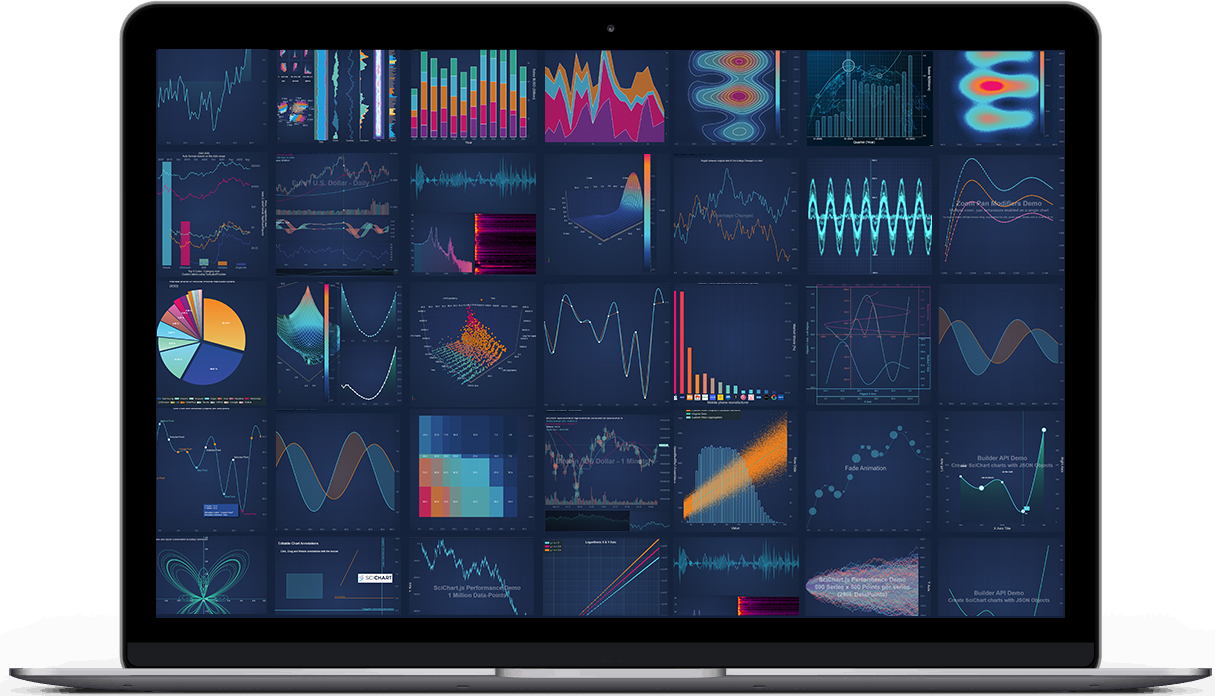](https://www.scichart.com/javascript-chart-features)
SciChart.JS v3.4 is released! Check out
- [Latest Changes](https://www.scichart.com/changelog/scichart-js/)
- [v3.3 Release notes](https://www.scichart.com/scichart-js-v3-3-released/)
- [v3.2 Release notes](https://www.scichart.com/scichart-js-v3-2-released/)
- [v3.1 Release notes](https://www.scichart.com/scichart-js-v3-1-released/)
- [v3.0 Release notes](https://www.scichart.com/scichart-js-v3-0-released) There should not be any breaking changes from v2.
## License
> SciChart.js is commercial software which ships with a free community edition for personal, non-commercial, educational or blogger/tutorial use.
>
> **Licensing Links**
>
> - [Free Community Licensing FAQs](https://www.scichart.com/community-licensing/)
> - [Read about our **commercial license terms** here](https://www.scichart.com/scichart-eula)
> - [**Get Started** by following steps here](https://scichart.com/getting-started/scichart-javascript)
> - [**Purchase commercial licenses** here](https://store.scichart.com)
> - Academic usage, universities and schools qualify for a free non-watermarked license. Read more about this [here](https://www.scichart.com/educational-discount-programme).
## Demo Application
- We've published over 100 [JavaScript Chart Demos](https://demo.scichart.com) with ~100 examples you can try in browser.
- You can clone the repo for the demo app at Github: [github.com/abtsoftware/scichart.js.examples](https://github.com/abtsoftware/scichart.js.examples)
- Or, checkout our boilerplates for various popular Js frameworks:
- [Vanilla JS](https://github.com/ABTSoftware/SciChart.JS.Examples/tree/master/BoilerPlates/javascript)
- [React](https://github.com/ABTSoftware/SciChart.JS.Examples/tree/master/BoilerPlates/scichart-react) with [scichart-react](https://github.com/ABTSoftware/scichart-react) which significantly simplifies wrapping scichart in a react component
- [React + Typescript](https://github.com/ABTSoftware/SciChart.JS.Examples/tree/master/BoilerPlates/react-typescript)
- [React + Vite](https://github.com/ABTSoftware/SciChart.JS.Examples/tree/master/BoilerPlates/react-vite)
- [Vue.js](https://github.com/ABTSoftware/SciChart.JS.Examples/tree/master/BoilerPlates/vue)
- [Angular](https://github.com/ABTSoftware/SciChart.JS.Examples/tree/master/Sandbox/demo-angular-scichart)
- [NextJs](https://github.com/ABTSoftware/SciChart.JS.Examples/tree/master/BoilerPlates/next)
- [Nuxt.js](https://github.com/ABTSoftware/SciChart.JS.Examples/tree/master/BoilerPlates/nuxt)
- [Svelte + Vite](https://github.com/ABTSoftware/SciChart.JS.Examples/tree/master/BoilerPlates/svelte-vite)
- [Svelte + Rollup](https://github.com/ABTSoftware/SciChart.JS.Examples/tree/master/BoilerPlates/svelte-rollup)
- [Electron](https://github.com/ABTSoftware/SciChart.JS.Examples/tree/master/Sandbox/demo-electron)
# Getting Started
> We've prepared a short [Getting Started guide here](https://scichart.com/getting-started/scichart-javascript).
>
> This will walk you through the entire process of starting in your favourite framework and show you where tutorials and documentation are and examples.
## Useful Links
### Features & benefits
- Learn about [features of SciChart.js](https://scichart.com/javascript-chart-features) here
### Onboarding
- [Tutorials](https://www.scichart.com/documentation/js/current/webframe.html#Tutorial%2001%20-%20Setting%20up%20a%20Project%20with%20SciChart.js.html)
- [Getting Started Guide](https://scichart.com/getting-started/scichart-javascript/)
- [Documentation](https://www.scichart.com/documentation/js/current/webframe.html)
- [CodePen, JSFiddle support](https://www.scichart.com/blog/codepen-codesandbox-and-jsfiddle-support-in-scichart-js/)
### Support
- [Community forums](https://scichart.com/questions)
- [Stackoverflow tag](https://stackoverflow.com/tags/scichart)
- [Contact Us (Technical support or sales)](https://scichart.com/contact-us)
### Purchasing
- [Pricing](https://store.scichart.com)
## Quick Start with NPM and Webpack
SciChart.js can be loaded as an ES6 module with Babel or TypeScript transpiler.
1. **Install SciChart.js**
```shell
npm i scichart
```
2. **Create a simple chart** by putting this into `src/index.js` file
```javascript
// New syntax from v3.0.284! import { all, the, things } from "scichart"
import { SciChartSurface, NumericAxis, NumericAxis, FastLineRenderableSeries } from "scichart";
// Call useWasmFromCDN once before SciChart.js is initialised to load Wasm files from our CDN
// Alternative methods for serving wasm from webpack or offline are available on our website
SciChartSurface.useWasmFromCDN();
// Apply your licese key once before startup
SciChartSurface.setRuntimeLicenseKey("--YOUR_KEY_HERE--");
async function initSciChart() {
// Create the SciChartSurface in the div 'scichart-root'
const { sciChartSurface, wasmContext } = await SciChartSurface.create("scichart-root");
// Create an X,Y Axis and add to the chart
sciChartSurface.xAxes.add(new NumericAxis(wasmContext));
sciChartSurface.yAxes.add(new NumericAxis(wasmContext));
// Create a line series with some data
const dataSeries = new XyDataSeries(wasmContext, {
xValues: [1, 2, 5, 8, 10],
yValues: [3, 1, 7, 5, 8]
});
const renderableSeries = new FastLineRenderableSeries(wasmContext, {
dataSeries,
stroke: "steelblue"
});
sciChartSurface.renderableSeries.add(renderableSeries);
}
initSciChart();
```
3. **Create src/index.html file**
```html
SciChart.js Tutorial 1
```
4. **Run it `npm start`**. As a result you will see a simple line chart.
> Further reading:
>
> - See the [Getting Started Page](https://scichart.com/getting-started/scichart-javascript/) as well as our [Tutorials](https://www.scichart.com/documentation/js/current/webframe.html#Tutorial%2001%20-%20Setting%20up%20a%20Project%20with%20SciChart.js.html) for more information on creating your first chart
## Quick Start with Browser Bundle (Iife bundle)
[](https://www.jsdelivr.com/package/npm/scichart)
If your environment does not include a bundler like Parcel or Webpack, you can still load SciChart.js using the browser bundle module from [JSDlvr](https://www.jsdelivr.com/package/npm/scichart)
1. **Include index.min.js in your webpage**
```html
```
2.**Create scichart-example.js file with a simple chart**
```javascript
// Imports when using Browser Bundle
const {
SciChartSurface,
SciChartDefaults,
chartBuilder,
SciChartJsNavyTheme,
XyDataSeries,
FastLineRenderableSeries,
NumericAxis
} = SciChart;
// Option 1: Create chart with Builder API
async function initSciChartBuilderApi() {
// Create a chart using the json builder api
await chartBuilder.buildChart("chart0", {
series: {
type: "LineSeries",
options: { stroke: "steelblue", strokeThickness: 5 },
xyData: {
xValues: [1, 2, 5, 8, 10],
yValues: [3, 1, 7, 5, 8]
}
}
});
}
// Option 2: Create chart with the programmatic API
async function initSciChartProgrammaticApi() {
const { sciChartSurface, wasmContext } = await SciChartSurface.create("chart1", {
theme: new SciChartJsNavyTheme()
});
sciChartSurface.xAxes.add(new NumericAxis(wasmContext));
sciChartSurface.yAxes.add(new NumericAxis(wasmContext));
sciChartSurface.renderableSeries.add(
new FastLineRenderableSeries(wasmContext, {
stroke: "#FF6600",
strokeThickness: 3,
dataSeries: new XyDataSeries(wasmContext, {
xValues: [1, 2, 5, 8, 10],
yValues: [3, 1, 7, 5, 8]
})
})
);
}
// See deployment options for WebAssembly at https://www.scichart.com/documentation/js/current/Deploying%20Wasm%20or%20WebAssembly%20and%20Data%20Files%20with%20your%20app.html
// call useWasmFromCDN once before SciChart.js is initialised to load Wasm files from our CDN
SciChartSurface.useWasmFromCDN();
// Also, call & set runtime license key here once before scichart shown
SciChartSurface.setRuntimeLicenseKey("-- Your license key here --");
initSciChartBuilderApi();
initSciChartProgrammaticApi();
```
> [View above in CodePen](https://codepen.io/scichart/pen/ZEjjELy)
> See the full [browser bundle tutorial here](https://www.scichart.com/documentation/js/current/webframe.html#Tutorial%2001%20-%20Including%20SciChart.js%20in%20an%20HTML%20Page.html)
# Release notes. What's New!
Check out what's new in SciChart.js at the below pages:
- [What's New in SciChart.js v2.0](https://www.scichart.com/documentation/js/current/What's%20New%20in%20SciChart.js%20SDK%20v2.x.html)
- [What's New in SciChart.js v2.1](https://www.scichart.com/documentation/js/current/WhatsNewInSciChart2_1.html)
- [What's New in SciChart.js v2.2](https://www.scichart.com/documentation/js/current/What's%20New%20in%20SciChart.js%20SDK%20v2.2.html)
- [What's New in SciChart.js v3.0](https://www.scichart.com/scichart-js-v3-0-released)
- [ChangeLog (v3 onwards)](https://www.scichart.com/changelog/scichart-js/)
We release often and if you want to report a bug, request a feature or give general feedback [contact us](https://scichart.com/contact-us)!