Shadcn Theme Editor
## Usage
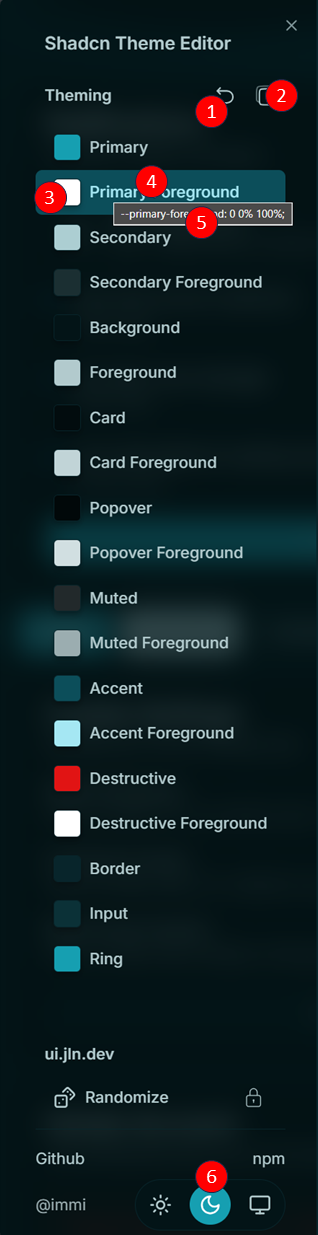
### 1. Reset Button
- Click to **Reset the Theme**.
- Press `⌘ + Click` to delete all themes stored in Local Storage.
### 2. Copy Button
- Click to **Copy the Current Theme** to your clipboard.
### 3. Color Picker Trigger
- Opens the color picker for the selected theme color.
### 4. Color Button & 5. Tooltip
- **Color Name/Title**: Displays the name of the color.
- **Double-Click**: Copy the current color value to the clipboard.
- **Hover**: Display the current value of the color in a tooltip.
### 6. Theme Changer
- Switch between theme modes: **System**, **Dark**, or **Light** using [`next-themes`](https://github.com/pacocoursey/next-themes).