React Sidebar

# Table of contents

1. [Installation](#installation)
2. [Demo](#demo)
3. [Basic Usage](#basic-usage)

# Installation

- Using NPM
  `npm i sidebar-ui-react `

- Using Yarn
  `yarn add sidebar-ui-react `

## Checkout the below video for refrence.
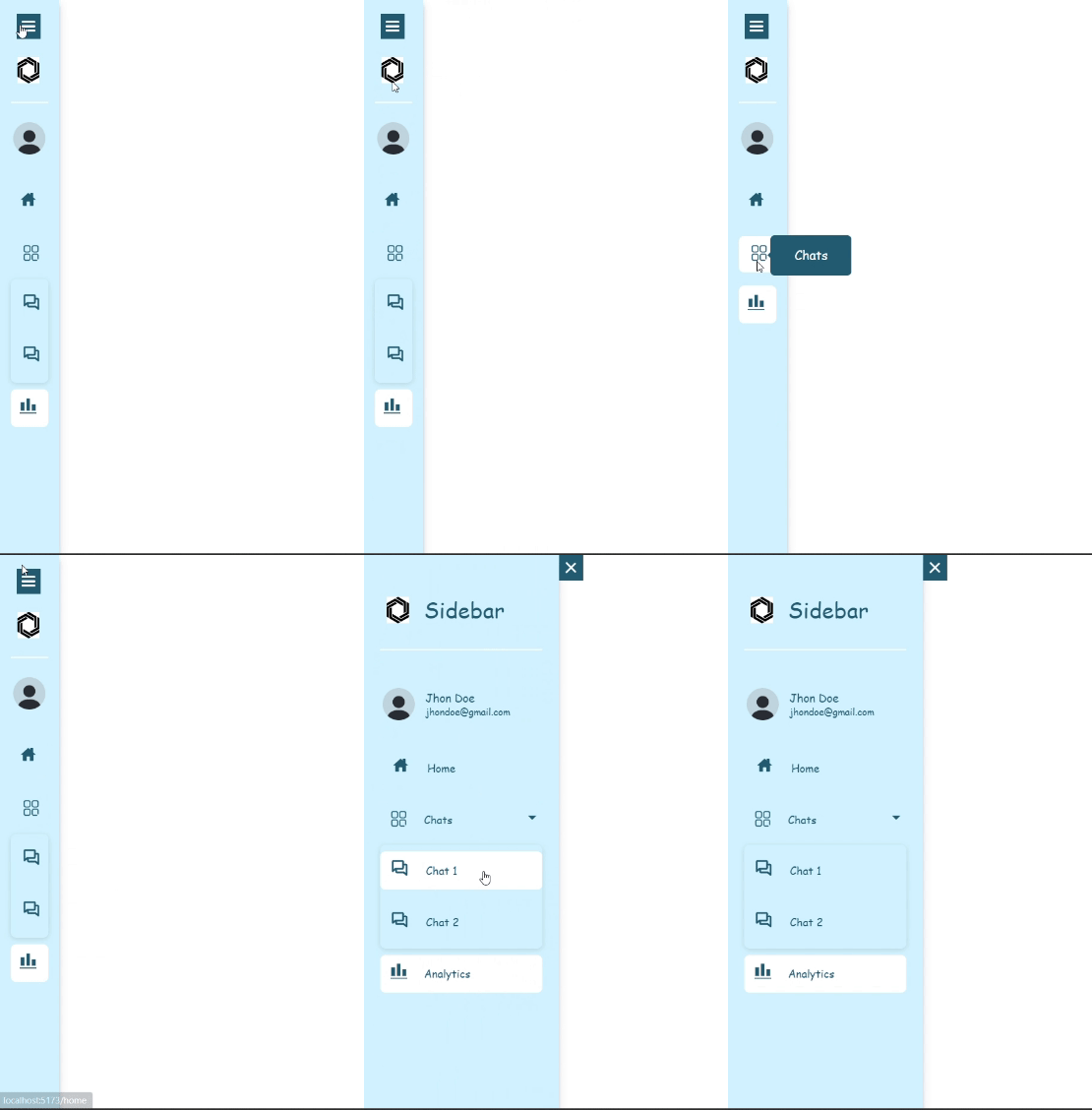


![Recording 2023-08-09 190611](https://github.com/Roxiler/sidebar-ui-react/assets/97351159/9caa2890-b604-40b6-ae02-769d9fa86f5c)


  # Basic Usage of Sidebar


```

https://github.com/Roxiler/sidebar-ui-react/assets/97351159/2fffcbc8-0e09-40fb-ac8c-ffdf76c89acb


  import {Sidebar} from "react-sidebar"

  const menus = [
  {
    title: 'Home',
    icon: <Home/>,
    path: '/home',
  },
  {
    title: 'Chats',
    icon: <Chats/>,
    path: '/chats',
    subMenu: [
      {
        value: 'Chat 1',
        subPath: '/chats/chat1',
      },
      {
        value: 'Chat 2',
        subPath: '/chats/chat2',
      },
    ],
  },
  {
    title: 'Analytics',
    icon: <Analytics/>,
    path: '/analytics',
  },
];


 export default function App() {
    return (
      <div>
        <Sidebar menus={menus}/>
      </div>
    );
  }

```

# For theme, dark and light ,profile data  with header image :

 ```

<Sidebar
 menus={menus}
 avatar={profilelogo}
 headerImage='https://encrypted-tbn0.gstatic.com/images?q=tbn:ANd9GcRmg6VbQr7k4bE8m1sGjODK19nEZn-UKVChBg&usqp=CA'
 heading='Sidebar'
 theme='light'
 email='jhondoe@gmail.com' name='Jhon Doe'collapse={toggle} dividerColor='white'
 />

  ```

  # Usage of burger Icon and Close Icon :

```

<div className="sidebarContainer">

      <div className={toggle === true ? 'hideToggleicon' : 'showToggleicon'}><div onClick={() => setToggle(!toggle)}><Hamburger /></div></div>

      <Sidebar
      menus={menus}
      avatar={profilelogo}
      headerImage='https://encrypted-tbn0.gstatic.com/images?q=tbn:ANd9GcRmg6VbQr7k4bE8m1sGjODK19nEZn-UKVChBg&usqp=CA'
      heading='Sidebar'
      theme='light' email='jhondoe@gmail.com' name='Jhon Doe'collapse={toggle} dividerColor='white'
       />

      <div className={toggle === true ? 'righthamburger' : 'lefthamburger'}>
        <div className={toggle === true ? 'burgerContainer' : 'burgerContainer active'} onClick={handleToggle}>
          <BurgerIcon hideToggleIcon={false} />
        </div>
      </div>


</div>

```

  ## props

| Accepted props           | type           | Description                                                                  |
| ------------------------ | -------------- | ---------------------------------------------------------------------------- |
| headerImage             | string          | header image url on the top                                                  |
| heading                  | string         | heading of the app or website on top                                         |
| avatar                   | string         | user avatar/image                                                            |
| name                     | string         | name/username of user                                                        |
| email                    | string         | email of user                                                                |
| menus                    | [object]       | pass the pops and menus for adding the menus and submenus respectively       |
| collapse                 | boolean        | sets if you want to collapse the sidebar or not                              |
| fontColor                | string         | to change the whole font color as per the user's choice                      |
| backgroundColor          | string         | to change the background color of sidebar                                    |
| hoverContainerBackground | string         | choose the hover container of sidebar                                        |
| theme                    | string         | choose from dark or light theme                                              |
| hideToggleIcon           | boolean        | to hide and unhide the toggle icon                                           |
| dividerColor             | string         | color of the divider between header and profile contents                     |


