# Slim Select 2

## [slimselectjs.com](https://slimselectjs.com)

Advanced select dropdown

[![NPM Downloads](https://img.shields.io/npm/dt/slim-select.svg)](https://www.npmjs.com/package/slim-select)


![GitHub Actions Workflow Status](https://img.shields.io/github/actions/workflow/status/brianvoe/slim-select/jest.yml?logo=jest&label=unit%20tests) [![slim-select](https://snyk.io/advisor/npm-package/slim-select/badge.svg)](https://snyk.io/advisor/npm-package/slim-select)

## Support

[![](https://img.shields.io/static/v1?label=Sponsor&message=%E2%9D%A4&logo=GitHub&color=%23fe8e86)](https://github.com/sponsors/brianvoe)

<a href="https://www.buymeacoffee.com/brianvoe" target="_blank"><img src="https://www.buymeacoffee.com/assets/img/custom_images/orange_img.png" alt="Buy Me A Coffee" style="height: auto !important;width: auto !important;" ></a>

## [Documentation and Examples](https://slimselectjs.com)

See [website](https://slimselectjs.com) for the full list of [settings](https://slimselectjs.com/settings), [methods](https://slimselectjs.com/methods) and [event callbacks](https://slimselectjs.com/events)
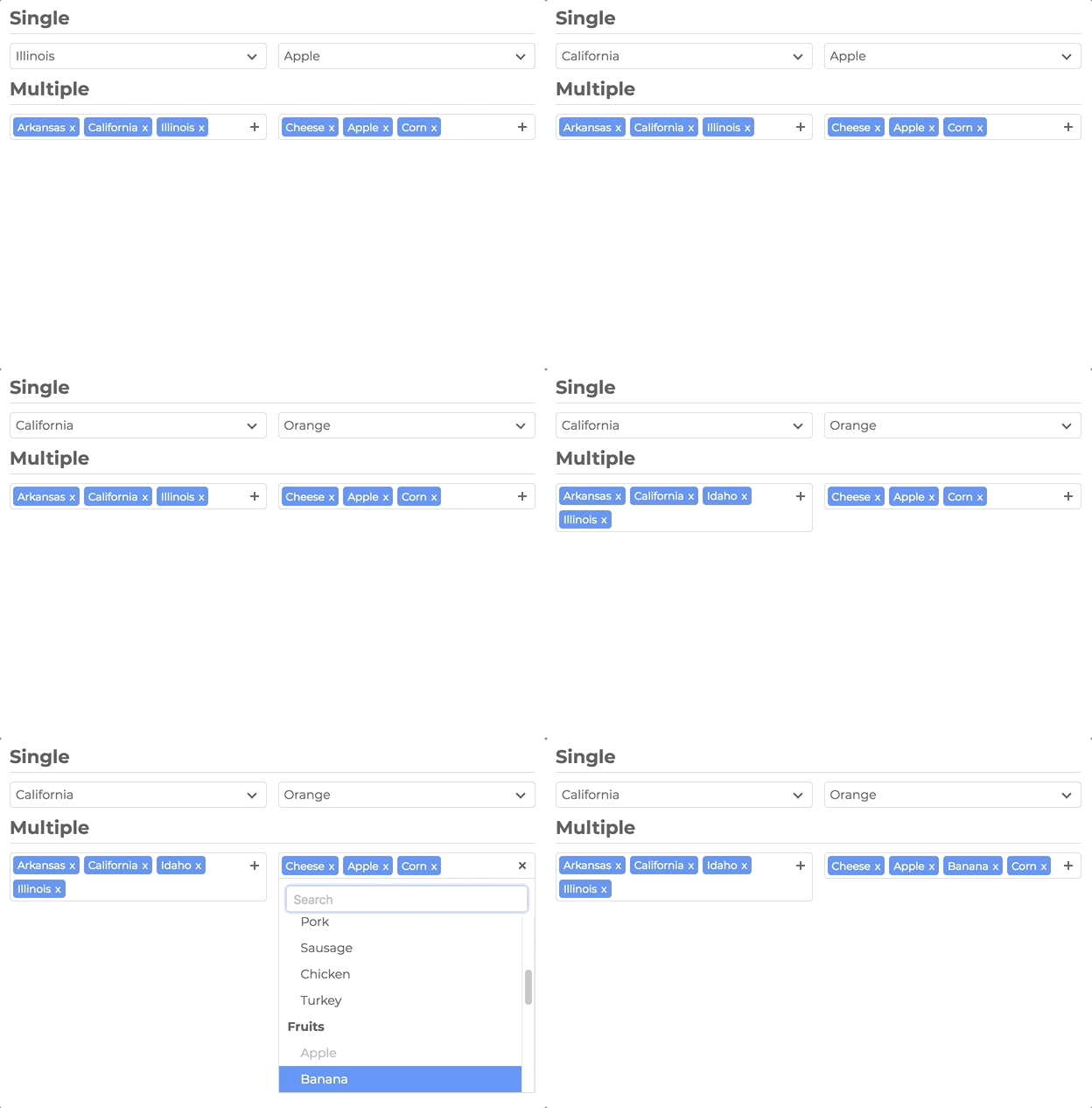
![](https://raw.githubusercontent.com/brianvoe/slim-select/master/slimselect.gif)

## Features

- No Dependencies
- JS: 29kb - 5kb gzip
- CSS: 7kb - 1kb gzip
- Single Select
- Multi Select
- User Addable Options
- Html Options
- Settable Data
- Callback Events
- Placeholders
- Search
- Disable Options
- Light CSS
- Light Color Scheme
- Style and Class Inheritance
- Clean Animations
- Performant
- Typescript

## Frameworks

- Vue

## Installation

```bash
npm install slim-select
```

### or

```html
<script src="https://unpkg.com/slim-select@latest/dist/slimselect.min.js"></script>
<link rel="stylesheet" href="https://unpkg.com/slim-select@latest/dist/slimselect.css" />
```

## Simple Usage

```javascript
import SlimSelect from 'slim-select'

new SlimSelect({
  select: '#selectElement',
})
```

```html
<select id="selectElement">
  <option value="value1">Value 1</option>
</select>
```

## Data

Data is an array of objects that represent both option and optgroups.

See below for list of data types

```javascript
new SlimSelect({
  select: '#selectElement',

  // Array of Option objects
  data: [{ text: 'Value 1', value: 'value1' }],

  // or

  // Array of Optgroups and/or Options
  data: [{ label: 'Optgroup Label', options: { text: 'Value 1', value: 'value1' } }],
})
```

## Data Types

```javascript
// <optgroup>

var optgroup = {
  label: 'label', // Required
  selectAll: false, // Optional - default false
  closable: 'off', // Optional - default 'off' - 'off', 'open', 'close'
  options: [], // Required - value is an array of options
}

// <option>
var option = {
  text: 'text', // Required
  value: 'value', // Optional - value will be set by text if not set
  html: '<b>Html</b>', // Optional - if set, used for display purposes
  selected: false, // Optional - default is false
  display: true, // Optional - default is true
  disabled: false, // Optional - default is false
  mandatory: false, // Optional - default is false
  placeholder: false, // Optional - default is false
  class: '', // Optional - default is not set
  style: '', // Optional - default is not set
  data: {}, // Optional - If you have data attributes
}
```

## Settings

Settings are a list of fields that help customize how SlimSelect operates

```javascript
new SlimSelect({
  select: '#selectElement',

  settings: {
    // Below are a list of optional fields
    // their values are the defaults
    disabled: false,
    alwaysOpen: false,
    showSearch: true,
    focusSearch: true,
    searchPlaceholder: 'Search',
    searchText: 'No Results',
    searchingText: 'Searching...',
    searchHighlight: false,
    closeOnSelect: true,
    contentLocation: document.body,
    contentPosition: 'absolute',
    openPosition: 'auto', // options: auto, up, down
    placeholderText: 'Select Value',
    allowDeselect: false,
    hideSelected: false,
    showOptionTooltips: false,
    minSelected: 0,
    maxSelected: 1000,
    timeoutDelay: 200,
    maxValuesShown: 20,
    maxValuesMessage: '{number} selected',
    addableText: 'Press "Enter" to add {value}',
  },
})
```

## Events

Events are function callbacks for when certain actions happen

```javascript
new SlimSelect({
  select: '#selectElement',

  events: {
    search: (searchValue: string, currentData: DataArray) => Promise<DataArrayPartial> | DataArrayPartial
    searchFilter: (option: Option, search: string) => boolean
    addable: (value: string) => Promise<OptionOptional | string> | OptionOptional | string | Error
    beforeChange: (newVal: Option[], oldVal: Option[]) => boolean | void
    afterChange: (newVal: Option[]) => void
    beforeOpen: () => void
    afterOpen: () => void
    beforeClose: () => void
    afterClose: () => void
    error: (err: Error) => void
  },
})
```
