# Speck
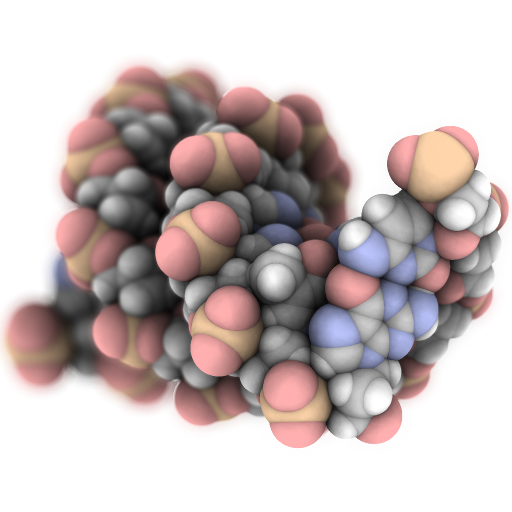
> Speck is a molecule renderer with the goal of producing figures that are as attractive as they are practical. Express your molecule clearly _and_ with style.
[](https://www.npmjs.com/package/speck-renderer)
[](https://www.npmjs.com/package/speck-renderer)
[](https://waffle.io/jordangarside/speck)
[Demo](https://speck-renderer.herokuapp.com/) - [Original Project](https://github.com/wwwtyro/speck) - [More Images](https://github.com/jordangarside/speck/blob/master/images.md)
## Installation
```sh
npm install --save speck-renderer
```
## Usage example
```js
speck = new Speck({canvasContainerID: "speck-root", canvasID: "speck-canvas"});
speck.loadStructure(xyz);
```
```js
speck.destroy();
```
## Release History
* 0.0.7
* Work in progress
## Meta
Jordan Garside – JordanGarside@gmail.com
Distributed under the Unlicense license. See ``LICENSE`` for more information.
## Contributing
1. Fork it ()
2. Create your feature branch (`git checkout -b feature/fooBar`)
3. Commit your changes (`git commit -am 'Add some fooBar'`)
4. Push to the branch (`git push origin feature/fooBar`)
5. Create a new Pull Request
[npm-image]: https://img.shields.io/npm/v/datadog-metrics.svg?style=flat-square
[npm-url]: https://npmjs.org/package/datadog-metrics
[npm-downloads]: https://img.shields.io/npm/dm/datadog-metrics.svg?style=flat-square
[travis-image]: https://img.shields.io/travis/dbader/node-datadog-metrics/master.svg?style=flat-square
[travis-url]: https://travis-ci.org/dbader/node-datadog-metrics
[wiki]: https://github.com/yourname/yourproject/wiki