# Storybook SDC Addon

This addon streamlines the integration of Drupal Single Directory Components (SDC) into Storybook, allowing YAML-configured components (e.g., `*.component.yml`) to be dynamically loaded as stories in Storybook.

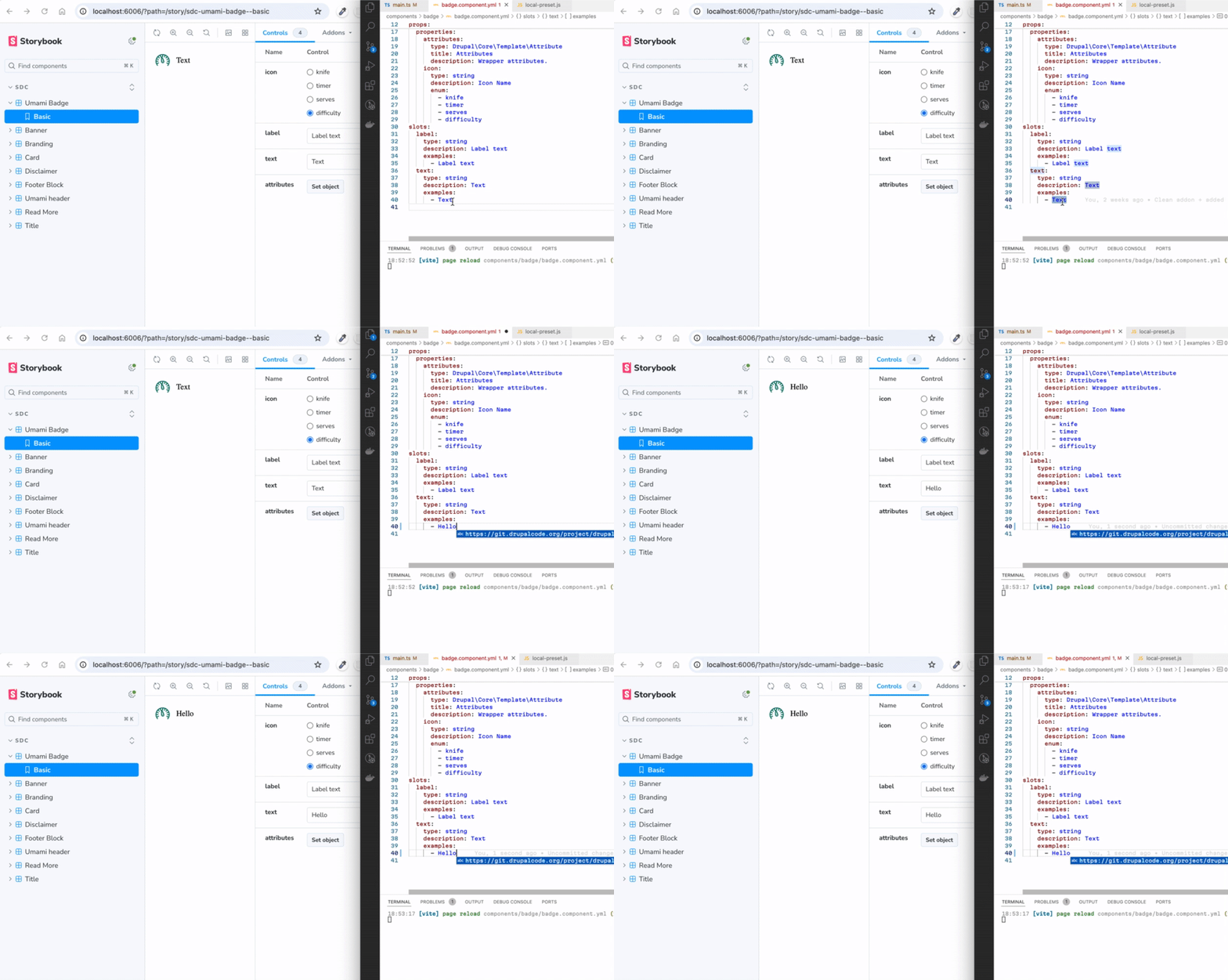
[![Demo GIF](https://i.gyazo.com/2dcfa650c961679430d45eef24a82ab8.gif)](https://gyazo.com/2dcfa650c961679430d45eef24a82ab8)
## Table of Contents

- [Overview](#overview)
- [Storybook Example Live](#storybook-example-live)
- [Features of the Addon](#features-of-the-addon)
- [Quickstart Guide](#quickstart-guide)
- [Configuration](#configuration)
- [Creating Stories](#creating-stories)
- [Support for Single Story Files (\*.story.yml)](#support-for-single-story-files-storyyml)
- [Namespaces](#namespaces)
- [Drupal Icon API](#drupal-icon-api)
- [Advanced Grouping and Nesting](#advanced-grouping-and-nesting)
- [Regular Storybook](#regular-storybook)
- [Configuration Options](#configuration-options)
- [Setting Default Values](#setting-default-values)
- [Story Configuration via thirdPartySettings.sdcStorybook](#story-configuration-via-thirdpartysettingssdcstorybook)
- [UI Patterns](#ui-patterns)
- [Why Choose SDC Storybook Over Alternatives?](#why-choose-sdc-storybook-over-alternatives)
- [Dependencies](#dependencies)
- [Known Issues](#known-issues)

---

## Overview

This Storybook addon makes it easy to integrate Drupal Single Directory Components (SDC) into Storybook using YAML configurations and Twig templates. It dynamically loads components, allowing you to quickly create and manage stories with minimal configuration.

**It is still regular Storybook** but now with the added option to import and manage Drupal Single Directory Components (SDC).

## Storybook Example Live

You can view a [live example of the SDC Addon in Storybook](https://iberdinsky-skilld.github.io/sdc-addon), hosted on GitHub Pages, showcasing components in the `/components` directory of that repository.

## Features of the Addon

The SDC Storybook Addon simplifies the integration of Drupal Single Directory Components (SDC) into Storybook, offering several key features:

- **Vite Plugin Integration**: You can use either the vite-plugin-twig-drupal plugin (Twig.js) or the vite-plugin-twing-drupal plugin (Twing) to load and process Twig templates in SDC components.
- **Dynamic Path Resolution**: Utilizes namespaces to dynamically discover components within your project structure, eliminating the need for manual configuration.
- **Story Generation**: Automatically creates stories based on the YAML configurations of your SDC components, streamlining the story creation process.
- **JSON Schema Support**: Supports JSON Schema for props and slots, enabling the generation of mock data for missing values and ensuring data consistency.
- **Drupal Behavior Embedding**: Allows you to directly embed Drupal behaviors like `Drupal.attachBehaviors()` into Storybook previews, ensuring components behave similarly to their Drupal counterparts.
- **Custom and External Schema Definitions**: Supports custom and external JSON schema definitions to validate components based on Drupal-specific configurations (e.g., UI Patterns, Experience Builder).
- **Default and Custom Story Rendering**: Use `type: component` to nest components, `type: element` for HTML markup, and `type: image` for images within stories. Or create your own custom renderers.
- **Namespaces**: Supports multiple namespaces, allowing you to use components from different(parent/sibling) directories or packages.
- **Drupal Icon API**: Automatically detects `*.icons.yml` files in registered namespaces and makes `{{ icon('pack_id', 'icon_id', settings) }}` available in every Twig template. Supports `svg_sprite`, `svg` (inline), and `path` extractors with no configuration required.

## Quickstart Guide

1. **In theme or module or just empty directory (If package.json not yet exists)**:

   ```bash
   npm init
   echo "node_modules/" >> .gitignore
   ```

2. **Install dependencies**:

   ```bash
   npm i vite twig storybook-addon-sdc --save-dev
   ```

3. **Initialize Storybook**:

   ```bash
   npx storybook@latest init --builder vite --type html --no-dev
   ```

4. **Remove default storybook boilerplate stories (Optional)**:

   ```bash
   rm -rf ./stories
   ```

5. **Configure as described in [Configuration](#configuration)**.

6. **Add components to the `components` directory** (or copy from this [repository](https://github.com/iberdinsky-skilld/sdc-addon/tree/main/components)).

7. **Set [type: module](https://nodejs.org/api/packages.html#type) in package.json:**

   ```json
   {
     "type": "module"
   }
   ```

8. **Start Storybook**:
   ```bash
   npm run storybook
   ```

## Configuration

To configure the addon, update `.storybook/main.js` as shown below:
You can use this plugin either with [Twig.js](https://github.com/twigjs/twig.js) or [Twing.js](https://twing.nightlycommit.com/) by setting the `twigLib` option to `'twig'` or `'twing'` in your configuration.

```js
import { join } from 'node:path' // 1. Add dependencies.
import { cwd } from 'node:process'

const config = {
  stories: ['../components/**/*.component.yml'], // 2. Set components glob.
  addons: [
    {
      name: 'storybook-addon-sdc', // 3. Configure addon.
      options: {
        sdcStorybookOptions: {
          twigLib: 'twig', // 'twig' for Twig.js or 'twing' for Twing.
        },
      },
    },
    // Any other addons.
    '@chromatic-com/storybook',
  ],
  framework: {
    name: '@storybook/html-vite',
    options: {},
  },
}
export default config
```

## Creating Stories

The `sdcStorybook` configuration in the SDC YAML file provides a flexible way to define custom stories for your components. This feature allows you to use predefined props, custom slots, or even reuse stories defined elsewhere. Here's how it works:

### Example Configuration

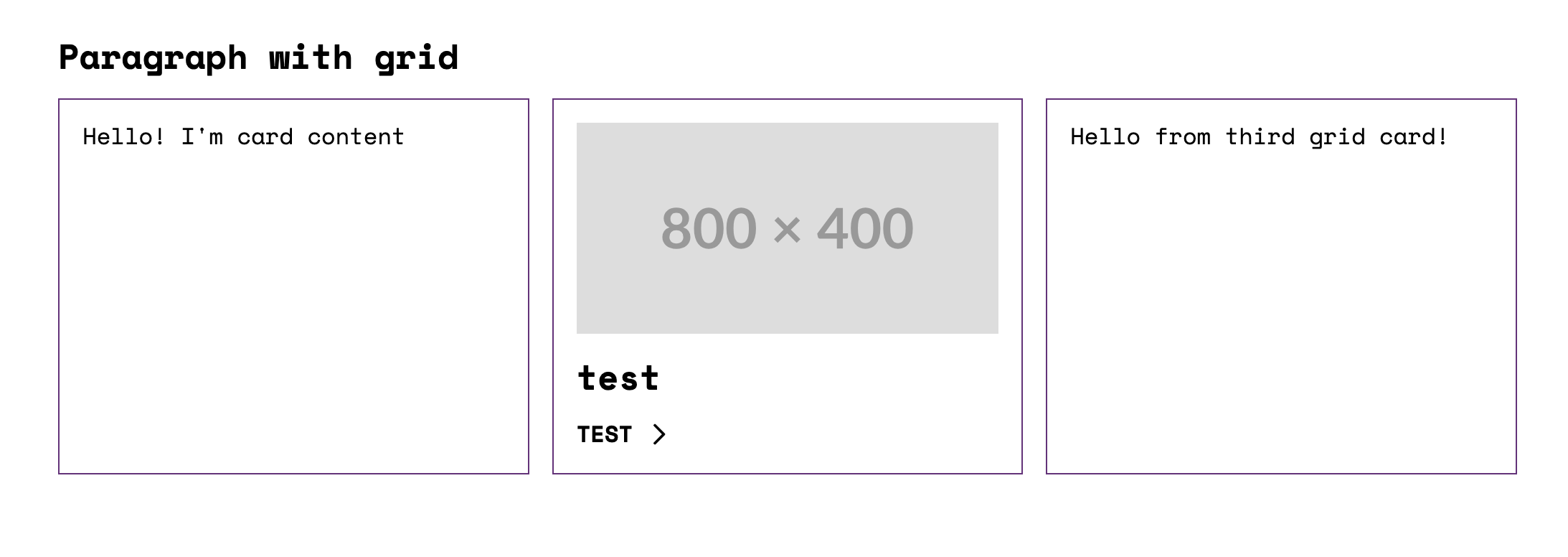
```yaml
thirdPartySettings:
  sdcStorybook:
    stories:
      grid:
        props:
          label: Paragraph with grid
          extra_classes:
            - m-paragraph--grid
        slots:
          content:
            # 1. Basic Props and Slots
            # This card uses only the basic default props and slots defined in the component YAML.
            - type: component
              component: 'umami:card'

            # 2. Predefined Story
            # This card references an existing story (e.g., "Preview")
            # from the component YAML, which includes predefined props and slots.
            - type: component
              component: 'umami:card'
              story: Preview

            # 3. Custom Props and Slots
            # This card defines custom props to modify its behavior (e.g., setting
            # the HTML tag to 'div') and custom slots to override specific content.
            - type: component
              component: 'umami:card'
              props:
                html_tag: 'div' # Custom HTML tag for the card container
              slots:
                content: 'Hello from third grid card!'
```

### How It Works in Practice

The addon dynamically renders the components and stories as defined:

- **Basic Args:** The default `Basic.args` of the `umami:card` component are used.
- **Existing Story:** The `Preview` story is loaded, ensuring consistency across the Storybook environment.
- **Custom Slots and Props:** Overrides the default slots and props behavior with unique content for that instance.

[![Stories](https://i.gyazo.com/7212a3f44052ebde34b59a1555d96afe.png)](https://gyazo.com/7212a3f44052ebde34b59a1555d96afe)
## Core and custom story node types

Plugin supports 3 core story node types: `component`, `element`, and `image`.

Use `component` to nest other components within your story.

```yaml
type: component
component: 'umami:badge'
```

Use `element` to embed HTML markup within a specific tag.

```yaml
type: element
value: 'Hello World!'
attributes:
  class: custom-class
```

Use `image` to embed images into your story.

```yaml
type: image
uri: https://placehold.co/1200x400
attributes:
  class: custom-class
```

Example of using `element` and `image` in a story:

```yaml
thirdPartySettings:
  sdcStorybook:
    stories:
      preview:
        slots:
          content:
            # Result:
            # <h2 class="custom-class"><span>Hello</span></h2>
            - type: element
              tag: 'h2'
              value: '<span>Hello</span>'
              attributes:
                class: 'custom-class'

            # Result:
            # <img class="custom-class" src="https://placehold.co/600x400" />
            - type: image
              uri: 'https://placehold.co/600x400'
              attributes:
                class: 'custom-class'
```

### You can add custom renderers for additional `story` node types.

For example, to render a custom `icon` type:

```yaml
- type: icon
  icon: arrow
```

Add the following to your `sdcStorybookOptions`:

```js
sdcStorybookOptions: {
  ...
  storyNodesRenderer: [
    {
      appliesTo: item => item?.type === 'icon',
      render: item =>
        JSON.stringify(
          `<svg class="icon" aria-hidden="true"><use xlink:href="#${item.icon}"></use></svg>`
        ),
      priority: -4,
    },
  ],
  ...
}
```

## Docs addon?

The storybook docs addon works out of the box.

## Support for Single Story Files (`*.story.yml`)

In addition to stories defined inside `*.component.yml` files, the addon now supports standalone story files with the `.story.yml` extension.

This means you can create independent stories for your components by simply adding a `.story.yml` file in your component directory. These files are automatically discovered and indexed by Storybook, allowing you to organize and share stories outside of the main component YAML.

**Example:**

```yaml
# components/slider/slider.badges.story.yml
name: Badges
slots:
  slides:
    - type: component
      component: 'umami:badge'
      props:
        icon: timer
      slots:
        text: Hello
    - type: component
      component: 'umami:badge'
      props:
        icon: serves
      slots:
        text: Bonjour
    - type: component
      component: 'umami:badge'
      props:
        icon: difficulty
      slots:
        text: Ciao
```

## Namespaces

Namespace logic mirrors the behavior of Drupal themes and modules. This means your namespaces can be used:

In Twig as `namespace:component`:

```twig
{% include 'umami:title' %}
```

And in story definitions within YAML files:

```yaml
- type: component
  component: 'umami:title'
```

### Namespace definitions:

- **Default Namespace**: The addon works out of the box without requiring namespace configuration and will use the current directory name as the default namespace, mirroring the behavior of a Drupal theme or module.
  For example, if your `package.json` is in the `my-theme` directory, the default namespace will be `my-theme`, and this namespace will be linked to the `./components` directory.

- **Custom Namespace**: If you want to use a custom namespace or explicitly set the namespace, you can specify it in the plugin configuration:

  ```js
  sdcStorybookOptions: {
    ...
    namespace: 'umami',
  },
  ```

- **Multiple Namespaces**: The most powerful feature is the ability to use multiple namespaces.
  This allows you to use components from other directories (parent or sibling).
  These directories must also contain a `/components` directory with SDC components.

  ```js
  import { resolve } from 'node:path'
  sdcStorybookOptions: {
    namespaces: {
      'parent-namespace': resolve('../parent-namespace'),
      'grandparent-namespace': resolve('../../grandparent-namespace'),
    },
  },
  ```

  Due to the specifics of the indexer implementation, you also need to duplicate the component paths in the `stories` array:

  ```js
  stories: [
    '../components/**/*.component.yml',
    '../../parent-namespace/components/**/*.component.yml',
    '../../../grandparent-namespace/components/**/*.component.yml',
  ],
  ```

- **Non Component Namespaces**: If you want to use components from a directory that does not follow the SDC structure (i.e., does not have a `components` directory), you can define a namespace that points directly to that directory. For example, if you have an `assets` directory with SVG icons:

  ```js
  sdcStorybookOptions: {
    namespaces: {
      'assets': join(cwd(), './assets'),
    },
  },
  ```

  In this case, the addon will look for components directly in the specified directory.
  And you can use them in twig and stories as usual:

  ```twig
  {% include '@assets/icons/example.svg' %}
  ```

## Drupal Icon API

The addon automatically supports Drupal's [Icon API](https://www.drupal.org/docs/develop/drupal-apis/icon-api) (introduced in Drupal 11.1). No configuration is required — as soon as a `{namespace}.icons.yml` file is found next to the `components/` directory of any registered namespace, the `icon()` Twig function becomes available in every template.

```twig
{{ icon('pack_id', 'icon_id') }}
{{ icon('pack_id', 'icon_id', { size: 'sm', class: 'my-icon' }) }}
```

### `{namespace}.icons.yml`

Place the file alongside the `components/` directory (i.e. the theme/module root):

```
my-theme/
├── components/
│   └── button/
│       └── button.component.yml
├── icons/
│   ├── sprite.svg
│   └── svg/
│       ├── home.svg
│       └── star.svg
└── my-theme.icons.yml        ← discovered automatically
```

### Extractors

Three extractors are supported, matching Drupal core. A single pack file can contain any mix:

```yaml
# my-theme.icons.yml

# svg_sprite — single sprite file; icons referenced via <use href="{{ source }}#{{ icon_id }}">.
# content is empty — the template constructs <use> itself.
# Template context: icon_id, source (sprite URL), attributes (empty), group, settings.
my_sprite:
  label: 'My Icons (Sprite)'
  extractor: svg_sprite
  config:
    sources:
      - icons/sprite.svg
  settings:
    size:
      type: string
      default: md
  template: >
    <svg {{ attributes
      .setAttribute('width', size == 'sm' ? '16' : (size == 'lg' ? '32' : '24'))
      .setAttribute('height', size == 'sm' ? '16' : (size == 'lg' ? '32' : '24'))
      .setAttribute('aria-hidden', 'true')
    }}>
      <use href="{{ source }}#{{ icon_id }}"></use>
    </svg>

# svg — individual SVG files inlined at build time; inner markup provided as content.
# Template context: icon_id, source (file URL), content (inner markup, no <svg> wrapper),
#                   attributes (DrupalAttribute pre-populated from the original <svg> element), group, settings.
my_svg:
  label: 'My Icons (Inline SVG)'
  extractor: svg
  config:
    sources:
      - icons/svg
      - icons/social/*.svg
  settings:
    color:
      type: string
      default: currentColor
  template: >
    <svg {{ attributes
      .setAttribute('fill', color)
      .setAttribute('aria-hidden', 'true')
    }}>{{ content }}</svg>

# path — files served by URL; use source as img src or CSS background-image.
# content is empty. Remote URLs (http://…) are supported.
# Template context: icon_id, source (file URL), attributes (empty), group, settings.
my_path:
  label: 'My Icons (Path)'
  extractor: path
  config:
    sources:
      - icons/png/*.png
  template: '<img src="{{ source }}" alt="{{ icon_id }}" aria-hidden="true">'
```

### Settings

Settings defined in `*.icons.yml` are exposed as template variables. Default values are applied automatically; the third argument to `icon()` overrides them at call time.

```yaml
settings:
  size:
    type: string # string | number | integer | boolean
    default: md
  color:
    type: string
    default: currentColor
```

### Production static build

For `storybook build`, add icon asset directories to `staticDirs` in `.storybook/main.js` so the files are copied into the build output:

```js
staticDirs: [
  { from: '../components', to: '/components' },
  { from: '../icons',      to: '/icons' },   // ← icon assets
],
```

---

## Advanced Grouping and Nesting

By default, the addon organizes all SDC stories under a single **SDC** [Folder](https://storybook.js.org/docs/writing-stories/naming-components-and-hierarchy#structure-and-hierarchy) at the Storybook root.

### Grouping by SDC Properties

If your SDC component includes a [group property](https://www.drupal.org/docs/develop/theming-drupal/using-single-directory-components/annotated-example-componentyml), such as `group: Navigation`, the addon will automatically create a corresponding folder in Storybook and place the component’s stories within it.

**Note:** The `group` property has higher priority over directory structure when determining story placement.

### Directory-Based Nesting

When your SDC components has nesting structure in the filesystem, the addon will replicate this structure in Storybook. For example, the following atomic directory structure:

```
components/
  atoms/
    button/
      button.component.yml
    icon/
      icon.component.yml
  molecules/
    card/
      card.component.yml
```

will result in nested folders in Storybook, mirroring the organization of your components.

## Regular storybook

All Storybook functions work as usual, and you can import SDC YAML into `.stories.js` files.

[example](https://github.com/iberdinsky-skilld/sdc-addon/blob/main/stories/page-example.stories.js)

```js
import header, {
  Preview as HeaderPreview,
} from '../components/header/header.component.yml'
import banner, {
  Preview as BannerPreview,
} from '../components/banner/banner.component.yml'

export default {
  title: 'Regular Storybook Page',
  render: () => {
    return `
      ${header.component({ ...HeaderPreview.args })}
      ${banner.component({ ...BannerPreview.args })}
    `
  },
  play: async ({ canvasElement }) => {
    Drupal.attachBehaviors(canvasElement, window.drupalSettings)
  },
}

export const Basic = {}
```

## Configuration Options

- **vitePluginTwigDrupalOptions**: Options for [vite-plugin-twig-drupal](https://github.com/larowlan/vite-plugin-twig-drupal) (Twig.js). Use when `twigLib` is set to `'twig'`.
- **vitePluginTwingDrupalOptions**: Options for [vite-plugin-twing-drupal](https://github.com/christianwiedemann/vite-plugin-twing-drupal) (Twing). Use when `twigLib` is set to `'twing'`.
- **customDefs**: An object with custom JSON schema definitions for your components.
- **externalDefs**: An array of URLs or local file paths to external schema definition files.
- **validate**: A URL or path to a JSON schema for validating your SDC components.
- **useBasicArgsForStories**: Boolean. When `true` (default) generated stories inherit `...Basic.args` from the component; set to `false` to prevent automatic spreading of `Basic.args`.

### Twig.js with `vitePluginTwigDrupalOptions`

It is possible to pass options to the underlying `vite-plugin-twig-drupal` plugin. See [vite-plugin-twig-drupal](https://github.com/larowlan/vite-plugin-twig-drupal/blob/main/README.md#installation)

```js
vitePluginTwigDrupalOptions: {
  functions: {
    // You can add custom functions - each is a function that is passed the active Twig instance and should call
    // e.g. extendFunction to register a function
    reverse: (twigInstance) => twigInstance.extendFunction("reverse", () => (text) => text.split(' ').reverse().join(' ')),
    // e.g. extendFilter to register a filter
    clean_unique_id: (twigInstance) => twigInstance.extendFilter("clean_unique_id", () => (text) => text.split(' ').reverse().join(' ')),
  },
  globalContext: {
    // Global variables that should be present in all templates.
    active_theme: 'my_super_theme',
    is_front_page: false,
  },
},
```

### Twing with `vitePluginTwingDrupalOptions`

It is possible to pass options to the underlying `vite-plugin-twing-drupal` plugin. See [Twing documentation](https://twing.nightlycommit.com/) for more information.

```js
vitePluginTwingDrupalOptions: {
  // (Optional) With twing hooks you can adjust twing environment.
  hooks: join(cwd(), '.storybook/twing-hooks.js'),
},
```

Sample twing hook file.

```js
// .storybook/twing-hooks.js
import { createSynchronousFunction } from 'twing'

/**
 * Simple test function.
 */
function testFunction(context, parameter) {
  return `IT WORKS! ${parameter}`
}

export function initEnvironment(twingEnvironment) {
  const func = createSynchronousFunction('testFunction', testFunction, [
    'parameter',
  ])
  twingEnvironment.addFunction(func)
}
```

### `customDefs`

The `customDefs` option allows you to define custom schema definitions directly within your configuration. This can be object with custom definitions.

Example:

```typescript
const options = {
  sdcStorybookOptions: {
    customDefs: {
      'json-schema-definitions://experience_builder.module/column-width': {
        title: 'Column Width',
        type: 'integer',
        enum: [25, 33, 50],
      },
    },
  },
}
```

### `externalDefs`

The `externalDefs` option allows you to specify an array of paths to external definition files. These paths can be URLs to CDN-hosted files or local file paths.

Example:

```typescript
const options = {
  sdcStorybookOptions: {
    externalDefs: [
      'https://cdn.jsdelivr.net/gh/iberdinsky-skilld/sdc-addon@v0.4.3/drupal-defs/uiPatternsSchema.yml',
      'https://example.com/path/to/definitions.yml',
      './local/path/to/definitions.yml',
    ],
  },
}
```

When using externalDefs, the definitions will be fetched and registered automatically.

### `validate`

The `validate` option enables schema validation for SDC components using the [JSON Schema](https://www.npmjs.com/package/jsonschema) validator. By default, the validator checks the component configurations against the global schema located at:

```
$schema: https://git.drupalcode.org/project/drupal/-/raw/HEAD/core/assets/schemas/v1/metadata.schema.json
```

#### How It Works:

- **Global Schema Validation (Default):** The addon uses the default global schema for validation. This schema is provided by Drupal and ensures that SDC components conform to the expected structure with the correct data types and properties.

- **Custom Component Schema:** If a specific SDC component includes its own `$schema` field pointing to a custom schema, the validator will use that schema for validation instead of the global one. This allows for more flexibility and component-specific validation, especially when components have custom requirements.

- **Validation Warnings:** Validation errors or warnings are logged to the console, helping developers identify any issues with component configurations. **Note:** Validation will not break the rendering of the components. Even if a validation error occurs, the component will still appear in Storybook, and the warning will be logged for review.

To enable validation, set `validate: URL of schema`:

```js
const config = {
  stories: ['../components/**/*.component.yml'],
  addons: [
    {
      name: 'storybook-addon-sdc',
      options: {
        sdcStorybookOptions: {
          validate:
            'https://git.drupalcode.org/project/drupal/-/raw/HEAD/core/assets/schemas/v1/metadata.schema.json',
        },
      },
    },
  ],
}
```

### `useBasicArgsForStories`

By default, when generating stories for your SDC components, the addon automatically spreads the `Basic.args` into each generated story. This behavior can be controlled using the `useBasicArgsForStories` option.

```js
useBasicArgsForStories: false,
```

When set to `false`, the generated stories will not inherit the `Basic.args`, allowing you to define story-specific arguments without the influence of the default `Basic` configuration.

## Setting Default Values

For `json-schema-faker` to generate reliable data, use `default` or `examples` in your SDC schema:

```yaml
props:
  type: object
  properties:
    html_tag:
      type: string
      enum:
        - article
        - div
      default: article
slots:
  content:
    title: Content
    examples:
      - Hello! I'm card content
```

Refer to:

- [Drupal SDC Documentation](https://www.drupal.org/docs/develop/theming-drupal/using-single-directory-components/annotated-example-componentyml)
- [JSON Schema Documentation](https://json-schema.org/understanding-json-schema/reference/annotations)

## Story Configuration via `thirdPartySettings.sdcStorybook`

The **sdc-addon** now supports configuring how stories are generated from your `component.yml` file.
You can use the new key `thirdPartySettings.sdcStorybook` to define Storybook-specific settings and control which stories are created.

### Example

```yaml
thirdPartySettings:
  sdcStorybook:
    tags:
      - autodocs
    disabledStories:
      - basic
    parameters:
      layout: 'centered'
    globals:
      theme: 'dark'
    stories:
      preview:
        props:
          variant: 'default'
        parameters:
          backgrounds:
            default: 'light'
        globals:
          theme: 'dark'
```

### Option Reference

Below is a list of all available configuration options for `thirdPartySettings.sdcStorybook`:

| Key               | Type     | Description                                                                                                                                                                                                               |
| ----------------- | -------- | ------------------------------------------------------------------------------------------------------------------------------------------------------------------------------------------------------------------------- |
| `tags`            | `array`  | Optional. Adds additional [Storybook tags](https://storybook.js.org/docs/writing-docs/autodocs) (e.g. `autodocs`).                                                                                                        |
| `disabledStories` | `array`  | Optional. Array of story names to disable. Supports `basic`, `preview`, or any custom story name. Use `all` to disable all stories. **Note:** `disableBasicStory` is deprecated in favor of `disabledStories: ['basic']`. |
| `parameters`      | `object` | Global [Storybook parameters](https://storybook.js.org/docs/writing-stories/parameters) applied to all generated stories.                                                                                                 |
| `globals`         | `object` | Global [Storybook globals](https://storybook.js.org/docs/essentials/toolbars-and-globals) applied to all generated stories. Story-level `globals` override component-level values.                                        |
| `stories`         | `object` | Allows defining or overriding specific stories. Each key (e.g. `preview`) represents a story. Within each story, you can define `props`, `slots`, `parameters`, `globals`, `description`, `name`, and `library_wrapper`.  |

### Disabled Stories Examples

```yaml
# Disable only the basic story
disabledStories:
  - basic

# Disable basic and preview stories
disabledStories:
  - basic
  - preview

# Disable all stories
disabledStories:
  - all
```

### Example: Custom Preview Story

```yaml
thirdPartySettings:
  sdcStorybook:
    stories:
      preview:
        props:
          variant: 'compact'
        parameters:
          layout: 'padded'
```

This configuration creates an additional story named **Preview**, rendered using the provided `props` and `parameters`.

### Example: Globals (Toolbar)

To use globals, define `globalTypes` in Storybook preview and set per-component globals in `component.yml`.

```js
// .storybook/preview.js
const preview = {
  globalTypes: {
    theme: {
      description: 'Global theme for components',
      toolbar: {
        title: 'Theme',
        icon: 'circlehollow',
        items: ['light', 'dark'],
        dynamicTitle: true,
      },
    },
  },
  initialGlobals: {
    theme: 'light',
  },
  decorators: [
    (Story, context) => {
      const theme = context.globals.theme || 'light'
      document.documentElement.dataset.theme = theme
      return Story()
    },
  ],
}
export default preview
```

```yaml
thirdPartySettings:
  sdcStorybook:
    # For all stories of this component:
    globals:
      theme: dark
    stories:
      previewDark:
        # Or on story level:
        globals:
          theme: dark
```

## UI Patterns

Addon supports UI Patterns `library_wrapper` [for wrapping stories](https://project.pages.drupalcode.org/ui_patterns/2-authors/1-stories-and-library/#library-wrappers) in a specific HTML structure.

---

- Custom Twig filters and functions are not supported ([UI Patterns TwigExtension](https://git.drupalcode.org/project/ui_patterns/-/blob/8.x-1.x/src/Template/TwigExtension.php)).

## Why Choose SDC Storybook Over Alternatives?

While solutions like [SDC Styleguide](https://www.drupal.org/project/sdc_styleguide) and [Drupal Storybook](https://www.drupal.org/project/storybook) are valuable, the SDC Storybook addon offers distinct advantages:

### 1. Component Independence and Modularity

- Following the **BEM (Block Element Modifier)** methodology, a component should work independently across environments.
- The functionality of your component must not depend on the **Drupal version**, or the active **Drupal theme** — it should be portable to **any** system.

### 2. No Complex Drupal Setup Required

- No need to install or configure Drupal dependencies for component development.
- Work faster by developing frontend components in Storybook without running a heavy Drupal instance.

### 3. Simplifies DevOps and CI/CD Pipelines

- Since components are isolated, **testing and deployments** are simplified.
- You can **avoid Drupal-specific configuration** in CI pipelines, leading to more efficient and maintainable workflows.

### 4. Scalability and Flexibility with Faker.js and JSON Schema

- Tools like **Faker.js** let you generate test data for components without needing real content.
- **JSON Schema** defines component data clearly and consistently, helping maintain data integrity.

### 5. Industry-Standard Tool for Frontend Development

- **Storybook is widely adopted** in frontend development, which makes onboarding easier, even for developers unfamiliar with Drupal.
- JSON Schema enables working on components without deep Drupal knowledge, opening the project to a wider developer base.

### 6. Drupal-Specific Behavior Embedded in Components

- Embed **Drupal behaviors** (like `Drupal.attachBehaviors()`) directly into Storybook previews, ensuring consistent component behavior between Storybook and production.
- Supports `drupalSettings` and `once.js`, so components in Storybook behave identically to their Drupal counterparts.

### 7. Twig.js, Twing, and Drupal Twig

While using Drupal to render components offers tighter integration, there are strong reasons to use Twig.js or Twing in many scenarios:

- Many components **don’t need full Drupal logic**. Basic components (buttons, cards, lists) rely on simple HTML and CSS, not on complex template logic. For such components, Twig.js or Twing provide sufficient rendering without the need for full Drupal preprocessing.
- **Twig.js** works well for most frontend-focused use cases.
- **Twing** is a modern, actively maintained Twig implementation for Node.js that offers better compatibility with Drupal's Twig features and syntax.
- Styling and behavior mismatches can be managed separately in the Drupal implementation phase.

## Dependencies

- [vite-plugin-twig-drupal](https://github.com/larowlan/vite-plugin-twig-drupal): Loads Twig with Drupal functions in twig.js.
- [vite-plugin-twing-drupal](https://github.com/christianwiedemann/vite-plugin-twing-drupal): Loads Twig with Drupal functions in Twing.
- [json-schema-faker](https://github.com/json-schema-faker/json-schema-faker): Generates mock data for missing props and slots.
- [JSON Schema validator](https://www.npmjs.com/package/jsonschema)

## Known Issues

- The addon relies on [Experimental indexers](https://storybook.js.org/docs/api/main-config/main-config-indexers).
