[](https://badge.fury.io/js/svelte-tel-input)
# Svelte Tel Input
> Lightweight svelte tel/phone input standardizer.
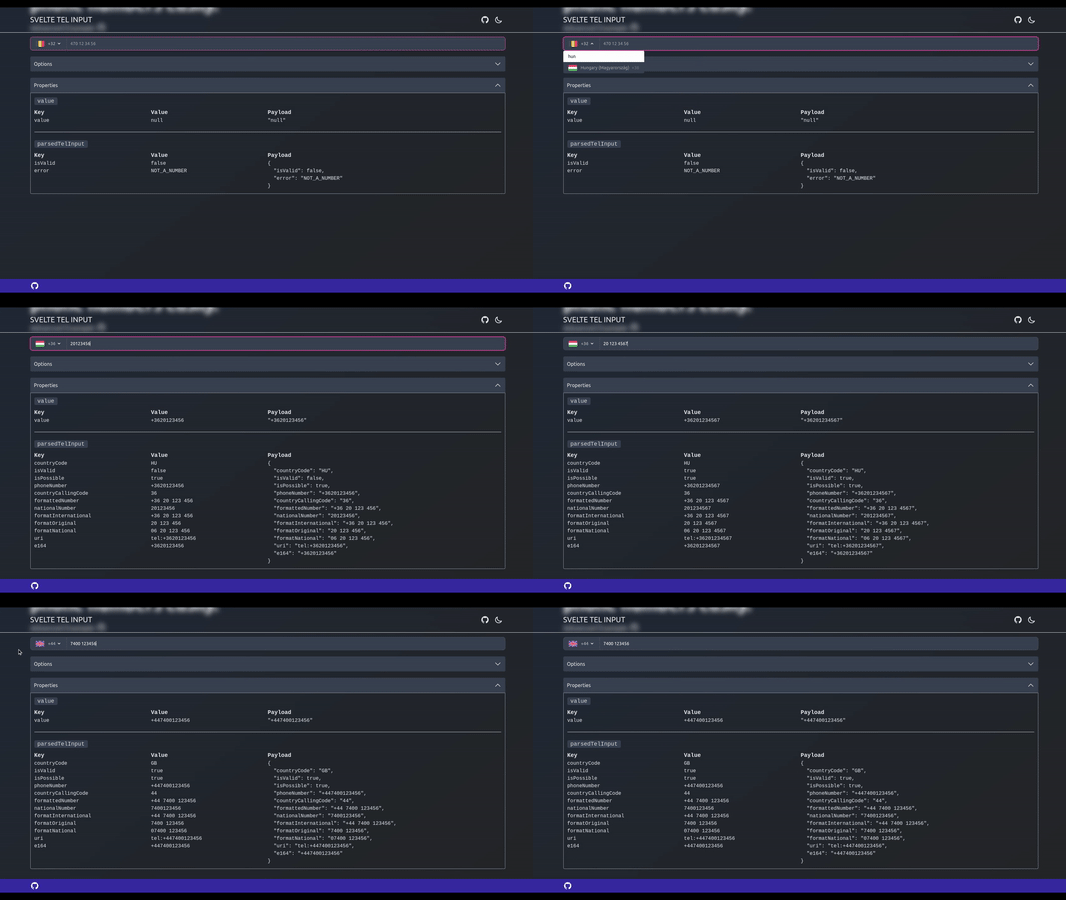
🔥 Check it out live [here](https://svelte-tel-input.vercel.app/)
## Installation
Svelte Tel Input is distributed via [npm](https://www.npmjs.com/package/svelte-tel-input).
```bash
npm install svelte-tel-input
```
## Features
- Support SSR/SSG.
- Parse and validate phone number.You can store one exact format (`E164`), no matter how users type their phone numbers.
- Format (specified to its country), to make it more readable.
- Prevent non-digits typing into the input, except the leading `+` sign (and `space` optionally).
- Handle copy-pasted phone numbers, it's sanitize non-digit characters except the leading `+` sign (and `space` optionally).
- Automatic placeholder generation for the selected country.
- International or National formatted phone numbers.
## Usage
### Advanced
_Snippet would be too long_ - [Example](https://github.com/gyurielf/svelte-tel-input/blob/main/apps/site/src/lib/components/examples/AdvancedPhoneInput.svelte) - [REPL](https://stackblitz.com/edit/svelte-tel-input-repl-1jfaar?file=README.md) (StackBlitz)
### Basic
[Example](https://github.com/gyurielf/svelte-tel-input/blob/main/apps/site/src/lib/components/examples/BasicPhoneInput.svelte) - [REPL](https://stackblitz.com/edit/svelte-tel-input-repl?file=README.md) (StackBlitz)
```svelte
## Props
The default export of the library is the main TelInput component. It has the following props:
| Property name | Type | Default Value | Usage |
| ------------- | ---------------------- | ------------- | -------------------------------------------------------------------------------------------------------------------------------------------------------------------------------------------------------------------------------------------------------------------------------------------------------------------- |
| value | `E164Number \| null` | `null` | [E164](https://en.wikipedia.org/wiki/E.164) is the international format of phone.numbers. This is the main entry point to store and/or load an existent phone number. |
| country | `CountryCode \| null` | `null` | It's accept any Country Code Alpha-2 (ISO 3166). You can set manually (e.g: by the user via a select). The parser will inspect the entered phone number and if it detect a valid country calling code, then it's automatically set the country to according to the detected country calling code. E.g: `+36` -> `HU` |
| disabled | `boolean` | `false` | It's block the parser and prevent entering input. You must handle its styling on your own. |
| valid | `boolean` | `true` | Indicates whether the entered tel number validity. |
| detailedValue | `DetailedValue \|null` | `null` | All of the formatted results of the tel input. |
| class | `string` | `` | You can pass down any classname to the component |
| required | `boolean \| null` | `null` | Set the required attribute on the input element |
| options | `TelInputOptions` | check below | Allow or disallow spaces in the input field |
| id | `string \| null` | uid | HTMLInputElement's attribute |
| name | `string \| null` | `null` | HTMLInputElement's attribute |
| readonly | `boolean \| null` | `null` | HTMLInputElement's attribute |
| size | `number \| null` | `null` | HTMLInputElement's attribute |
| autocomplete | `string \| null` | `null` | HTMLInputElement's attribute |
| |
Config options:
```javascript
{
// Generates country specific placeholder for the selected country.
autoPlaceholder: true,
// Allow or disallow spaces in the input field
spaces: true,
// If you have a parsed phone number and you change country manually from outside, then it's set the `valid` prop to false.
invalidateOnCountryChange: false,
// Formatted output `national` | `international`
format: 'national'
}
```
## Dispatched Events
The default export of the library is the main TelInput component. It has the following props:
| Event name | Type |
| ------------------- | ---------------------- |
| updateValue | `E164Number \| null` |
| updateDetailedValue | `DetailedValue \|null` |
| updateCountry | `CountryCode \| null` |
| updateValid | `boolean` |
| parseError | `string` |
## Use case of the event driven behavior
```typescript
```
## Caveats
- In order to reset `value` and/or `country` from outside (you must pass (or set if you binded) `null` for the property) have some side-effects:
- Reseting the `value` will set (keep the `country` as is):
- `detailedValue` to `null`
- dispatch `updateDetailedValue` event
- Reseting the `country` will set:
- `value` to `null`
- `detailedValue` to `null`
- `valid` to `true` if `invalidateOnCountryChange` config option is false (_@default false_). Otherwise it will be `false`.
- and dispatch `updateValid`, `updateValue` `updateDetailedValue` events
- Reseting both `value` and `country` will set:
- `valid` to `true`
- `detailedValue` to `null`;
- Let's assume you pass a `US` `E164` number, which can be a partial `E164`, but long enough to determine the country and you pass `DE` country directly. The country will be updated to `US`, which is determined from the `E164` in this example. If the `E164` is not long enough to determine its country, then the country will stay what you passed to the component (`DE`).
## Goals
- Solve the problem that a users can enter the same phone number in different formats.
- Storing a phone number in a standard format, that can be indexable and searchable in any database.
- Should be accessible for the the browser. Eg. for a `(back to top)
## Changelog
| Package | Changelog |
| -------------------------------------------------------------------------------------------------------------- | ---------------------------------------------------------------------------------------------------------- |
| [@gyurielf/svelte-tel-input](https://github.com/gyurielf/svelte-tel-input/tree/main/packages/svelte-tel-input) | [Changelog](https://github.com/gyurielf/svelte-tel-input/blob/main/packages/svelte-tel-input/CHANGELOG.md) |

 🔥 Check it out live [here](https://svelte-tel-input.vercel.app/)
## Installation
Svelte Tel Input is distributed via [npm](https://www.npmjs.com/package/svelte-tel-input).
```bash
npm install svelte-tel-input
```
## Features
- Support SSR/SSG.
- Parse and validate phone number.You can store one exact format (`E164`), no matter how users type their phone numbers.
- Format (specified to its country), to make it more readable.
- Prevent non-digits typing into the input, except the leading `+` sign (and `space` optionally).
- Handle copy-pasted phone numbers, it's sanitize non-digit characters except the leading `+` sign (and `space` optionally).
- Automatic placeholder generation for the selected country.
- International or National formatted phone numbers.
## Usage
### Advanced
_Snippet would be too long_ - [Example](https://github.com/gyurielf/svelte-tel-input/blob/main/apps/site/src/lib/components/examples/AdvancedPhoneInput.svelte) - [REPL](https://stackblitz.com/edit/svelte-tel-input-repl-1jfaar?file=README.md) (StackBlitz)
### Basic
[Example](https://github.com/gyurielf/svelte-tel-input/blob/main/apps/site/src/lib/components/examples/BasicPhoneInput.svelte) - [REPL](https://stackblitz.com/edit/svelte-tel-input-repl?file=README.md) (StackBlitz)
```svelte
🔥 Check it out live [here](https://svelte-tel-input.vercel.app/)
## Installation
Svelte Tel Input is distributed via [npm](https://www.npmjs.com/package/svelte-tel-input).
```bash
npm install svelte-tel-input
```
## Features
- Support SSR/SSG.
- Parse and validate phone number.You can store one exact format (`E164`), no matter how users type their phone numbers.
- Format (specified to its country), to make it more readable.
- Prevent non-digits typing into the input, except the leading `+` sign (and `space` optionally).
- Handle copy-pasted phone numbers, it's sanitize non-digit characters except the leading `+` sign (and `space` optionally).
- Automatic placeholder generation for the selected country.
- International or National formatted phone numbers.
## Usage
### Advanced
_Snippet would be too long_ - [Example](https://github.com/gyurielf/svelte-tel-input/blob/main/apps/site/src/lib/components/examples/AdvancedPhoneInput.svelte) - [REPL](https://stackblitz.com/edit/svelte-tel-input-repl-1jfaar?file=README.md) (StackBlitz)
### Basic
[Example](https://github.com/gyurielf/svelte-tel-input/blob/main/apps/site/src/lib/components/examples/BasicPhoneInput.svelte) - [REPL](https://stackblitz.com/edit/svelte-tel-input-repl?file=README.md) (StackBlitz)
```svelte