# Svelte-chess: Playable chess component
Fully playable chess component for Svelte.
Powered by
[Chess.js](https://github.com/jhlywa/chess.js) logic,
[Chessground](https://github.com/lichess-org/chessground) chessboard
and optionally [Stockfish](https://github.com/official-stockfish/Stockfish) chess AI.
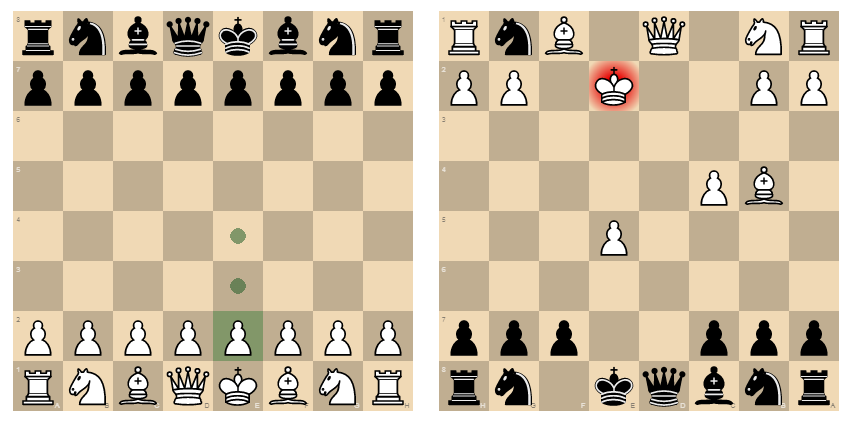
## Features
* Track game state via props or detailed events
* Play against Stockfish
* Undo moves
* Pawn promotion dialog
* Fully restylable
* Move history
* Typed
## Usage
Installation:
npm install svelte-chess
Basic playable chessboard ([REPL](https://svelte.dev/repl/b1a489538165489aa2720a65b476a58b?version=3.59.1)):
Interact with the game via [props](#props), [methods](#methods) or [events](#events).
### Props
Game state can be observed by binding to props.
| Prop | Bindable and readable | Writable | Value |
| ------------ | :-------------------: | :------: | ------------------------------------------------------------------------------------ |
| `turn` | ✓ | | Current color to move: `w` or `b` |
| `moveNumber` | ✓ | | Current move number (whole moves) |
| `history` | ✓ | | Array of all moves as SAN strings, e.g. `['d4','Nf6']` |
| `inCheck` | ✓ | | True if the player to move is in check. |
| `isGameOver` | ✓ | | True if the game is over. See also the [gameOver event](#events). |
| `fen` | ✓ | ✓ | Current position in [FEN](https://www.chessprogramming.org/Forsyth-Edwards_Notation) |
| `orientation`| ✓ | ✓ | Orientation of the board: `w` or `b`. |
| `engine` | | ✓ | Options for the Stockfish chess AI. See [Engine](#engine--stockfish). |
| `class` | | ✓ | CSS class applied to children instead of default (see [Styling](#styling)). |
All readable props are bindable and updated whenever the game state changes.
Writable props are only used when the component is created.
Example using bindable props to monitor state ([REPL](https://svelte.dev/repl/d0ec69dde1f84390ac8b4d5746db9505?version=3.59.1)):
It's move {moveNumber}, with {turn} to move.
Moves played: {history?.join(' ')}.
Starting from a specific FEN ([REPL](https://svelte.dev/repl/ebce18a71d774b2db987abc71f45648a?version=3.59.1)):
### Methods
The board state can be read and manipulated via method calls to the Chess component itself.
Methods for reading game/board state:
* `getHistory()`: Same as the `history` prop. All moves played in the game, as an array of SAN strings, e.g. `['d4','Nf6','Bg5']`.
* `getHistory({verbose: true})`: All moves played in the game, as an array of [Move objects](#move).
* `getBoard()`: An 8x8 array of the current position. Each element is null (empty square) or an object on the form `{ square: 'd8', type: 'q', color: 'b' }`.
Methods for manipulating game/board state:
* `move( san )`: Make a move programmatically. Argument is the move in [short algebraic notation](https://en.wikipedia.org/wiki/Algebraic_notation_(chess)), e.g. `Nf3`. Throws an error if the move is illegal or malformed.
* `load( fen )`: Loads a position from FEN. Throws an error if the FEN could not be parsed.
* `reset()`: Resets the game to the initial position.
* `undo()`: Undoes the last move and returns it.
* `toggleOrientation()`: Flips the board.
* `makeEngineMove()`: Make the best move according to the engine. See [Engine / Stockfish](#engine--stockfish) for loading the engine.
Example implementing undo/reset buttons ([REPL](https://svelte.dev/repl/7dd7b6454b12466e90ac78a842151311?version=3.59.1)):
### Events
A `ready` event is dispatched when the Chess component is ready for interaction,
which is generally immediately on mount. If an [engine](#engine--stockfish) was
specified, the event is dispatched after engine initialisation, which might take
a second.
A `move` event is dispatched after every move, containing the corresponding [Move object](#move).
A `gameOver` event is emitted after a move that ends the game. The GameOver object has two keys:
* `reason`: `checkmate`, `stalemate`, `repetition`, `insufficient material` or `fifty-move rule`.
* `result`: 1 for White win, 0 for Black win, or 0.5 for a draw.
A `uci` event is emitted when Stockfish, if enabled, sends a UCI message.
Example listening for `move` and `gameOver` events ([REPL](https://svelte.dev/repl/6fc2874d1a594d76aede4834722e4f83?version=3.59.1)):
Svelte-chess exports the MoveEvent, GameOverEvent, ReadyEvent and UciEvent types.
### Engine / Stockfish
Svelte-chess can be used to play against the chess AI Stockfish 14. You need to download the Stockfish web worker script separately: [stockfish.js web worker (1.6MB)](https://raw.githubusercontent.com/gtim/svelte-chess/stockfish/static/stockfish.js) and serve it at `/stockfish.js`. If you're using SvelteKit, do this by putting it in the static folder.
Example playing Black versus Stockfish ([live](https://gtim.github.io/svelte-chess/stockfish)):
The `engine` prop is an object with the following keys, all optional:
| Key | Default | Description |
| ----------- | ------- | --------------------------------------------------------------------------- |
| `color` | `b` | Color the engine plays: `w` or `b`, or `both` for an engine-vs-engine game, or `none` if the engine should only make a move when `makeEngineMove()` is called. |
| `moveTime` | 2000 | Max time in milliseconds for the engine to spend on a move. |
| `depth` | 40 | Max depth in ply for the engine to search. |
To inspect Stockfish's current evaluation and other engine details, you can listen to `uci` events from the Chess component to read all [UCI](https://www.chessprogramming.org/UCI) messages sent by Stockfish.
### Styling
The stylesheet shipped with Chessground is used by default. To restyle the
board, pass the `class` prop and import a stylesheet.
Example with custom stylesheet:
A sample stylesheet can be found in [/static/style-paper.css](https://github.com/gtim/svelte-chess/blob/main/static/style-paper.css).
## Types
### Move
A `Move` describes a chess move. Properties:
- `color`: `w` for White move or `b` for Black move.
- `from` and `to`: Origin and destination squares, e.g. `g1` and `f3`.
- `piece`: Piece symbol, one of `pnbrqk` (pawn, knight, bishop, rook, queen, king).
- `captured` and `promotion`: Piece symbol of a capture or promotion, if applicable.
- `san`: Standard algebraic notation, e.g. `Nf3`.
- `lan`: Long algebraic notation, e.g. `g1f3`.
- `before` and `after`: FEN of positions before and after the move.
- `flags`: String of letters for each flag that applies to the move: `c` for standard capture, `e` for en passant capture, `n` for non-capture, `b` for two-square pawn move, `p` for promotion, `k` for kingside castling and `q` for queenside castling.
- `check`: True if the move put the opponent in check (or checkmate).
- `checkmate`: True if the move put the opponent in checkmate.
## Future
* Programmatically draw arrows/circles on the board