# svg-paper
[](https://travis-ci.com/ttskch/svg-paper)
[](https://www.npmjs.com/package/svg-paper)
[](https://www.npmjs.com/package/svg-paper)
[](https://www.jsdelivr.com/package/npm/svg-paper)
The world's most maintainable way to create paper-printable documents 🖨💘
## TOC
* [Workflows](#workflows)
* [Installation](#installation)
* [CDN](#cdn)
* [npm](#npm)
* [How to prepare SVG template](#how-to-prepare-svg-template)
* [Basic usage](#basic-usage)
* [Beautify preview screen](#beautify-preview-screen)
* [Passing variables from back-end to front-end](#passing-variables-from-back-end-to-front-end)
* [PHP and Twig example](#php-and-twig-example)
* [Tips](#tips)
* [Hiding content before placeholders are replaced](#hiding-content-before-placeholders-are-replaced)
* [PDF generation](#pdf-generation)
## Workflows
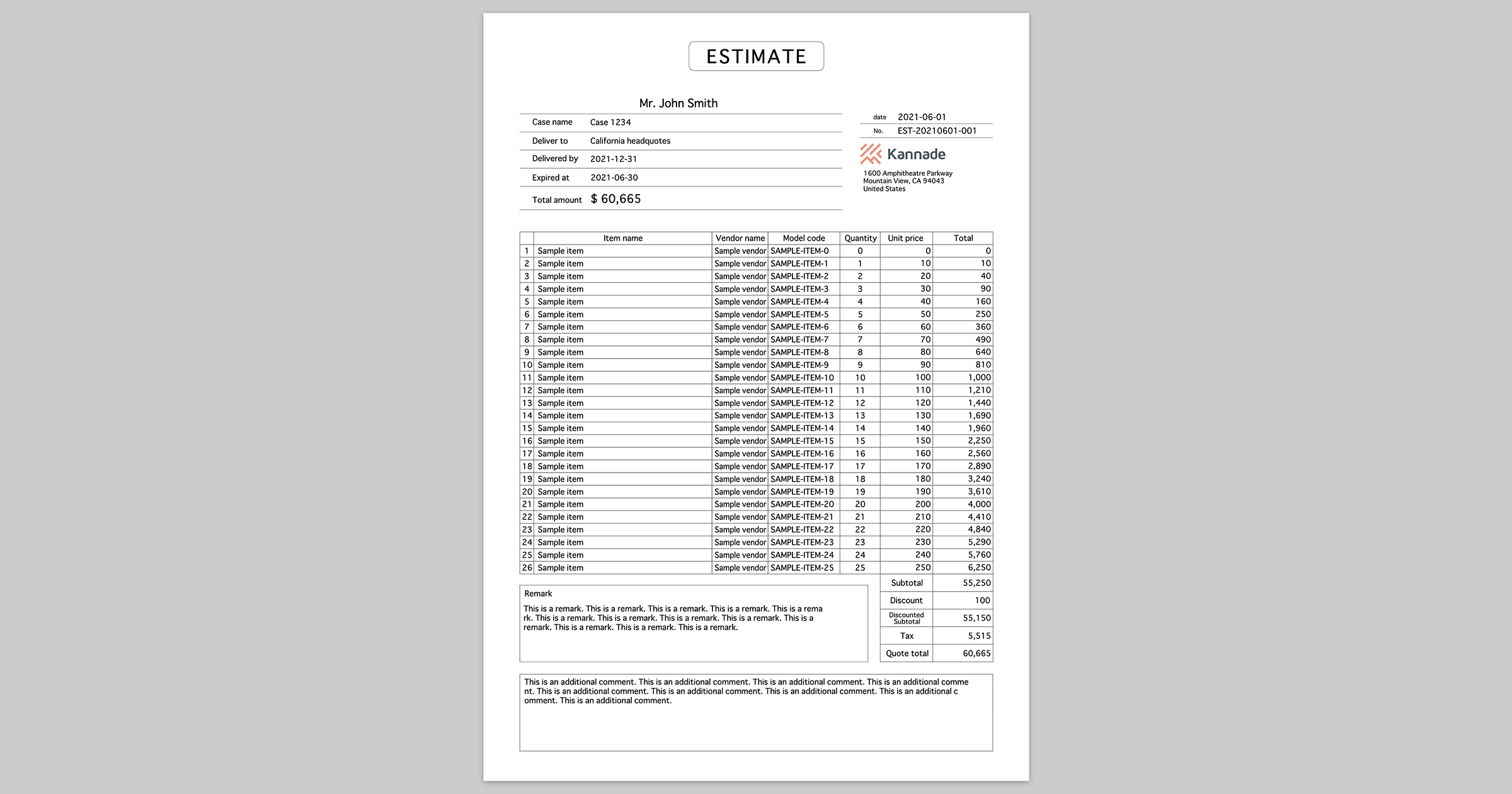
You can print beautiful and maintainable paper documents by following steps.
1. Design the document with [Adobe XD](https://www.adobe.com/products/xd.html), [Figma](https://www.figma.com/), or something
1. Export it as SVG
1. Embed SVG into your HTML and fix it with **svg-paper** on client side
1. That's it 💥
## Installation
### CDN
You can get the built assets from [jsDelivr](https://www.jsdelivr.com/package/npm/svg-paper).
```html
```
```html
```
### npm
Of course you also can install via [npm](https://www.npmjs.com/package/svg-paper).
```bash
$ npm install svg-paper
```
## How to prepare SVG template
See [this doc](docs/how-to-prepare-svg-template.md) 📝
## Basic usage
First, just embed SVG content in `.paper` element like following.
```html
```
Next, load `svg-paper[.min].js` with `
```
or
```js
import SvgPaper from 'svg-paper'
// or
// const SvgPaper = require('svg-paper')
const paper = new SvgPaper()
```
Then you can replace or adjust SVG contents in DOM easily with svg-paper like following.
```js
paper
// replace placeholder to actual value
.replace('%placeholder1%', 'Actual value 1')
// ... and more
// set max width to 1000
// in the other words, if actual width of the content is bigger than 1000 it shrinks automatically
.adjustText('#selector1', 1000)
// set max width to 800 and brings the element #selector2 to the center of 800 width area
.adjustText('#selector2', 800, 'middle')
// of course you can bring it to the end
.adjustText('#selector3', 800, 'end')
// automatically wrap or shrink actual content so that it fits within the specified area (600 x 300)
.adjustTetxarea('#selector4', 600, 300)
// you can pass some additional args
.adjustTextarea('#selector5',
600, // width
300, // height
1.2, // lineHeight : default is 1.2 times font-size
0.5, // paddingX : default is 0.5 times font-size
0.5, // paddingY : default is 0.5 times font-size
false // nowrap : default is false. if true, content will not be wrapped
)
// finally, apply all replacing and adjusting to DOM
.apply()
```
## Beautify preview screen
To beautify preview screen, you should add only 3 lines to your HTML 👍
```html
...
```
Just load `svg-paper.min.css` (or `svg-paper.css`), in `` set [@page size](https://developer.mozilla.org/en-US/docs/Web/CSS/@page/size), and set the class of `.paper` element to specify page size.
Available page sizes are:
* `A3` `A3 landscape`
* `A4` `A4 landscape`
* `A5` `A5 landscape`
* `letter` `letter landscape`
* `legal` `legal landscape`
## Passing variables from back-end to front-end
svg-paper depends on DOM, so in most cases you have to pass variables to be replaced with placeholders in template from back-end to front-end.
The most easy ways is just passing replacements and text/textarea adjustment parameters to front-end as JSON string.
### PHP and Twig example
```php
// Controller
public function paperAction($id)
{
$model = $repository->findById($id);
return $this->render('paper.html.twig', [
'svg' => file_get_contents('/path/to/paper.svg'),
'replacements' => [
'%name%' => $model->name,
// ... and more
],
]);
}
```
```twig
{# paper.html.twig #}
{{ svg|raw }}
```
```js
// your-script.js
const paper = new SvgPaper()
const replacements = $('[data-replacements]').data('replacements')
for (let [search, replacement] of Object.entries(replacements)) {
paper.replace(search, replacement)
}
paper.apply()
```
## Tips
### Hiding content before placeholders are replaced
svg-paper replaces placeholders and adjust text/textarea after DOM loaded, so the content before replaced and adjusted will be shown on the screen for a moment 🤔
This problem is very easy to solve just by adding some "blinder" layer on the content and disappear it after `.apply()` 👍
```html
```
```js
paper.apply()
document.querySelector('#blinder').style.display = 'none'
```
## PDF generation
You can easily print to PDF directly by using [electron-pdf](https://github.com/fraserxu/electron-pdf).
```bash
$ npm install --global electron-pdf
$ electron-pdf your-document.html your-document.pdf
```
Enjoy! ✨