---
title: 基础内容
header: develop
nav: component
sidebar: base
---
icon
-----
解释:
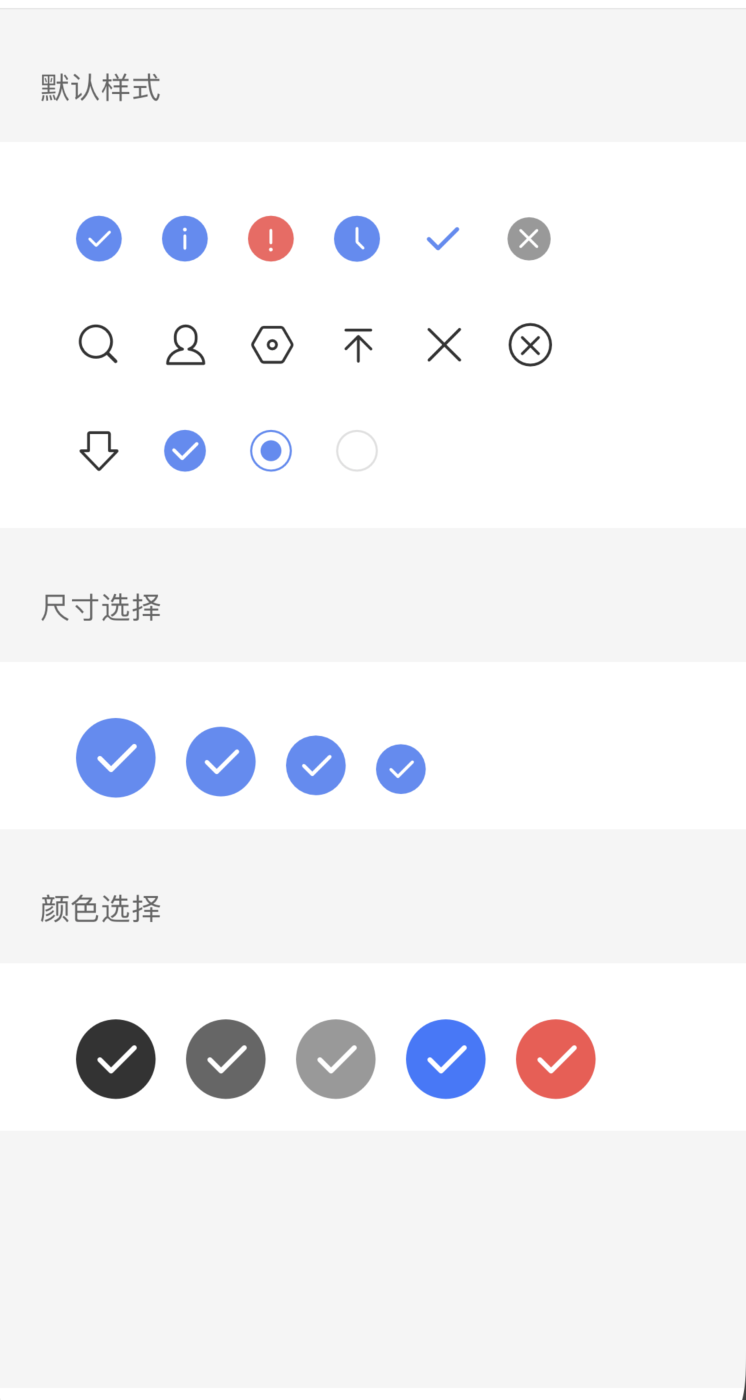
图标属性说明:
|属性名|类型 |默认值 |说明|
|---- | ---- | ---- |---- |
|type |String ||生效的值:success, info, warn, waiting, success_no_circle, clear, search, personal, setting, top, close, cancel, download, checkboxSelected, radioSelected, radioUnselect|
|size | Number |23 |icon 的大小,单位是 px|
|color | | |icon 的颜色,同 css 的 color|
示例:
```xml
```
```js
Page({
data: {
types: {
smallDefault: ['success', 'info', 'warn', 'waiting',
'success_no_circle', 'clear', 'search', 'personal',
'setting', 'top', 'close', 'cancel', 'download',
'checkboxSelected', 'radioSelected', 'radioUnselect']
},
colors: [
'#333', '#666', '#999', '#3C76FF', '#F7534F'
],
sizes: [
40, 35, 30, 25
]
}
});
```
text
-----
解释:
放文本的元素属性说明:
|属性名 |类型 |默认值 |说明|
|---- | ---- | ---- |---- |
| selectable | Boolean | false |文本是否可选|
| space | String | false |显示连续空格|
space 有效值:
属性说明:
| 值 | 说明 |
| ---- | ---- |
| ensp | 中文字符空格一半大小 |
| emsp | 中文字符空格大小 |
| nbsp | 根据字体设置的空格大小 |
示例:
```xml
{{text}}
```
```js
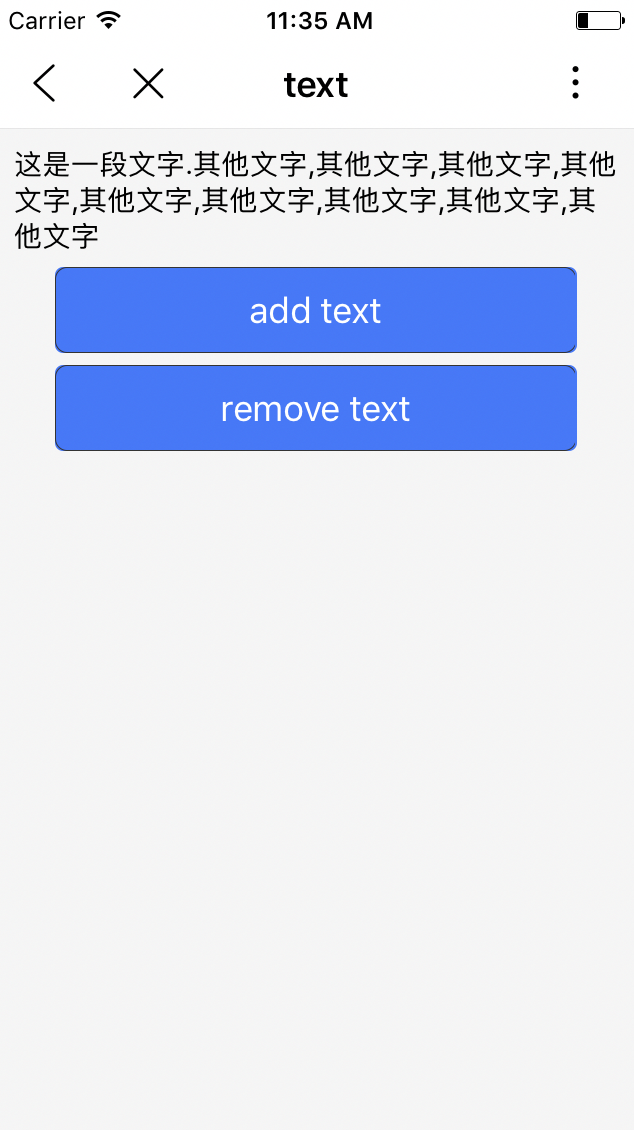
let initData = '这是一段文字.';
let extraLine = [];
Page({
data: {
text: initData
},
add(e) {
extraLine.push('其他文字');
this.setData({
text: initData + extraLine.join(',')
});
},
remove(e) {
if (extraLine.length > 0) {
extraLine.pop();
this.setData({
text: initData + extraLine.join(',')
});
}
}
});
```
**Tips:**
1、``组件内只支持``嵌套。
2、除了文本节点以外的其他节点都无法长按选中。
3、各个操作系统的空格标准并不一致。
rich-text
-----
解释:
富文本属性说明:
|属性名 |类型 |默认值 |说明|
|---- | ---- | ---- |---- |
| nodes | Array / String | [] |节点列表 / HTML String|
> 支持默认事件,包括:tap、touchstart、touchmove、touchcancel、touchend和longtap
nodes 属性推荐使用 Array 类型,由于组件会将 String 类型转换为 Array 类型,因而性能会有所下降
>nodes
>现支持两种节点,通过type来区分,分别是元素节点和文本节点,默认是元素节点,在富文本区域里显示的HTML节点
元素节点:type = node属性说明:
|属性名 | 说明 | 类型 | 必填 | 备注 |
|---- | ---- | ---- |---- | ---- |
| name | 标签名 | String | 是 | 支持部分受信任的HTML节点 |
| attrs | 属性 | Object | 否 | 支持部分受信任的属性,遵循Pascal命名法 |
| children | 子节点列表 | Array | 否 | 结构和nodes一致 |
文本节点:type = text属性说明:
|属性名 | 说明 | 类型 | 必填 | 备注 |
|---- | ---- | ---- |---- | ---- |
| text | 文本 | String | 是 | 支持entities |
> 受信任的HTML节点及属性
> 全局支持class和style属性,不支持id属性。属性说明:
|节点 | 属性 |
|---- | ---- |
| a | |
| abbr | |
| b | |
| blockquote | |
| br | |
| code | |
| col | span,width |
| colgroup | span,width |
| dd | |
| del | |
| div | |
| dl | |
| dt | |
| em | |
| fieldset | |
| h1 | |
| h2 | |
| h3 | |
| h4 | |
| h5 | |
| h6 | |
| hr | |
| i | |
| img | alt,src,height,width |
| ins | |
| label | |
| legend | |
| li | |
| ol | start,type |
| p | |
| q | |
| span | |
| strong | |
| sub | |
| sup | |
| table | width |
| tbody | |
| td | colspan,height,rowspan,width |
| tfoot | |
| th | colspan,height,rowspan,width |
| thead | |
| tr | |
| ul | `` |
```xml
```
```js
// rich-text.js
Page({
data: {
nodes: [{
name: 'div',
attrs: {
class: 'div_class',
style: 'line-height: 60px; color: red;'
},
children: [{
type: 'text',
text: 'Hello World!'
}]
}]
},
tap() {
console.log('tap')
}
})
```
**Tips:**
1.nodes 不推荐使用 String 类型,性能会有所下降。
2.rich-text 组件内屏蔽所有节点的事件。
3.nattrs 属性不支持 id ,支持 class。
4.name 属性大小写不敏感。
5.如果使用了不受信任的HTML节点,该节点及其所有子节点将会被移除。
6.img 标签仅支持网络图片。
7.如果在自定义组件中使用 rich-text 组件,那么仅自定义组件的 swan 样式对 rich-text 中的 class 生效。
progress
-----
**解释:**进度条
**属性说明:**
|属性名 |类型 |默认值 |说明|
|---- | ---- | ---- |---- |
| percent | Float |无|百分比 0~100 |
| show-info | Boolean | false |在进度条右侧显示百分比|
| stroke-width | Number | 6 |进度条线的宽度,单位 px|
| color | Color | #09BB07 |进度条颜色 (请使用 activeColor) |
| activeColor | Color | | 已选择的进度条的颜色 |
| backgroundColor | Color ||未选择的进度条的颜色 |
| active | Boolean | false |进度条从左往右的动画 |
| active-mode | String | backwards |backwards: 动画从头播;forwards:动画从上次结束点接着播 |
**示例:**
```xml
```
animation-view
-----
**解释:**Lottie动画组件
**属性说明:**
|属性名 |类型 |必填 |默认值 |说明|
|---- | ---- | --- | ---- |---- |
| path | String |是 | |动画资源地址,目前只支持绝对路径|
| loop | Boolean | 否 | false | 动画是否循环播放 |
|autoplay | Boolean | 否 |true |动画是否自动播放 |
|action | String | 否 | play |动画操作,可取值 play、pause、stop |
|hidden | Boolean | 否 | true |是否隐藏动画|
**Tips:**
animation-view组件的位置信息、padding值以path里传的json文件里的left、top、padding值为准。animation-view组件不支持原生组件嵌套
**示例:**
```xml
```
```javascript
Page({
data: {
path: '/anims/anim_one.json',
action: 'play',
hidden: false
}
});
```