# taylor-swift-lyrics
Generate a customizable React component for Next.js apps of Taylor Swift's song's lyrics.
## NOTES
- The file type of this package is automatically set to commonJS, app that uses type:module will run into an error. I'm trying to work out a solution, as of now this package is limited to Next.js apps.
- So far, songs from Reputation album are the only available songs.
- Overwriting default styles means it will remove the previous default classes.
- Beware of predefined CSS that could prevent the default styles from working. If the default styles are not working, you can just simply overwrite everything.
## HOW TO USE
### Installation
```
npm i taylor-swift-lyrics
```
### Import TaylorSwiftComponent component from the package
```jsx
import TaylorSwiftLyrics from "taylor-swift-lyrics";
```
### Pass the title of the song as a String. All lowercase, replace whitespace with underscore, and omit all quotations.
> example: Don't Blame Me = dont_blame_me
```jsx
// components/SomePage.js
import TaylorSwiftLyrics from "taylor-swift-lyrics";
function SomePage() {
return ;
}
export default SomePage;
```
### Adding custom styles
Adding the **customStyles** prop is optional.
The lyric component is consists of four customizable elements that comes with default styles.
- wrapper: padding = 2rem / 32px
- title: font-size = 1.5rem / 24px, font-weight = 600, margin-bottom = 1.5rem / 24px
- line_container:
- lines: margin-top: 1rem / 16px, margin-bottom: 1rem / 16px
Pass your desired styles as an object to the **customStyles** prop. You can use TailwindCSS utility classes if you have it configured. Visit TailwindCSS [here](https://tailwindcss.com/) to view all available utility classes.
#### Example: Without customStyles prop, will use the default style
```jsx
// components/SomePage.js
import TaylorSwiftLyrics from "taylor-swift-lyrics";
function SomePage() {
return (
lorem ipsum dolor sit amet
);
}
export default SomePage;
```
#### Example: With customStyles prop, will overwrite the default style
```jsx
// components/SomePage.js
import "./my-styles.css"; // don't forget to import your css file
import TaylorSwiftLyrics from "taylor-swift-lyrics";
function SomePage() {
return (
lorem ipsum dolor sit amet
);
}
export default SomePage;
```
or
```jsx
// Example: With customStyles prop, will overwrite the default style
// components/SomePage.js
import "./my-styles.css"; // don't forget to import your css file
import TaylorSwiftLyrics from "taylor-swift-lyrics";
function SomePage() {
const myStyles = {
wrapper: "custom-wrapper", // class from my-styles.css
title: "custom-title",
line_container: "custom-line-container",
lines: "custom-lines",
};
return (
lorem ipsum dolor sit amet
);
}
export default SomePage;
```
or if you just want to overwrite one customizable element,
```jsx
// components/SomePage.js
import "./my-styles.css"; // don't forget to import your css file
import TaylorSwiftLyrics from "taylor-swift-lyrics";
function SomePage() {
return (
lorem ipsum dolor sit amet
);
}
export default SomePage;
```
If you have TailwindCSS configured, you can use Tailwind utility classes instead.
```jsx
// components/SomePage.js
import TaylorSwiftLyrics from "taylor-swift-lyrics";
function SomePage() {
return (
lorem ipsum dolor sit amet
);
}
```
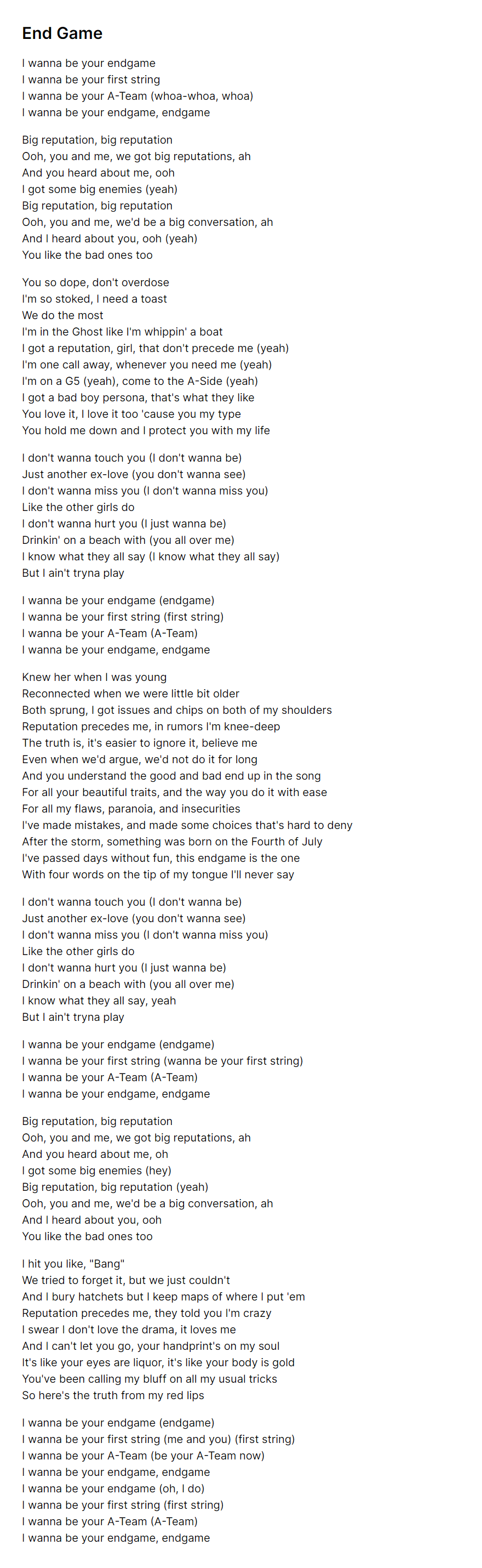
## Expected result with default styles
## Non-profitable and has no connection to Taylor Swift