
Modern web IRC client designed for self-hosting
Website
•
Docs
•
Demo




## Overview
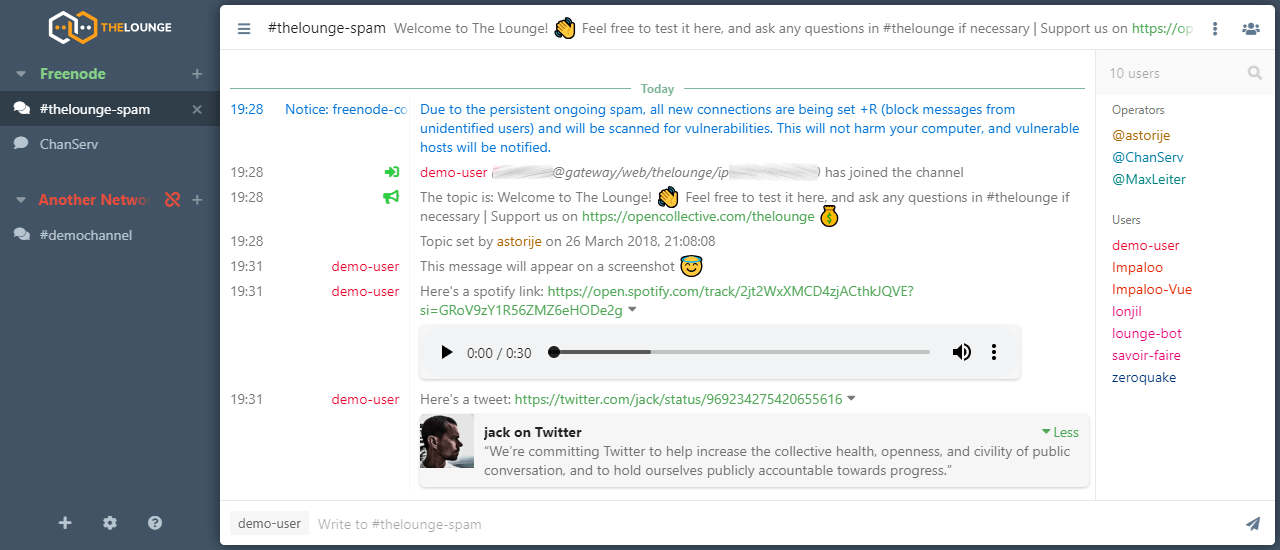
- **Modern features brought to IRC.** Push notifications, link previews, new message markers, and more bring IRC to the 21st century.
- **Always connected.** Remains connected to IRC servers while you are offline.
- **Cross platform.** It doesn't matter what OS you use, it just works wherever Node.js runs.
- **Responsive interface.** The client works smoothly on every desktop, smartphone and tablet.
- **Synchronized experience.** Always resume where you left off no matter what device.
To learn more about configuration, usage and features of The Lounge, take a look at [the website](https://thelounge.chat).
The Lounge is the official and community-managed fork of [Shout](https://github.com/erming/shout), by [Mattias Erming](https://github.com/erming).
## Installation and usage
The Lounge requires latest [Node.js](https://nodejs.org/) LTS version or more recent.
[Yarn package manager](https://yarnpkg.com/) is also recommended.
If you want to install with npm, `--unsafe-perm` is required for a correct install.
### Running stable releases
Please refer to the [install and upgrade documentation on our website](https://thelounge.chat/docs/install-and-upgrade) for all available installation methods.
### Running from source
The following commands install and run the development version of The Lounge:
```sh
git clone https://github.com/thelounge/thelounge.git
cd thelounge
yarn install
NODE_ENV=production yarn build
yarn start
```
When installed like this, `thelounge` executable is not created. Use `node index ` to run commands.
⚠️ While it is the most recent codebase, this is not production-ready! Run at
your own risk. It is also not recommended to run this as root.
## Development setup
Simply follow the instructions to run The Lounge from source above, on your own
fork.
Before submitting any change, make sure to:
- Read the [Contributing instructions](https://github.com/thelounge/thelounge/blob/master/.github/CONTRIBUTING.md#contributing)
- Run `yarn test` to execute linters and test suite
- Run `yarn build` if you change or add anything in `client/js` or `client/components`
- `yarn dev` can be used to start The Lounge with hot module reloading