# tinify-client



> A CLI to compress your images not only intelligently but also to the EXTREME!
>
Compress using [tinify](https://www.npmjs.com/package/tinify) which is used by [TinyPNG](https://tinypng.com/) and [TinyJPG](https://tinyjpg.com/). Read more at [http://tinify.com](http://tinify.com/).
```sh
npx tinify-client IMG_URL_OR_LOCAL_IMG_PATH
```
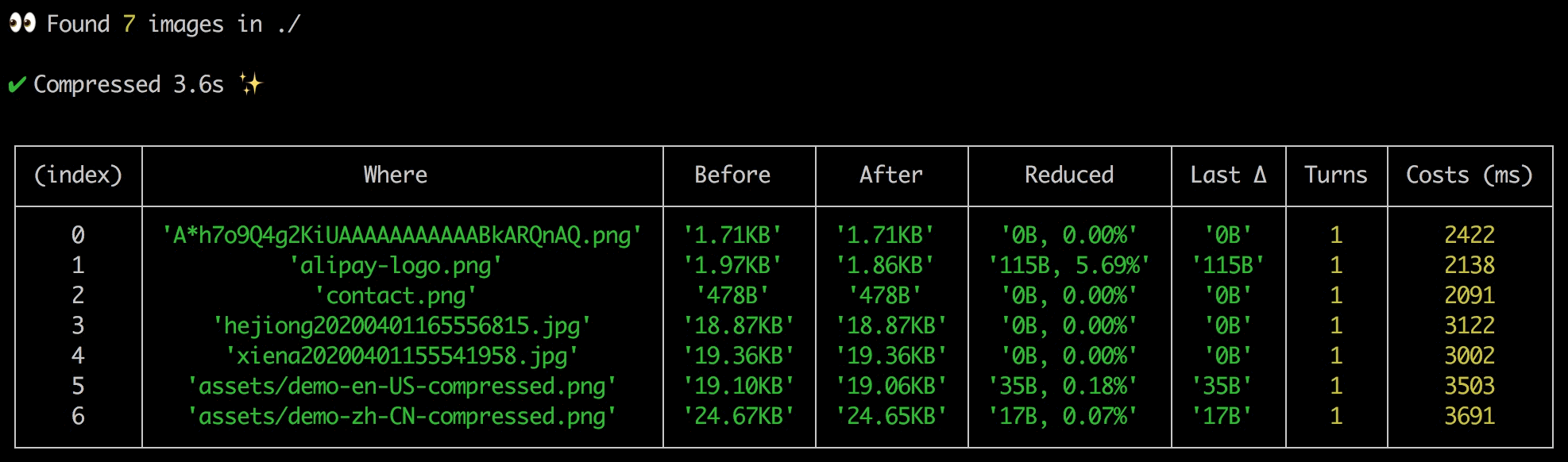
- [中文版文档](#中文版文档)
- [用法](#用法)
- [设置 Key](#设置-key)
- [文档](#文档)
- [Features](#features)
- [Usage](#usage)
- [Configure the key](#1-configure-the-key)
- [Documentation](#documentation)
- [Development](#development)
## 中文版文档
> 用 [tinypng.com](https://tinypng.com/) 使用的压缩技术将图片压缩到**极致**。
>
> 解决需要手动将一张图片拖放到 tinypng 十几次才能达到极致压缩的难题
### 用法
```sh
# 压缩单张或多张本地图片或来自 CDN 的图片
npx tinify-client IMG_URL_OR_LOCAL_IMG_PATH_1 [IMG_URL_OR_LOCAL_IMG_PATH_2 [IMG_URL_OR_LOCAL_IMG_PATH_3]]
# 压缩指定目录下的图片
npx tinify-client DIRECTORY
# 图片转 base64
npx tinify-client base64 IMG_URL_OR_LOCAL_IMG_PATH
```
如果没有开始压缩,请设置 Key。
#### 设置 Key
Key 可从 https://tinypng.com/developers 免费获取,获取过程很简单不要有心理负担。一行命令设置:
```sh
tinify set-key YOUR_TINIFY_KEY
```
### 文档
参数介绍,详细介绍 `tinify -h`:
- key: tinypng 需要的 key
- src: 支持 cdn 地址或本地图片
- output -o: 最终压缩图片的地址
- max-count -m: 最大压缩次数,默认 15 次
- version: 显示该工具的版本号
- verbose: 显示每一次压缩的日志
- no-base64: 不显示压缩图片的 base64。默认显示
## Features
- Compress not only intelligently but also to the EXTREME!
- Compress images in a batch.
- Image to base64.
## Usage
For more usage try `npx tinify-client -h`.
1. compress and output the compressed image's base64
```sh
npx tinify-client IMG_URL_OR_LOCAL_IMG_PATH_1 [IMG_URL_OR_LOCAL_IMG_PATH_2 [IMG_URL_OR_LOCAL_IMG_PATH_3]]
```
2. compress all the pngs and jpgs in a folder
```sh
npx tinify-client DIRECTORY
```
3. image to base64 only (No need to configure the key)
```sh
npx tinify-client base64 IMG_URL_OR_LOCAL_IMG_PATH
```
### Configure the key
1. Get your key at https://tinypng.com/developers.
2. `$ tinify set-key YOUR_TINIFY_KEY`
## Documentation
More parameters ``tinify -h`:
- output -o: The compressed img file path.
- max-count -m: Set the max compressing turns. Default 15.
- version: Show the version.
- verbose: Show more information about each compressing turn.
- no-base64: Not output the base64 of the compressed image. base64 encoded by default.
---
## Development
```sh
LANG=zh-CN node src/cli https://tinypng.com/images/panda-happy.png max-count=1
```
*CLI Powered by [cli-aid](https://www.npmjs.com/package/cli-aid). ❤️*
## TODO
- [x] 压缩文件夹下面所有的 png jpg
- [x] cli 参数支持多张图片
- [x] 压缩单张图片默认打开输出的目录