# Tinte

 Tinte
Tinte
An opinionated multi-platform color theme generator
## Table of Contents
- [Tinte](#tinte)
- [Features](#features)
- [Motivation](#motivation)
- [Usage](#usage)
- [Update the Theme Type and currentTheme Constant](#1-update-the-theme-type-and-currenttheme-constant)
- [Introduce a New Color Palette](#2-introduce-a-new-color-palette)
- [Generate Your Theme](#4-generate-your-theme)
- [Customizing Semantic Coloring for VS Code](#customizing-semantic-coloring-for-vs-code)
- [Adding Generators](#adding-generators)
- [Contributing](#contributing)
- [License](#license)
## Motivation
The main goal is to allow developers to create their own themes for their favorite tools, without having to worry about the nitty-gritty details of theme creation. Tinte provides a solid foundation for theme creation, with the flexibility to tweak as needed.
You only need to define your color palette once, and Tinte will generate your theme for all supported platforms.
## Features
- **Default Themes**: Out of the box support for [One Hunter Theme](https://github.com/Railly/one-hunter-vscode) and [Flexoki](https://github.com/kepano/flexoki)
- **Wide Range of Platforms:** Generate themes for Alacritty, GIMP, iTerm2, Kitty, Lite-xl, theme.sh, Vanilla-CSS, VSCode, Warp, Windows Terminal, and Xresources.
- **Modular Structure:** Each generator is isolated, making it easy to add more in the future.
- **Opinionated Defaults:** Provides a solid foundation for theme creation, with the flexibility to tweak as needed.
## Usage
### 1. **Update the `Theme` type and `currentTheme` constant**
```ts
// src/types.ts
export type MyTheme = "Flexoki" | "One Hunter" | "Your Theme Name";
```
```ts
// config/index.ts
export const currentTheme: MyTheme = "Your Theme Name";
```
### 2. **Introduce a New Color Palette**
Define your new color palette according to the `Palette` type.
```ts
// src/palettes/your-theme-name.ts
export const YourThemePalette: Palette = {
base: {
... // base colors
},
red: {
... // red colors
}
... // other colors
}
```
Add this palette to the main palette mapping.
```ts
// src/config/index.ts
import { YourThemePalette } from "../palettes/your-theme-name.ts";
export const palettes: Record = {
... // other palettes
"Your Theme Name": YourThemePalette,
};
```
### 3. **Generate Your Theme**
Run the following command to generate your theme:
```bash
npm run build
```
Your multi-platform themes will be generated in the `_generated/your-theme-name` directory.
## Customizing Semantic Coloring for VS Code
To customize semantic coloring for VS Code:
- Go to `config/customize/vscode`.
- Create a new object named `YourThemeMappedTokens` that maps the desired tokens to your color choices.
- There are opinionated groups of tokens that can be customized, such as:
`plain`, `classes`,
`interfaces`, `structs`, `enums`, `keys`, `methods`, `functions`, `variables`, `variablesOther`, `globalVariables`, `localVariables`, `parameters`, `properties`, `strings`, `stringEscapeSequences`, `keywords`, `keywordsControl`, `storageModifiers`, `comments`, `docComments`, `numbers`, `booleans`, `operators`, `macros`, `preprocessor`, `urls`, `tags`, `jsxTags`, `attributes`, `types`, `constants`, `labels`, `namespaces`, `modules`, `typeParameters`, `exceptions`, `decorators`, `calls`, `punctuation`.
- Each of them can be remapped to a color of your choice, such as:
`tx`, `tx-2`, `tx-2`, `ui`,`ui-2`,`ui-2`, `bg`, `bg-2`, `re`, `re-2`, `gr`, `gr-2`, `ye`, `ye-2`, `bl`, `bl-2`, `ma`, `ma-2`, `cy`, `cy-2`, `pu`, `pu-2` `or`, `or-2`.
> To learn more about this semantic coloring, check out [this article](https://stephango.com/flexoki).
## Adding Generators
To add a new generator, you'll need to:
- Create a new file `src/generators/your-generator/generate.ts` that exports a function that takes a `name` and `ThemeType` (light/dark) as arguments and writes the generated theme to a file.
- You should use `mappedPalette` to get the colors for your theme.
> `mappedPalette` maps the abbreviated color names with the respective dark and light shade.
- Add the new generator to the `generators` and `providers` objects in `src/generators/index.ts`.
```ts
// src/generators/index.ts
import { generateYourProviderTheme } from "./your-generator/generate.ts"
export const generators = {
... // other generators
"Your Generator": generateYourProviderTheme,
};
export const providers = [
... // other providers
{
name: "Your Provider",
theme: ["Light", "Dark"],
},
];
```
## Screenshots
### One Hunter Generated (VS Code)
#### Screenshots
| Dark Theme | Light Theme |
| -------------------------------------------------------------------------------------------------------------------------------- | ---------------------------------------------------------------------------------------------------------------------------------- |
| 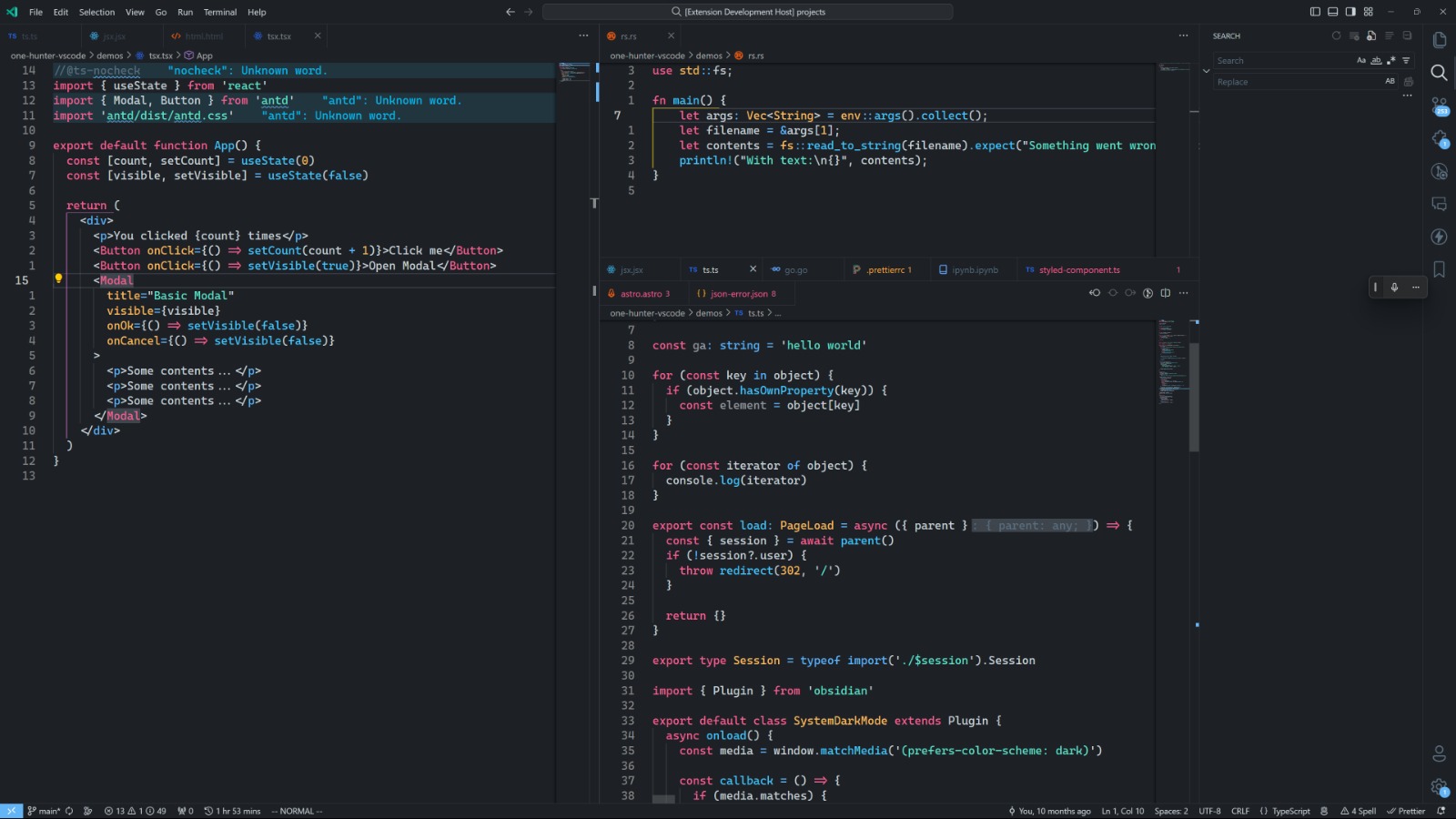 | 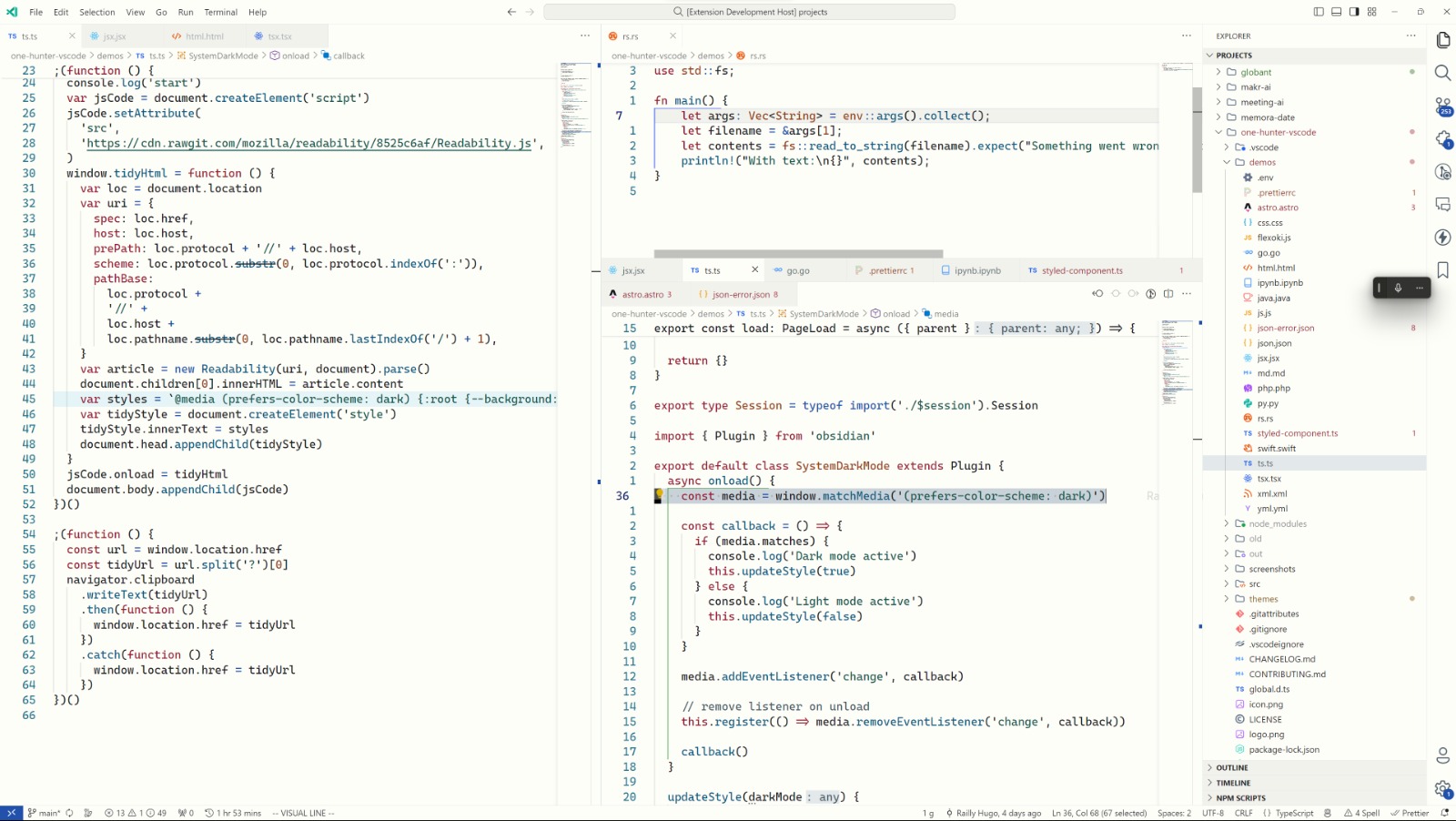 |
### Flexoki Generated (VS Code)
| Dark Theme | Light Theme |
| ----------------------------------------------------------------------------------------------------------------------------- | ------------------------------------------------------------------------------------------------------------------------------- |
| 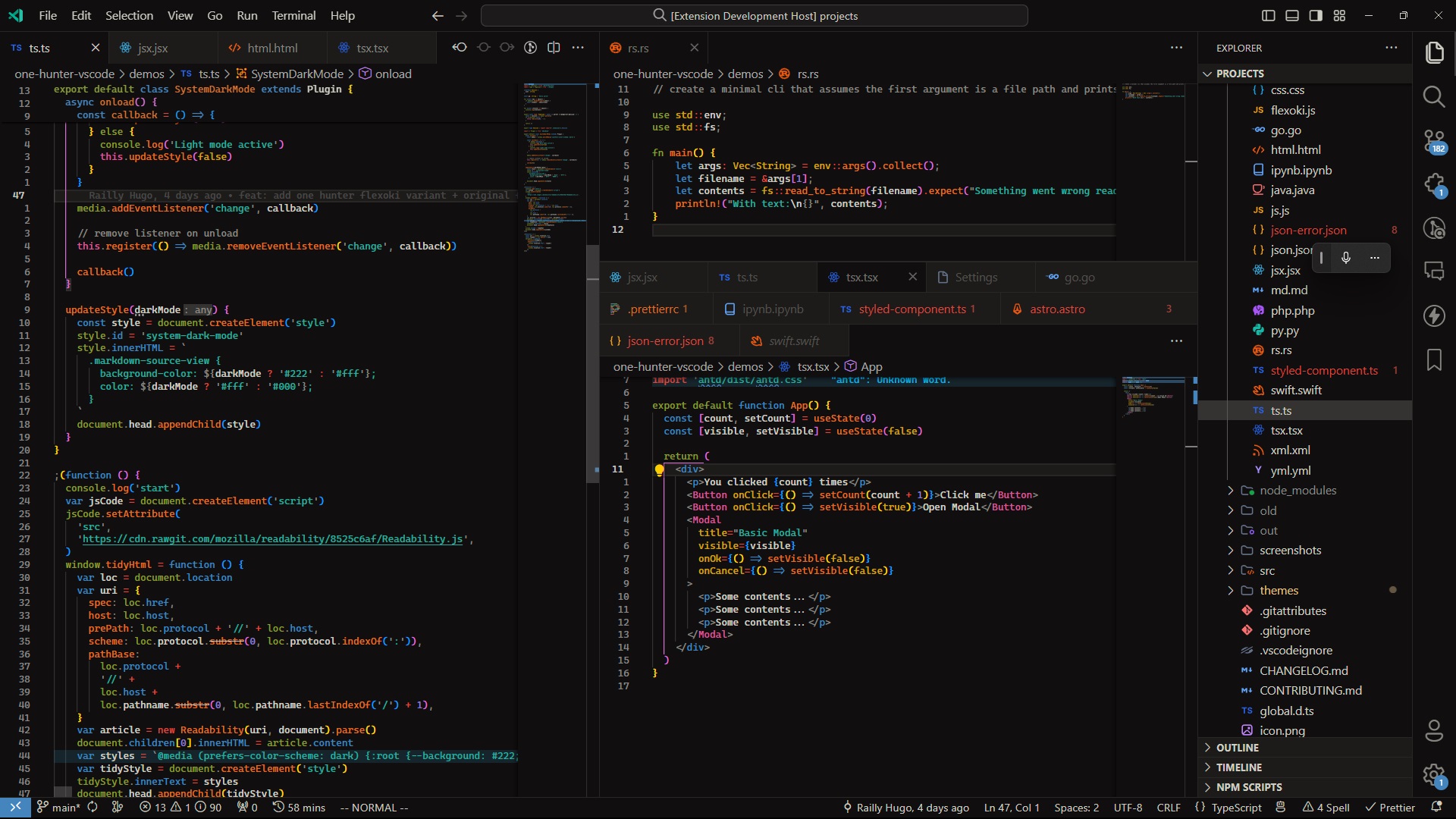 | 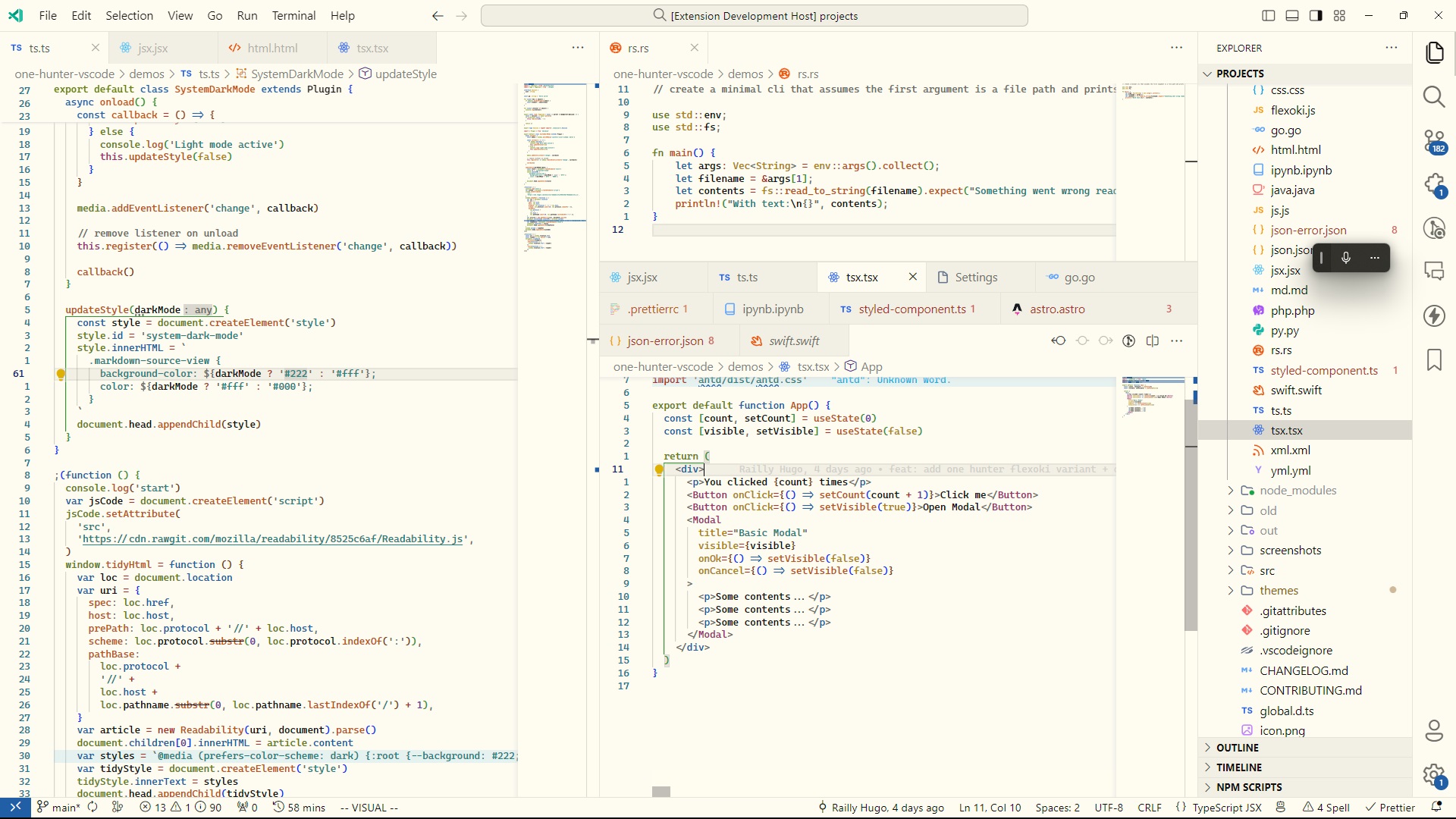 |
## Roadmap
1. CLI for generating themes
2. Support for more platforms
3. Web app for generating themes
## Contributing
Pull requests are welcome. For major changes, please open an issue first to discuss what you would like to change.
## Credits
This project was heavily inspired by [Flexoki](https://github.com/kepano/flexoki), an inky color scheme for prose and code
## License
[MIT](https://choosealicense.com/licenses/mit/)