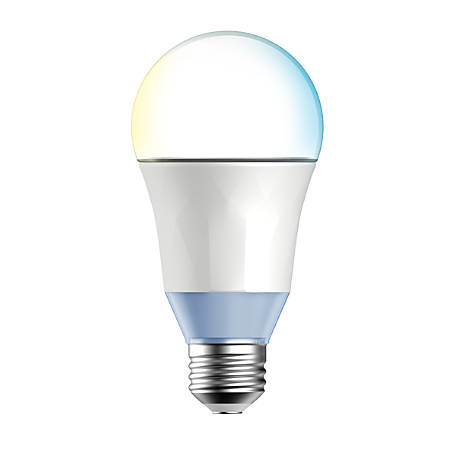
 # tplink-lightbulb
Control TP-Link smart-home devices from nodejs
[](https://nodei.co/npm/tplink-lightbulb/)
This will allow you to control TP-Link smart-home devices from nodejs or the command-line.
## related
* If you want to use kasa (allows you to hit your tplink devices, on an external network) have a look at [kasa_control](https://github.com/konsumer/kasa_control).
* If you'd like to run a GraphQL server to control your lights, see [tplink-graphql](https://github.com/konsumer/tplink-graphql).
* If you like to see a demo web-app that uses react & websockets, see [tpserver](https://github.com/konsumer/tpserver).
## supported devices
Not all TP-Link smart-home devices can do all things, here's the support-matrix:
| | raw | details | on | off | temp | hex | hsb | cloud | wifi | join |
|------------------------------------------------------------------------------------------------------------:|:---:|:-------:|:--:|:---:|:----:|:---:|:---:|:-----:|:----:|:----:|
| [LB100](http://www.tp-link.com/us/products/details/cat-5609_LB100.html) | X | X | X | X | X | | | X | X | X |
| [LB120](http://www.tp-link.com/us/products/details/cat-5609_LB120.html) | X | X | X | X | X | | | X | X | X |
| [LB130](http://www.tp-link.com/us/products/details/cat-5609_LB130.html) | X | X | X | X | X | X | X | X | X | X |
| [HS100](http://www.tp-link.com/us/products/details/cat-5516_HS100.html) | X | X | X | X | | | | | X | X |
| [HS105](http://www.tp-link.com/us/products/details/cat-5516_HS105.html) | X | X | X | X | | | | | X | X |
| [HS110](http://www.tp-link.com/us/products/details/cat-5516_HS110.html) | X | X | X | X | | | | | X | X |
| [HS200](http://www.tp-link.com/us/products/details/cat-5622_HS200.html) | X | X | X | X | | | | | X | X |
| [KP100](http://www.tp-link.com/us/products/details/cat-5516_KP100.html) | X | X | X | X | | | | | X | X |
| [LB200](http://www.tp-link.com/us/products/details/cat-5609_LB200.html) | X | X | X | X | X | | | X | X | X |
| [LB230](http://www.tp-link.com/us/products/details/cat-5609_LB230.html) | X | X | X | X | X | X | X | X | X | X |
| [KL110](https://www.tp-link.com/uk/home-networking/smart-bulb/kl110/) | X | X | X | X | | | | | X | X |
| [KL120](https://www.tp-link.com/uk/home-networking/smart-bulb/kl120/) | X | X | X | X | X | | | X | X | X |
| [KL130](https://www.kasasmart.com/us/products/smart-lighting/kasa-smart-wi-fi-light-bulb-multicolor-kl130/) | X | X | X | X | X | X | X | X | X | X |
I have LB120, LB130, and HS105, so any testing (and packet-capture) with other devices would be greatly appreciated.
## command-line
If you have nodejs installed, you can install it for your system with this:
```
npm i -g tplink-lightbulb
```
You can even run it without installing:
```
npx tplink-lightbulb
```
If you don't want to install nodejs, or just want the standalone-version, install a [release](https://github.com/konsumer/tplink-lightbulb/releases) for your system.
Now, you can use it like this:
```
Usage: tplight
Commands:
tplight scan Scan for lightbulbs
tplight on Turn on lightbulb
tplight off Turn off lightbulb
tplight bright Set the brightness of the lightbulb
(for those that support it)
tplight temp Set the color-temperature of the
lightbulb (for those that support
it)
tplight hex Set color of lightbulb using hex
color (for those that support it)
tplight hsb Set color of lightbulb using HSB
color (for those that support it)
tplight cloud Get cloud info
tplight raw Send a raw JSON command
tplight details Get details about the device
tplight led Turn on/off LED indicator
tplight wifi List available wifi for a particular
device
tplight join [SECRET] Configure the device to use these
wifi settings
Options:
-h, --help Show help [boolean]
--version Show version number [boolean]
Examples:
tplight scan -h Get more detailed help with `scan` command
tplight on -h Get more detailed help with `on` command
tplight off -h Get more detailed help with `off` command
tplight temp -h Get more detailed help with `temp` command
tplight hex -h Get more detailed help with `hex` command
tplight hsb -h Get more detailed help with `hsb` command
tplight cloud -h Get more detailed help with `cloud` command
tplight raw -h Get more detailed help with `raw` command
tplight details -h Get more detailed help with `details` command
tplight led -h Get more detailed help with `led` command
tplight wifi -h Get more detailed help with `wifi` command
tplight join -h Get more detailed help with `join` command
```
## wireshark
If you want to analyze the protocol, you can use the included `tplink-smarthome.lua`.
Install in the location listed in About Wireshark/Folders/Personal Plugins
I captured packets with tcpdump running on a [raspberry pi pretending to be a router](https://learn.adafruit.com/setting-up-a-raspberry-pi-as-a-wifi-access-point?view=all). In general, this is a really useful way to capture IOT protocols and mess around with them.
I ssh'd into my pi, ran `sudo apt update && sudo apt install tcpdump`, then `tcpdump -i wlan0 -w lights.pcap`
I connected the lights to that network (reset them to factory default by turning the power off/on 5 times, then configure in Kasa app.)
After I did stuff like switch the lights on/off in app, I open the pcap file in wireshark on my desktop.
## library
You can install it in your project like this:
```
npm i -S tplink-lightbulb
```
Include it in your project like this:
```js
const TPLSmartDevice = require('tplink-lightbulb')
```
or for ES6:
```js
import TPLSmartDevice from 'tplink-lightbulb'
```
Read more about [the API](https://github.com/konsumer/tplink-lightbulb/blob/master/API.md).
# tplink-lightbulb
Control TP-Link smart-home devices from nodejs
[](https://nodei.co/npm/tplink-lightbulb/)
This will allow you to control TP-Link smart-home devices from nodejs or the command-line.
## related
* If you want to use kasa (allows you to hit your tplink devices, on an external network) have a look at [kasa_control](https://github.com/konsumer/kasa_control).
* If you'd like to run a GraphQL server to control your lights, see [tplink-graphql](https://github.com/konsumer/tplink-graphql).
* If you like to see a demo web-app that uses react & websockets, see [tpserver](https://github.com/konsumer/tpserver).
## supported devices
Not all TP-Link smart-home devices can do all things, here's the support-matrix:
| | raw | details | on | off | temp | hex | hsb | cloud | wifi | join |
|------------------------------------------------------------------------------------------------------------:|:---:|:-------:|:--:|:---:|:----:|:---:|:---:|:-----:|:----:|:----:|
| [LB100](http://www.tp-link.com/us/products/details/cat-5609_LB100.html) | X | X | X | X | X | | | X | X | X |
| [LB120](http://www.tp-link.com/us/products/details/cat-5609_LB120.html) | X | X | X | X | X | | | X | X | X |
| [LB130](http://www.tp-link.com/us/products/details/cat-5609_LB130.html) | X | X | X | X | X | X | X | X | X | X |
| [HS100](http://www.tp-link.com/us/products/details/cat-5516_HS100.html) | X | X | X | X | | | | | X | X |
| [HS105](http://www.tp-link.com/us/products/details/cat-5516_HS105.html) | X | X | X | X | | | | | X | X |
| [HS110](http://www.tp-link.com/us/products/details/cat-5516_HS110.html) | X | X | X | X | | | | | X | X |
| [HS200](http://www.tp-link.com/us/products/details/cat-5622_HS200.html) | X | X | X | X | | | | | X | X |
| [KP100](http://www.tp-link.com/us/products/details/cat-5516_KP100.html) | X | X | X | X | | | | | X | X |
| [LB200](http://www.tp-link.com/us/products/details/cat-5609_LB200.html) | X | X | X | X | X | | | X | X | X |
| [LB230](http://www.tp-link.com/us/products/details/cat-5609_LB230.html) | X | X | X | X | X | X | X | X | X | X |
| [KL110](https://www.tp-link.com/uk/home-networking/smart-bulb/kl110/) | X | X | X | X | | | | | X | X |
| [KL120](https://www.tp-link.com/uk/home-networking/smart-bulb/kl120/) | X | X | X | X | X | | | X | X | X |
| [KL130](https://www.kasasmart.com/us/products/smart-lighting/kasa-smart-wi-fi-light-bulb-multicolor-kl130/) | X | X | X | X | X | X | X | X | X | X |
I have LB120, LB130, and HS105, so any testing (and packet-capture) with other devices would be greatly appreciated.
## command-line
If you have nodejs installed, you can install it for your system with this:
```
npm i -g tplink-lightbulb
```
You can even run it without installing:
```
npx tplink-lightbulb
```
If you don't want to install nodejs, or just want the standalone-version, install a [release](https://github.com/konsumer/tplink-lightbulb/releases) for your system.
Now, you can use it like this:
```
Usage: tplight
Commands:
tplight scan Scan for lightbulbs
tplight on Turn on lightbulb
tplight off Turn off lightbulb
tplight bright Set the brightness of the lightbulb
(for those that support it)
tplight temp Set the color-temperature of the
lightbulb (for those that support
it)
tplight hex Set color of lightbulb using hex
color (for those that support it)
tplight hsb Set color of lightbulb using HSB
color (for those that support it)
tplight cloud Get cloud info
tplight raw Send a raw JSON command
tplight details Get details about the device
tplight led Turn on/off LED indicator
tplight wifi List available wifi for a particular
device
tplight join [SECRET] Configure the device to use these
wifi settings
Options:
-h, --help Show help [boolean]
--version Show version number [boolean]
Examples:
tplight scan -h Get more detailed help with `scan` command
tplight on -h Get more detailed help with `on` command
tplight off -h Get more detailed help with `off` command
tplight temp -h Get more detailed help with `temp` command
tplight hex -h Get more detailed help with `hex` command
tplight hsb -h Get more detailed help with `hsb` command
tplight cloud -h Get more detailed help with `cloud` command
tplight raw -h Get more detailed help with `raw` command
tplight details -h Get more detailed help with `details` command
tplight led -h Get more detailed help with `led` command
tplight wifi -h Get more detailed help with `wifi` command
tplight join -h Get more detailed help with `join` command
```
## wireshark
If you want to analyze the protocol, you can use the included `tplink-smarthome.lua`.
Install in the location listed in About Wireshark/Folders/Personal Plugins
I captured packets with tcpdump running on a [raspberry pi pretending to be a router](https://learn.adafruit.com/setting-up-a-raspberry-pi-as-a-wifi-access-point?view=all). In general, this is a really useful way to capture IOT protocols and mess around with them.
I ssh'd into my pi, ran `sudo apt update && sudo apt install tcpdump`, then `tcpdump -i wlan0 -w lights.pcap`
I connected the lights to that network (reset them to factory default by turning the power off/on 5 times, then configure in Kasa app.)
After I did stuff like switch the lights on/off in app, I open the pcap file in wireshark on my desktop.
## library
You can install it in your project like this:
```
npm i -S tplink-lightbulb
```
Include it in your project like this:
```js
const TPLSmartDevice = require('tplink-lightbulb')
```
or for ES6:
```js
import TPLSmartDevice from 'tplink-lightbulb'
```
Read more about [the API](https://github.com/konsumer/tplink-lightbulb/blob/master/API.md).