# UI Thing CLI
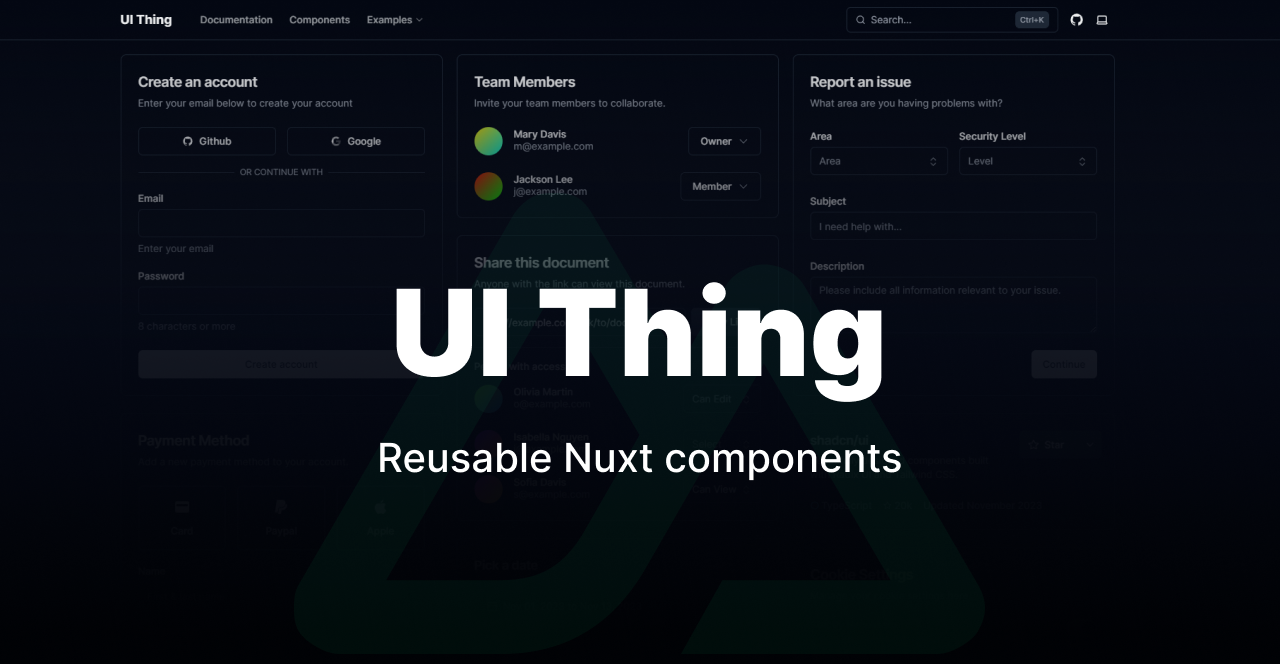
A CLI for adding [UI Thing](https://uithing.com) components to your Nuxt project. Pick only the components you need — no bloat, no lock-in.
## Credits
- [shadcn/ui](https://ui.shadcn.com) — design inspiration
- [Reka UI](https://reka-ui.com) — headless primitives
- [TailwindCSS](https://tailwindcss.com)
- [Nuxt](https://nuxt.com)
Thanks to the maintainers of all third-party libraries used in this project.
## 💸 Support
If you find this useful 😊
 ---
## Getting Started
**1. Create a Nuxt project**
```bash
npx nuxi@latest init my-app
cd my-app
```
**2. Run the init command**
```bash
npx ui-thing@latest init
```
This sets up TailwindCSS, installs core dependencies, writes the theme CSS, and saves a `ui-thing.config.ts` to your project.
**3. Start adding components**
```bash
npx ui-thing@latest add
```
---
## Package Manager Support
The CLI works with all major package managers. You will be asked to choose one during `init`.
| Manager | Supported |
|---------|-----------|
| npm | ✅ |
| yarn | ✅ |
| pnpm | ✅ |
| bun | ✅ |
| deno | ✅ |
---
## Commands
### `init`
```bash
npx ui-thing@latest init
```
Bootstraps your Nuxt project for UI Thing. This command:
- Installs all core dependencies (`reka-ui`, `tailwind-variants`, `@nuxt/fonts`, `@vueuse/nuxt`, etc.)
- Writes the Tailwind CSS theme file
- Registers required Nuxt modules
- Creates `ui-thing.config.ts` with your chosen paths and package manager
**Options**
| Flag | Description |
|------|-------------|
| `-y, --yes` | Skip all prompts and use defaults |
---
### `add`
```bash
npx ui-thing@latest add [componentNames...]
```
Adds one or more components to your project. If no names are passed, an interactive search lets you pick from the full library.
```bash
# interactive selection
npx ui-thing@latest add
# add specific components
npx ui-thing@latest add button input popover
# add every component at once
npx ui-thing@latest add --all
```
After a component is added, the CLI prints a link to its documentation page.
**Options**
| Flag | Description |
|------|-------------|
| `-a, --all` | Add every available component in one shot |
| `--skip-config` | Add components without a `ui-thing.config.ts` file. Auto-detects the Nuxt version and uses its default paths |
| `--package-manager ` | Set the package manager when using `--skip-config` (skips the PM prompt) |
**`--skip-config` example**
Useful when you just want the files without committing to the full config workflow:
```bash
# prompts for package manager, uses Nuxt 4 defaults
npx ui-thing@latest add popover --skip-config
# fully non-interactive
npx ui-thing@latest add popover --skip-config --package-manager bun
```
> **Note:** Shared utility files installed by one component are also used by others. Removing them manually may break components that depend on them.
---
### `list`
```bash
npx ui-thing@latest list
```
Lists all components available in the UI Thing library.
```bash
# show all available components
npx ui-thing@latest list
# show only components already installed in your project
npx ui-thing@latest list --installed
```
**Options**
| Flag | Description |
|------|-------------|
| `--installed` | Filter to components whose files are already present in your project |
---
### `update`
```bash
npx ui-thing@latest update [componentNames...]
```
Re-fetches component files from the API and overwrites them with the latest version. Useful after a UI Thing release.
```bash
# update specific components
npx ui-thing@latest update button input
# pick from installed components interactively
npx ui-thing@latest update
```
---
### `remove`
```bash
npx ui-thing@latest remove [componentNames...]
```
Deletes installed component files from your project (component files, utils, and composables). Prompts for confirmation before deleting anything.
```bash
# remove specific components
npx ui-thing@latest remove button
# pick from installed components interactively
npx ui-thing@latest remove
```
> **Note:** Shared utility files used by multiple components will be deleted. Any other components that depend on them may stop working and will need to be re-added.
---
### `prose`
```bash
npx ui-thing@latest prose
```
Adds prose components (typography styles for rendered markdown content). Select from the available prose components interactively.
---
### `block`
```bash
npx ui-thing@latest block
```
Adds pre-built UI blocks (page sections, layouts, etc.) to your project. You can filter by category.
---
### `theme`
```bash
npx ui-thing@latest theme
```
Swaps your project's color theme. Overwrites the Tailwind CSS theme file with the chosen theme.
---
### `prettier`
```bash
npx ui-thing@latest prettier
```
Adds a Prettier configuration pre-configured for Tailwind CSS class sorting. Safe to run on an existing project — it will offer to merge with your current `.prettierrc` if one exists.
---
### `shortcuts`
```bash
npx ui-thing@latest shortcuts
```
Adds a `useShortcuts` composable to your project for registering keyboard shortcuts.
---
## Configuration
Running `init` creates a `ui-thing.config.ts` file at the root of your project:
```ts
export default {
theme: "zinc",
tailwindCSSLocation: "app/assets/css/tailwind.css",
componentsLocation: "app/components/Ui",
composablesLocation: "app/composables",
pluginsLocation: "app/plugins",
utilsLocation: "app/utils",
force: true,
useDefaultFilename: true,
packageManager: "bun",
};
```
| Key | Description |
|-----|-------------|
| `theme` | Color theme (zinc, slate, rose, blue, etc.) |
| `tailwindCSSLocation` | Path to your Tailwind CSS file |
| `componentsLocation` | Where component `.vue` files are written |
| `composablesLocation` | Where composable files are written |
| `pluginsLocation` | Where plugin files are written |
| `utilsLocation` | Where utility files are written |
| `force` | Overwrite existing files without prompting |
| `useDefaultFilename` | Skip per-file path prompts when adding components |
| `packageManager` | Package manager used for installing dependencies |
---
## Getting Started
**1. Create a Nuxt project**
```bash
npx nuxi@latest init my-app
cd my-app
```
**2. Run the init command**
```bash
npx ui-thing@latest init
```
This sets up TailwindCSS, installs core dependencies, writes the theme CSS, and saves a `ui-thing.config.ts` to your project.
**3. Start adding components**
```bash
npx ui-thing@latest add
```
---
## Package Manager Support
The CLI works with all major package managers. You will be asked to choose one during `init`.
| Manager | Supported |
|---------|-----------|
| npm | ✅ |
| yarn | ✅ |
| pnpm | ✅ |
| bun | ✅ |
| deno | ✅ |
---
## Commands
### `init`
```bash
npx ui-thing@latest init
```
Bootstraps your Nuxt project for UI Thing. This command:
- Installs all core dependencies (`reka-ui`, `tailwind-variants`, `@nuxt/fonts`, `@vueuse/nuxt`, etc.)
- Writes the Tailwind CSS theme file
- Registers required Nuxt modules
- Creates `ui-thing.config.ts` with your chosen paths and package manager
**Options**
| Flag | Description |
|------|-------------|
| `-y, --yes` | Skip all prompts and use defaults |
---
### `add`
```bash
npx ui-thing@latest add [componentNames...]
```
Adds one or more components to your project. If no names are passed, an interactive search lets you pick from the full library.
```bash
# interactive selection
npx ui-thing@latest add
# add specific components
npx ui-thing@latest add button input popover
# add every component at once
npx ui-thing@latest add --all
```
After a component is added, the CLI prints a link to its documentation page.
**Options**
| Flag | Description |
|------|-------------|
| `-a, --all` | Add every available component in one shot |
| `--skip-config` | Add components without a `ui-thing.config.ts` file. Auto-detects the Nuxt version and uses its default paths |
| `--package-manager ` | Set the package manager when using `--skip-config` (skips the PM prompt) |
**`--skip-config` example**
Useful when you just want the files without committing to the full config workflow:
```bash
# prompts for package manager, uses Nuxt 4 defaults
npx ui-thing@latest add popover --skip-config
# fully non-interactive
npx ui-thing@latest add popover --skip-config --package-manager bun
```
> **Note:** Shared utility files installed by one component are also used by others. Removing them manually may break components that depend on them.
---
### `list`
```bash
npx ui-thing@latest list
```
Lists all components available in the UI Thing library.
```bash
# show all available components
npx ui-thing@latest list
# show only components already installed in your project
npx ui-thing@latest list --installed
```
**Options**
| Flag | Description |
|------|-------------|
| `--installed` | Filter to components whose files are already present in your project |
---
### `update`
```bash
npx ui-thing@latest update [componentNames...]
```
Re-fetches component files from the API and overwrites them with the latest version. Useful after a UI Thing release.
```bash
# update specific components
npx ui-thing@latest update button input
# pick from installed components interactively
npx ui-thing@latest update
```
---
### `remove`
```bash
npx ui-thing@latest remove [componentNames...]
```
Deletes installed component files from your project (component files, utils, and composables). Prompts for confirmation before deleting anything.
```bash
# remove specific components
npx ui-thing@latest remove button
# pick from installed components interactively
npx ui-thing@latest remove
```
> **Note:** Shared utility files used by multiple components will be deleted. Any other components that depend on them may stop working and will need to be re-added.
---
### `prose`
```bash
npx ui-thing@latest prose
```
Adds prose components (typography styles for rendered markdown content). Select from the available prose components interactively.
---
### `block`
```bash
npx ui-thing@latest block
```
Adds pre-built UI blocks (page sections, layouts, etc.) to your project. You can filter by category.
---
### `theme`
```bash
npx ui-thing@latest theme
```
Swaps your project's color theme. Overwrites the Tailwind CSS theme file with the chosen theme.
---
### `prettier`
```bash
npx ui-thing@latest prettier
```
Adds a Prettier configuration pre-configured for Tailwind CSS class sorting. Safe to run on an existing project — it will offer to merge with your current `.prettierrc` if one exists.
---
### `shortcuts`
```bash
npx ui-thing@latest shortcuts
```
Adds a `useShortcuts` composable to your project for registering keyboard shortcuts.
---
## Configuration
Running `init` creates a `ui-thing.config.ts` file at the root of your project:
```ts
export default {
theme: "zinc",
tailwindCSSLocation: "app/assets/css/tailwind.css",
componentsLocation: "app/components/Ui",
composablesLocation: "app/composables",
pluginsLocation: "app/plugins",
utilsLocation: "app/utils",
force: true,
useDefaultFilename: true,
packageManager: "bun",
};
```
| Key | Description |
|-----|-------------|
| `theme` | Color theme (zinc, slate, rose, blue, etc.) |
| `tailwindCSSLocation` | Path to your Tailwind CSS file |
| `componentsLocation` | Where component `.vue` files are written |
| `composablesLocation` | Where composable files are written |
| `pluginsLocation` | Where plugin files are written |
| `utilsLocation` | Where utility files are written |
| `force` | Overwrite existing files without prompting |
| `useDefaultFilename` | Skip per-file path prompts when adding components |
| `packageManager` | Package manager used for installing dependencies |