# VForm 3 Builds
#### Packaged version of Variant Form 3

#### VForm 3 Builds为VForm 3打包发布的库文件，不包含源码。
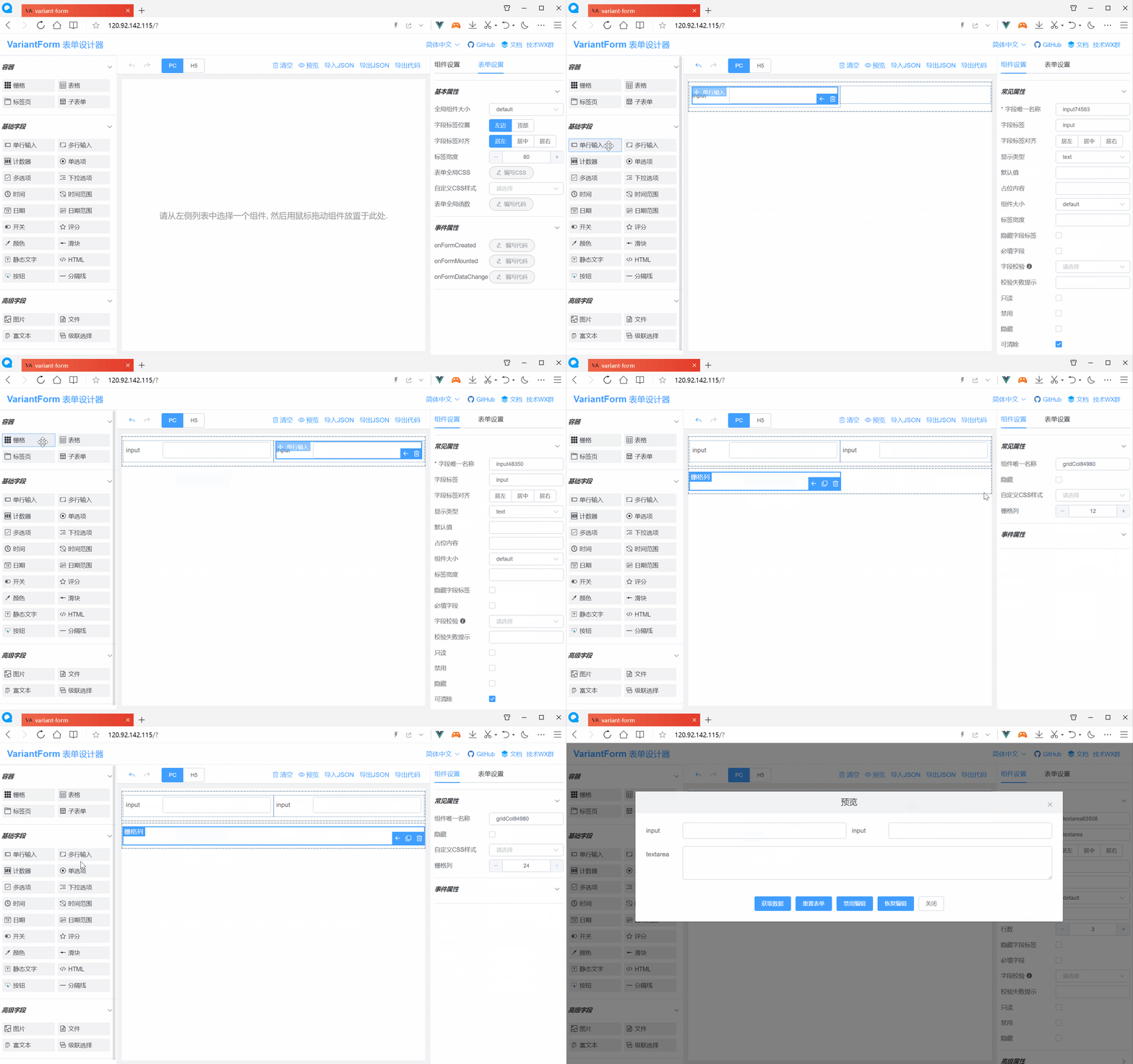
#### VForm 3，一款高效的Vue 3.x低代码表单，可视化设计，一键生成源码，享受更多摸鱼时间。

![image](https://ks3-cn-beijing.ksyuncs.com/vform-static/img/vform_demo.gif)

<br/>

### 立即体验
[在线Demo](http://120.92.142.115:81/vform3/)

### 友情链接
[Fantastic-admin](https://hooray.gitee.io/fantastic-admin/) —— 一款开箱即用的 Vue 中后台管理系统框架（支持Vue2/Vue3）

[REBUILD](https://getrebuild.com/) —— 高度可定制化的企业管理系统

### 功能一览
```
> 拖拽式可视化表单设计；
> 支持PC、Pad、H5三种布局；
> 支持运行时动态加载表单；
> 支持表单复杂交互控制；
> 支持自定义CSS样式；
> 支持自定义校验逻辑；
> 支持国际化多语言；
> 可导出Vue组件、HTML源码；
> 可导出Vue的SFC单文件组件；
> 支持开发自定义组件；
> 支持响应式自适应布局；
> 支持VS Code插件；
> 更多功能等你探究...；
```

### 浏览器兼容性
```Chrome（及同内核的浏览器如QQ浏览器、360浏览器等等），Firefox，Safari```

<br/>

### 跟Vue 3.x项目集成

<br/>

#### 1. 安装包
  ```bash
  npm i vform3-builds
  ```
或
  ```bash
  yarn add vform3-builds
  ```

<br/>

#### 2. 引入并全局注册VForm 3组件
```
import { createApp } from 'vue'
import App from './App.vue'

import ElementPlus from 'element-plus'  //引入element-plus库
import 'element-plus/dist/index.css'  //引入element-plus样式

import VForm3 from 'vform3-builds'  //引入VForm 3库
import 'vform3-builds/dist/designer.style.css'  //引入VForm3样式

const app = createApp(App)
app.use(ElementPlus)  //全局注册element-plus
app.use(VForm3)  //全局注册VForm 3(同时注册了v-form-designer和v-form-render组件)

app.mount('#app')
```

<br/>

#### 3. 在Vue 3.x模板中使用表单设计器组件
```bash
<template>
  <v-form-designer ref="vfdRef"></v-form-designer>
</template>

<script setup>
  const vfdRef = ref(null)
</script>

<style lang="scss">
body {
  margin: 0;  /* 如果页面出现垂直滚动条，则加入此行CSS以消除之 */
}
</style>
```

<br/>

#### 4. 在Vue 3.x模板中使用表单渲染器组件
```html
<template>
  <div>
    <v-form-render :form-json="formJson" :form-data="formData" :option-data="optionData" ref="vFormRef">
    </v-form-render>
    <el-button type="primary" @click="submitForm">Submit</el-button>
  </div>
</template>
<script setup>
  import { ref, reactive } from 'vue'
  import { ElMessage } from 'element-plus'

  const formJson = reactive({"widgetList":[],"formConfig":{"modelName":"formData","refName":"vForm","rulesName":"rules","labelWidth":80,"labelPosition":"left","size":"","labelAlign":"label-left-align","cssCode":"","customClass":"","functions":"","layoutType":"PC","jsonVersion":3,"onFormCreated":"","onFormMounted":"","onFormDataChange":""}})
  const formData = reactive({})
  const optionData = reactive({})
  const vFormRef = ref(null)

  const submitForm = () => {
    vFormRef.value.getFormData().then(formData => {
      // Form Validation OK
      alert( JSON.stringify(formData) )
    }).catch(error => {
      // Form Validation failed
      ElMessage.error(error)
    })
  }
</script>
```

<br/>

### 资源链接
<hr>

文档官网：<a href="https://www.vform666.com/" target="_blank">https://www.vform666.com/</a>

在线演示：<a href="http://120.92.142.115:81/vform3/" target="_blank">http://120.92.142.115:81/vform3/</a>

Github仓库：<a href="https://github.com/vform666/variant-form3-vite" target="_blank">https://github.com/vform666/variant-form3-vite</a>

Gitee仓库：<a href="https://gitee.com/vdpadmin/variant-form3-vite" target="_blank">https://gitee.com/vdpadmin/variant-form3-vite</a>

更新日志：<a href="https://www.vform666.com/changelog.html" target="_blank">https://www.vform666.com/changelog.html</a>

技术交流群：扫如下二维码加群

![image](https://vform2022.ks3-cn-beijing.ksyuncs.com/vchat_qrcode.png)