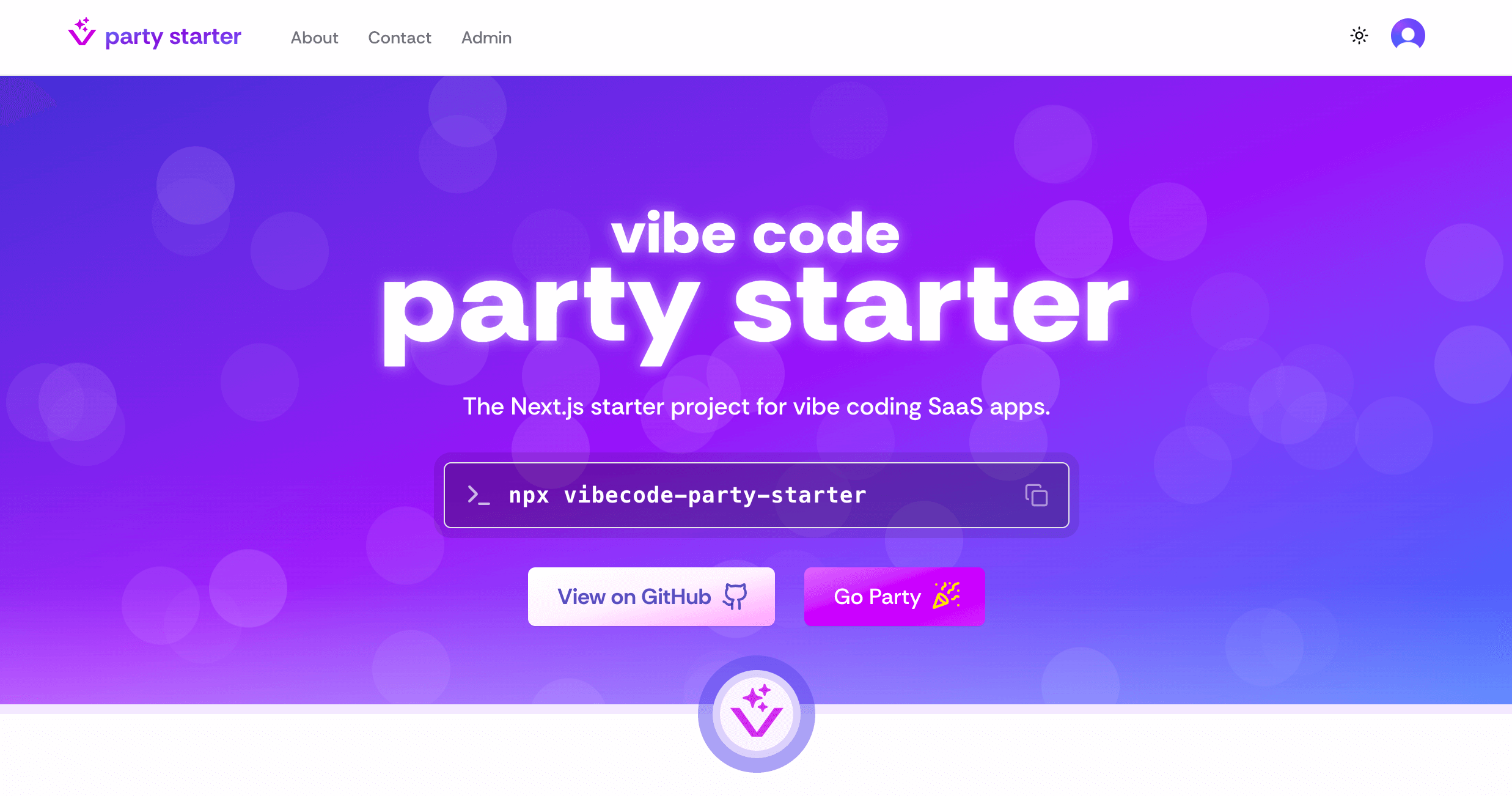
--- File: .gitignore --- # See https://help.github.com/articles/ignoring-files/ for more about ignoring files. # dependencies /node_modules /.pnp .pnp.* .yarn/* !.yarn/patches !.yarn/plugins !.yarn/releases !.yarn/versions # testing /coverage # next.js /.next/ /out/ # production /build # misc .DS_Store *.pem # debug npm-debug.log* yarn-debug.log* yarn-error.log* .pnpm-debug.log* # env files (can opt-in for committing if needed) .env* # vercel .vercel # typescript *.tsbuildinfo next-env.d.ts # clerk configuration (can include secrets) /.clerk/ # Playwright node_modules/ /test-results/ /playwright-report/ /blob-report/ /playwright/.cache/ # Database backups /backups/ # LLM contexts for third party tools llm-convex.txt # Convex .convex/ convex/_generated/ .env.local --- File: .prettierrc --- { "endOfLine": "lf", "printWidth": 200, "semi": false, "singleQuote": false, "tabWidth": 2, "trailingComma": "es5" } --- File: README.md --- Vibecode Party Starter Project Image # Vibecode Party Starter VibeStarter is a [Next.js](https://nextjs.org) starter project that comes with everything I need to get started with a new vibe-coding project. ## Initializing Project You can install with a single command, then answer the prompts: ``` npx vibecode-party-starter ``` ## Services You will need to create a `.env` file and set environment variables for the services you wish to use (see below). ### Shadcn/UI for Components The components in this starter have been built on top of the [Shadcn/UI](https://ui.shadcn.com/) component library, which itself uses other libraries like [TailwindCSS](https://tailwindcss.com/) for styling, [Lucide icons](https://lucide.dev/icons/) and many others. For making new components, you can install more from the ShadCN/UI library, generate them with Cursor or [v0](v0.dev), or find compatible components built by the community. ### Clerk for Auth If using Auth, create a new project on [Clerk](https://dashboard.clerk.com/) then add the environment variables to `.env` ``` NEXT_PUBLIC_CLERK_PUBLISHABLE_KEY= CLERK_SECRET_KEY= ``` You will need to set up individual oAuth integrations (e.g. Google, Github, etc) in the Clerk dashboard for your project. User auth components are already built into the starter project. If you are not using Auth, you will need to remove these. Admin users are created by adding Clerk User Ids into an environment variable on `.env`: ``` ADMIN_USER_IDS=user_1234567890,user_0987654321 ``` *Why use Clerk for Auth* - Convex Auth is only in beta (as on 4/26/2025) - Using Clerk for Auth makes it easier to switch to a different Cloud DB ### Convex for Cloud Database For the database, create a new project in [Convex Console](https://dashboard.convex.dev) then: 1. Create a new project 2. Get your deployment URL from the dashboard 3. Add the following environment variable to `.env`: When you are ready to deploy, you will need to add a deploy key and public convex url - `https://.convex.cloud` - to your environment variables. See more at [docs.convex.dev](https://docs.convex.dev/production/hosting/) ``` CONVEX_DEPLOY_KEY= NEXT_PUBLIC_CONVEX_URL= ``` *Why use Convex?* - Convex has great DX with easier setup than Supabase or Firebase. - Convex is very well interpreted by LLMs (better oneshotting than Supabase or Firebase) - Convex does not require running Docker or emulation for local development (avoiding excess CPU consumption) #### Local Development with Convex Convex is cloud-first and doesn't require local emulators. Your local development environment will automatically connect to your cloud deployment. To view your Convex dashboard: ```bash pnpm db:convex ``` The development server will start both Next.js and Convex: ```bash pnpm dev ``` ### AWS S3 for File Storage To use [AWS](https://aws.amazon.com/) for File Storage (images, etc), create a new public S3 bucket then create a new IM user with Admin S3 permissions for that specific bucket only, then add the environment variables to `.env` ``` AWS_KEY= AWS_SECRET= AWS_REGION= AWS_BUCKET_PUBLIC= ``` For images, it is recommended to use Cloudfront for a better cache strategy and to help stay under the image transformation limit with the Next.js Image component and Vercel. Create a new Cloudfront distribution and load all your images via the Cloudfront domain rather than S3. ``` CLOUDFRONT_DOMAIN= ``` ### AWS S3 for Flat File Database For projects where data is not very complex and changes less frequently, using S3 as a flat file database can be a good option. To do this, you can do the same steps as above but keep your bucket private and do not use Cloudfront (unless you want all the data to be public) ### SendGrid for Email To use [SendGrid](https://app.sendgrid.com/) for programatically sending emails, create a new SendGrid project then add the environment variables to `.env` ``` SENDGRID_API_KEY= SENDGRID_SENDER= ``` Once you have done this, you can start integrate SendGrid into your other services like Clerk and Stripe. #### Contact Form For the contact form to work, you will need to add a contact email as an environment variable. This is the email you wish for SendGrid to forward messages from the contact form. It will not be publicly available. ``` CONTACT_EMAIL= ``` The contact form in the starter include a ReCAPTCHA integration to prevent bots from sending emails. To configure this, you will need to create a new [Google ReCaptcha Site](https://www.google.com/recaptcha/admin) then add the environment variables to `.env` ``` NEXT_PUBLIC_RECAPTCHA_SITE_KEY= RECAPTCHA_SECRET_KEY= ``` ### Stripe for Payments If using payment, create a new project on [Stripe](https://dashboard.stripe.com/) then add the environment variables to `.env` ``` NEXT_PUBLIC_STRIPE_PUBLISHABLE_KEY= STRIPE_SECRET_KEY= ``` ## AI SDK We have hooks available for: - Generating text with `useGenerateText()` - Generating an array of strings with `useGenerateStrings()` - Generating structured data with `useGenerateObject()` - Generating images with `useGenerateImage()` ## Local Development To start the app: ``` pnpm dev ``` ### Linting The starter project has been set up with eslint and prettier, and is set to automatically format your code with every save and every copy/paste. You can lint with: ``` pnpm lint ``` ### Testing As vibe-coding projects grow, it becomes increasingly likely that AI will make breaking changes. By adding tests at the start, you can have confidence even when vibing that your application works. To start using tests with party starter, you will need to create a test user. After you have completed the steps for setting up Clerk and have added the environment variables to your project, run your application on localhost and sign up for an account with an email address you own, and a new password for the project. Use the email confirmation code to complete the signup process. #### Convex Database: Init, Teardown, and Seeding Convex is cloud-first and does not require a local emulator. For testing, you can use Convex mutations/queries or custom scripts to reset and seed your database before each test run. - **Init/Teardown:** Create test helpers or scripts that clear relevant Convex tables/collections before and/or after your test suite runs. This can be done by calling Convex mutations that delete all documents in a table, or by using the Convex dashboard to reset data manually for development. - **Seeding:** Write seed scripts or test helpers that populate your Convex database with the data needed for your test cases. You can call Convex mutations directly from your test setup code to insert the required documents. Example (using Playwright or your test runner): ```typescript // Example test setup (pseudo-code) await convex.mutation("test.clearAllData", {}); await convex.mutation("test.seedTestData", { users: [...], posts: [...] }); ``` You can create a `test` module in your Convex functions for these helpers, and restrict them to run only in development or test environments. We use Playwright for testing in the starter project. It has a built-in UI mode where you can pause the debugger and record your interactions that will auto-generate test code as you go. To open the test console: ``` pnpm pw ``` To run the entire test suite in headless mode: ``` pnpm test ``` ### MCP Rules In the `.cursor/rules` there are a number of MDC rules that help with keeping Cursor from making mistakes so you can keep the vibes going. You may want to customize the following rules: - `003-openai` - Sets preferred OpenAI model. Only need if using the OpenAI API. - `101-project-structure` - Guidelines when creating new files to maintain consistent project organization - `200-*` - Firebase rules. Only need if using Firebase - `300-*` - Auth rules for Clerk. Only need if using Auth ## Deployment For your services to work in production, you will need to add all the environment variables to your production server. --- File: app/_actions/ban-user.ts --- 'use server' import { auth, clerkClient } from "@clerk/nextjs/server" import { revalidatePath } from "next/cache" import { isAdmin } from "@/lib/auth-utils" export async function banUser(userId: string, reason?: string) { try { // Get the current user's ID const { userId: adminId } = await auth() if (!adminId) { throw new Error("Not authenticated") } // Verify the user is an admin const isUserAdmin = await isAdmin() if (!isUserAdmin) { throw new Error("Not authorized") } // Initialize Clerk client const client = await clerkClient() // Get current user to check if they're banned const user = await client.users.getUser(userId) const isBanned = user.banned if (isBanned) { // Unban the user await client.users.unbanUser(userId) } else { // Ban the user and store reason in metadata await client.users.banUser(userId) // Store the ban reason in metadata if provided if (reason) { await client.users.updateUser(userId, { publicMetadata: { ...user.publicMetadata, banReason: reason } }) } } // Revalidate the admin users page revalidatePath("/admin/users") return { success: true } } catch (error) { console.error("Error managing user ban status:", error) return { success: false, error: (error as Error).message } } } --- File: app/_actions/contact.ts --- "use server" import { z } from "zod" import sgMail from "@sendgrid/mail" import { verifyCaptcha } from "./verifyCaptcha" const contactFormSchema = z.object({ name: z.string().min(1, "Name is required"), email: z.string().email("Invalid email address"), message: z.string().min(1, "Message is required"), subject: z.string().default("Contact Form Submission"), captchaToken: z.string().optional(), }) type ContactFormData = z.infer export async function sendContactEmail(data: ContactFormData) { try { // Validate the input data const validatedData = contactFormSchema.parse(data) // Verify captcha if token is provided if (validatedData.captchaToken) { try { await verifyCaptcha(validatedData.captchaToken) } catch (error) { console.error("Error verifying captcha:", error) return { success: false as const, error: "reCAPTCHA verification failed. Please try again.", } } } // Configure SendGrid sgMail.setApiKey(process.env.SENDGRID_API_KEY!) // Prepare the email const msg = { to: process.env.CONTACT_EMAIL!, from: process.env.SENDGRID_SENDER!, // Must be verified sender in SendGrid replyTo: validatedData.email, subject: validatedData.subject, text: `Name: ${validatedData.name}\nEmail: ${validatedData.email}\n\nMessage:\n${validatedData.message}`, html: `

New Contact Form Submission

Name: ${validatedData.name}

Email: ${validatedData.email}

Message:

${validatedData.message.replace(/\n/g, "
")}

`, } // Send the email await sgMail.send(msg) return { success: true as const, } } catch (error) { console.error("Error sending contact email:", error) return { success: false as const, error: error instanceof Error ? error.message : "Failed to send email", } } } --- File: app/_actions/mailing-list.ts --- "use server" import { auth } from "@clerk/nextjs/server" import { MailingListPreferences } from "@/types/mailing-list" import sgMail from "@sendgrid/mail" import { revalidatePath } from "next/cache" import { addMailingListSubscription, removeMailingListSubscription, updateMailingListPreferences, getMailingListSubscriptions } from "@/lib/services/mailing-list" // Configure SendGrid and track availability let isEmailServiceConfigured = false if (process.env.SENDGRID_API_KEY) { sgMail.setApiKey(process.env.SENDGRID_API_KEY) isEmailServiceConfigured = true } else { console.warn("SENDGRID_API_KEY not found. Email service will be disabled.") } // Helper to check if email service is available function isEmailServiceAvailable() { return isEmailServiceConfigured } export async function subscribe(data: { userId: string email: string name: string | null preferences: MailingListPreferences }) { try { const result = await addMailingListSubscription({ ...data, name: data.name ?? undefined, }) revalidatePath("/mailing-list") return { success: !!result, emailServiceAvailable: isEmailServiceAvailable() } } catch (error) { console.error("Error in subscribe:", error) return { success: false, error: error instanceof Error ? error.message : "Failed to subscribe", emailServiceAvailable: isEmailServiceAvailable() } } } export async function unsubscribe(email: string) { try { const result = await removeMailingListSubscription(email) revalidatePath("/mailing-list") return { success: result, emailServiceAvailable: isEmailServiceAvailable() } } catch (error) { console.error("Error in unsubscribe:", error) return { success: false, error: error instanceof Error ? error.message : "Failed to unsubscribe", emailServiceAvailable: isEmailServiceAvailable() } } } export async function updatePreferences({ preferences }: { preferences: MailingListPreferences }) { try { const { userId } = await auth() if (!userId) throw new Error('Not authenticated') const result = await updateMailingListPreferences(userId, preferences) revalidatePath("/mailing-list") return { success: result, emailServiceAvailable: isEmailServiceAvailable() } } catch (error) { console.error("Error in updatePreferences:", error) return { success: false, error: error instanceof Error ? error.message : "Failed to update preferences", emailServiceAvailable: isEmailServiceAvailable() } } } export async function getSubscription() { try { const { userId } = await auth() if (!userId) { return { success: true as const, data: null, } } const subscriptions = await getMailingListSubscriptions() const sub = subscriptions.find(s => s.userId === userId && s.unsubscribedAt === null) return { success: true as const, data: sub || null, } } catch (error) { console.error("Error in getSubscription:", error) return { success: false as const, error: error instanceof Error ? error.message : "Failed to get subscription", } } } --- File: app/_actions/profile.ts --- "use server" import { clerkClient } from "@clerk/nextjs/server" import { revalidatePath } from "next/cache" interface Link { label: string url: string } interface UpdateProfileData { firstName: string lastName: string bio: string website?: string twitter?: string github?: string customLinks?: Link[] } export async function updateProfile(userId: string, data: UpdateProfileData) { try { const client = await clerkClient() await client.users.updateUser(userId, { firstName: data.firstName || "", lastName: data.lastName || "", unsafeMetadata: { bio: data.bio || "", website: data.website || "", twitter: data.twitter || "", github: data.github || "", customLinks: data.customLinks || [], }, }) return { success: true } } catch (error) { console.error("Error updating profile:", error) return { success: false, error: "Failed to update profile" } } } export async function refreshProfile(path: string) { revalidatePath(path) } --- File: app/_actions/track-visit.ts --- 'use server' import { auth } from "@clerk/nextjs/server" import { headers } from "next/headers" import { validRoutes } from "@/lib/generated/routes" import { ConvexHttpClient } from "convex/browser" import { api } from "@/convex/_generated/api" // Initialize Convex HTTP client const convex = new ConvexHttpClient(process.env.NEXT_PUBLIC_CONVEX_URL!) // Check if the user agent is from a common legitimate browser function isValidBrowser(userAgent: string | null): boolean { if (!userAgent) return false const commonBrowsers = [ 'Chrome', 'Firefox', 'Safari', 'Edge', 'Opera', 'Edg', // Edge's newer user agent 'OPR', // Opera's newer user agent ] const lowerUA = userAgent.toLowerCase() return commonBrowsers.some(browser => lowerUA.includes(browser.toLowerCase()) ) } // Check if a path exists in our app function isValidPath(path: string): boolean { // Special case for root path if (path === '/') { return true } // Normalize the path by removing leading slash const normalizedPath = path.startsWith('/') ? path.slice(1) : path // Check exact match first if (validRoutes.has(normalizedPath)) { return true } // Check if the path matches any dynamic routes // Split the path into segments const segments = normalizedPath.split('/') // Try matching each segment level let currentPath = '' for (const segment of segments) { currentPath = currentPath + (currentPath === '' ? segment : '/' + segment) // Check if there's a wildcard route at this level if (validRoutes.has(currentPath + '/*')) { return true } } return false } export async function trackVisit(path: string) { try { // Get the current user's ID if they're authenticated const { userId } = await auth() // Get headers for user agent and referrer const headersList = await headers() const userAgent = headersList.get('user-agent') const referrer = headersList.get('referer') // Note: 'referer' is the standard header name // Skip recording visits from non-browser user agents if (!isValidBrowser(userAgent)) { return { success: true } } // Skip recording visits to invalid paths if (!isValidPath(path)) { return { success: true } } // Record the visit using Convex await convex.mutation(api.visits.recordVisit, { path, userId: userId || null, metadata: { userAgent: userAgent || null, referrer: referrer || null, } }) return { success: true } } catch (error) { console.error('Error tracking visit:', error) return { success: false, error: (error as Error).message } } } --- File: app/_actions/verifyCaptcha.ts --- export async function verifyCaptcha(captchaToken: string) { "use server"; const RECAPTCHA_SECRET_KEY = process.env.RECAPTCHA_SECRET_KEY; const response = await fetch(`https://www.google.com/recaptcha/api/siteverify`, { method: "POST", headers: { "Content-Type": "application/x-www-form-urlencoded", }, body: `secret=${RECAPTCHA_SECRET_KEY}&response=${captchaToken}`, }); const captchaValidation = await response.json(); if (captchaValidation.success) { return true; } else { throw new Error("reCAPTCHA validation failed"); } } --- File: app/_hooks/useGenerateImage.ts --- import { useState } from "react" interface ImageResponse { imageUrl: string success: boolean error?: string } export function useGenerateImage() { const [error, setError] = useState("") const [isLoading, setIsLoading] = useState(false) const [imageUrl, setImageUrl] = useState("") const generate = async (prompt: string) => { setError("") setIsLoading(true) try { const response = await fetch("/api/ai/generate/image", { method: "POST", headers: { "Content-Type": "application/json", }, body: JSON.stringify({ input: prompt, userId: "demo", // Using a demo folder for the AI demo deckId: "ai-demo" // Using a fixed demo deck ID }), }) const data: ImageResponse = await response.json() if (!data.success) { throw new Error(data.error || "Failed to generate image") } setImageUrl(data.imageUrl) } catch (err) { console.error("Error generating image:", err) setError(err instanceof Error ? err.message : "Failed to generate image") } finally { setIsLoading(false) } } return { imageUrl, isLoading, error, generate, } } --- File: app/_hooks/useGenerateObject.ts --- import { experimental_useObject as useObject } from "@ai-sdk/react" import { z } from "zod" import { useState } from "react" // Example schema for a person const personSchema = z.object({ name: z.string().describe("The person's full name"), age: z.number().describe("The person's age"), occupation: z.string().describe("The person's job or profession"), interests: z.array(z.string()).describe("List of the person's hobbies and interests"), contact: z.object({ email: z.string().email().describe("The person's email address"), phone: z.string().describe("The person's phone number"), }).describe("Contact information"), }) type Person = z.infer export function useGenerateObject() { const [error, setError] = useState("") const { object, isLoading, submit } = useObject({ api: "/api/ai/generate/object", schema: personSchema, }) const generate = async (prompt: string) => { setError("") try { await submit({ schema: { type: "object", properties: { name: { type: "string" }, age: { type: "number" }, occupation: { type: "string" }, interests: { type: "array", items: { type: "string" } }, contact: { type: "object", properties: { email: { type: "string" }, phone: { type: "string" } } } } }, prompt, }) } catch (err) { console.error("Error generating object:", err) setError("Failed to generate structured data") } } return { object, isLoading, error, generate, } } --- File: app/_hooks/useGenerateStrings.ts --- import { experimental_useObject as useObject } from '@ai-sdk/react'; import { z } from "zod" import { useState, useEffect, useRef } from "react" const responseSchema = z.object({ strings: z.array(z.string()), }) type ResponseType = z.infer export function useGenerateStrings() { const [strings, setStrings] = useState([]) const [error, setError] = useState("") const promiseRef = useRef<{ resolve: (value: string[]) => void; reject: (reason?: Error | unknown) => void; } | null>(null); const { object: response, isLoading, submit, error: objectError, } = useObject({ api: "/api/ai/generate/strings", schema: responseSchema, }) useEffect(() => { if (objectError) { console.error("useGenerateStrings error:", objectError) setError("An error occurred while generating strings.") if (promiseRef.current) { promiseRef.current.reject(objectError); promiseRef.current = null; } } }, [objectError]) useEffect(() => { if (response?.strings) { const validStrings = response.strings.filter((s): s is string => typeof s === "string") setStrings(validStrings) } }, [response]) // Effect to resolve the promise when loading completes useEffect(() => { // If we were loading and now we're not, and we have a promise to resolve if (!isLoading && promiseRef.current && response?.strings) { const validStrings = response.strings.filter((s): s is string => typeof s === "string") promiseRef.current.resolve(validStrings); promiseRef.current = null; } }, [isLoading, response]); const generate = async (prompt: string, count: number = 6) => { setError("") setStrings([]) return new Promise((resolve, reject) => { try { // Store the promise callbacks promiseRef.current = { resolve, reject }; // Submit the request submit({ prompt, count, }) // Set a timeout of 30 seconds const timeoutId = setTimeout(() => { if (promiseRef.current) { promiseRef.current.reject(new Error("Timed out waiting for string generation")); promiseRef.current = null; } }, 30000); // Clean up timeout if component unmounts return () => clearTimeout(timeoutId); } catch (error) { console.error("Error submitting string generation:", error) setError("An error occurred while generating strings.") reject(error); promiseRef.current = null; } }) } return { strings, isLoading, error, generate, } } --- File: app/_hooks/useGenerateText.ts --- "use client" import { useChat } from "@ai-sdk/react" export function useGenerateText() { const { messages, input, handleInputChange, handleSubmit } = useChat({ api: "/api/ai/generate/text", }) const streamText = async (prompt: string, onUpdate: (output: string) => void) => { const response = await fetch("/api/ai/generate/text", { method: "POST", headers: { "Content-Type": "application/json" }, body: JSON.stringify({ input: prompt + " - Use smart quotes and avoid using backslashes" }), }) if (!response.ok) { throw new Error(response.statusText) } const data = response.body if (!data) { return } const reader = data.getReader() const decoder = new TextDecoder() let done = false let accumulatedResponse = "" while (!done) { const { value, done: doneReading } = await reader.read() done = doneReading const chunkValue = decoder.decode(value) // Handle chunks with "0:" prefix const chunks = chunkValue.split(/(?=\d+:"|[ed]:"|f:)/).filter(Boolean) for (const chunk of chunks) { // Skip metadata chunks (including messageId) if (chunk.startsWith("f:") || chunk.startsWith("e:") || chunk.startsWith("d:")) { continue } if (chunk.startsWith('0:"')) { // Extract content between quotes for "0:" prefixed chunks const content = chunk.match(/0:"([^"]*)"/) if (content) { // Replace literal \n\n with actual newlines and clean up backslashed quotes accumulatedResponse += content[1] .replace(/\\n\\n/g, "\n\n") .replace(/\\"/g, '"') .replace(/\\\\/g, "\\") } } else { // Fallback: try to extract any quoted content const content = chunk.match(/"([^"]*)"/) if (content) { // Replace literal \n\n with actual newlines and clean up backslashed quotes accumulatedResponse += content[1] .replace(/\\n\\n/g, "\n\n") .replace(/\\"/g, '"') .replace(/\\\\/g, "\\") } else { // Replace literal \n\n with actual newlines and clean up backslashed quotes accumulatedResponse += chunk .replace(/\\n\\n/g, "\n\n") .replace(/\\"/g, '"') .replace(/\\\\/g, "\\") } } } onUpdate(accumulatedResponse) } return accumulatedResponse } return { messages, input, handleInputChange, handleSubmit, streamText, } } --- File: app/about/page.tsx --- import { Heading } from "@/components/typography/heading" export default function AboutPage() { return (
About

Replace this with your about page content...

) } --- File: app/account/[[...rest]]/components/account-profile.tsx --- "use client" import { UserProfile, useUser } from "@clerk/nextjs" import { BookText } from "lucide-react" import { BioSection } from "./bio-section" export function AccountProfile() { const { isLoaded, isSignedIn } = useUser() if (!isLoaded) { return null // or a loading spinner } if (!isSignedIn) { return null // we already handle this case in the parent } return ( }> ) } --- File: app/account/[[...rest]]/components/bio-section.tsx --- "use client" import { useUser } from "@clerk/nextjs" import { useState } from "react" import { Button } from "@/components/ui/button" import { Textarea } from "@/components/ui/textarea" export function BioSection() { const { user } = useUser() const [bio, setBio] = useState((user?.unsafeMetadata?.bio as string) || "") const [isSaving, setIsSaving] = useState(false) const saveBio = async () => { if (!user) return setIsSaving(true) try { await user.update({ unsafeMetadata: { ...user.unsafeMetadata, bio, }, }) } catch (error) { console.error("Error saving bio:", error) } setIsSaving(false) } return (

Your Bio