# VueCardPayment
[](https://www.npmjs.com/package/vue-card-payment) [](https://vuejs.org/)
> Awesome credit card payment form
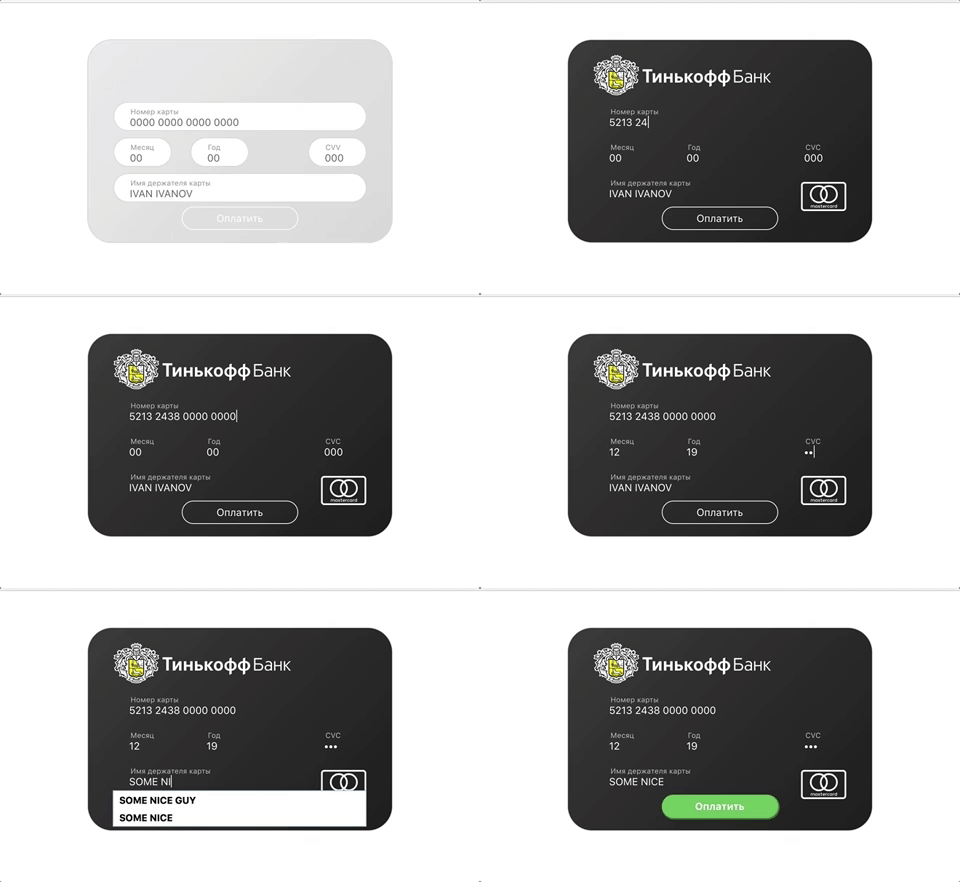
[React version](https://www.npmjs.com/package/react-card-payment)
## Installation
```bash
npm install --save vue-card-payment
```
## Usage
### with Webpack or Rollup
```js
import Vue from 'vue'
import VueCardPayment from 'vue-card-payment'
// You need a specific loader for CSS files like https://github.com/webpack/css-loader
import 'vue-card-payment/dist/vue-card-payment.css'
Vue.use(VueCardPayment)
```
then, place this one in a place you want payment form to appear
```html
```
## Properties
### Settings
| Prop | Data type | Default | Description |
| ------------- |:-------------:| -----| -----|
| showBank | bool | true | if false, card form will not be themed with bank logo and corporate styles
| showPaymentSystem | bool | true | if false, payment system logo will not be showed
### Labels
| Prop | Data type | Default |
| ------------- |:-------------| -----|
| labels.cardnumber | string | Card number |
| labels.month | string | Month |
| labels.year | string | Year |
| labels.cardHolder | string | Cardholder name |
| labels.button | string | Pay |
### Placeholders
| Prop | Data type | Default |
| ------------- |:-------------| -----|
| placeholders.cardnumber | string | 0000 0000 0000 0000 |
| placeholders.month | string | 00 |
| placeholders.year | string | 00 |
| placeholders.cardHolder | string | JOHN DOE |
| placeholders.cvv | string | 000 |
### Events
| Event | Description
| ------------- |:-------------:|
| card-submit | fires when button is pressed |
## Example with settings
```html
```
### Browser
```html
```
## Thanks
[iserdmi](https://www.npmjs.com/~iserdmi) for [card-info](https://www.npmjs.com/package/card-info) plugin, this plugin is primary-based on it
[braintree](https://www.npmjs.com/~braintree) for [card-validator](https://www.npmjs.com/package/card-validator) plugin, this one used here for validation needs
## License
[MIT](http://opensource.org/licenses/MIT)