## # vue-cookie-toggler
#### __Vue 2__ component for GDPR cookies consent.
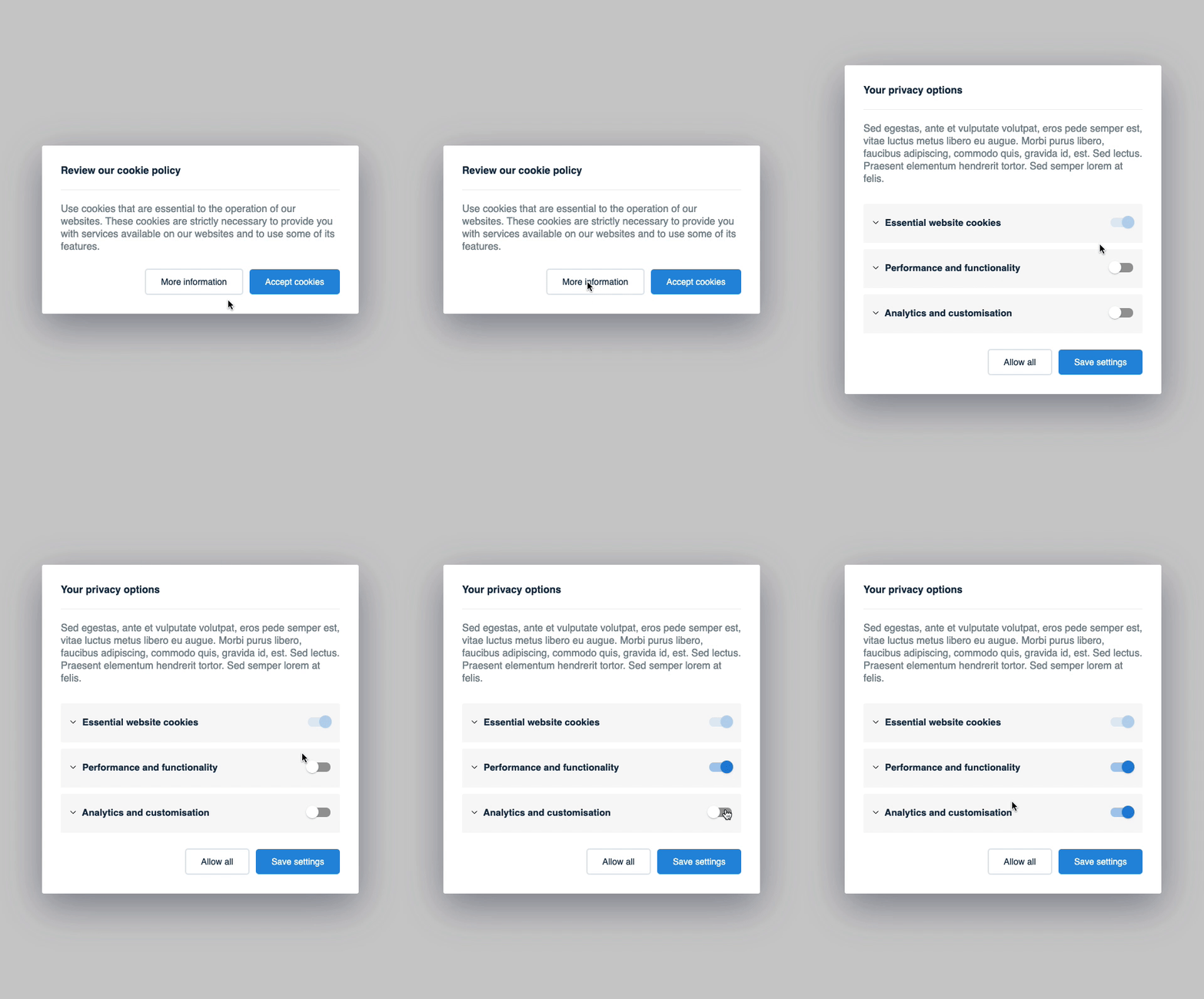
- Categorize the cookies in your application
- Block all categorized cookies until the visitor agrees with the cookie policy
- Allow the visitor to update his/her privacy options through a modal
Currently `iframe` and `script` tags are supported.
[](https://gyazo.com/a1ed9f180fb37109cfb75382a7ad5976)
```sh
# npm
npm i vue-cookie-toggler
#yarn
yarn add vue-cookie-toggler
```
##
### Usage
Import the component like this:
```js
import VueCookieToggler from 'vue-cookie-toggler';
```
Then you can use it in your app like this (see a complete example below):
```html
Cookie policy message
```
`cookiesGroups` example:
```js
[
{
category: 'essential',
name: 'Essential website cookies',
description:'Lorem ipsum dolor sit amet cookie policy.',
active: true,
required: true,
},
{
category: 'analytics',
name: 'Analytics and customization',
description:'Lorem ipsum dolor sit amet.',
active: false,
},
{
category: 'social_networking',
name: 'Social networking',
description:'Lorem ipsum dolor sit amet.',
active: false,
},
]
```
Then in your HTML the `iframes` and `scripts` tags should be written like this:
`script` tag examples:
```html
Example 1:
Example 2:
```
`iframe` tag example:
```html
```
Later, if you want to modify the cookie settings, you can add a link to trigger the cookie settings modal like this:
```html
Update cookie settings
```
##
### `cookiesGroups` options:
| Name | Type | Default value | Description | |
| :------------- |:-------------:|:-------------: |:-------------|:-------------:|
| category | string | | This will be used in `data-category` | `required` |
| name | string | | The cookie title used in Cookie Settings |`required` |
| description | string | | The cookie description used in Cookie Settings |`required` |
| active | boolean | | Whether to set the cookie ON or OFF by default | `required` |
| required | boolean | false | Disable the option to toggle cookie ON/OFF from the Cookie Settings |`optional`|
##
## Example with all the options:
```html
Cookie policy message
Cookie settings message
```
##
### How it works
Becase we have defined the `script` tags with `type="text/plain"` and the `iframes` with `data-src`, the browser will not load them.
At first load the parsers will scan the DOM for `data-cookie` tagged elements and categorize them.
After the visitor accepts the cookie policy, the parsers will enable all `script` tags and `iframes` categorized in the previous step.
##
TODO:
- [x] make the component more flexible (props & slots)
- [ ] improve variables names
- [ ] move CSS to an `assets` folder
- [ ] create a parser for links
- [ ] remove `lodash` dependency
- [ ] `vue-js-modal` issue on mobile for when the modal is to heigh
- [ ] add some examples
- [ ] write proper documentation