# Vue DNI Validator
This library is a collection of utilities that allows you to check if a DNI is valid or not and to transform a string to the expected format.
Supported DNIs:
- Chilean (RUT)
## Installation
```bash
npm install vue-dni --save
# or
yarn add vue-dni
```
```javascript
import { rutValidator, rutFilter, rutInputDirective } from 'vue-dni';
```
## Usage
This library has three base features: a validator, a filter and a directive.
### Validator
The validator checks the passed string and returns a boolean depending on the string's validity as a RUT. We have tested it with [vue-validator](https://github.com/kazupon/vue-validator) and the following example uses that library but it should be usable by any library that uses booleans for validation (like [vee-validate](http://vee-validate.logaretm.com/rules#custom-rules)).
```javascript
import Vue from 'vue';
import { rutValidator } from 'vue-dni';
Vue.validator('rutValidator', rutValidator);
```
And then in your template you can use an `` to bind the validator
```HTML
```
You can bind this validator to show an error message too
```HTML
This RUT is not valid
```
### Filter
With the RUT filter you can format any string to appear as a RUT.
```javascript
import Vue from 'vue';
import { rutFilter } from 'vue-dni';
Vue.filter('rutFilter', rutFilter);
```
and then do the render and filtering
```HTML
{{ user.rut }}
{{ user.rut | rutFilter }}
```
### Directive
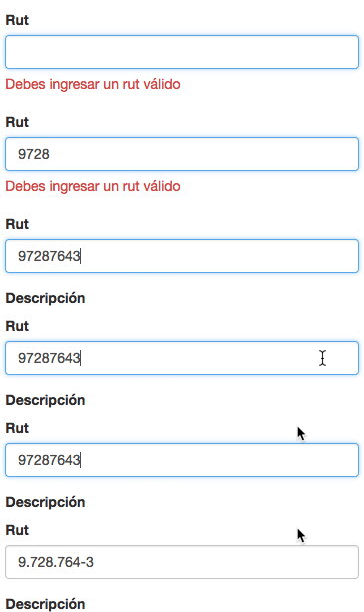
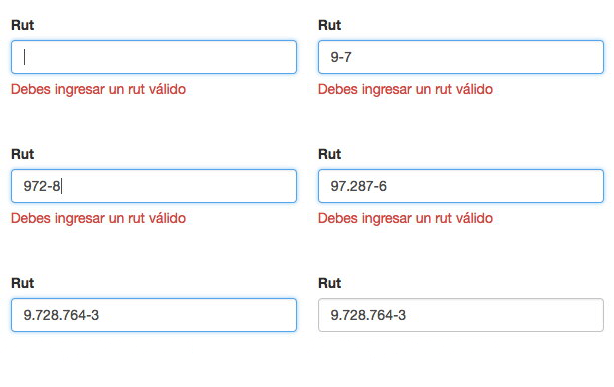
If you want to format the user input in a text field use the included directive.
By default it'll format the string on blur but it can be configured to format while
the text is being written.
```javascript
import Vue from 'vue';
import { rutInputDirective } from 'vue-dni';
Vue.directive('rut', rutInputDirective);
```
And then in your template you can use it like this
```HTML
```