# vue-ele-form-data-editor | vue-ele-form 的极简数据编辑器
[](https://opensource.org/licenses/mit-license.php)
[](https://www.npmjs.com/package/vue-ele-form-data-editor)
[](https://npmcharts.com/compare/vue-ele-form-data-editor?minimal=true)
## 介绍
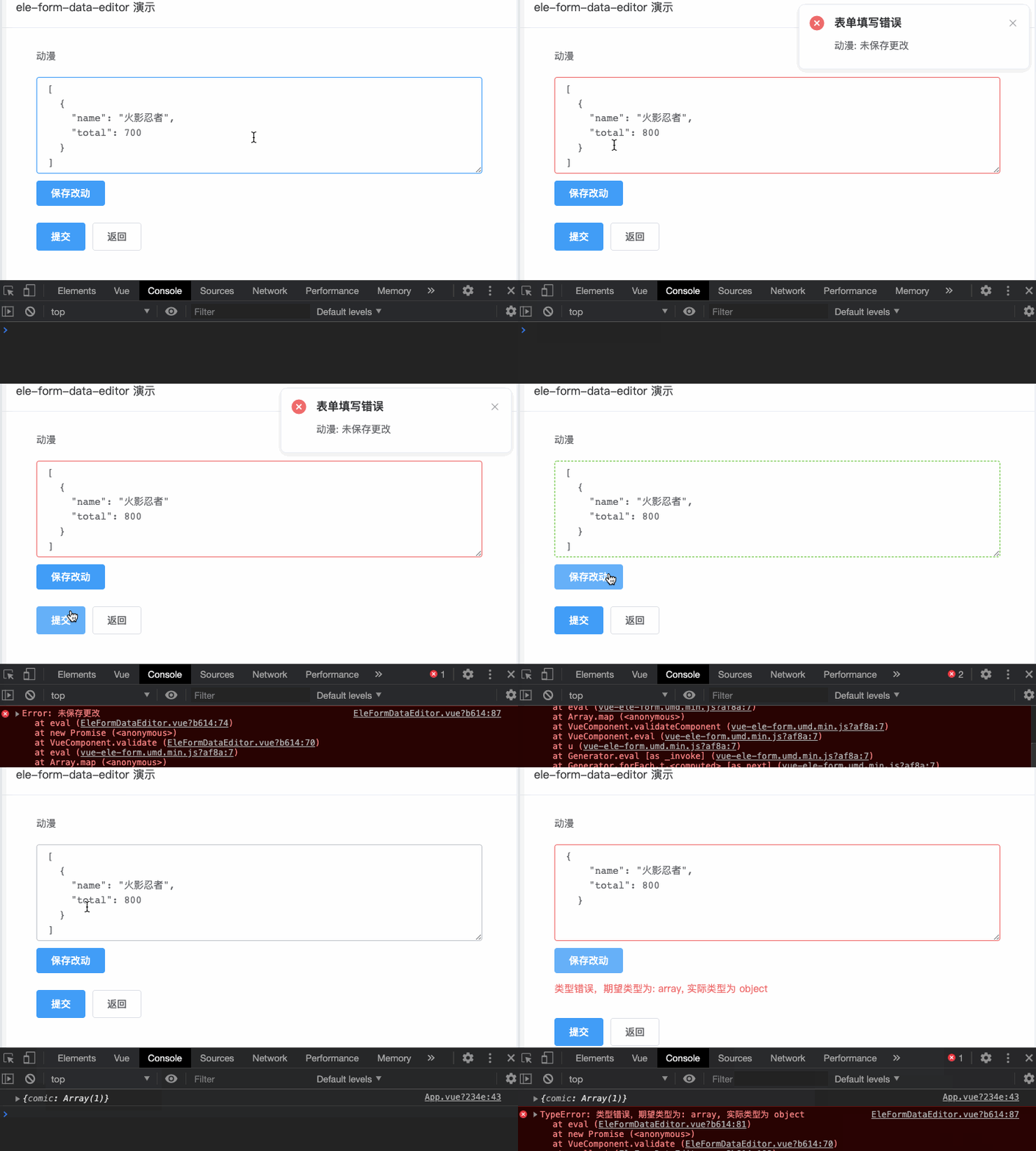
## 安装
```bash
yarn add vue-ele-form-data-editor
```
或者
```bash
npm install vue-ele-form-data-editor --save
```
## 注册和使用
### 全局注册
```js
import EleForm from "vue-ele-form";
import EleFormDataEditor from "vue-ele-form-data-editor";
// 注册 data-editor 组件
Vue.component("data-editor", EleFormDataEditor);
// 注册 ele-form
Vue.use(EleForm, {
// 专门设置全局的 data-editor 属性
"data-editor": {
types: ["array", "object"],
autoSave: false,
// 其它属性,同 element input 组件
// https://element.eleme.cn/#/zh-CN/component/input
rows: 8
}
});
```
### 局部注册
局部注册和使用请参考: [https://www.yuque.com/chaojie-vjiel/vbwzgu/inlpxy#I5kdQ](https://www.yuque.com/chaojie-vjiel/vbwzgu/inlpxy#I5kdQ)
### 使用
```js
formDesc: {
xxx: {
label: 'xxx',
// 只需要在这里指定为 data-editor 即可
type: 'data-editor',
attrs: {
types: ['function', 'promise'],
// 其它属性,同 element input 组件
// https://element.eleme.cn/#/zh-CN/component/input
rows: 8
}
}
}
```
## 示例
```html
```
### attrs
### 参数概述
```js
attrs: {
// 数据类型列表
types: {
type: Array;
},
// 是否在是去焦点时自动保存,默认为 true
autoSave: {
type: Boolean,
default: true
},
// 其它属性,同 element input 组件
// https://element.eleme.cn/#/zh-CN/component/input
}
```
## 相关链接
- [vue-ele-form](https://github.com/dream2023/vue-ele-form)
- [element-ui](https://element.eleme.cn/#/zh-CN/component/input)