# Ethiopian Calendar Vue Component
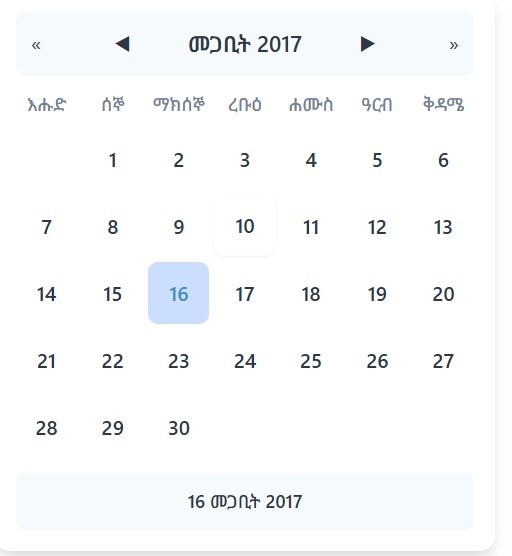
*Amharic language version*
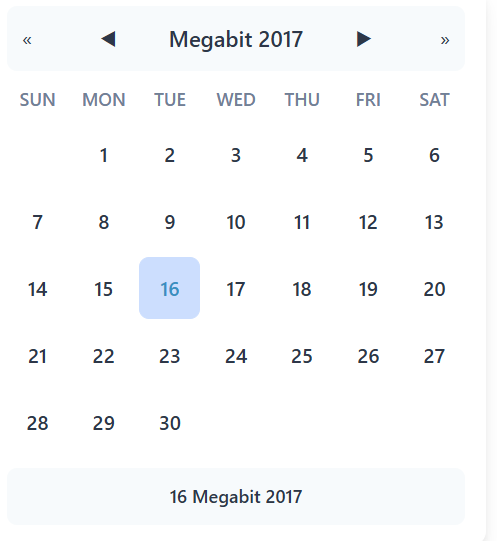
*English language version*
A Vue 2 component for displaying and selecting dates in the Ethiopian calendar. Supports both Amharic and English languages with customizable styling.
## Installation
```bash
npm install vue-ethiopian-calendar
# or
yarn add vue-ethiopian-calendar
```
## Basic Usage
### 🌍 Global Registration (Recommended for app-wide usage)
Register the component globally in your main application file:
```javascript
// main.js
import Vue from 'vue';
import EthiopianCalendar from 'vue-ethiopian-calendar';
import 'vue-ethiopian-calendar/dist/EthiopianCalendar.css';
// Register globally - available in all components
Vue.component('EthiopianCalendar', EthiopianCalendar);
new Vue({
render: h => h(App),
}).$mount('#app');
```
Now you can use it anywhere in your app without importing:
```vue
```
### 🎯 Specific Component Usage
Import directly in your Vue component:
```vue
Select Ethiopian Date
```
## Available Props
| Prop | Type | Default | Description |
|---------------|--------|------------|-------------|
| `language` | String | "am" | Calendar language (`"am"` for Amharic or `"en"` for English) |
| `scope` | String | `"yyyy-mm-dd"` | Selection scope ("yyyy", "yyyy-mm", or "yyyy-mm-dd") |
| `value` | String/Object | `null` | Initial date value (e.g. "2014-07-05" or {year: 2014, month: 7, day: 5}) |
| `primaryColor` | String | `"#ffffff"` | Primary theme color |
| `hoverColor` | String | `"#ffe08a"` | Hover color |
| `todayColor` | String | `"#1fe08a"` | Today indicator color |
| `selectedColor` | String | `"#ccdefe"` | Selected date color |
| `textColor` | String | `"#2d3748"` | Text color |
| `backgroundColor`| String | `"#ffffff"` | Background color |
| `borderColor` | String | `"#ffffff"` | Border color |
| `headerBg` | String | `"#f7fafc"` | Header background color |
| `weekdayColor` | String | `"#718096"` | Weekday text color |
| `fontStack` | String | System fonts | Custom font stack |
## Events
| Event | Description | Payload |
|-------|-------------|---------|
| `date-selected` | Emitted when date is selected | `{ ethiopianDate: {year, month, day}, gregorianDate: {year, month, day}, formatted: string }` |
| `input` | Emitted for v-model support | Current selected date |
| `month-changed` | Emitted when month changes | `{ year: number, month: number }` |
| `year-changed` | Emitted when year changes | `number` (year) |
## Example with All Props
```vue
```
## Navigation Methods
- **Month navigation** (`◀ ▶` buttons)
- **Year navigation** (`« »` buttons)
- **Date selection** (clicking a day)
## Styling Notes
- All colors can be customized via props.
- Responsive design for mobile devices.
## TypeScript Support
The component includes TypeScript definitions for all props and emitted events.
## Browser Support
✅ Chrome
✅ Firefox
✅ Safari
✅ Edge
✅ IE11 (with polyfills)
---
### Author
**Dagem Getachew Asefa**
### License
[MIT](LICENSE)