# vue-parent-change-transition
[![MIT License](http://img.shields.io/badge/license-MIT-blue.svg?style=flat)](LICENSE)
[![NPM](https://nodei.co/npm/vue-parent-change-transition.png?mini=true)](https://nodei.co/npm/vue-parent-change-transition/)

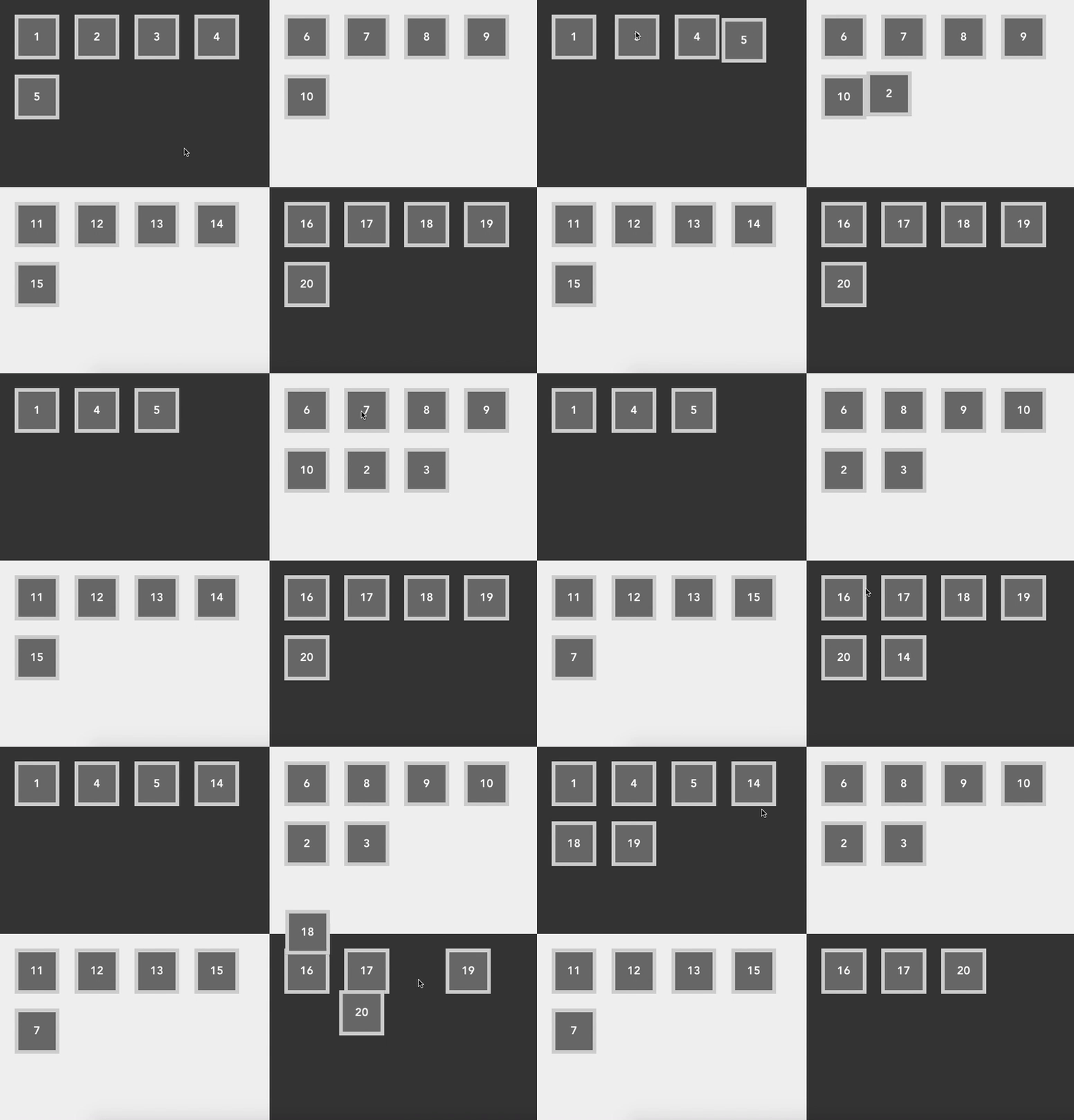
Enable a child components to animate when it changes the parent.

It'll be useful when you create a card game.

(e.g. show transition of a card which move from deck to your hand)

## Live Demo
[Live Demo](https://inamori.github.io/vue-parent-change-transition/)
![demo](https://camo.qiitausercontent.com/e8cc6dde9396bcc6b126c59b38d96081157af4a9/68747470733a2f2f71696974612d696d6167652d73746f72652e73332e616d617a6f6e6177732e636f6d2f302f31373934312f37396436316566612d633566352d353531322d643733372d3764323037636137346333632e676966)

when you click a rect, the rect moves to another parent and show transit animation.

## Installation

``` bash
npm i vue-parent-change-transition --save
```

## Usage

[日本語記事](https://qiita.com/inamori/items/4877aabeec69f88607da)

parent
```
<template>
  <div class="place">
    <child v-for="childId in model.children" :id="childId" :placeId="model.id" :key="childId" />
  </div>
</template>
```
child
```
<template>
  <parent-change-transition :idPropertyName="'childId'" :duration="300">
    <div class="child" @click="changeParent"></div>
  </parent-change-transition>
</template>

<script>
...
methods: {
  changeParent () {
    // move to under another parent
  }
}

computed: {
  childId () {
    // return the property which identify this data model
    // you can change this key via "idPropertyName" props
  }
}
</script>
```
