# Material Ripple Effect
Material Ripple Effect as Vue Directive.
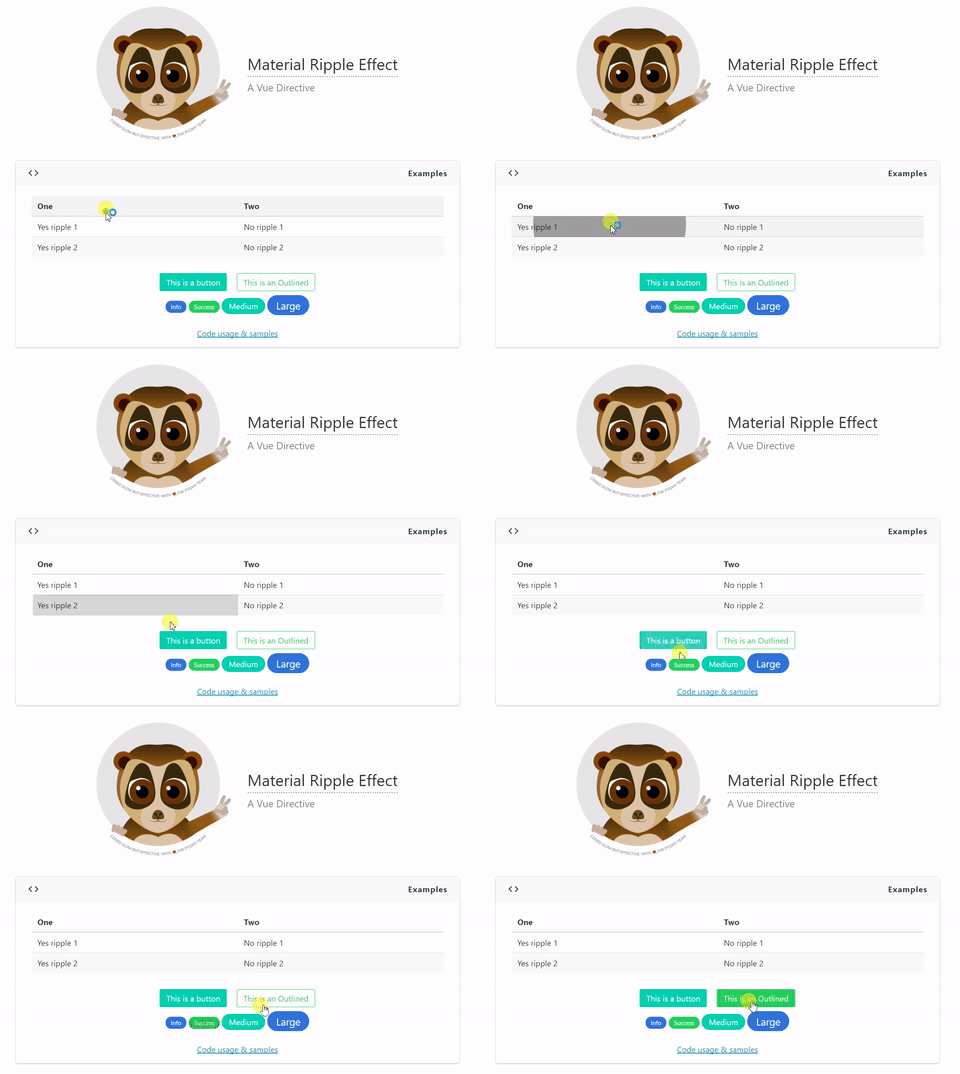
This directive it's meant to be used in any element in which you like to achieve such ripple effect.
Live Demo
## Installation
```
npm install vue-ripple-directive --save
```
>### Important Notice
>The directive will work better if the element where you attach it is **relative positioned**.
>Although the directive will try to set `position: relative` if the element does not have this property.
>This is because the ripple since v2.0.* is `position: absolute`, to avoid trailing issues when elements with the directive in the UI move.
## Options
Optional parameter to pass to the directive.
| Parameter | Type | Values |
| :--------------- | :------- | :--------- |
| `color-value` | String | Default: 'rgba(0, 0, 0, 0.35)'.
Accepts either HEX, RGB & RGBA values. For optimal look use RGBA with low opacity. |
## Modifiers
By default this directive attaches a click handler to the element as well as the transition is set for 600ms.
For those who wants to modify the same, just pass modifiers to the directive:
```
v-ripple.mouseover.500
```
Can also modify only one
```
v-ripple.mouseover
```
## Sample & Usage
First you need to import the directive and add it to Vue.
```
import Ripple from 'vue-ripple-directive'
Vue.directive('ripple', Ripple);
```
Then use on any element you want to achieve the effect.
```
This is a button
```
If you want a custom color just pass a color parameter as `string`. It's best if you use RGBA colors to achieve a greater effect.
```
I have different color
```
## Global settings
You can set the default color and z-index for all your ripples as the following example
```
import Ripple from 'vue-ripple-directive'
Ripple.color = 'rgba(255, 255, 255, 0.35)';
Ripple.zIndex = 55;
Vue.directive('ripple', Ripple);
```