# vue-select-avatar
[![NPM Version][npm-version-image]][npm-url]
[![NPM Downloads][npm-downloads-image]][npm-url]
[![License][license-image]][license-url]
**基于 Vue 3 的头像选择与裁剪组件**
一个轻量级、功能丰富的头像裁剪库,支持图片校验、压缩、格式转换和实时预览
---
## 📸 在线演示
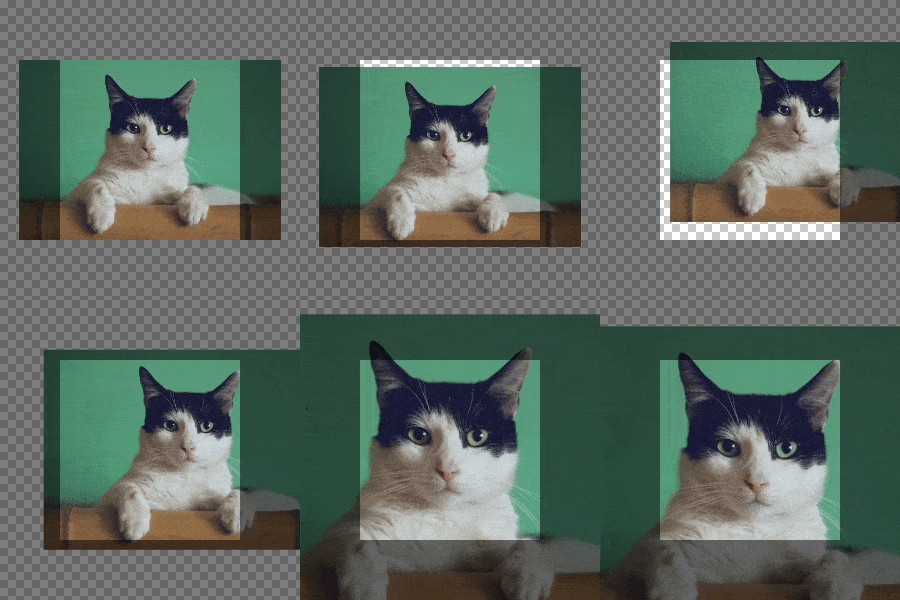
| 观察窗固定模式 | 图片固定模式 |
| :------------------------------------------------------------------------: | :-------------------------------------------------------------------------: |
| 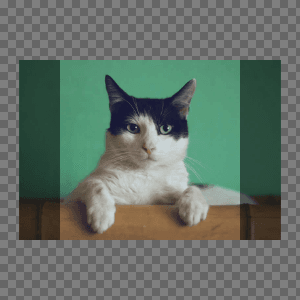 | 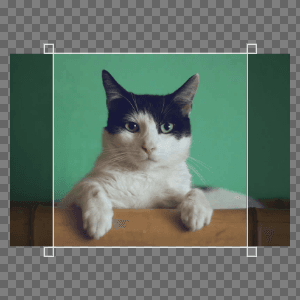 |
---
## 🔗 快速链接
- 📖 [完整文档](https://xiangheng08.github.io/vue-select-avatar/)
- 🎯 [在线示例](https://xiangheng08.github.io/vue-select-avatar/usage)
- 📝 [更新日志](https://xiangheng08.github.io/vue-select-avatar/CHANGELOG)
## 功能特性
- 🖼️ 图片格式校验与尺寸限制(支持多种图片格式,可设置文件大小和尺寸限制)
- 📏 自动缩放超大图片(支持设置最大尺寸,自动等比例缩放)
- ⚡ 内置图片压缩功能(可配置压缩质量和触发条件)
- ✂️ 可视化区域裁剪(支持1:1正方形裁剪,实时预览效果)
- 📤 支持输出文件或Base64格式(灵活选择输出格式)
- 🎨 可配置JPEG背景色(支持自定义透明背景填充色)
- 🖱️ 多种交互方式(鼠标拖拽、滚轮缩放、键盘快捷键控制)
- 📱 触摸设备支持(单指拖动、双指缩放操作)
- 🔄 两种工作模式(固定图片或固定观察窗模式)
- 👁️ 实时预览组件(同步显示裁剪效果,支持圆形预览)
- 🌐 多语言支持(内置中英文,支持自定义错误信息)
## 安装
```sh
npm i vue-select-avatar
pnpm add vue-select-avatar
yarn add vue-select-avatar
```
## 使用
```vue
```
## 开发
```sh
git clone https://github.com/xiangheng08/vue-select-avatar.git
# or
git clone https://gitee.com/xiangheng08/vue-select-avatar.git
cd vue-select-avatar
pnpm i
pnpm dev # 启动开发服务
pnpm build # 构建项目
pnpm docs:dev # 启动文档开发服务(请先运行 pnpm build)
pnpm docs:build # 构建文档(请先运行 pnpm build)
```
## License
[MIT](https://github.com/xiangheng08/vue-select-avatar/blob/HEAD/LICENSE)
[npm-url]: https://www.npmjs.com/package/vue-select-avatar
[npm-version-image]: https://badgen.net/npm/v/vue-select-avatar
[npm-downloads-image]: https://badgen.net/npm/dm/vue-select-avatar
[license-image]: https://badgen.net/github/license/xiangheng08/vue-select-avatar
[license-url]: https://github.com/xiangheng08/vue-select-avatar/blob/HEAD/LICENSE