# vue3-mycalendar
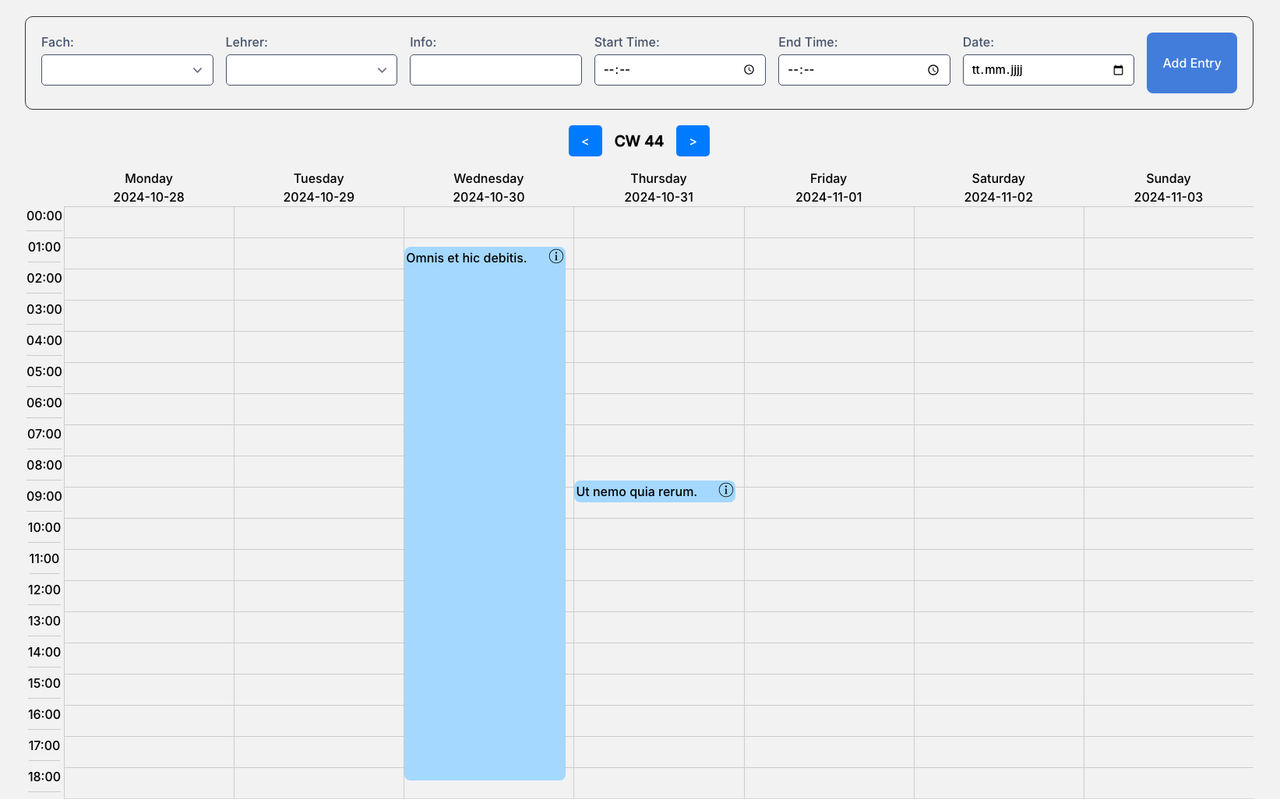
vue3-mycalendar is a powerful and customisable calendar component for Vue 3 that provides an easy way to view and manage calendar events and supports custom fields and customisable labels and styles.
## Installation
Install with npm
```bash
npm install vue3-mycalendar
```
## Use:
```typescript
```
## Props
| Prop | Typ | Description |
| ------------------|--------| ------------------------------------------------------------------ |
| schedules | Array | A list of events that are displayed in the calendar. |
| additionalFields | Array | A list of additional fields for the event form. |
| customClass | String | A custom CSS class to customise the component layout. |
| labelsAndSettings | Object | An object for customising the labels and text settings of the calendar component. |
| popupFields | Array | An array of fields to be displayed in the popup for event details. |
## Emitted Events
| Event Name | Payload | Description |
| ------------------|-----------------------| ----------------------------------------------------------|
| submitEvent | EventInfo | Triggered when a new event is added via the form. |
| handleDelete | `Number | String` | Triggered when an event is deleted via the popup. |
## Required Fields in schedules
Each event object within the schedules array must include the following standard fields:
| Field | Typ | Description |
| ------------------|--------| --------------------------------------------------------|
| id | Number | A unique identifier for the event. |
| title | String | The title or name of the event. |
| date | String | The date of the event (format: YYYY-MM-DD). |
| start | String | The start time of the event (format: HH:MM). |
| end | String | The end time of the event (format: HH:MM). |
| color | String |A required background color for the event (e.g., #a4d8ff). |
Additional fields, such as info or custom fields defined in additionalFields, are optional but can be added to extend the event data as needed.
## Screenshots
## Upcoming Features
This project is actively maintained, and I plan to add exciting new features in the future.
Stay tuned for regular updates and feature releases!
## 🚀 About Me
I am a motivated junior developer looking to grow through hands-on experience in various projects. I work as a full-stack developer in the cloud department of a cybersecurity product vendor, where I am dedicated to developing secure and robust applications. My goal is to continuously expand my skills and make a significant contribution to the tech industry.
## License
[MIT](https://choosealicense.com/licenses/mit/)