<p align='center'>

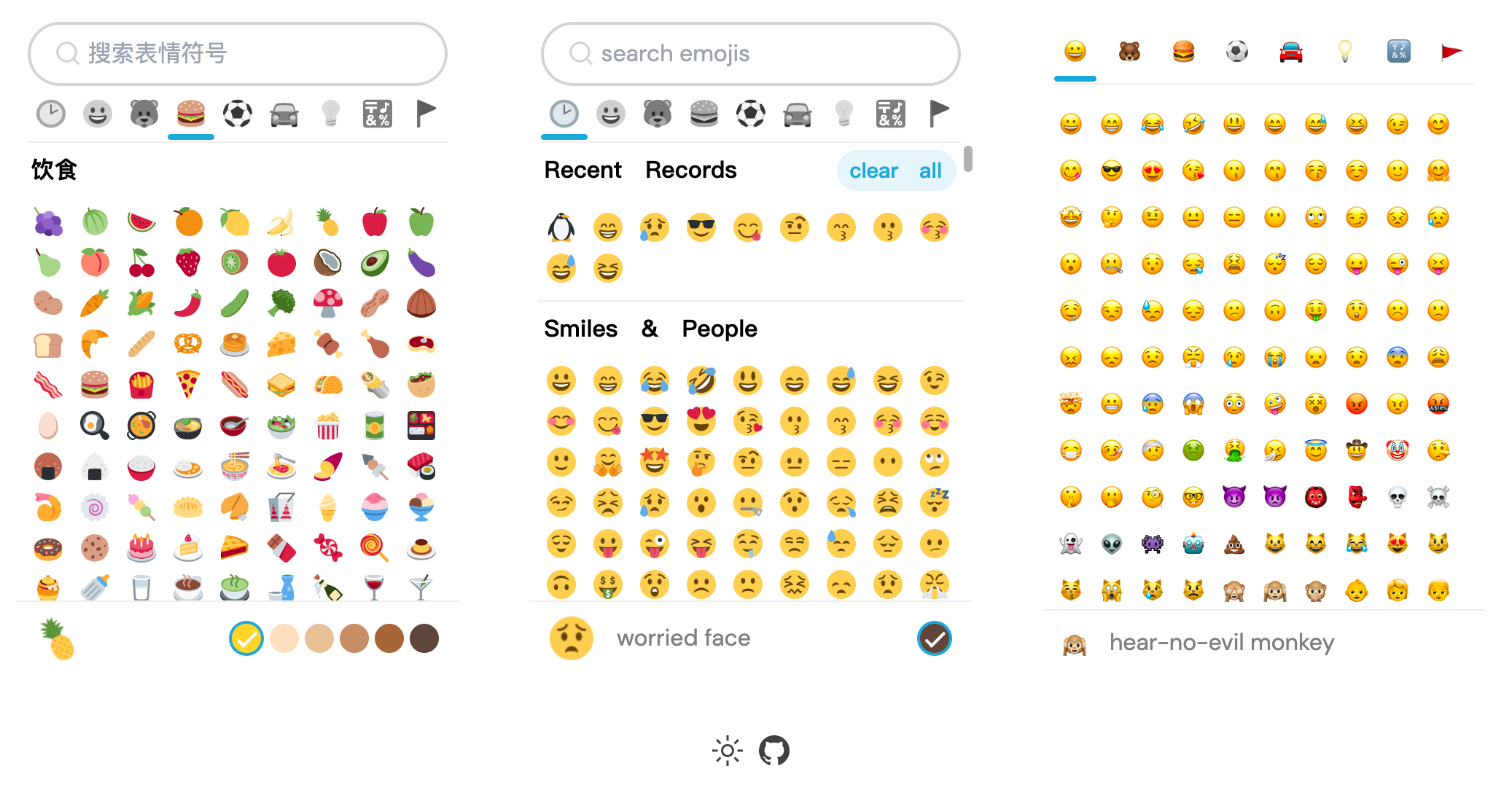
  <img src='https://s1.ax1x.com/2022/05/24/XPBPIO.png' alt='vue3 twemoji picker' width='800'/>
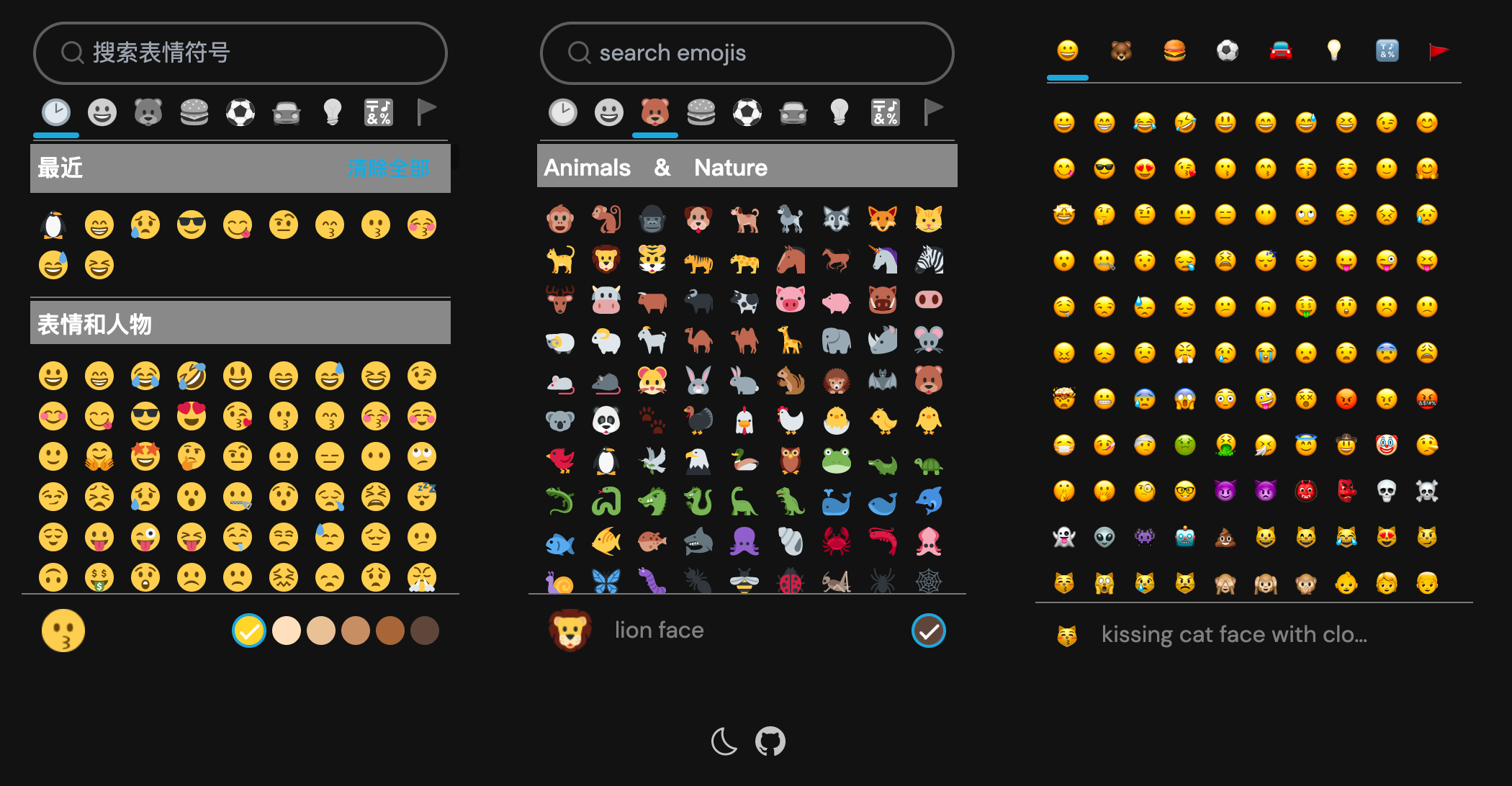
  <img src='https://s1.ax1x.com/2022/05/24/XPBZQA.png' alt='vue3 twemoji picker' width='800'/>
</p>

<h6 align='center'>
<a href="https://vue3-twemoji-picker.netlify.app/">Live Demo</a>
</h6>

<br>

<p align='center'>
<b>English</b> | <a href="https://github.com/limin04551/vue3-twemoji-picker/blob/main/README.zh-CN.md">简体中文</a>
<!-- Contributors: Thanks for geting interested, however we DON'T accept new transitions to the README, thanks. -->
</p>
<br>

## Features

- ⚡️ [Vue 3](https://github.com/vuejs/vue-next), [Vite 2](https://github.com/vitejs/vite), [pnpm](https://pnpm.js.org/), [ESBuild](https://github.com/evanw/esbuild) - born with fastness

- 😃 [Twitter-Emoji](https://github.com/twitter/twemoji)

- 🔥 Use the [new `<script setup>` style](https://github.com/vuejs/rfcs/pull/227)

- 🦾 TypeScript, of course
<br>

## Installation:
```bash
npm install vue3-twemoji-picker-final
// or
pnpm install vue3-twemoji-picker-final
// or
yarn add vue3-twemoji-picker-final
```

## Usage:
you should copy images to your project folder and then 'imgSrc' param use your path,Otherwise, the picture will access the dependency package of node_modules

<p align='center'>
  <img src='https://s1.ax1x.com/2022/05/25/XkdwCD.png' alt='vue3 twemoji picker' width='300'/>
</p>

```bash
<script setup lang="ts">
// import picker compopnent
import { EmojiPicker } from 'vue3-twemoji-picker-final'

const selectEmoji = (e: any) => {
  console.log(e, 'e')
//   {
//     "n": [  //desc name
//         "smiling face with heart-shaped eyes",
//         "heart_eyes"
//     ],
//     "u": {
//         "u": "1f60d",//without tone
//         "x": 12,     // All pictures of a picture of a picture of the x coordinates
//         "y": 0       //All pictures of a picture of a picture of the y coordinates
//     },
//     "r": {
//         "u": "1f60d",//with skin tone
//         "x": 12,
//         "y": 0
//     },
//     "t": "neutral", // skin tone
//     "i": "😍",      // emoji unicode
//     "imgSrc": "https://fastly.jsdelivr.net/gh/limin04551/vue3-twemoji-picker/public/img/svg/1f60d.svg"
// }              //img path ,you can use cdn
}
</script>

<template>
  <div flex="~ col" items-center>
    <div flex h120>
      <EmojiPicker @select="selectEmoji" />
      <EmojiPicker :options="{imgSrc:'https://fastly.jsdelivr.net/gh/limin04551/vue3-twemoji-picker/public/img/','locals':'en'}" @select="selectEmoji" />
      <EmojiPicker
        :options="{imgSrc:'/img/',native:true,locals:'en',hasGroupIcons:true,hasSearch:false,
                   hasGroupNames:false,stickyGroupNames:false,hasSkinTones:false,
                   recentRecords:false,}"
        @select="selectEmoji"
      />
    </div>
    <Footer />
  </div>
</template>

```

if use TypeScript, add your own declaration in a declaration file such as index.d.ts(maybe under the project root)

```javascript
 declare module 'vue3-twemoji-picker-final'
```

## Try it now!
### This is my first TypeScript project. If it is helpful to you, please give me a start ~ ⭐️

### GitHub 

[https://github.com/limin04551/vue3-twemoji-picker](https://github.com/limin04551/vue3-twemoji-picker).


