# waterfall-js 瀑布流布局
- 演示图 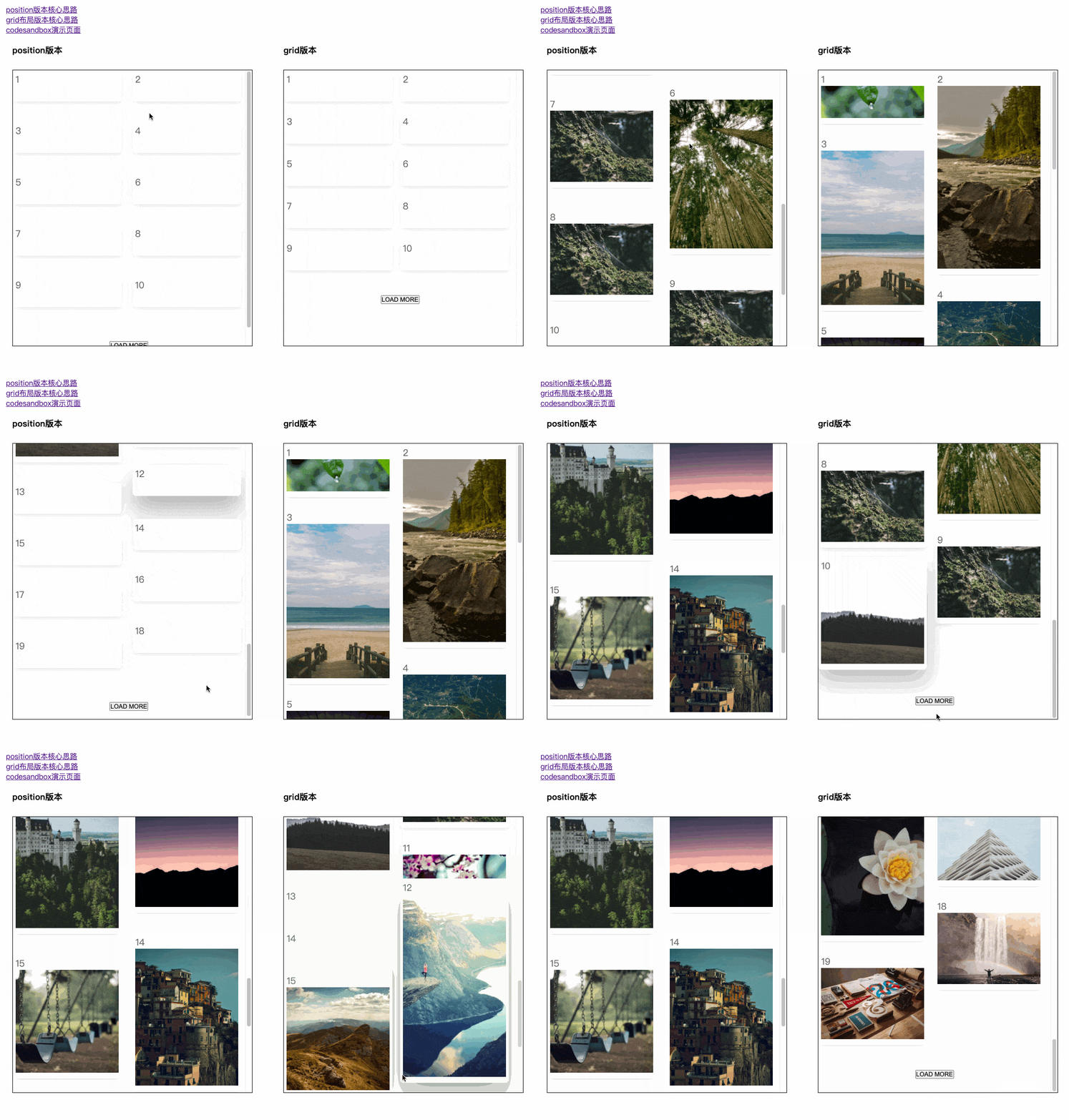
- 核心思路借鉴自 [position版本](https://codepen.io/iounini/pen/KyYPKe)、[grid版本](https://juejin.cn/post/6844904004720263176#heading-6)
- [演示页面-index.html](./src//index.html)
- [React 版本 codesandbox 演示页面](https://codesandbox.io/s/busy-faraday-w538tc)
### 使用方式
1. 直接cdn引入
```js
// 示例代码: https://github.com/hugeorange/waterfalljs/blob/master/demo/index.html
```
2. React 版本
```js
// yarn add waterfalljs-layout
import Waterfall from "waterfalljs-layout/react";
// 详细演示页面请参考
// 1. https://github.com/hugeorange/waterfalljs/blob/master/demo/react-demo.tsx
// 2. https://codesandbox.io/s/busy-faraday-w538tc
(ulMaxHRef.current = h)}
>
{images.map((item: any, index) => {
return (
alert('图片地址为:' + item)}>
)
})}
```
3. 简单粗暴的办法直接拷贝`src/index.ts`目录下的代码到你的项目中使用,vue、react项目均可,或是直接 esmodule 导入 `import Waterfall from "waterfalljs-layout`
---
## API
`option`:
| 选项 | 含义 | 值类型 | 默认值 | 备注 |
| ---- | ---------- | ---- | ----------- | --- |
| el| 容器元素id | string | |例如:`#waterfall` 容器必须是ul元素,使用react组件不必传此项|
| columnWidth | 每一列的宽度 | number | 360 | 单位px |
| columnCount |多少列 | number | - | 不传会自动根据columnWidth分配 |
| columnGap | 每列之间的间隙 | number | 24 | 单位px|
| rowGap | 每列之间的间隙 | number | 24 | 单位px|
| delay | 轮询排布的间隔时间 | number | 500 |单位 ms,轮询获取元素高度的间隔时间|
| customStyle | 自定义样式 | string | -| |
| onChangeUlMaxH | 实时获取容器高度 | (h: number) => void | - |可在上拉加载场景中使用|
## 注意事项
- 使用UMD方式时 ==> html元素层级关系必须是 `ul#el>li>div> 自己需展示的内容`
- 使用React版本时 ==> `Children` 必须是 `自己需展示的内容
`
## rollup 打包遇到的问题
- 采用 rollup 多入口打包,分别打出无框架依赖的核心 js 库,和 react 版本的库 - 配置文件详见 [rollup.config.js](./rollup.config.js),react 版本本地开发调试配置文件[rollup.config.react-dev.js](./rollup.config.react-dev.js)
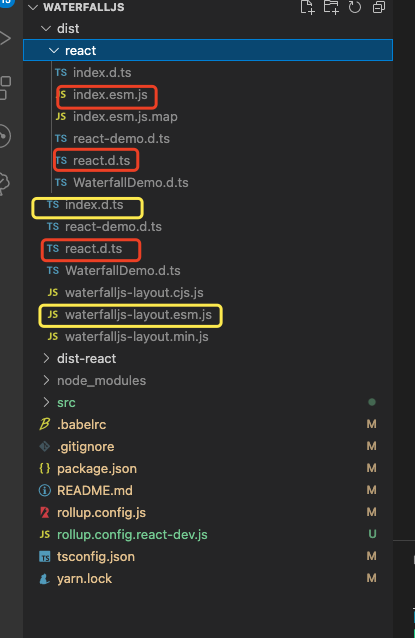
- 为了方便 核心 js库 引用及 react 版本没有区分目录,统一放在 src 根目录下,ts 自动生成 `.d.ts` 会根据文件名自动生成一个目录(并且会为所有文件生成 `.d.ts`) 如下图所示
- package.json 怎么定义导出两个包,参考自 `swiper` 的定义方式 [Node.JS(新)Package.json exports 字段](https://www.cnblogs.com/taohuaya/p/15573719.html)
- swiper 定义方式 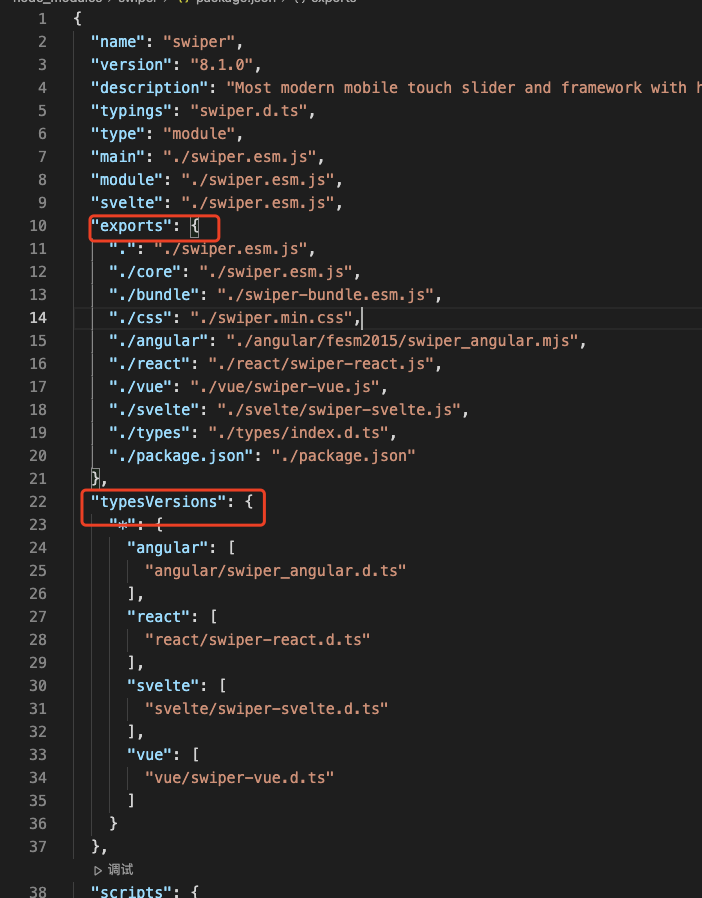
- [ ] TODO: rollup react开发环境无法加载node_module里面的包