# web-pseudo-localizer
> **to test your website's localizability**
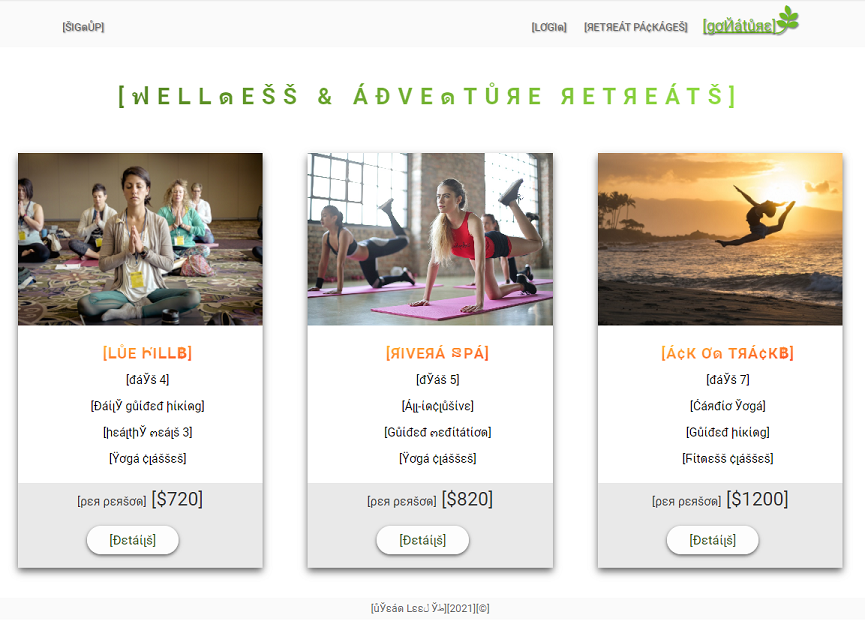
#### web-pseudo-localizer provides the ability to scrape web pages and convert any text to pseudo-localized characters to test your website's localizability.
## Install
> npm i web-pseudo-localizer
## Usage
const pseudoLocalizer = require('web-pseudo-localizer')
pseudoLocalizer('http://example.com', {
prefix: '[',
suffix: ']',
expansion: 30,
bidi: 'rtl',
});
------------------------- OR -------------------------------
const pseudoLocalizer = require('web-pseudo-localizer')
let options = {
prefix: '[',
suffix: ']',
expansion: 10,
bidi: 'ltr',
}
pseudoLocalizer('http://example.com', options);
## API
### pseudolocalizer(url, options?)
> #### options
> type: Object
*prefix*
type: string
default: '['
*suffix*
type:string
default: ']'
*expansion* (It provides extra white space to test strings in the target language that take up more space than the source language.)
type:number
default: 1
unit: %
*bidi*
type: string
default: 'ltr'
text direction: ltr | rtl
### Note
Chromium is used as the default browser. The default size of the browser viewport is 800 x 600. To change the viewport in full view mode, open your browser DevTools and click the Toggle device toolbar: the shortcut for windows Ctrl+Shift+J and then Ctrl+Shift+M twice.