# i-header
> Weex 顶部导航栏组件
### 规则
- 优先使用 Native 自带的 [Navigator Bar](https://developer.apple.com/documentation/uikit/uinavigationbar)
## [Demo](https://h5.m.taobao.com/trip/wxc-minibar/index.html?_wx_tpl=https%3A%2F%2Fh5.m.taobao.com%2Ftrip%2Fwxc-minibar%2Fdemo%2Findex.native-min.js)
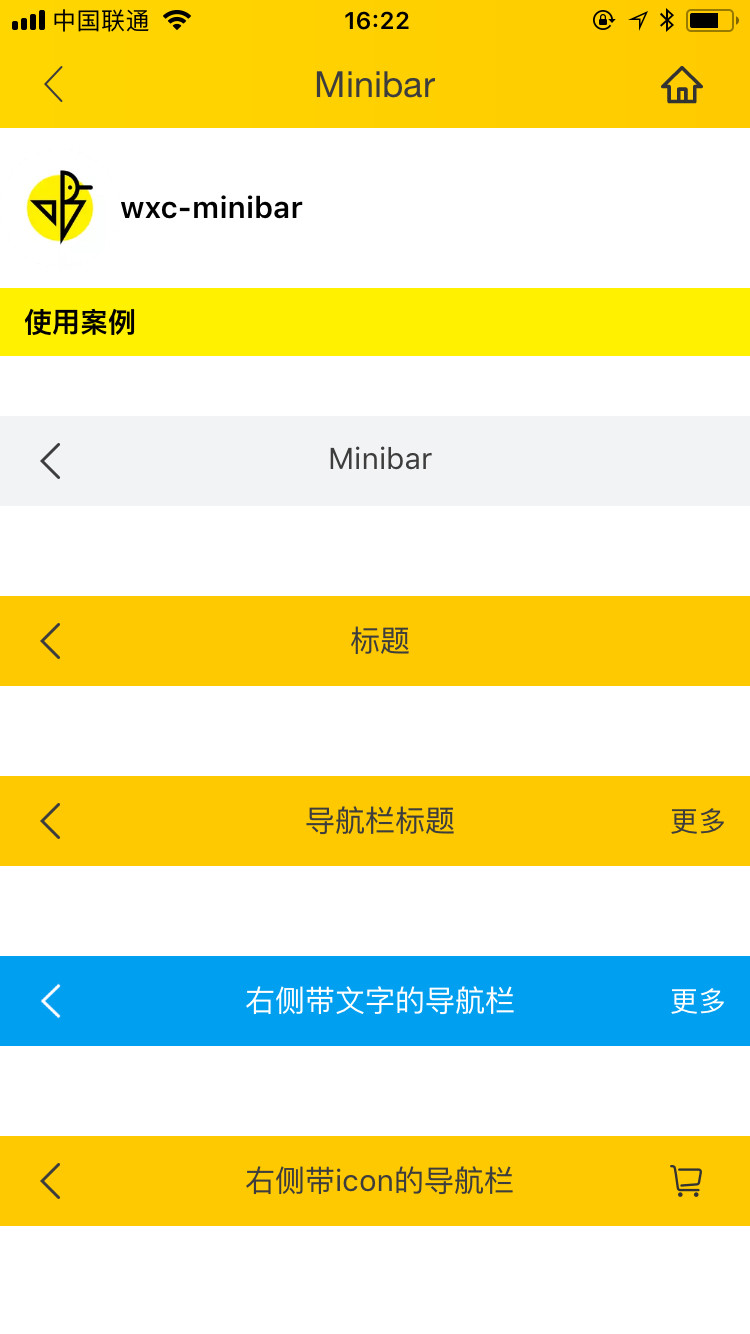
 ## 使用方法
```vue
```
更详细代码可以参考 [demo](https://github.com/alibaba/weex-ui/blob/master/example/minibar/index.vue)
### 可配置参数
| Prop | Type | Required | Default | Description |
|-------------|------------|--------|-----|-----|
| title | `String` |`Y`| `-` | 标题 |
| styleEx | `Object` |`N`| `{}` | 最外层样式|
| leftItem | `Object` |`N`| `{}` | 左侧内容|
| rightItem | `Object` |`N`| `{}` | 右侧内容|
| ios | `Boolean` |`N`| `false` | 是否是ios手机 |
| goBack | `Boolean` |`N`| `true` | 是否默认点击左侧返回上一页 |
| height | `String` |`N`| `120px` | 最外层高度 |
| source | `String` |`N`| `-` | 从哪个页面跳转过来的 |
| iphoneX | `Boolean` | `N` |`false`| 是否是iphoneX手机 |
| isShowTitle | `Boolean` | `N`|`true` | 是否展示标题 |
| middleTextColor | `String` |`N`| `#323232` | 标题颜色 |
### Slot
当以上配置都不满足时候,你可以使用 slot 来自定义设置你的组件。 `weex-ui >= 0.3.9`
1. ``:左边返回坑位
2. ``:中间标题坑位
3. ``:右边坑位
## 使用方法
```vue
```
更详细代码可以参考 [demo](https://github.com/alibaba/weex-ui/blob/master/example/minibar/index.vue)
### 可配置参数
| Prop | Type | Required | Default | Description |
|-------------|------------|--------|-----|-----|
| title | `String` |`Y`| `-` | 标题 |
| styleEx | `Object` |`N`| `{}` | 最外层样式|
| leftItem | `Object` |`N`| `{}` | 左侧内容|
| rightItem | `Object` |`N`| `{}` | 右侧内容|
| ios | `Boolean` |`N`| `false` | 是否是ios手机 |
| goBack | `Boolean` |`N`| `true` | 是否默认点击左侧返回上一页 |
| height | `String` |`N`| `120px` | 最外层高度 |
| source | `String` |`N`| `-` | 从哪个页面跳转过来的 |
| iphoneX | `Boolean` | `N` |`false`| 是否是iphoneX手机 |
| isShowTitle | `Boolean` | `N`|`true` | 是否展示标题 |
| middleTextColor | `String` |`N`| `#323232` | 标题颜色 |
### Slot
当以上配置都不满足时候,你可以使用 slot 来自定义设置你的组件。 `weex-ui >= 0.3.9`
1. ``:左边返回坑位
2. ``:中间标题坑位
3. ``:右边坑位
 ```
Customize this component
```
### 事件回调
```
// @leftClick="leftClick"
// @rightClick="rightClick"
// @centerClick="centerClick"
```
```
Customize this component
```
### 事件回调
```
// @leftClick="leftClick"
// @rightClick="rightClick"
// @centerClick="centerClick"
```