# wxc-progress 

> 一个weex进度条组件

- 规则
  - 表明某个任务的当前进度
  - 需要准确告知当前进度，否则应该使用wxc-loading


## [Demo预览](https://h5.m.taobao.com/trip/wxc-progress/index.html?_wx_tpl=https%3A%2F%2Fh5.m.taobao.com%2Ftrip%2Fwxc-progress%2Fdemo%2Findex.native-min.js)
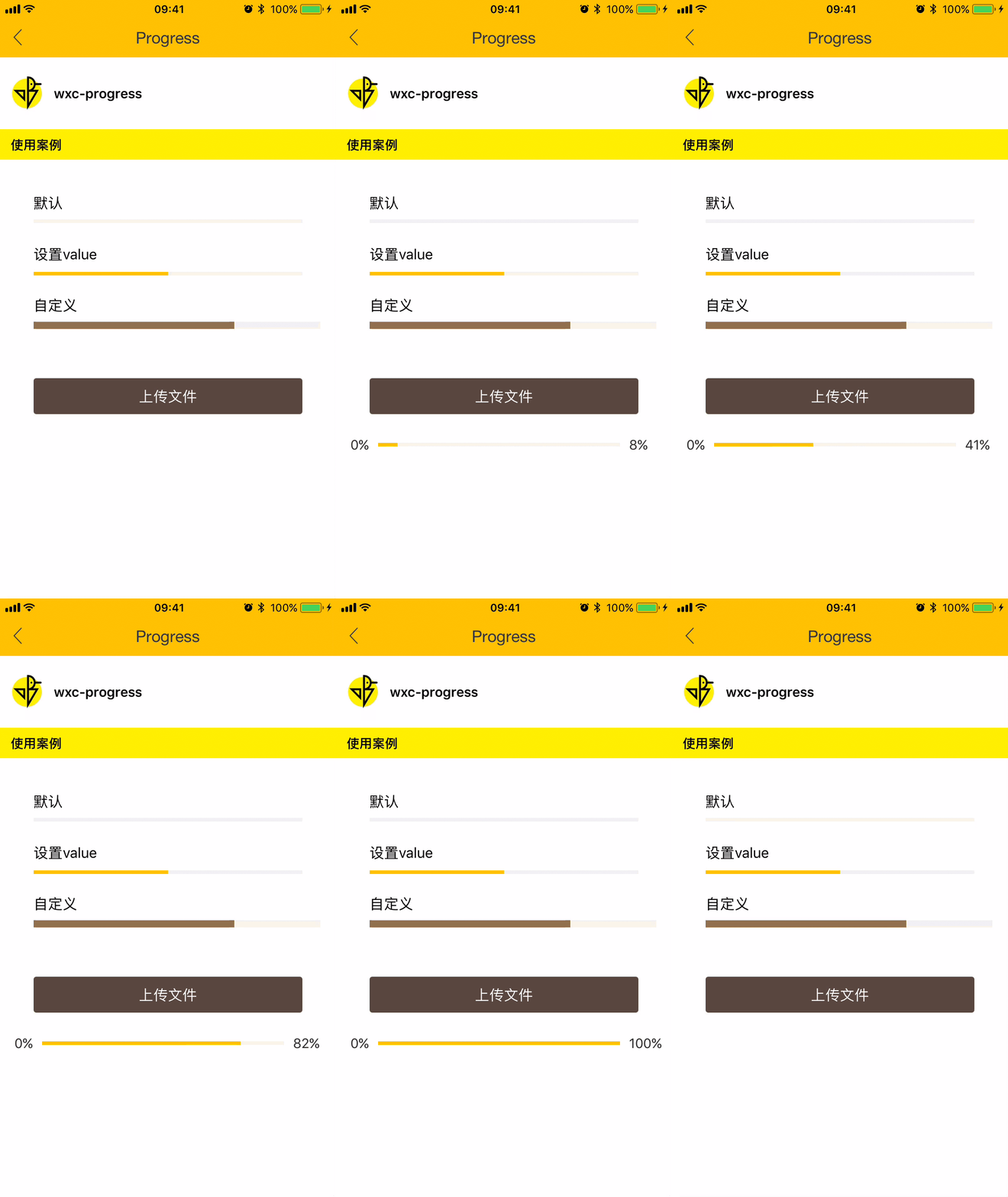
<img src="https://img.alicdn.com/tfs/TB1RWnVSpXXXXaZXFXXXXXXXXXX-750-1334.gif" width="240"/>&nbsp;&nbsp;&nbsp;&nbsp;<img src="https://img.alicdn.com/tfs/TB1pSZaSpXXXXaXXXXXXXXXXXXX-200-200.png" width="160"/>

## 使用方法

```vue
<template>
  <div class="wrapper">
    <div class="demo">
      <text class="demo-text">默认</text>
      <wxc-progress></wxc-progress>
    </div>
    <div class="demo">
      <text class="demo-text">设置value</text>
      <wxc-progress :value=50
                    :bar-width=600></wxc-progress>
    </div>
    <div class="demo">
      <text class="demo-text">自定义</text>
      <wxc-progress :value=70
                    bar-color='#9B7B56'
                    :bar-height=16
                    :bar-width=640></wxc-progress>
    </div>
    <div class="btn"
         @click="uploadFile">
      <text class="btn-txt">上传文件</text>
    </div>
    <div class="up-demo"
         v-if="progressVisible">
      <text class="progress-text left">0%</text>
      <wxc-progress :value="value"
                    :bar-width=540></wxc-progress>
      <text class="progress-text right">{{value}}%</text>
    </div>
  </div>
</template>

<script>
  import { WxcProgress } from 'weex-ui'
  export default {
    components: { WxcProgress },
    data: () => ({
      value: 0,
      uploading: false,
      progressVisible: false,
      timer: null
    }),
    methods: {
      uploadFile () {
        if (!this.uploading) {
          this.value = 0;
          this.uploading = true;
          this.progressVisible = true;
          this.timer = setInterval(() => {
            if (this.value < 100) {
              this.value++
            } else {
              this.uploading = false;
              setTimeout(() => {
                this.progressVisible = false;
              }, 500)
              clearTimeout(this.timer);
            }
          }, 10);
        }
      }
    }
  }
</script>

```

更详细代码可以参考 [demo](https://github.com/alibaba/weex-ui/blob/master/example/progress/index.vue)


### 可配置参数

| 名称      | 类型     | 默认值   | 备注  |
|-------------|------------|--------|-----|
| value | `Number` | `0` | 进度百分比(0-100) |
| bar-height | `Number` | `8` | 进度条的高度 |
| bar-width | `Number` | `600` | 进度条的长度 |
| bar-color | `String` | `#FFC900` | 进度条的颜色 |