# wxc-city
> 通用城市选择组件,允许配置输入框、定位、热门城市、普通城市列表等
## [Demo](https://h5.m.taobao.com/trip/wx-detection-demo/city/index.html?_wx_tpl=https%3A%2F%2Fh5.m.taobao.com%2Ftrip%2Fwx-detection-demo%2Fcity%2Findex.weex.js)
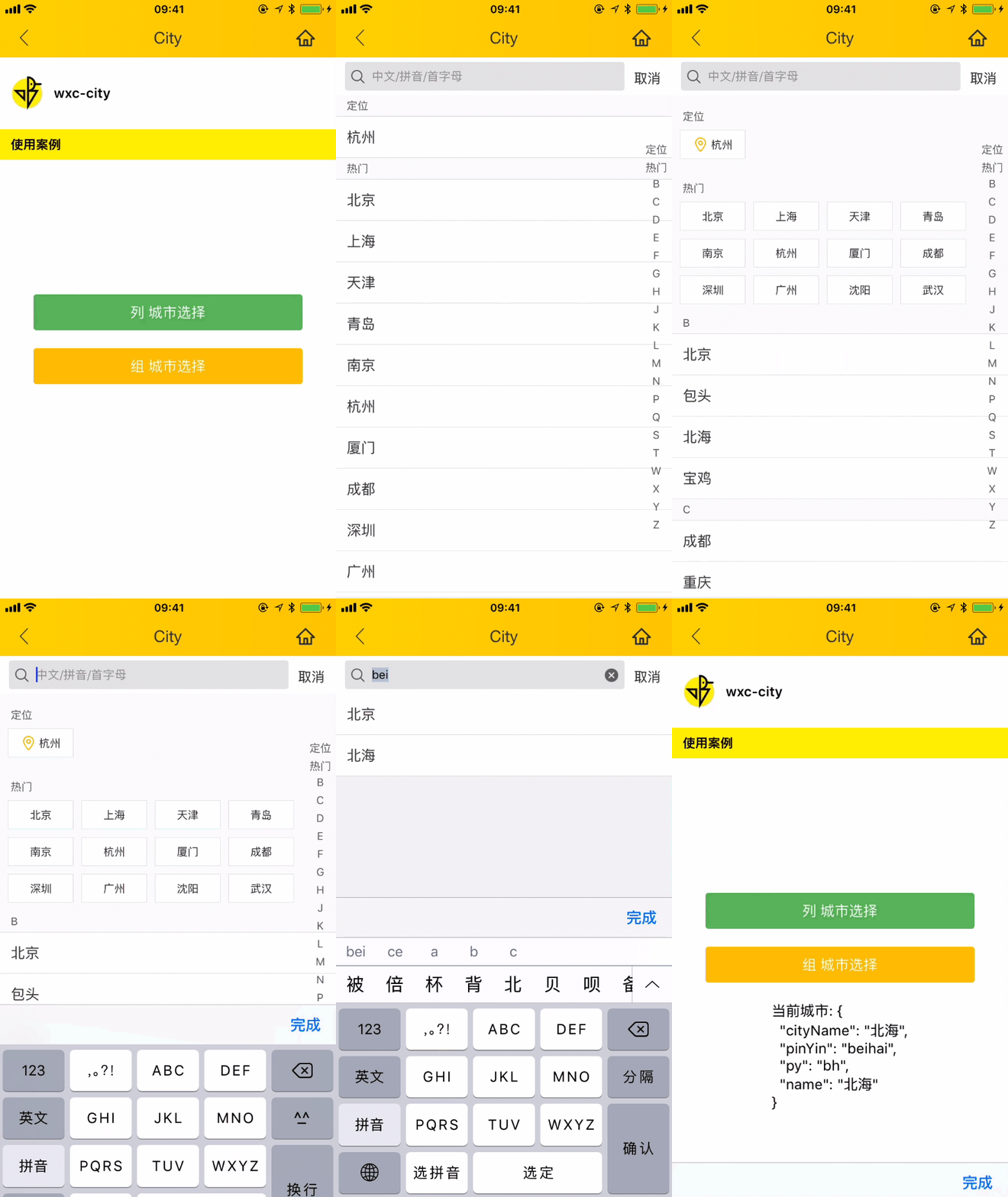
 `weex-ui >= 0.3.10`
## 使用方法
```vue
`weex-ui >= 0.3.10`
## 使用方法
```vue
城市选择
当前城市: {{currentCity}}
```
更详细代码可以参考 [demo](https://github.com/apache/incubator-weex-ui/blob/master/example/city/index.vue)
注:默认示例加载的是手动配置的城市数据源参考data.js,为区分默认数据源以及手动设置的数据源特在手动配置的数据源中去掉了'北京'这个城市
#### 可配置参数
| Prop | Type | Required | Default | Description |
| ---- |:----:|:---:|:-------:| :----------:|
| **`input-config`** | `Object` | `N` | `{}` | 城市选择输入框配置, 注1|
| **`source-data`** | `Object` | `N` | `注:不传此参数,默认使用常规城市列表数据源` | 城市列表数组配置,注2 |
| **`city-style-type`** | `String` | `N` | `list` | 城市列表样式的配置,注3 |
| **`current-location`** | `String` | `Y` | `` | 定位城市配置,注4 |
| **`show-index`** | `Boolean` | `N` | `true` | 是否显示右侧索引项|
| **`show-nav-header`** | `Boolean` | `N` | `true` |是否显示分栏顶部|
| **`show-tab`** | `Boolean` | `N` | `false` | 是否需要显示国内、国外TAB|
| **`city-height`** | `Number` | `N` | `0` | 自定义城市高度,**非特殊业务不要设置!**|
| **`animationType`** | `String` | `N` | `push` | 自定义转场动画类型目前支持model和push|
- 注1:输入框配置,采用deep copy merge,可以设置输入框的如下:
```
{
autofocus: false,
alwaysShowCancel: true,
placeholder: '中文/拼音/首字母'
}
```
- 注2:城市列表数组配置,详细可见[data.js](https://github.com/apache/incubator-weex-ui/blob/master/example/city/data.js),整体详细如下:
```
{
hotCity: [
{ cityName: '北京', pinYin: 'beijing', py: 'bj' }
],
cities: [
{ cityName: '北京', pinYin: 'beijing', py: 'bj' }
]
}
```
- 注3:城市列表样式的配置,支持`group`和`list`形式
- 注4:定位城市列表配置,如:杭州
### 事件回调
```
// 取消按钮回调
@wxcCityCanceled="cityCancel"
// 城市选择后回调
@wxcCityItemSelected="citySelect"
// 输入回车回调
@wxcCityOnKeyUpEnter="cityOnKeyUpEnter"
// 城市输入框输入回调
@wxcCityOnInput="cityInputChange"
```
### 异步数据问题
假如城市数据,需要请求后再显示,可以使用`this.$refs.wxcCity.saveDefaultSourceData = {...myData};`方式来更新