# wxc-icon
> Weex 常用 iconfont 的封装
## [Demo](https://h5.m.taobao.com/trip/wx-detection-demo/icon/index.html?_wx_tpl=https%3A%2F%2Fh5.m.taobao.com%2Ftrip%2Fwx-detection-demo%2Ficon%2Findex.weex.js)
 `weex-ui >= 0.3.10`
## 使用方法
```vue
```
更详细代码可以参考 [这里](https://github.com/apache/incubator-weex-ui/blob/master/icon/loading/index.vue)
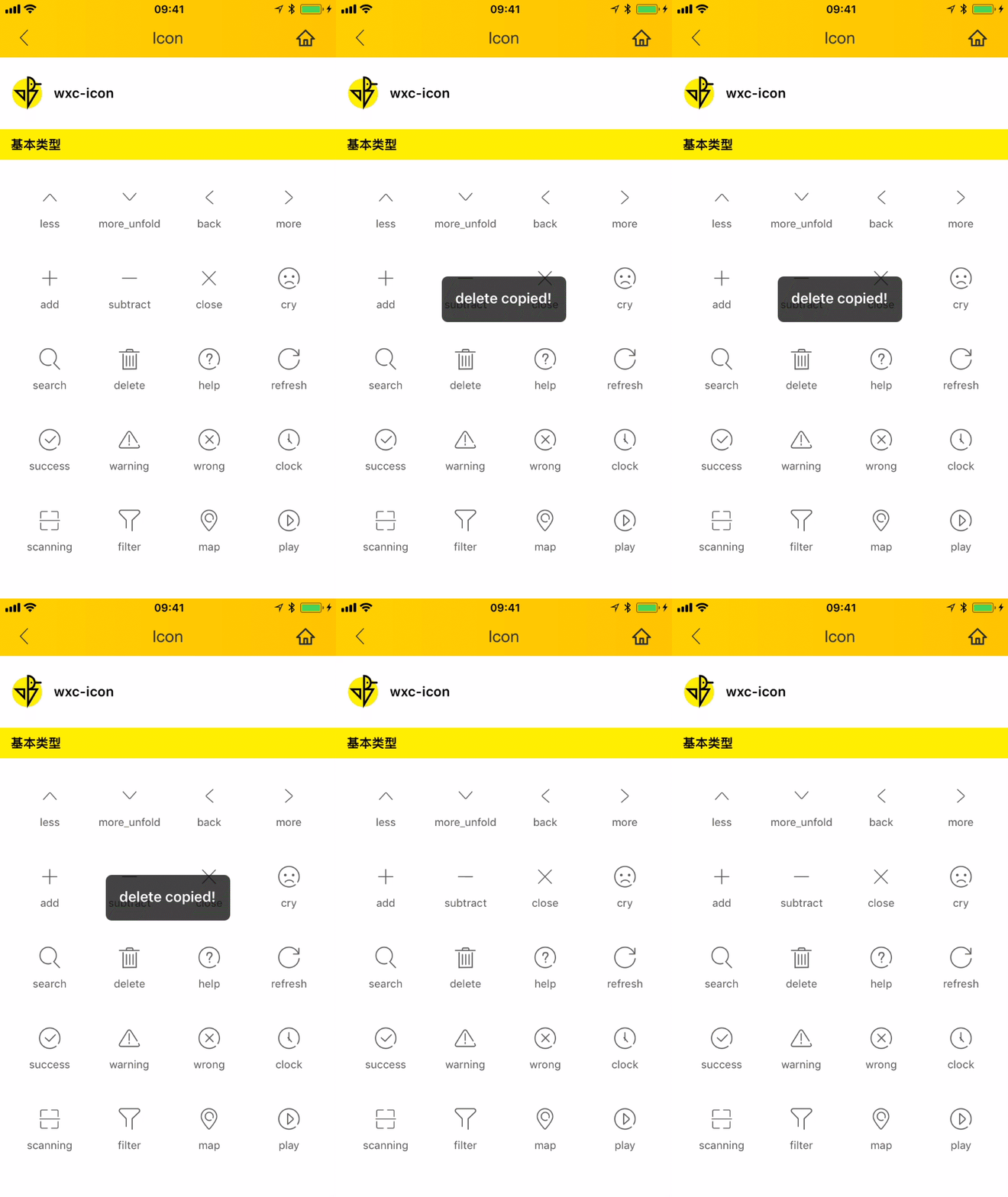
同时你可以从 [demo](https://h5.m.taobao.com/trip/wx-detection-demo/icon/index.html?_wx_tpl=https%3A%2F%2Fh5.m.taobao.com%2Ftrip%2Fwx-detection-demo%2Ficon%2Findex.weex.js) 进行复制 name
### 可配置参数
| Prop | Type | Required | Default | Description |
| ---- |:----:|:---:|:-------:| :----------:|
| **`name`** | `string` | `Y` | `-` | icon 的名称 (注1)|
| **`size`** | `String` | `N` | `small` | icon的尺寸 `xs`/`small`/`medium`/`big`|
| **`icon-style`** | `Object` | `N` | `{}` |样式覆盖 (注2)|
- 注1:icon的名称详细如下:`['less', 'more_unfold', 'back', 'more', 'add', 'subtract', 'close', 'cry', 'search', 'delete', 'help', 'refresh', 'success', 'warning', 'wrong', 'clock', 'scanning', 'filter', 'map', 'play']`
- 注2:当 size 不能满足时候,或者需要自定义样式类型可以传入`style`覆盖,例如:
```
style={color:red,fontSize:'60px'}
```
### 事件回调
```
// `@wxcIconClicked="iconClicked"`
将会返回 name
```
`weex-ui >= 0.3.10`
## 使用方法
```vue
```
更详细代码可以参考 [这里](https://github.com/apache/incubator-weex-ui/blob/master/icon/loading/index.vue)
同时你可以从 [demo](https://h5.m.taobao.com/trip/wx-detection-demo/icon/index.html?_wx_tpl=https%3A%2F%2Fh5.m.taobao.com%2Ftrip%2Fwx-detection-demo%2Ficon%2Findex.weex.js) 进行复制 name
### 可配置参数
| Prop | Type | Required | Default | Description |
| ---- |:----:|:---:|:-------:| :----------:|
| **`name`** | `string` | `Y` | `-` | icon 的名称 (注1)|
| **`size`** | `String` | `N` | `small` | icon的尺寸 `xs`/`small`/`medium`/`big`|
| **`icon-style`** | `Object` | `N` | `{}` |样式覆盖 (注2)|
- 注1:icon的名称详细如下:`['less', 'more_unfold', 'back', 'more', 'add', 'subtract', 'close', 'cry', 'search', 'delete', 'help', 'refresh', 'success', 'warning', 'wrong', 'clock', 'scanning', 'filter', 'map', 'play']`
- 注2:当 size 不能满足时候,或者需要自定义样式类型可以传入`style`覆盖,例如:
```
style={color:red,fontSize:'60px'}
```
### 事件回调
```
// `@wxcIconClicked="iconClicked"`
将会返回 name
```