# wxc-loading
> Loading
### Rule
- Don't stop activity indicator if the task is not completed.
- By providing meaningful texts under certain circumstances can help user understand which task is in progress.
## [Demo](https://h5.m.taobao.com/trip/wxc-loading/index.html?_wx_tpl=https%3A%2F%2Fh5.m.taobao.com%2Ftrip%2Fwxc-loading%2Fdemo%2Findex.native-min.js)
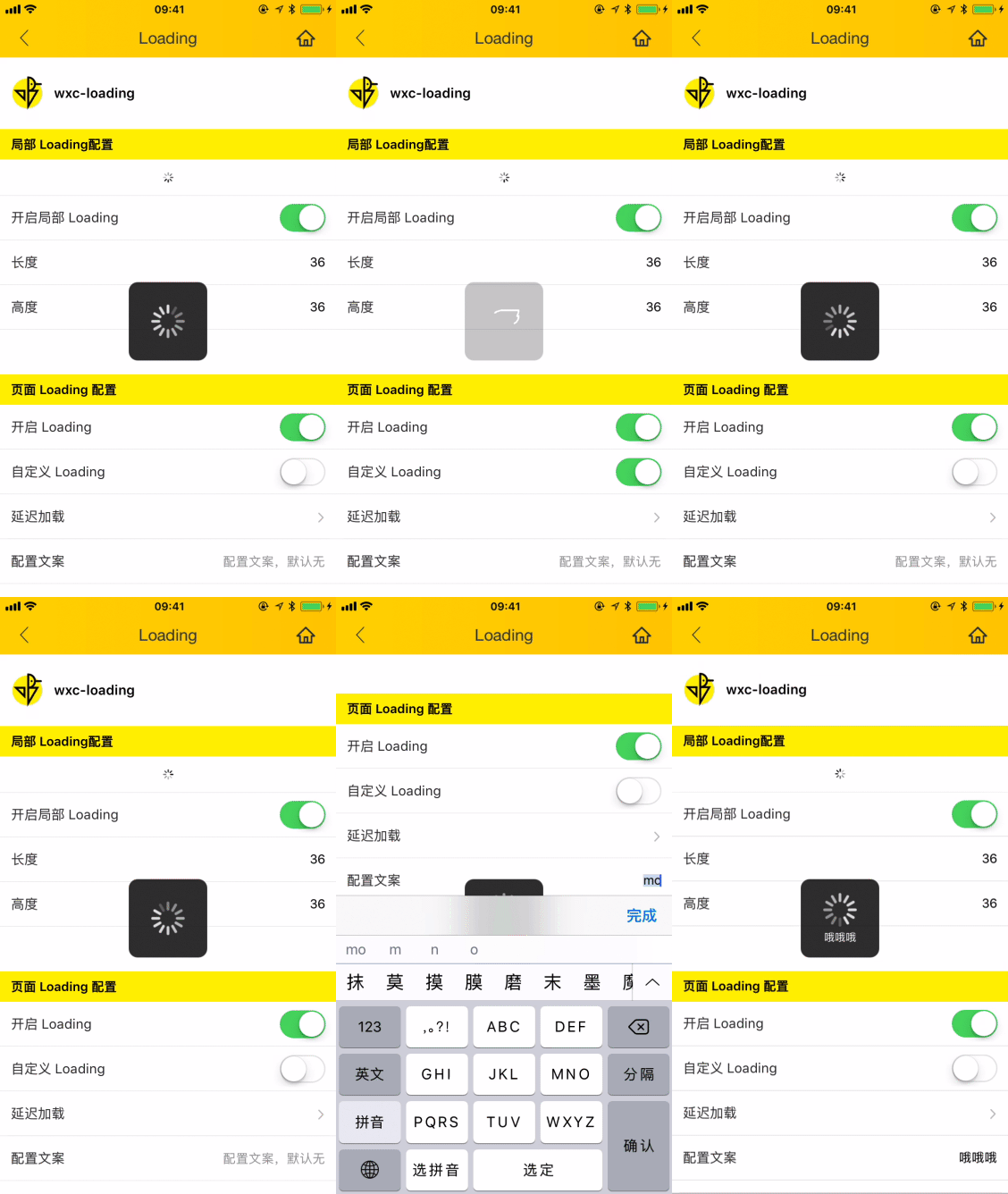
 ## Code Example
```vue
```
More details can be found in [here](https://github.com/apache/incubator-weex-ui/blob/master/example/loading/index.vue)
### API
#### Page Loading
| Prop | Type | Required | Default | Description |
|-------------|------------|--------|-----|-----|
| show | `Bool` |`Y`| `false` | whether to show the loading|
| loading-text | `String` |`N`| `-` | loading text behind the indicator |
| **interval** | `Number` |`N`| `0` | display delayed for fast Internet speed|
| type | `String` | `N`|`default` | loading image `default`/`trip`|
| need-mask | `Bool` | `N`|`false` | whether to need a covered mask |
| mask-style | `Object` | `N`|`{}` | mask style |
| loading-pic | `String` | `N`|`` | Overwrite original image |
### 事件回调
```
@wxcLoadingMaskClicked="maskClicked"
```
#### Part Loading
| Prop | Type | Required | Default | Description |
|-------------|------------|--------|-----|-----|
| show | `Bool` |`Y`| `false` | whether to show the loading|
| width | `Number` |`N`| `36` | loading width |
| height | `Number` |`N`| `36` | loading height |
## Code Example
```vue
```
More details can be found in [here](https://github.com/apache/incubator-weex-ui/blob/master/example/loading/index.vue)
### API
#### Page Loading
| Prop | Type | Required | Default | Description |
|-------------|------------|--------|-----|-----|
| show | `Bool` |`Y`| `false` | whether to show the loading|
| loading-text | `String` |`N`| `-` | loading text behind the indicator |
| **interval** | `Number` |`N`| `0` | display delayed for fast Internet speed|
| type | `String` | `N`|`default` | loading image `default`/`trip`|
| need-mask | `Bool` | `N`|`false` | whether to need a covered mask |
| mask-style | `Object` | `N`|`{}` | mask style |
| loading-pic | `String` | `N`|`` | Overwrite original image |
### 事件回调
```
@wxcLoadingMaskClicked="maskClicked"
```
#### Part Loading
| Prop | Type | Required | Default | Description |
|-------------|------------|--------|-----|-----|
| show | `Bool` |`Y`| `false` | whether to show the loading|
| width | `Number` |`N`| `36` | loading width |
| height | `Number` |`N`| `36` | loading height |