# wxc-loading
> Weex 加载提示组件
### 规则
- 让用户知道页面正在加载
- 在某些特定场景下,提供有意义的文案,帮助用户明白哪个任务正在进行中
- 局部 Loading 不建议设置太大
## [Demo](https://h5.m.taobao.com/trip/wxc-loading/index.html?_wx_tpl=https%3A%2F%2Fh5.m.taobao.com%2Ftrip%2Fwxc-loading%2Fdemo%2Findex.native-min.js)
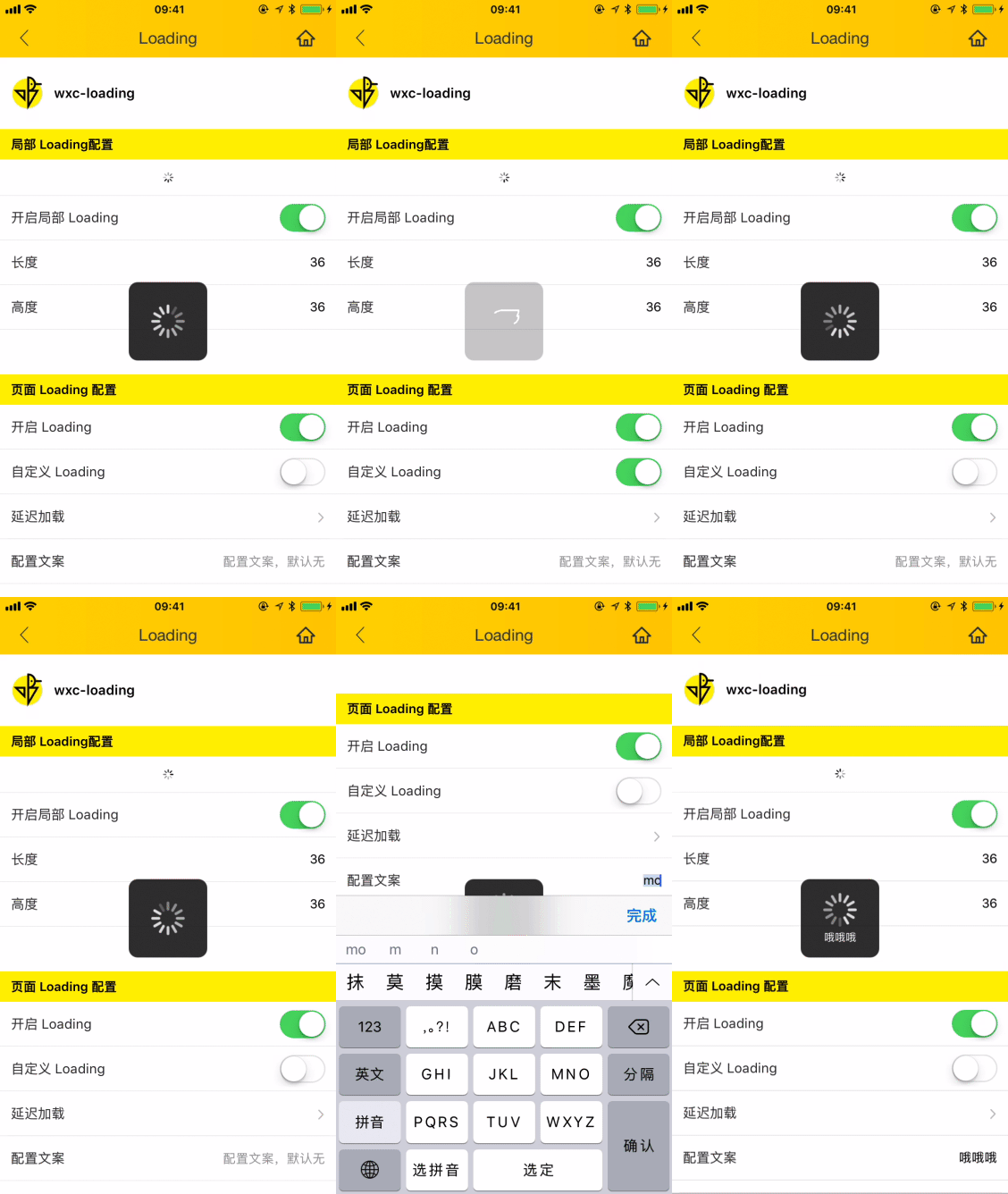
 ## 使用方法
```vue
## 使用方法
```vue
```
更详细代码可以参考 [demo](https://github.com/apache/incubator-weex-ui/blob/master/example/loading/index.vue)
### 可配置参数
#### 页面Loading
| Prop | Type | Required | Default | Description |
|-------------|------------|--------|-----|-----|
| show | `Bool` |`Y`| `false` | 是否显示|
| loading-text | `String` |`N`| `-` | 配置文案的显示 |
| **interval** | `Number` |`N`| `0` | 延迟毫秒数显示,用于体验优化|
| type | `String` | `N`|`default` |图案类别`default`/`trip`|
| need-mask | `Bool` | `N`|`false` | 加载时候是都需要一个蒙层防止用于误点 |
| mask-style | `Object` | `N`|`{}` | 蒙层样式覆盖 |
| loading-pic | `String` | `N`|`` | 覆盖原有图片 |
### Event
```
@wxcLoadingMaskClicked="maskClicked"
```
#### 局部Loading
| Prop | Type | Required | Default | Description |
|-------------|------------|--------|-----|-----|
| show | `Bool` |`Y`| `false` | 是否显示|
| width | `Number` |`N`| `36` | 局部加载的宽度 |
| height | `Number` |`N`| `36` | 局部加载的高度 |