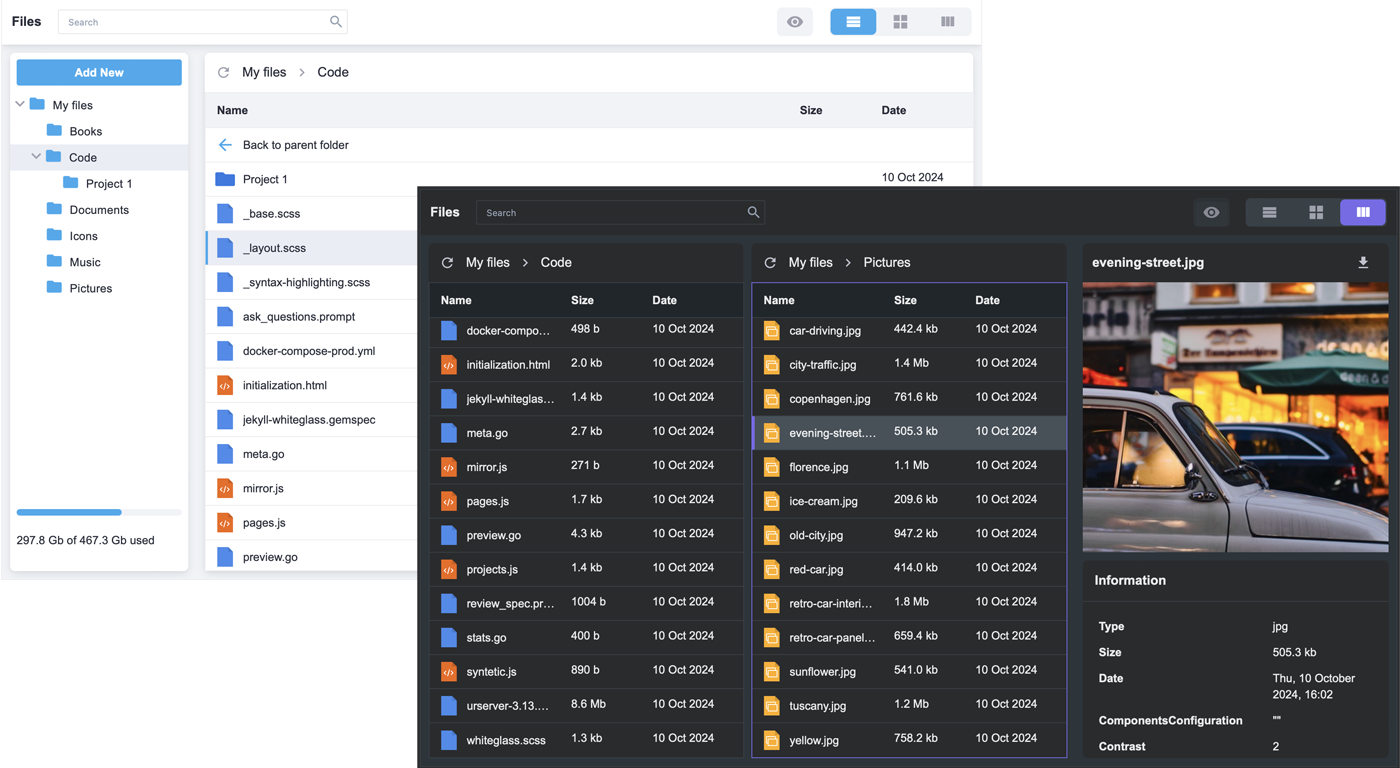
# SVAR Svelte File Manager | File Explorer
[Website](https://svar.dev/svelte/filemanager/) • [Getting Started](https://docs.svar.dev/svelte/filemanager/getting_started/) • [Demos](https://docs.svar.dev/svelte/filemanager/samples/#/base/willow)
[](https://www.npmjs.com/package/@svar-ui/svelte-filemanager)
[](https://github.com/svar-widgets/filemanager/blob/main/license.txt)
[](https://www.npmjs.com/package/@svar-ui/svelte-filemanager)
[](https://github.com/svar-widgets/filemanager)
[SVAR Svelte File Manager](https://svar.dev/svelte/filemanager/$0) is a flexible file explorer component for Svelte apps. It offers a familiar interface for browsing, organizing, and previewing files. You can integrate it with any backend, whether you're using local storage, databases, or cloud services.
### :sparkles: Key features:
- Basic file operations: create, delete, copy, rename, cut, paste
- Download and upload files
- Files tree view
- List and tiles views
- File preview pane with file information (file size, type, modified date, etc)
- Split view to manage files between different locations
- Built-in search box
- Context menu and toolbar
- Keyboard navigation
- Used storage info
- Easy customization
- Full TypeScript support
### :hammer_and_pick: How to Use
To use SVAR Svelte File Manager, simply import the package and include the component in your Svelte file:
```svelte
```
For further instructions, see our [getting-started guide](https://docs.svar.dev/svelte/filemanager/getting_started/).
### :computer: How to Modify
Typically, you don't need to modify the code. However, if you wish to do so, follow these steps:
1. Run `yarn` to install dependencies. Note that this project is a monorepo using `yarn` workspaces, so npm will not work
2. Start the project in development mode with `yarn start`
### :white_check_mark: Run Tests
To run the test:
1. Start the test examples with:
```sh
yarn start:tests
```
2. In a separate console, run the end-to-end tests with:
```sh
yarn test:cypress
```
### :speech_balloon: Need Help?
Join our [community forum](https://forum.svar.dev) to get help and submit feature requests.